編輯:關於Android編程
Android中圖片的存在形式:
1:文件形式:二進制形式存在與硬盤中。
2:流的形式:二進制形式存在與內存中。
3:Bitmap的形式
三種形式的區別:
文件形式和流的形式:對圖片體積大小並沒有影響。也就是說,如果你手機SD卡上的圖片通過流的形式讀到內存中,在內存中的大小也是原圖的大小。
注意:不是Bitmap的形式。
Bitmap的形式:圖片占用的內存會瞬間變大。
以下是代碼的形式:
 /**
   * 圖片壓縮的方法總結
   */

  /*
   * 圖片壓縮的方法01:質量壓縮方法
   */
  private Bitmap compressImage(Bitmap beforBitmap) {

    // 可以捕獲內存緩沖區的數據,轉換成字節數組。
    ByteArrayOutputStream bos = new ByteArrayOutputStream();
    if (beforBitmap != null) {
      // 第一個參數:圖片壓縮的格式;第二個參數:壓縮的比率;第三個參數:壓縮的數據存放到bos中
      beforBitmap.compress(CompressFormat.JPEG, 100, bos);
      int options = 100;
      // 循環判斷壓縮後的圖片是否是大於100kb,如果大於,就繼續壓縮,否則就不壓縮
      while (bos.toByteArray().length / 1024 > 100) {
        bos.reset();// 置為空
        // 壓縮options%
        beforBitmap.compress(CompressFormat.JPEG, options, bos);
        // 每次都減少10
        options -= 10;

      }
      // 從bos中將數據讀出來 存放到ByteArrayInputStream中
      ByteArrayInputStream bis = new ByteArrayInputStream(
          bos.toByteArray());
      // 將數據轉換成圖片
      Bitmap afterBitmap = BitmapFactory.decodeStream(bis);
      return afterBitmap;
    }
    return null;
  }

  /*
   * 圖片壓縮方法02:獲得縮略圖
   */
  public Bitmap getThumbnail(int id) {
    // 獲得原圖
    Bitmap beforeBitmap = BitmapFactory.decodeResource(
        mContext.getResources(), id);
    // 寬
    int w = mContext.getResources()
        .getDimensionPixelOffset(R.dimen.image_w);
    // 高
    int h = mContext.getResources().getDimensionPixelSize(R.dimen.image_h);

    // 獲得縮略圖
    Bitmap afterBitmap = ThumbnailUtils
        .extractThumbnail(beforeBitmap, w, h);
    return afterBitmap;

  }

  /**
   * 圖片壓縮03
   *
   * @param id
   *      要操作的圖片的大小
   * @param newWidth
   *      圖片指定的寬度
   * @param newHeight
   *      圖片指定的高度
   * @return
   */
  public Bitmap compressBitmap(int id, double newWidth, double newHeight) {
    // 獲得原圖
    Bitmap beforeBitmap = BitmapFactory.decodeResource(
        mContext.getResources(), id);
    // 圖片原有的寬度和高度
    float beforeWidth = beforeBitmap.getWidth();
    float beforeHeight = beforeBitmap.getHeight();

    // 計算寬高縮放率
    float scaleWidth = 0;
    float scaleHeight = 0;
    if (beforeWidth > beforeHeight) {
      scaleWidth = ((float) newWidth) / beforeWidth;
      scaleHeight = ((float) newHeight) / beforeHeight;
    } else {
      scaleWidth = ((float) newWidth) / beforeHeight;
      scaleHeight = ((float) newHeight) / beforeWidth;
    }

    // 矩陣對象
    Matrix matrix = new Matrix();
    // 縮放圖片動作 縮放比例
    matrix.postScale(scaleWidth, scaleHeight);
    // 創建一個新的Bitmap 從原始圖像剪切圖像
    Bitmap afterBitmap = Bitmap.createBitmap(beforeBitmap, 0, 0,
        (int) beforeWidth, (int) beforeHeight, matrix, true);
    return afterBitmap;

  }
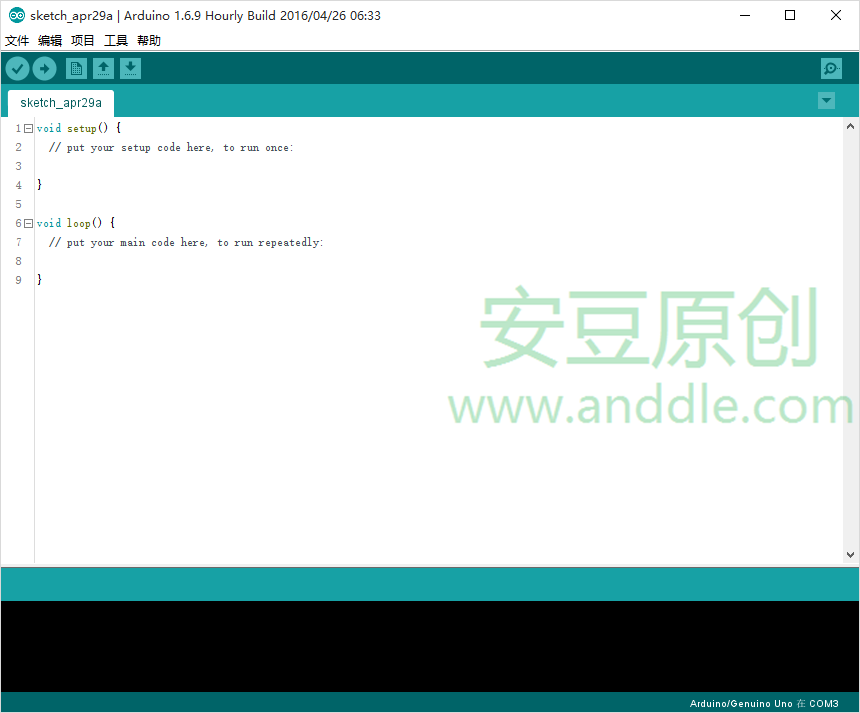 手把手教你做藍牙小車(一)
第1節 選擇Arduino開發板1.1 Arduino是什麼對Arduino,官方有一堆解釋。作為一個軟件程序猿,在我眼裡,Arduino是學習“可怕硬件&r
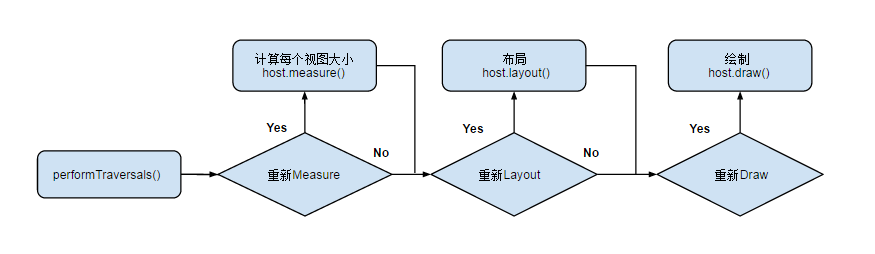 Android Notes 之 View篇(2) View的繪制流程
View 樹的繪圖流程當 Activity 接收到焦點的時候,它會被請求繪制布局,該請求由 Android framework 處理.繪制是從根節點開始,對布局樹進行 m
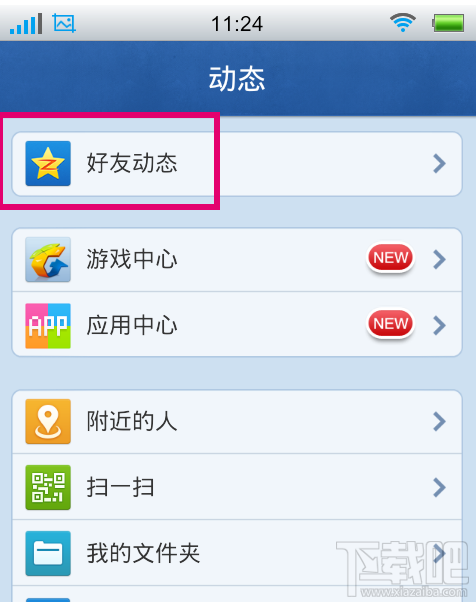 如何用手機qq上傳照片 怎麼用手機qq上傳相片
手機qq如何上傳照片,具體步驟如下,一起來試試吧!1.首先要打開手機qq,登錄到自己的qq帳號,登錄qq帳號以後點擊下面的動態。2.點擊動態以後,進入到動態
 android圖片處理之讓圖片一直勻速旋轉
本文是在我的文章android圖片處理,讓圖片變成圓形 的基礎上繼續寫的,可以去看看,直接看也沒關系,也能看懂 1、首先在res文件夾下創建一個名字為anim的