編輯:關於Android編程
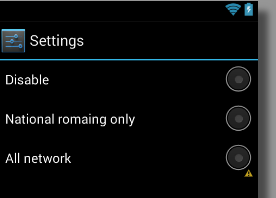
<?xml version="1.0" encoding="utf-8"?>
<LinearLayout xmlns:android="http://schemas.android.com/apk/res/android"
  android:layout_width="match_parent"
  android:layout_height="match_parent"
  android:orientation="vertical"
  android:layout_marginRight="5dp"
  android:layout_marginLeft="10dp">

  <RadioGroup
    android:layout_width="match_parent"
    android:layout_height="wrap_content" >

    <RadioButton
      android:id="@+id/rb_disable"
      android:layout_width="match_parent"
      android:layout_height="wrap_content"
      android:button="@null"
      android:drawableRight="@android:drawable/btn_radio"
      android:text="@string/data_romaing_disable" />

    <RadioButton
      android:id="@+id/rb_national_romaing_only"
      android:layout_width="match_parent"
      android:layout_height="wrap_content"
      android:button="@null"
      android:drawableRight="@android:drawable/btn_radio"
      android:text="@string/data_romaing_national_romaing_only" />

    <RadioButton
      android:id="@+id/rb_all_network"
      android:layout_width="match_parent"
      android:layout_height="wrap_content"
      android:button="@null"
      android:drawableRight="@android:drawable/btn_radio"
      android:text="@string/data_romaing_all_network" />
  </RadioGroup>

</LinearLayout>
想要改變RadioButton 的位置,就先設置默認的圖片為null ,在調用對應的方法將圖標放在指定的位置
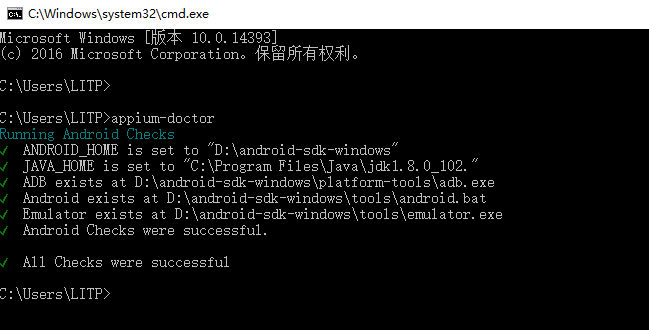 [Android測試] Android Studio+Appium+Java+Windows 自動化測試之二:Appium環境安裝搭建
一、需要下載安裝的東西1. 文件下載網上也有挺多安裝教程的,這裡我提供我的安裝方法。Win10 64位。一些文件我在後面打包。2016.9.12號本人安裝記錄。SDK:
 ListView上拉加載和下拉刷新多種實現方式
該篇為ListView下拉刷新和上拉加載實現的各種方法大合集。可能在具體的細節邏輯上處理不太到位,但基本上完成邏輯的實現。細節方面,個人可以根據自己的需求進行完善。該博客
 手機進水怎麼辦?
當你的手機不慎掉進水裡,且你很快就把它撈出來,接下來如何“挽救”你的手機,就可以試試以下的方法。三步“營救”
 Android(Lollipop/5.0) Material Design(一) 簡介
使用Material Design 需要api21,即Lollipop/5.0以上 Material Design 為應用提供了:一個新的主題,一些組合Vi