編輯:關於Android編程
知識點
今天繼續昨天沒有講完的Menu的學習,主要是Popup Menu的學習。
Popup Menu(彈出式菜單)
彈出式菜單是一種固定在View上的菜單模型。主要用於以下三種情況:
為特定的內容提供溢出風格(overflow-style)的菜單進行操作。
提供其他部分的命令句(command sentence)如Add按鈕可以用彈出菜單提供不同的Add的操作。
提供類似於Spinner的下拉式菜單但不保持持久的選擇。
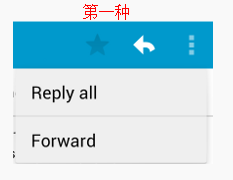
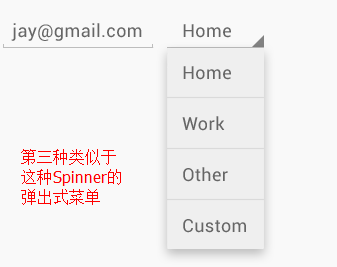
那怎樣顯示彈出式菜單呢?
如果你在XML文件中定義了菜單,那麼以下三步就可顯示:
1.用PopupMenu的構造器實例化彈出式菜單,需要當前應用的Context和菜單需要固定到的View。
2.使用MenuInflater填充你的菜單資源到Menu對象中,這個Menu對象是由PopupMenu.getMenu返回的(在API 14和以上 可以用PopupMenu.inflater替代)
3.調用PopupMenu.show()
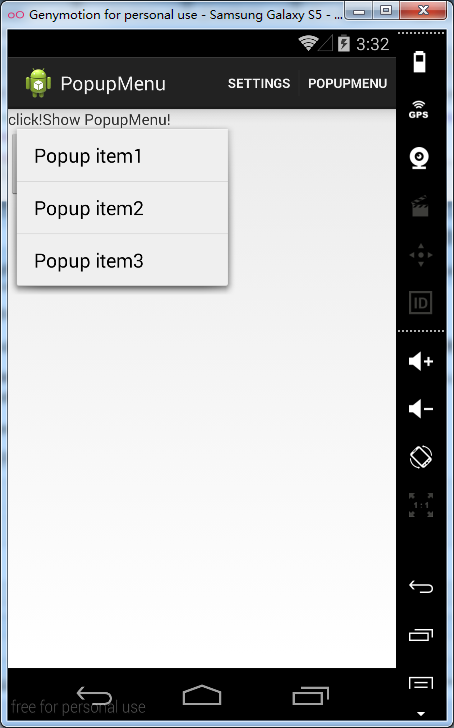
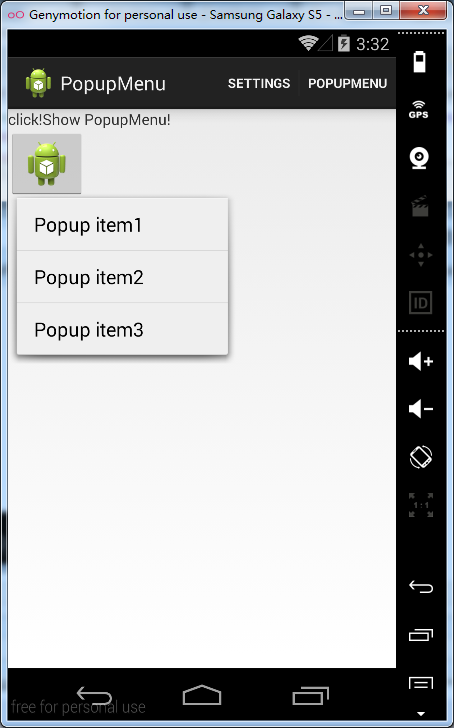
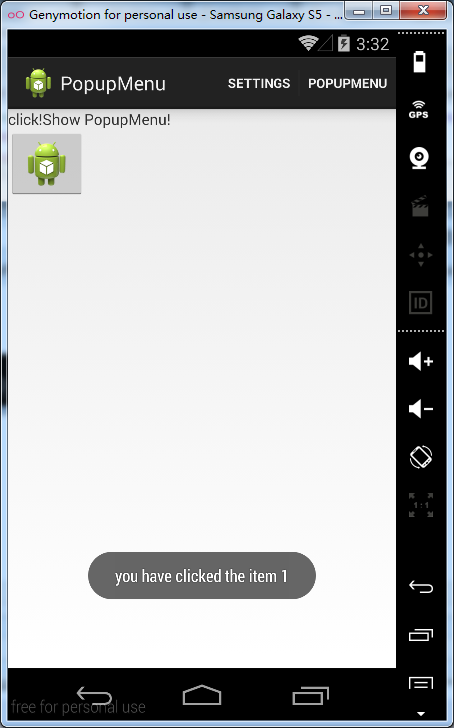
下面通過一個例子來理解PopupMenu的使用:
public void showPopup(View v){
    PopupMenu popup = new PopupMenu(this,v);
    MenuInflater inflater = popup.getMenuInflater();
    inflater.inflate(R.menu.popup, popup.getMenu());
    popup.setOnMenuItemClickListener(this);
    popup.show();
  }

  @Override
  public boolean onMenuItemClick(MenuItem arg0) {
    switch (arg0.getItemId()) {
    case R.id.item1:
      Toast.makeText(this, "you have clicked the item 1", Toast.LENGTH_LONG).show();
      break;
    case R.id.item2:
      Toast.makeText(this, "you have clicked the item 2", Toast.LENGTH_LONG).show();
      break;
    case R.id.item3:
      Toast.makeText(this, "you have clicked the item 3", Toast.LENGTH_LONG).show();
      break;
    default:
      break;
    }
    return false;
  }
<LinearLayout xmlns:android="http://schemas.android.com/apk/res/android"
  xmlns:tools="http://schemas.android.com/tools"
  android:layout_width="match_parent"
  android:layout_height="match_parent"
  android:orientation="vertical"
  >

  <TextView
    android:layout_width="wrap_content"
    android:layout_height="wrap_content"
    android:text="@string/clickMe"
    android:onClick="showPopup"
    android:clickable="true"/>

  <ImageButton
    android:layout_width="wrap_content"
    android:layout_height="wrap_content"
    android:src="@drawable/ic_launcher"
    android:clickable="true"
    android:onClick="showPopup" />

</LinearLayout>
 Android屏幕適配之布局設置(二)
書接上回,我們已經了解了一些關於適配的一些相關概念,接下來我們會了解一下,在設置布局時我們應該注意的地方。盡量不去設定具體的尺寸值。為了確保布局適應各種尺寸的屏幕,在保證
 Android編程之Fragment使用動畫造成Unknown animation name: objectAnimator異常
在為Fragment做切換動畫,啟動後遇到了一個異常: Caused by: java.lang.RuntimeException: Unknown animation
 Android 4.4 Kitkat Phone工作流程淺析(十一)__PSensor工作流程淺析
概要 在Android手機通話過程中,用戶將手機靠近/遠離頭部,會導致手機屏幕滅/亮,這實際上是Proximity Sensor在起作用(參考1)。通俗的來
 android事件分發流程
1.描述說到android事件的分發機制,真的是感覺既熟悉又陌生,因為每次需要用到的時候查看相關的源碼,總能找到一些所以然來,但是要根據自己理解從頭到尾說一遍,卻一點都說