編輯:關於Android編程
通過GPS取得的是一個Location類型的經緯度, 可以轉換為兩個Double 緯度和經度.
緯度: 23.223871812820435
緯度: 113.58986039161628
首先創建一個TextView和兩個Button
<TextView
 android:id="@+id/text"
 android:layout_width="fill_parent"
  android:layout_height="wrap_content"  />

 <Button
  android:id="@+id/btnStart"
  android:layout_width="wrap_content"
  android:layout_height="wrap_content"
  android:text="定位" />
 <Button
  android:id="@+id/btnStop"
  android:layout_width="wrap_content"
  android:layout_height="wrap_content"
  android:text="停止" />
然後添加主Activity的代碼
Location 是存放經緯度的一個類型
LocationManager是位置管理服務類型
private Button btnStart;
private Button btnStop;
private TextView textView;
private Location mLocation;
private LocationManager mLocationManager;
/** Called when the activity is first created. */
@Override
public void onCreate(Bundle savedInstanceState)
{

 super.onCreate(savedInstanceState);
 setContentView(R.layout.main);

 btnStart = (Button)findViewById(R.id.btnStart);
 btnStop = (Button)findViewById(R.id.btnStop);
 textView = (TextView)findViewById(R.id.text);
 btnStart.setOnClickListener(btnClickListener); //開始定位
 btnStop.setOnClickListener(btnClickListener); //結束定位按鈕
}
gpsIsOpen是自己寫的查看當前GPS是否開啟
getLocation 是自己寫的一個獲取定位信息的方法
mLocationManager.removeUpdates()是停止當前的GPS位置監聽
public Button.OnClickListener btnClickListener = new Button.OnClickListener()
{
 public void onClick(View v)
 {
  Button btn = (Button)v;
  if(btn.getId() == R.id.btnStart)
  {
   if(!gpsIsOpen())
    return;

  mLocation = getLocation();

   if(mLocation != null)
    textView.setText("維度:" + mLocation.getLatitude() + "\n經度:" + mLocation.getLongitude());
   else
    textView.setText("獲取不到數據");
  }
  else if(btn.getId() == R.id.btnStop)
  {
   mLocationManager.removeUpdates(locationListener);
  }

 }
};
private boolean gpsIsOpen()
{
 boolean bRet = true;

 LocationManager alm = (LocationManager)this.getSystemService(Context.LOCATION_SERVICE);
 if(!alm.isProviderEnabled(LocationManager.GPS_PROVIDER))
 {
  Toast.makeText(this, "未開啟GPS", Toast.LENGTH_SHORT).show();
  bRet = false;
 }
 else
 {
  Toast.makeText(this, "GPS已開啟", Toast.LENGTH_SHORT).show();
 }

 return bRet;
}
判斷當前是否開啟GPS
private boolean gpsIsOpen()
{
 boolean bRet = true;

 LocationManager alm = (LocationManager)this.getSystemService(Context.LOCATION_SERVICE);
 if(!alm.isProviderEnabled(LocationManager.GPS_PROVIDER))
 {
  Toast.makeText(this, "未開啟GPS", Toast.LENGTH_SHORT).show();
  bRet = false;
 }
 else
 {
  Toast.makeText(this, "GPS已開啟", Toast.LENGTH_SHORT).show();
 }

 return bRet;
}
該方法獲取當前的經緯度, 第一次獲取總是null
後面從LocationListener獲取已改變的位置
mLocationManager.requestLocationUpdates()是開啟一個LocationListener等待位置變化
private Location getLocation()
{
 //獲取位置管理服務
 mLocationManager = (LocationManager)this.getSystemService(Context.LOCATION_SERVICE);

 //查找服務信息
 Criteria criteria = new Criteria();
 criteria.setAccuracy(Criteria.ACCURACY_FINE); //定位精度: 最高
 criteria.setAltitudeRequired(false); //海拔信息:不需要
 criteria.setBearingRequired(false); //方位信息: 不需要
 criteria.setCostAllowed(true);  //是否允許付費
 criteria.setPowerRequirement(Criteria.POWER_LOW); //耗電量: 低功耗

 String provider = mLocationManager.getBestProvider(criteria, true); //獲取GPS信息

 Location location = mLocationManager.getLastKnownLocation(provider);

 mLocationManager.requestLocationUpdates(provider, 2000, 5, locationListener);

 return location;
}
改方法是等待GPS位置改變後得到新的經緯度
private final LocationListener locationListener = new LocationListener()
{
 public void onLocationChanged(Location location)
 {
  // TODO Auto-generated method stub
  if(location != null)
   textView.setText("維度:" + location.getLatitude() + "\n經度:"
      + location.getLongitude());
  else
   textView.setText("獲取不到數據" + Integer.toString(nCount));
 }

 public void onProviderDisabled(String provider)
 {
  // TODO Auto-generated method stub
 }

 public void onProviderEnabled(String provider)
 {
  // TODO Auto-generated method stub
 }

 public void onStatusChanged(String provider, int status, Bundle extras)
 {
  // TODO Auto-generated method stub

 }
};
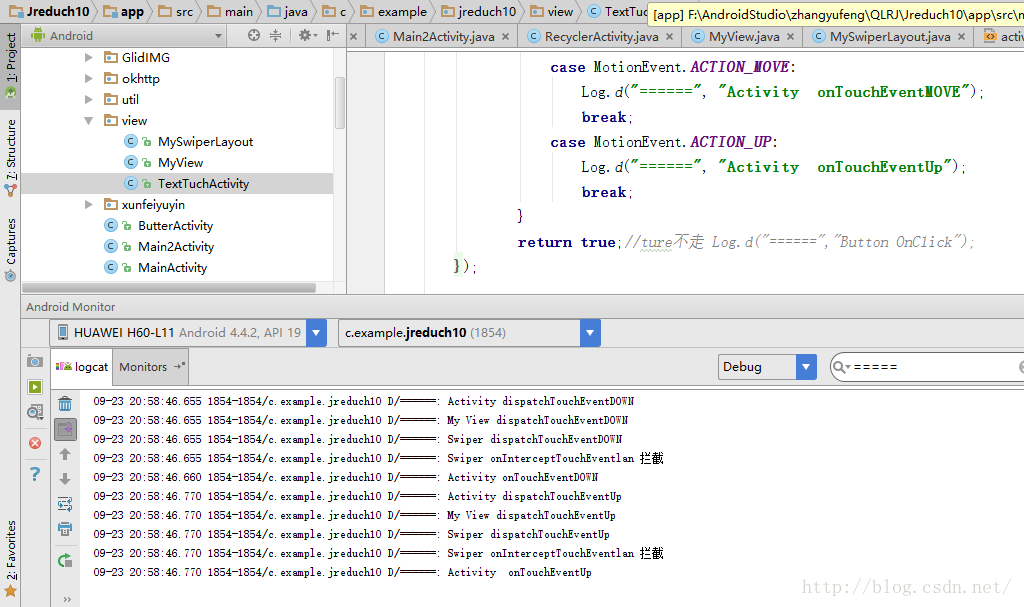 Android——Tuch測試+MyView+MySwiperLayout
xml version="1.0" encoding="utf-8"?><RelativeLayout xmlns:a
 teamviewer遠程控制 用Android手機遠程控制你的電腦
TeamViewer 是一個在任何防火牆和NAT代理的後台用於遠程控制 ,桌面共享和文件傳輸的簡單且快速的解決方案。為了連接到另一台計算機,只需要在兩台計算
 Android通用的搜索框
之前項目總會遇到很多搜索框類的功能,雖然不是很復雜,不過每次都要去自己處理數據,並且去處理搜索框的變化,寫起來也比較麻煩,今天來做一個比較簡單的通用搜索欄。先看下效果圖:
 Android中WebView的一些簡單用法
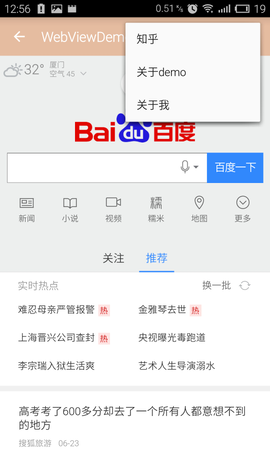
Android中WebView的一些簡單用法一直想寫一個關於 WebView 控件的 一些簡單運用,都沒什麼時間,這次也是擠出時間寫的,裡面的一些基礎知識就等有時間再更新