編輯:關於Android編程
下載文檔及其例子和包的地址:http://code.google.com/p/android-query/
使用之前導入androidquery.jar包
	// 必須實現AQuery這個類
	AQuery aq = new AQuery(view);
	// 按順序分析:取得xml對應控件id,設置圖片,設置可以顯示,點擊事件(方法someMethod必須是public修飾)

	aq.id(R.id.icon).image(R.drawable.icon).visible().clicked(this, "someMethod");
	// 設置文字內容
        aq.id(R.id.name).text(content.getPname());
        aq.id(R.id.time).text(FormatUtility.relativeTime(System.currentTimeMillis(), content.getCreate())).visible();

	aq.id(R.id.desc).text(content.getDesc()).visible();
    @Override
    public View onCreateView(LayoutInflater inflater, ViewGroup container, Bundle savedInstanceState) {

        View view = inflater.inflate(getContainerView(), container, false);

        aq = new AQuery(getActivity(), view);
        return view;
    }
3.1 從網上讀取圖片
aq.id(R.id.image1).image(“圖片URL”);
3.2 緩存控制: 圖片過大的話,避免記憶緩存
booleanmemCache=false;
     boolean fileCache = true;

     aq.id(R.id.image1).image("http://www.vikispot.com/z/images/vikispot/android-w.png", memCache, fileCache);
3.3 當下載太多圖片的時候需要降低圖片采樣率,第四個參數為了保證圖片質量,一般范圍時200-399
   aq.id(R.id.image1).image(imageUrl, true, true, 200, 0);
3.4 如果下載圖片失敗,處理的方法:1. 設置一個預定的圖片  2. 使imageview不可見或者是gone
     aq.id(R.id.image1).image(imageUrl, true, true, 0, R.drawable.default_image);
   aq.id(R.id.image1).image(imageUrl, true, true, 0, AQuery.INVISIBLE);
     aq.id(R.id.image1).image(imageUrl, true, true, 0, AQuery.GONE);

3.5 圖片預加載
    // 從之前的url取得小圖片
     String thumbnail = "http://farm6.static.flickr.com/5035/5802797131_a729dac808_s.jpg";
     Bitmap preset = aq.getCachedImage(thumbnail);
    // 加載大圖片前先顯示小圖片
     String imageUrl = "http://farm6.static.flickr.com/5035/5802797131_a729dac808_b.jpg";
    aq.id(R.id.image).image(imageUrl, false, false, 0, 0, preset, AQuery.FADE_IN);
3.6 在加載圖片的時候顯示進度條,progress裡面傳入id
    String imageUrl = "http://farm6.static.flickr.com/5035/5802797131_a729dac808_b.jpg";
     aq.id(R.id.image).progress(R.id.progress).image(imageUrl, false, false);
3.7 圖片圓角顯示,不支持大圖片
     ImageOptions options = new ImageOptions();
     options.round = 15;
     aq.id(R.id.image).image(url, options);
3.8 圖片長寬比例
    // 保留原圖片比例
    aq.id(R.id.image).image(imageUrl, true, true, 0, 0, null, AQuery.FADE_IN, AQuery.RATIO_PRESERVE);
    // 自定義圖片比例
    //1:1, a square
    aq.id(R.id.image2).image(imageUrl, true, true, 0, 0, null, 0, 1.0f / 1.0f);
    aq.id(R.id.image3).image(imageUrl, true, true, 0, 0, null, 0, 1.5f / 1.0f);
    //16:9, a video thumbnail
    aq.id(R.id.image4).image(imageUrl, true, true, 0, 0, null, 0, 9.0f / 16.0f);
    aq.id(R.id.image5).image(imageUrl, true, true, 0, 0, null, 0, 3.0f / 4.0f);
3.9 圖片描點,如果圖片過高,描點可用來描述圖片的哪一部分用於顯示
    Anchor values:
·	1.0 : Display top of the image
	0 : Display the center of the image
	-1.0 : Display bottom of the image
	AQuery.ANCHOR_DYNAMIC : Display image with a top bias for photos.
=======================================================
	ImageOptions options = new ImageOptions();
	options.ratio = 1;
	options.anchor = 1.0;
	aq.id(R.id.image1).image(imageUrl, options);
3.10 自定義圖片加載後的處理
    aq.id(R.id.image1).image(imageUrl, true, true, 0, 0, new BitmapAjaxCallback(){});
3.11 異步從文件加載圖片,建議使用降低采樣率避免oom
    File file = new File(path);
   //load image from file, down sample to target width of 300 pixels
   aq.id(R.id.avatar).image(file, 300);
   //load image from file with callback
   aq.id(R.id.avatar).image(file, false, 300, new BitmapAjaxCallback(){
  @Override
    public void callback(String url, ImageView iv, Bitmap bm, AjaxStatus status){
        iv.setImageBitmap(bm);
	}
});
3.12 如果之前image("url")已經成功,之後的都可以直接使用而不需要重新訪問網絡,也就是說之後可以離線訪問此圖像資源
3.13 文件中獲取緩沖圖片
     File file = aq.getCachedFile(url);
3.14 除了imageview,webview也可以用來放圖片
     aq.id(R.id.web).progress(R.id.progress).webImage(url);
3.15 延遲圖片加載,幫助你是否加載正在快速滾動的listview,詳情參考文檔使用
3.16 圖片不使用緩存
     aq.id(R.id.image).image(url, false, false);
3.17 緩存配置,緩存一般是保存在內部文件系統,但也可以保存在SDCard裡面
      File ext = Environment.getExternalStorageDirectory();
      File cacheDir = new File(ext, "myapp");
      AQUtility.setCacheDir(cacheDir);
3.18 共享圖片,為了與其他程序共享圖片,你需要把文件放在SDCard,makeSharedFile方法創建緩存地址的一個副本
      File file = aq.makeSharedFile(url, "android.png");
         if(file != null){
                Intent intent = new Intent(Intent.ACTION_SEND);
                intent.setType("image/jpeg");
                intent.putExtra(Intent.EXTRA_STREAM, Uri.fromFile(file));
                startActivityForResult(Intent.createChooser(intent, "Share via:"), SEND_REQUEST);
    }
3.19 配置,最好把配置寫在application的onCreate方法,詳細參考文檔
3.20 程序退出時候需要把緩存清除
      if(isTaskRoot()){
	  AQUtility.cleanCacheAsync(this);
	}
或者: if(isTaskRoot()){
	//clean the file cache with advance option
    long triggerSize = 3000000; //大於3M時候開始清除
    long targetSize = 2000000;   //直到少於2M
    AQUtility.cleanCacheAsync(this, triggerSize, targetSize);
    }
3.21 低內存處理
      public class MainApplication extends Application{
          @Override
         public void onLowMemory(){
        //clear all memory cached images when system is in low memory
        //note that you can configure the max image cache count, see CONFIGURATION
         BitmapAjaxCallback.clearCache();
	}
}
4.1. 添加權限:
4.2. 支持的類型
JSONObjectBitmap
4.3. 以Json數據為例,注意,紅色部分是隨你請求的數據類型一起改變
Stringurl="http://www.google.com/uds/GnewsSearch?q=Obama&v=1.0";});
上面的形式也可以寫成下面一樣,他們是無條件對等
publicvoidasyncJson(){
再舉一個使用AQuery的XmlDom解析xml的例子,如果XML過大,使用XMLPullParser
publicvoidxml_ajax(){
4.4. 如果你想指定保存文件的位置,使用download方法
String url = "https://picasaweb.google.com/data/feed/base/featured?max-results=16";

File ext = Environment.getExternalStorageDirectory();
File target = new File(ext, "aquery/myfolder/photos.xml");

aq.progress(R.id.progress).download(url, target, new AjaxCallback(){

    public void callback(String url, File file, AjaxStatus status) {

        if(file != null){
            showResult("File:" + file.length() + ":" + file, status);
        }else{
            showResult("Failed", status);
        }
    }
 });
4.5. 自定義類型(文檔例子是gson數據使用對象解析),詳細見文檔
4.6. 使用Http Post (Multiple)
privatevoidaync_multipart(){
    String url = "https://graph.facebook.com/me/photos";

    Map params = new HashMap();
    params.put("message", "Message");

    //Simply put a byte[] to the params, AQuery will detect it and treat it as a multi-part post
    byte[] data = getImageData();
    params.put("source", data);

    //Alternatively, put a File or InputStream instead of byte[]
    //File file = getImageFile();
    //params.put("source", file);

    AQuery aq = new AQuery(getApplicationContext());
    aq.auth(handle).ajax(url, params, JSONObject.class, this, "photoCb");

}
4.7. 使用ajax是很容易達到緩存的
String url = "http://www.google.com"; // 返回最近15分鐘內的緩存副本,如果expire為-1,內容將會立即更新且緩存 long expire = 15 * 60 * 1000; aq.ajax(url, String.class, expire, new AjaxCallback4.8. 使緩存無效() { @Override public void callback(String url, String html, AjaxStatus status) { showResult(html); } });
public void callback(String url, JSONObject json, AjaxStatus status) {

    if(json != null){
        if("1".equals(json.optString("status"))){
            //do something
        }else{
            // 不緩存
            status.invalidate();
        }
    }
}
4.9. 同步調用:如果ajax調用是在新開的線程,sync方法能夠阻塞線程,直到ajax調用完畢,如果sync方法用在主線程將會引起Exception
String url = "http://www.google.com/uds/GnewsSearch?q=Obama&v=1.0";

AjaxCallback cb = new AjaxCallback();
cb.url(url).type(JSONObject.class);

aq.sync(cb);

JSONObject jo = cb.getResult();
AjaxStatus status = cb.getStatus();
 viewpager+fragment的懶加載
正文 進入正題,主要講解viewpager+fragment實現微信滑動切換頁面的功能,並且附帶切換效果,功能其實並不難,只是需要把知識點關聯起來1.分析用到的知識點(1
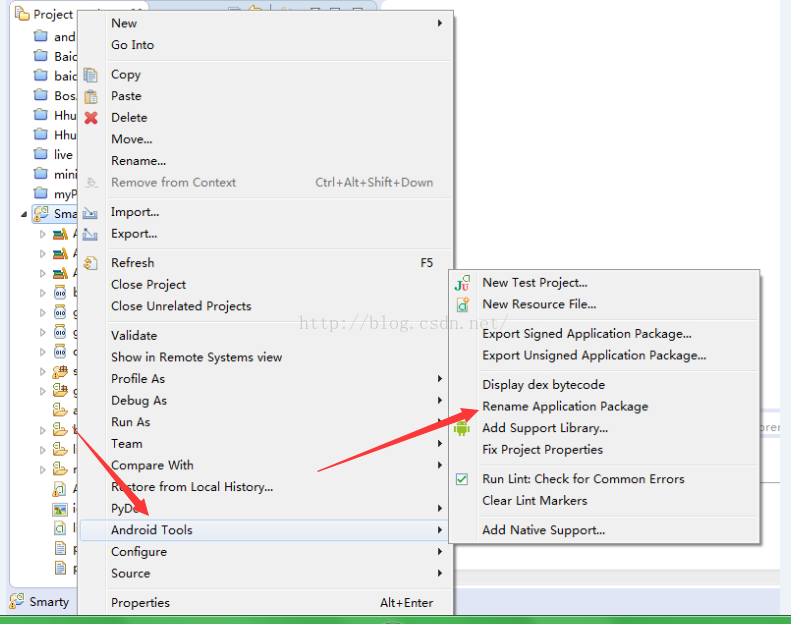 Android項目更改包名
在我們開發Android項目的時候,常常需要對安裝來自同一個項目但是版本不同的app到手機上,這就存在覆蓋問題,通過修改Android的包名可以解決這個問題,步驟如下:1
 知乎的微信朋友圈值乎怎麼玩 微信朋友圈值乎具體玩法介紹
微信朋友圈值乎怎麼玩?大家是否還記得微信紅包看照片的活動?現在知乎也推出了一個新的活動,那就是如果你想看完我的整篇文章,請付錢。 哈哈~是不是很有意思呢?
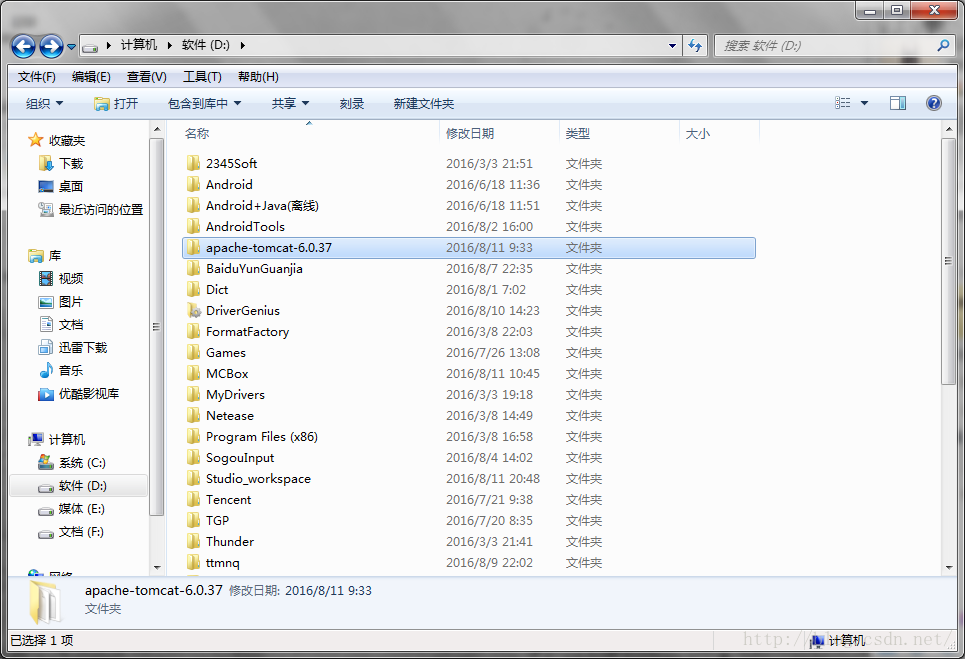 如何往服務器中讀寫數據?
本次項目,我用apache-tomcat將自己的計算機弄成了一個小服務器,然後對裡面的jsp類型的文件進行讀寫。首先,如何弄服務器呢?1.下載一個apache-tomca