編輯:關於Android編程
最近搞了搞app無縫切換主題功能,github上看了看,流行的還是插件式,好吧。。完了研究下了。
不過今天咱要搞的是MultipleTheme這個框架,也有1000多star了,應該可以吧,於是乎ji動的整到項目裡准備大干一場。。。小弟沉默十分鐘後,納尼?要全部重寫用到的view?!而且沒有兼容RecyclerView,CardView。。。看來不維護了,行吧行吧,既然這樣那就當學習了,順便咱給他兼容一下。於是乎,有了本文~
附上框架地址:https://github.com/dersoncheng/MultipleTheme
具體使用github上作者寫的很清楚,這裡就不多說了。
本文內容:1.此框架技術點。
2.從源碼分析RecyclerView緩存機制。
3.此框架如何兼容RecyclerView和CardView。
1.調用ColorUiUtil類中changeTheme(View view,Theme theme) :通過遞歸方式,從參數view開始遍歷其所有子view,如果遍歷到的view繼承了ColorUiInterface接口,那麼調用其實現的接口方法。
 public static void changeTheme(View rootView, Resources.Theme theme) {
        if (rootView instanceof ColorUiInterface) {
            ((ColorUiInterface) rootView).setTheme(theme);
            if (rootView instanceof ViewGroup) {
                int count = ((ViewGroup) rootView).getChildCount();
                for (int i = 0; i < count; i++) {
                    changeTheme(((ViewGroup) rootView).getChildAt(i), theme);
                }
            }
            if (rootView instanceof AbsListView) {
                try {
                    Field localField = AbsListView.class.getDeclaredField("mRecycler");
                    localField.setAccessible(true);
                    Method localMethod = Class.forName("android.widget.AbsListView$RecycleBin").getDeclaredMethod("clear");
                    localMethod.setAccessible(true);
                    localMethod.invoke(localField.get(rootView));
                } catch (NoSuchFieldException e1) {
                    e1.printStackTrace();
                } catch (ClassNotFoundException e2) {
                    e2.printStackTrace();
                } catch (NoSuchMethodException e3) {
                    e3.printStackTrace();
                } catch (IllegalAccessException e4) {
                    e4.printStackTrace();
                } catch (InvocationTargetException e5) {
                    e5.printStackTrace();
                }
            }
        } else {
            if (rootView instanceof ViewGroup) {
                int count = ((ViewGroup) rootView).getChildCount();
                for (int i = 0; i < count; i++) {
                    changeTheme(((ViewGroup) rootView).getChildAt(i), theme);
                }
            }
            if (rootView instanceof AbsListView) {
                try {
                    Field localField = AbsListView.class.getDeclaredField("mRecycler");
                    localField.setAccessible(true);
                    Method localMethod = Class.forName("android.widget.AbsListView$RecycleBin").getDeclaredMethod("clear");
                    localMethod.setAccessible(true);
                    localMethod.invoke(localField.get(rootView));
                } catch (NoSuchFieldException e1) {
                    e1.printStackTrace();
                } catch (ClassNotFoundException e2) {
                    e2.printStackTrace();
                } catch (NoSuchMethodException e3) {
                    e3.printStackTrace();
                } catch (IllegalAccessException e4) {
                    e4.printStackTrace();
                } catch (InvocationTargetException e5) {
                    e5.printStackTrace();
                }
            }
        }
    }
2.實現的接口方法,會根據需要改變的屬性調用ViewAttributeUtil類中的各種方法。
如applyBackgroundDrawable(Context,Theme,attrId):最後這個方法會根據Theme獲取到對應的drawable,調用這個view的setBackGroundDrawable()方法實現設置背景。
public static void applyBackgroundDrawable(ColorUiInterface ci, Resources.Theme theme, int paramInt) {
        TypedArray ta = theme.obtainStyledAttributes(new int[]{paramInt});
        Drawable drawable = ta.getDrawable(0);
        if (null != ci) {
            (ci.getView()).setBackgroundDrawable(drawable);
        }
        ta.recycle();
    }
3.上面applyBackgroundDrawable(Context,Theme,attrId)方法中第三個參數attrid,又是從ViewAttributeUtil類中getBackGroundAttribute(AttributeSet)得到的:
public static int getBackgroundAttibute(AttributeSet attr) {
        return getAttributeValue(attr, android.R.attr.background);
    }
public static int getAttributeValue(AttributeSet attr, int paramInt) {
        int value = -1;
        int count = attr.getAttributeCount();
        for (int i = 0; i < count; i++) {
            if (attr.getAttributeNameResource(i) == paramInt) {
                String str = attr.getAttributeValue(i);
                if (null != str && str.startsWith("?")) {
                    value = Integer.valueOf(str.substring(1, str.length())).intValue();
                    return value;
                }
            }
        }
        return value;
    }
 public static void changeTheme(View rootView, Resources.Theme theme) {
        if (rootView instanceof ColorUiInterface) {
            ((ColorUiInterface) rootView).setTheme(theme);
            if (rootView instanceof ViewGroup) {
                int count = ((ViewGroup) rootView).getChildCount();
                for (int i = 0; i < count; i++) {
                    changeTheme(((ViewGroup) rootView).getChildAt(i), theme);
                }
            }
            if (rootView instanceof AbsListView) {
                try {
                    Field localField = AbsListView.class.getDeclaredField("mRecycler");
                    localField.setAccessible(true);
                    Method localMethod = Class.forName("android.widget.AbsListView$RecycleBin").getDeclaredMethod("clear");
                    localMethod.setAccessible(true);
                    localMethod.invoke(localField.get(rootView));
                } catch 。。。省略異常
            }
        } else {
            if (rootView instanceof ViewGroup) {
                int count = ((ViewGroup) rootView).getChildCount();
                for (int i = 0; i < count; i++) {
                    changeTheme(((ViewGroup) rootView).getChildAt(i), theme);
                }
            }
            if (rootView instanceof AbsListView) {
                try {
                    Field localField = AbsListView.class.getDeclaredField("mRecycler");
                    localField.setAccessible(true);
                    Method localMethod = Class.forName("android.widget.AbsListView$RecycleBin").getDeclaredMethod("clear");
                    localMethod.setAccessible(true);
                    localMethod.invoke(localField.get(rootView));
                } catch。。。省略異常
            }
        }
    }
咱們看上面這個重要的方法:由於ListView也是ViewGroup,並有緩存機制,在換膚後會有緩存的item再次被復用時,此項item沒有改變theme。就會出現當前可見item換了主題,滑動列表,之前不可見的有一部分item的theme沒有發生變化。
於是這方法,通過反射調用了緩存管理類內部類——RecyclerBin中clear()方法,清空所有item,讓listview將所有item重新創建一遍。
那根據這個原理,將RecyclerView中緩存做一下清空。下面先介紹一下RecyclerView緩存機制和兼容。
private ArrayList
private ArrayList
private ArrayList
private ViewCacheExtension mViewCacheExtension: 開發者可以控制的ViewHolder緩存。
private RecycledViewPool mRecyclerPool: 提供復用ViewHolder池。
public void bindViewToPosition(View view, int position):將某個View綁定到Adapter的某個位置。
public View getViewForPosition(int position):LayoutManager通過此方法獲取某一項的view。
(1)mChangedScrap查找,若匹配到則返回相應holder
(2)mAttachedScrap查找,若匹配到且holder有效則返回相應holder
(3)mViewCacheExtension查找,若匹配到則返回相應holder
(4)mRecyclerPool中查找,若匹配到則返回相應holder
(5)還是沒有匹配的,那麼adapter.createViewHolder(),創建新的holder
(6)返回holder.itemView
import android.content.res.Resources;
import android.support.v7.widget.RecyclerView;
import android.util.Log;
import android.view.View;
import android.view.ViewGroup;
import android.widget.AbsListView;

import java.lang.reflect.Field;
import java.lang.reflect.InvocationTargetException;
import java.lang.reflect.Method;


public class ColorUiUtil {

    public static void changeTheme(View rootView, Resources.Theme theme) {
        if (rootView instanceof ColorUiInterface) {
            ((ColorUiInterface) rootView).setTheme(theme);

            if (rootView instanceof RecyclerView) {
                int count = ((RecyclerView) rootView).getChildCount();
                for (int i = 0; i < count; i++) {
                    changeTheme(((ViewGroup) rootView).getChildAt(i), theme);
                }
            }
            else if (rootView instanceof ViewGroup) {
                int count = ((ViewGroup) rootView).getChildCount();
                for (int i = 0; i < count; i++) {
                    changeTheme(((ViewGroup) rootView).getChildAt(i), theme);
                }
            }

            if (rootView instanceof AbsListView) {
                try {
                    Field localField = AbsListView.class.getDeclaredField("mRecycler");
                    localField.setAccessible(true);
                    Method localMethod = Class.forName("android.widget.AbsListView$RecycleBin").getDeclaredMethod("clear");
                    localMethod.setAccessible(true);
                    localMethod.invoke(localField.get(rootView));
                } catch (NoSuchFieldException e1) {
                    e1.printStackTrace();
                } catch (ClassNotFoundException e2) {
                    e2.printStackTrace();
                } catch (NoSuchMethodException e3) {
                    e3.printStackTrace();
                } catch (IllegalAccessException e4) {
                    e4.printStackTrace();
                } catch (InvocationTargetException e5) {
                    e5.printStackTrace();
                }
            } else if (rootView instanceof RecyclerView) {
                try {

                    Field localField = RecyclerView.class.getDeclaredField("mRecycler");
                    localField.setAccessible(true);
                    Method localMethod = Class.forName("android.support.v7.widget.RecyclerView$Recycler").getDeclaredMethod("clear");
                    localMethod.setAccessible(true);
                    localMethod.invoke(localField.get(rootView));

                    Method localMethod1 = Class.forName("android.support.v7.widget.RecyclerView$Recycler").getDeclaredMethod("clearScrap");
                    localMethod1.setAccessible(true);
                    localMethod1.invoke(localField.get(rootView));

                    ((RecyclerView) rootView).getRecycledViewPool().clear();

                } catch (NoSuchFieldException e1) {
                    e1.printStackTrace();
                } catch (ClassNotFoundException e2) {
                    e2.printStackTrace();
                } catch (NoSuchMethodException e3) {
                    e3.printStackTrace();
                } catch (IllegalAccessException e4) {
                    e4.printStackTrace();
                } catch (InvocationTargetException e5) {
                    e5.printStackTrace();
                }
            }
        } else {
            if (rootView instanceof RecyclerView) {
                int count = ((RecyclerView) rootView).getChildCount();
                for (int i = 0; i < count; i++) {
                    changeTheme(((ViewGroup) rootView).getChildAt(i), theme);
                }
            }
            else if (rootView instanceof ViewGroup) {
                int count = ((ViewGroup) rootView).getChildCount();
                for (int i = 0; i < count; i++) {
                    changeTheme(((ViewGroup) rootView).getChildAt(i), theme);
                }
            }

            if (rootView instanceof AbsListView) {
                try {
                    Field localField = AbsListView.class.getDeclaredField("mRecycler");
                    localField.setAccessible(true);
                    Method localMethod = Class.forName("android.widget.AbsListView$RecycleBin").getDeclaredMethod("clear");
                    localMethod.setAccessible(true);
                    localMethod.invoke(localField.get(rootView));
                } catch (NoSuchFieldException e1) {
                    e1.printStackTrace();
                } catch (ClassNotFoundException e2) {
                    e2.printStackTrace();
                } catch (NoSuchMethodException e3) {
                    e3.printStackTrace();
                } catch (IllegalAccessException e4) {
                    e4.printStackTrace();
                } catch (InvocationTargetException e5) {
                    e5.printStackTrace();
                }
            } else if (rootView instanceof RecyclerView) {
                try {

                    Field localField = RecyclerView.class.getDeclaredField("mRecycler");
                    localField.setAccessible(true);
                    Method localMethod = Class.forName("android.support.v7.widget.RecyclerView$Recycler").getDeclaredMethod("clear");
                    localMethod.setAccessible(true);
                    localMethod.invoke(localField.get(rootView));

                    Method localMethod1 = Class.forName("android.support.v7.widget.RecyclerView$Recycler").getDeclaredMethod("clearScrap");
                    localMethod1.setAccessible(true);
                    localMethod1.invoke(localField.get(rootView));

                    ((RecyclerView) rootView).getRecycledViewPool().clear();

                } catch (NoSuchFieldException e1) {
                    e1.printStackTrace();
                } catch (ClassNotFoundException e2) {
                    e2.printStackTrace();
                } catch (NoSuchMethodException e3) {
                    e3.printStackTrace();
                } catch (IllegalAccessException e4) {
                    e4.printStackTrace();
                } catch (InvocationTargetException e5) {
                    e5.printStackTrace();
                }
            }
        }
    }
}
setCardBackgroundColor(Color)
xml中:app:cardBackgroundColor="?attr/colorPrimaryDark"
因為CardView繼承自FrameLayout,所以也可以用setBackGroundDrawable(),但是測試下,在列表中,會出現更改theme無效的bug。
public static int getCardViewAttribute(AttributeSet attributeSet) {
        return getAttributeValue(attributeSet, android.support.v7.cardview.R.attr.cardBackgroundColor);
    }
(2)在ViewAttributeUtil類中增加一個方法:
public static void applyCardViewBackgroundColor(ColorUiInterface ci, Resources.Theme theme, int paramInt) {
    TypedArray ta = theme.obtainStyledAttributes(new int[]{paramInt});
    int color = ta.getColor(0, Color.GREEN);
    if (null != ci) {
        ((CardView)ci.getView()).setCardBackgroundColor(color);
    }
    ta.recycle();
}
(3)在自定義ColorCardView類中,調用的就是上面兩個方法了。
 [Android隨筆]BroadcastReceiver廣播機制
一,介紹android四大組件之一:BroadcastReceiver 翻譯成中文:廣播接收者。在Android中,Broadcast是一種廣泛運用在應用程序之間傳輸信息
 Android中自定義View和自定義動畫
Android FrameWork 層給我們提供了很多界面組件,但是在實際的商業開發中這些組件往往並不能完全滿足我們的需求,這時候我們就需要自定義我們自己的視圖和動畫。
 Gradle自定義插件
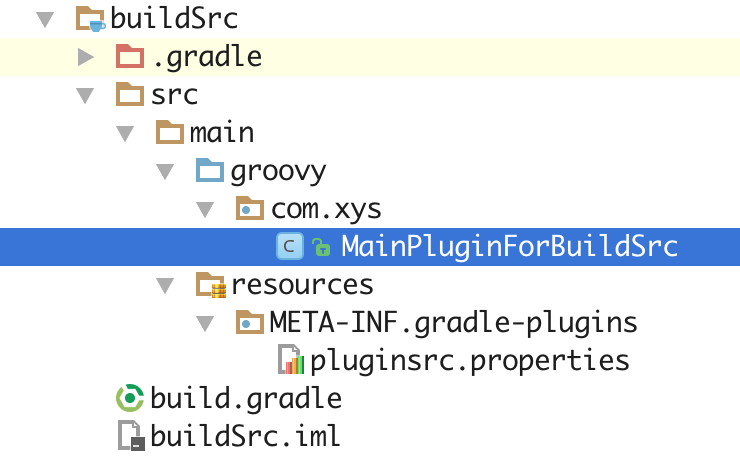
Gradle自定義插件在Gradle中創建自定義插件,Gradle提供了三種方式:在build.gradle腳本中直接使用 在buildSrc中使用 在獨立Module中
 AndroidNDK使用簡介
今天我們來簡單說一下Android NDK的使用方法。眾所周知,so文件在Android的開發過程中起到了很重要的作用,無論與底層設備打交道還是在Android安全領域。