編輯:關於Android編程
public boolean dispatchTouchEvent(MotionEvent ev) {
    if (ev.getAction() == MotionEvent.ACTION_DOWN) {
        onUserInteraction();
    }
    if (getWindow().superDispatchTouchEvent(ev)) {
        return true;
    }
    return onTouchEvent(ev);
}
當觸屏、按下Home鍵、back鍵、menu鍵等都會觸發onUserInteraction(),可以重寫這個方法處理一些用戶交互。可以看到Activity將事件交給Window來處理。如果Window不能消費事件Activity調用onTouchEvent()自行處理事件。PhoneWindow是Window的唯一實現類,接下來分析PhoneWindow分發事件過程。
public boolean superDispatchTouchEvent(MotionEvent event) {
    return mDecor.superDispatchTouchEvent(event);
}
mDecor是DecorView類的對象,DecorView繼承FrameLayout,PhoneWindow只是把事件交由頂級DecorView處理。由於DecorView繼承FrameLayout,FrameLayout繼承ViewGroup,所以,之後的事件分發過程與ViewGroup事件分發過程一樣。接下來Part2會介紹這部分。
事件首先傳遞給Activity,Activity將事件傳遞給Window(PhoneWindow是其實現類),Window把事件交給頂級DecorView處理,如果Window沒有消費這個事件則Activity調用oTouchEvent()自行處理事件。
事件傳遞順序:
只針對主要流程以及相應代碼進行分析,不會貼出完整代碼。ViewGroup的事件分發過程主要在dispatchTouchEvent()方法中。
首先,對MotionEvent做個簡單介紹。事件序列開始於ACTION_DOWN,終於ACTION_UP。對於單指操作有ACTION_DOWN、ACTION_MOVE、ACTION_UP等事件序列組成。多指操作由ACTION_DOWN、ACTION_POINTER_DOWN、ACTION_MOVE、ACTION_POINTER_UP、ACTION_UP事件序列組成。pointer可以理解為觸摸點。多指對應的pointerId不變,pointerIndex在事件序列中是變化的。
更多參考:http://www.jianshu.com/p/0c863bbde8eb
事件序列的起始動作是ACTION_DOWN,在新事件序列到達時要做一些狀態清除操作。
// Handle an initial down.
if (actionMasked == MotionEvent.ACTION_DOWN) {
    // Throw away all previous state when starting a new touch gesture.
    // The framework may have dropped the up or cancel event for the previous gesture
    // due to an app switch, ANR, or some other state change.
    /**由於一些特殊原因丟失ACTION_UP或者ACTION_CANCEL,
    *導致事件序列結束時mFirstTouchTarget(TouchTarget鏈表)未被清空,
    * 新事件序列到達時,要先清空mFirstTouchTarget
    */
    cancelAndClearTouchTargets(ev);
    //主要設置 mGroupFlags &= ~FLAG_DISALLOW_INTERCEPT
    resetTouchState();
}
看看cancelAndClearTouchTargets()和resetTouchState()的具體實現。
/**
* Cancels and clears all touch targets.
*/
private void cancelAndClearTouchTargets( MotionEvent event )
{
    if ( mFirstTouchTarget != null )
    {
        boolean syntheticEvent = false;
        if ( event == null )
        {
            final long now = SystemClock.uptimeMillis();
            event = MotionEvent.obtain( now, now,
                            MotionEvent.ACTION_CANCEL, 0.0f, 0.0f, 0 );
            event.setSource( InputDevice.SOURCE_TOUCHSCREEN );
            syntheticEvent = true;
        }

        for ( TouchTarget target = mFirstTouchTarget; target != null; target = target.next )
        {
            resetCancelNextUpFlag( target.child );
            dispatchTransformedTouchEvent( event, true, target.child, target.pointerIdBits );
        }
        clearTouchTargets();

        if ( syntheticEvent )
        {
            event.recycle();
        }
    }
}
dispatchTransformedTouchEvent()後面再分析,先來看clearTouchTargets()方法。
/**
 * Clears all touch targets.
 */
private void clearTouchTargets()
{
    TouchTarget target = mFirstTouchTarget;
    if ( target != null )
    {
        do
        {
            TouchTarget next = target.next;
            target.recycle();
            target = next;
        }
        while ( target != null );
        mFirstTouchTarget = null;
    }
}
顯而易見,clearTouchTargets()對mFirstTouchTarget指向的鏈表進行了清空操作。
接下來看看resetTouchState()方法的實現:
private void resetTouchState() {
        clearTouchTargets();
        resetCancelNextUpFlag(this);
        mGroupFlags &= ~FLAG_DISALLOW_INTERCEPT;
        mNestedScrollAxes = SCROLL_AXIS_NONE;
    }
同樣對mFirstTouchTarget指向的鏈表進行了清空,更重要的是設置了~FLAG_DISALLOW_INTERCEPT標志位。引出一個結論,子View在ACTION_DOWN時調用ViewGroup的requestDisallowInterceptTouchEvent()方法是無效的。
接下來ViewGroup檢測是否要攔截事件:
/* Check for interception. */
final boolean intercepted;
/* ACTION_DOWN或者mFirstTouchTarget!=null時檢測是否要攔截事件 */
if ( actionMasked == MotionEvent.ACTION_DOWN
     || mFirstTouchTarget != null )
{
    final boolean disallowIntercept = (mGroupFlags & FLAG_DISALLOW_INTERCEPT) != 0;
    if ( !disallowIntercept )
    {
        intercepted = onInterceptTouchEvent( ev );
        /* restore action in case it was changed */
        ev.setAction( action );
    } else {
        intercepted = false;
    }
} else {
    /*
     * There are no touch targets and this action is not an initial down
     * so this view group continues to intercept touches.
     */
    intercepted = true;
}
通過上面代碼,可以看出,ViewGroup在ACTON_DOWN或mFirstTouchTarget!=null條件時都會檢測是否需要攔截事件;在mFirstTouchTarget!=null的情況下,可以通過設置FLAG_DISALLOW_INTERCEPT或~FLAG_DISALLOW_INTERCEPT標記位來決定ViewGroup是否允許攔截ACTION_DOWN之後的事件,在允許攔截的情況下是否攔截還取決於onInterceptTouchEvent()的返回值。對於滑動沖突,方案一:使用onInterceptTouchEvent()攔截事件;方案二:使用onInterceptTouchEvent()和requestDisallowInterceptTouchEvent()一起攔截事件。個人覺得方案一更為簡單實用。
接下來ViewGroup會遍歷Children,尋找能消費事件的Child。實現代碼如下:
/*
 * Check for cancelation.
 * PFLAG_CANCEL_NEXT_UP_EVENT標記位文檔解釋是Indicates whether the view is temporarily detached
 */
final boolean canceled = resetCancelNextUpFlag( this )
             || actionMasked == MotionEvent.ACTION_CANCEL;

/* Update list of touch targets for pointer down, if needed. */
final boolean   split                   = (mGroupFlags & FLAG_SPLIT_MOTION_EVENTS) != 0;
TouchTarget newTouchTarget              = null;
boolean     alreadyDispatchedToNewTouchTarget   = false;

/* View detached或者event類型為ACTION_CANCEL或者未被攔截 */
if ( !canceled && !intercepted )
{
    /*
     * If the event is targeting accessiiblity focus we give it to the
     * view that has accessibility focus and if it does not handle it
     * we clear the flag and dispatch the event to all children as usual.
     * We are looking up the accessibility focused host to avoid keeping
     * state since these events are very rare.
     */
    View childWithAccessibilityFocus = ev.isTargetAccessibilityFocus()
                       ? findChildWithAccessibilityFocus() : null;

    if ( actionMasked == MotionEvent.ACTION_DOWN
         || (split && actionMasked == MotionEvent.ACTION_POINTER_DOWN)
         || actionMasked == MotionEvent.ACTION_HOVER_MOVE )
    {
        final int actionIndex = ev.getActionIndex(); /* always 0 for down */

        /* 這裡處理多觸控情況,一個View如果有多指觸摸,用32位的int記錄不同Pointer */
        final int idBitsToAssign = split ? 1 << ev.getPointerId( actionIndex )
                       : TouchTarget.ALL_POINTER_IDS;

        /*
         * Clean up earlier touch targets for this pointer id in case they
         * have become out of sync.
         */
        removePointersFromTouchTargets( idBitsToAssign );

        final int childrenCount = mChildrenCount;
        if ( newTouchTarget == null && childrenCount != 0 )
        {
            final float x   = ev.getX( actionIndex );
            final float y   = ev.getY( actionIndex );
            /*
             * Find a child that can receive the event.
             * Scan children from front to back.
             */
            final ArrayList   preorderedList  = buildOrderedChildList();
            final boolean       customOrder = preorderedList == null
                                  && isChildrenDrawingOrderEnabled();


            final View[] children = mChildren;
            for ( int i = childrenCount - 1; i >= 0; i-- )
            {
                final int childIndex = customOrder
                               ? getChildDrawingOrder( childrenCount, i ) : i;
                final View child = (preorderedList == null)
                           ? children[childIndex] : preorderedList.get( childIndex );

                /*
                 * If there is a view that has accessibility focus we want it
                 * to get the event first and if not handled we will perform a
                 * normal dispatch. We may do a double iteration but this is
                 * safer given the timeframe.
                 */
                if ( childWithAccessibilityFocus != null )
                {
                    if ( childWithAccessibilityFocus != child )
                    {
                        continue;
                    }
                    childWithAccessibilityFocus = null;
                    i               = childrenCount - 1;
                }
                /* Child不可見並且無動畫直接跳過,或者Point不在child范圍內 */
                if ( !canViewReceivePointerEvents( child )
                     || !isTransformedTouchPointInView( x, y, child, null ) )
                {
                    ev.setTargetAccessibilityFocus( false );
                    continue;
                }

                /* mFirstTouchTarget鏈表已經存在消費該事件的Child,用於多點觸控 */
                newTouchTarget = getTouchTarget( child );
                if ( newTouchTarget != null )
                {
                    /*
                     * Child is already receiving touch within its bounds.
                     * Give it the new pointer in addition to the ones it is handling.
                     */
                    newTouchTarget.pointerIdBits |= idBitsToAssign;
                    break;
                }

                resetCancelNextUpFlag( child );
                /* 如果Child能消費事件,Child加入到mFirstTouchTarget鏈表 */
                if ( dispatchTransformedTouchEvent( ev, false, child, idBitsToAssign ) )
                {
                    /* Child wants to receive touch within its bounds. */
                    mLastTouchDownTime = ev.getDownTime();
                    if ( preorderedList != null )
                    {
                        /* childIndex points into presorted list, find original index */
                        for ( int j = 0; j < childrenCount; j++ )
                        {
                            if ( children[childIndex] == mChildren[j] )
                            {
                                mLastTouchDownIndex = j;
                                break;
                            }
                        }
                    }else  {
                        mLastTouchDownIndex = childIndex;
                    }
                    mLastTouchDownX             = ev.getX();
                    mLastTouchDownY             = ev.getY();
                    newTouchTarget              = addTouchTarget( child, idBitsToAssign );
                    alreadyDispatchedToNewTouchTarget   = true;
                    break;
                }

                /*
                 * The accessibility focus didn't handle the event, so clear
                 * the flag and do a normal dispatch to all children.
                 */
                ev.setTargetAccessibilityFocus( false );
            }
            if ( preorderedList != null )
                preorderedList.clear();
        }

        if ( newTouchTarget == null && mFirstTouchTarget != null )
        {
            /*
             * Did not find a child to receive the event.
             * Assign the pointer to the least recently added target.
             */
            newTouchTarget = mFirstTouchTarget;
            while ( newTouchTarget.next != null )
            {
                newTouchTarget = newTouchTarget.next;
            }
            newTouchTarget.pointerIdBits |= idBitsToAssign;
        }
    }
}
在ACTION_DOW或者ACTION_POINTER_DOWN時ViewGroup遍歷Children,尋找能夠消費事件的Child。Child不在TouchTarget鏈表中,addTouchTarget(child, idBitsToAssign);Child已經存在TouchTarget鏈表中,多指觸摸同一View情況,newTouchTarget.pointerIdBits |= idBitsToAssign。ViewGroup對於多指觸控不同View的解決方案是使用鏈表,View對於多指觸控的方案是使用32位int來記錄每個Pointer。
找到能夠消費事件序列的Child後,ACTION_DOWN或ACTION_POINTER_DOWN之後的事件,在ViewGroup不攔截的情況下,直接交由Child處理;一旦被攔截,在dispatchTransformedTouchEventChild()方法中eventAction會置為ACTION_CANCEL,並且Child會從TouchTarget鏈表中清除,因此接收不到後續事件序列,都將交給ViewGroup處理。實現代碼如下:
/*
 * Dispatch to touch targets.
 * Child不能消費事件序列,交由ViewGroup處理
 */
if ( mFirstTouchTarget == null )
{
    /* No touch targets so treat this as an ordinary view. */
    handled = dispatchTransformedTouchEvent( ev, canceled, null,
                         TouchTarget.ALL_POINTER_IDS );
} else {
    /*
     * Dispatch to touch targets, excluding the new touch target if we already
     * dispatched to it.  Cancel touch targets if necessary.
     */
    TouchTarget predecessor = null;
    TouchTarget target      = mFirstTouchTarget;
    while ( target != null )
    {
        final TouchTarget next = target.next;
        /* 除去ACTION_DOWN或ACTION_POINTER_DOWN事件,因為在尋找過程中已經處理過 */
        if ( alreadyDispatchedToNewTouchTarget && target == newTouchTarget )
        {
            handled = true;
        } else {
            final boolean cancelChild = resetCancelNextUpFlag( target.child )
                            || intercepted;
            if ( dispatchTransformedTouchEvent( ev, cancelChild,
                                target.child, target.pointerIdBits ) )
            {
                handled = true;
            }
            /* PFLAG_CANCEL_NEXT_UP_EVENT重置或者ViewGroup攔截ACTION_DOWN或ACTION_POINTER_DOWN  之後的事件,清除相應TouchTarget */
            if ( cancelChild )
            {
                if ( predecessor == null )
                {
                    mFirstTouchTarget = next;
                } else {
                    predecessor.next = next;
                }
                target.recycle();
                target = next;
                continue;
            }
        }
        predecessor = target;
        target      = next;
    }
}
ViewGroup通過dispatchTransformedTouchEvent()方法將事件分發給Child。
/* Perform any necessary transformations and dispatch. */
if ( child == null )
{
    handled = super.dispatchTouchEvent( transformedEvent );
} else {
    /* 將event坐標轉換成Child坐標系內坐標 */
    final float offsetX = mScrollX - child.mLeft;
    final float offsetY = mScrollY - child.mTop;
    transformedEvent.offsetLocation( offsetX, offsetY );
    if ( !child.hasIdentityMatrix() )
    {
        transformedEvent.transform( child.getInverseMatrix() );
    }

    handled = child.dispatchTouchEvent( transformedEvent );
}
未找到可消費事件的Child,ViewGroup自行處理事件序列;否則,將event坐標轉換成Child坐標系內坐標交由Child處理。
ACTION_UP觸發事件序列結束時清空TouchTarget,ACTION_PONITER_UP觸發時,清空相應pointer的target。
/* Update list of touch targets for pointer up or cancel, if needed. */
if ( canceled
     || actionMasked == MotionEvent.ACTION_UP
     || actionMasked == MotionEvent.ACTION_HOVER_MOVE )
{
    resetTouchState();
} else if ( split && actionMasked == MotionEvent.ACTION_POINTER_UP )
{
    final int   actionIndex = ev.getActionIndex();
    final int   idBitsToRemove  = 1 << ev.getPointerId( actionIndex );
    removePointersFromTouchTargets( idBitsToRemove );
}
ViewGroup事件分發的流程圖整理如下:
ViewGroup的事件分發過程就分析完了,接下來分析View的事件分發過程,相對ViewGroup來說相對簡單。
注意:View只處理了單指觸控的情況,未實現多指觸控,如果有需要可以自己實現。針對View的事件分發只涉及單指情況。View的事件分發過程同樣在dispatchTouchEvent()方法中,主要對這個方法進行分析即可。
View的事件分發過程同樣在dispatchTouchEvent()方法中,主要對這個方法進行分析即可。
final int actionMasked = event.getActionMasked();
    if (actionMasked == MotionEvent.ACTION_DOWN) {
        // Defensive cleanup for new gesture
        stopNestedScroll();
}
上面代碼表示,ACTION_DOWN事件會使View停止滾動(如果View是能夠滾動的,比如ListView)。
接下來View就要開始處理事件了,代碼如下:
if (onFilterTouchEventForSecurity(event)) {
    //noinspection SimplifiableIfStatement
    ListenerInfo li = mListenerInfo;
    if (li != null && li.mOnTouchListener != null
        && (mViewFlags & ENABLED_MASK) == ENABLED
        && li.mOnTouchListener.onTouch(this, event)) {
                result = true;
    }

    if (!result && onTouchEvent(event)) {
        result = true;
    }
}
View狀態是ENABLE並且調用過setOnTouchListener()方法,事件是否能被OnTouchListener消費取決於onTouch()的返回值。未調用過setOnTouchListener()方法或者OnTouchListener未消費事件,由onTouchEvent()方法來處理事件,事件是否能被消費取決於onTouchEvent()的返回值。接下來看看onTouchEvent()具體實現。
if ( (viewFlags & ENABLED_MASK) == DISABLED )
{
    if ( event.getAction() == MotionEvent.ACTION_UP && (mPrivateFlags & PFLAG_PRESSED) != 0 )
    {
        setPressed( false );
    }
    /*
     * A disabled view that is clickable still consumes the touch
     * events, it just doesn't respond to them.
     */
    return( ( (viewFlags & CLICKABLE) == CLICKABLE ||
          (viewFlags & LONG_CLICKABLE) == LONG_CLICKABLE) );
}
其實,View是CLICKABLE或者LONG_CLICKABLE時返回結果都為true(具體可查看源碼),也就是View能夠消費事件。上面的情況是View是DISABLED狀態時,會在ACTION_UP或者(mPrivateFlags & PFLAG_PRESSED) != 0設置mPrivateFlags &= ~PFLAG_PRESSED。長按以及點擊事件執行前都會先對這個標記位進行判斷。View處於DISABLED狀態可以消費事件,但是單擊和長按事件不會執行。
if (mTouchDelegate != null) {
    if (mTouchDelegate.onTouchEvent(event)) {
        return true;
    }
}
這段代碼表示可以給View設置一個代理對象(別的View),使用代理對象的onTouchEvent()來處理事件。比如擴大View的接觸面積、幾個View同步處理事件都可以用到。
對於View的事件處理,主要分析對ACTION_DOWN和ACTION_UP進行分析。先來看對ACTION_DOWN事件的處理:
/*
 * For views inside a scrolling container, delay the pressed feedback for
 * a short period in case this is a scroll.
 */
if ( isInScrollingContainer )
{
    mPrivateFlags |= PFLAG_PREPRESSED;
    if ( mPendingCheckForTap == null )
    {
        mPendingCheckForTap = new CheckForTap();
    }
    mPendingCheckForTap.x   = event.getX();
    mPendingCheckForTap.y   = event.getY();
    postDelayed( mPendingCheckForTap, ViewConfiguration.getTapTimeout() );
} else {
    /* Not inside a scrolling container, so show the feedback right away */
    setPressed( true, x, y );
    checkForLongClick( 0 );
}
在滾動容器中的操作只是增加了個延時操作,本質還是和不在滾動容器中一樣的。來看看checkForLongClick()方法的實現:
private void checkForLongClick( int delayOffset )
{
    if ( (mViewFlags & LONG_CLICKABLE) == LONG_CLICKABLE )
    {
        mHasPerformedLongPress = false;

        if ( mPendingCheckForLongPress == null )
        {
            mPendingCheckForLongPress = new CheckForLongPress();
        }
        mPendingCheckForLongPress.rememberWindowAttachCount();
        postDelayed( mPendingCheckForLongPress,
                 ViewConfiguration.getLongPressTimeout() - delayOffset );
    }
}
postDelayed()向Handler的消息隊列插入一個待處理的Runable對象,並且設置延時,這也是為什麼需要長按一段時間,長按操作才會執行。長按操作的具體實現都在CheckForLongPress裡了。
private final class CheckForLongPress implements Runnable {
    private int mOriginalWindowAttachCount;

    @Override
    public void run()
    {
        if ( isPressed() && (mParent != null)
             && mOriginalWindowAttachCount == mWindowAttachCount )
        {
            if ( performLongClick() )
            {
                mHasPerformedLongPress = true;
            }
        }
    }


    public void rememberWindowAttachCount()
    {
        mOriginalWindowAttachCount = mWindowAttachCount;
    }
}
看到重點了,performLongClick()會執行setOnLongClickListener()方法設置的OnLongClickListener的onLongClick()方法。
最後來看看View對ACTION_UP事件的處理:
if ( !mHasPerformedLongPress )
{
    /* This is a tap, so remove the longpress check */
    removeLongPressCallback();

    /* Only perform take click actions if we were in the pressed state */
    if ( !focusTaken )
    {
        /*
         * Use a Runnable and post this rather than calling
         * performClick directly. This lets other visual state
         * of the view update before click actions start.
         */
        if ( mPerformClick == null )
        {
            mPerformClick = new PerformClick();
        }
        if ( !post( mPerformClick ) )
        {
            performClick();
        }
    }
}
如果mHasPerformedLongPress為false (可能OnLongClickListener為空或者onLongCkcik()方法返回false),移除隊列中的CheckForLongPress對象,然後如果OnClickListener不為空執行onClick()方法。
注意:給一個Button設置OnLongClickListener和OnClickListener,onLongClick()方法返回false。這種情況長按和點擊都會執行,驗證方法不能使用System.out.print()來進行輸出驗證,因為System.out是一個有緩存的輸出流,print()並不會立即輸出,使用println()才會立即輸出。
View的狀態是CLICKABLE或者LONG_CLICKABLE都能夠消費事件,如果是DISABLED狀態則不會觸發長按和點擊事件。單擊事件優先級最低,因為最後才會處理單擊事件。
至此,Android事件分發機制分析完畢。
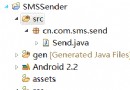 Android開發中實現發送短信的小程序示例
上圖為代碼結構圖。現在我們看下具體的代碼。Send.javapackage cn.com.sms.send; import java.util.ArrayList; i
 Android手機可以實現隨時隨地快遞查詢
隨著網絡購物的流行,我們經常要和不同的快遞公司打交道,大多數人都知道通過快遞單號可以在快遞公司網站上查詢快遞的狀態。但是如果自己不在電腦旁邊,是不是就查詢不
 Android中使用ListView繪制自定義表格技巧分享
先上一下可以實現的效果圖 要實現的效果有幾方面 1、列不固定:可以根據數據源的不同生成不同的列數 2、表格內容可以根據數據源的定義合並列 3、要填寫的單元格可
 教你制作Android中炫酷的ViewPagerIndicator(不僅仿MIUI)
1、概述今天給大家帶來一個ViewPagerIndicator的制作,相信大家在做tabIndicator的時候,大多數人都用過TabPageIndicator,並且很多