編輯:關於Android編程
一、前言

我們在自定義控件的時候,通過 TypeArray(其實Resources 類也有這個方法,等等說。)的 getDimension、getDimensionPixelSize 、getDimensionPixelOffset 可以獲取到尺寸,然後,懵逼了。

二、源碼

2.1 下面會分別貼出TypeArray 中的三個方法的源碼,加了簡單的中文翻譯,稍微掃一眼就ok了,看看我的翻譯就先過去

2.2 getDimension 的源碼,保留了源碼中的原始說明,畢竟我翻譯的很low,自己看不下去但是又翻譯不好。

    /**
     * Retrieve a dimensional unit attribute at index. Unit
     * conversions are based on the current {@link DisplayMetrics}
     * associated with the resources this {@link TypedArray} object
     * came from.
     *
     * 通過指定的 參數inde 獲得一個尺寸的單位屬性。該單位轉換是基於你當前機器屏幕的DisplayMetrics
     * 以及和當前TypedArray 的對象持有的資源而得到的,
     *
* This method will throw an exception if the attribute is defined but is * not a dimension. * 當屬性不是尺寸的時候,即使確實被定義了,也會拋出一個異常的。 * @param index Index of attribute to retrieve. * @param defValue Value to return if the attribute is not defined or * not a resource. * * @return Attribute dimension value multiplied by the appropriate * metric, or defValue if not defined. * 結果將被乘上一個合適的 metric * @throws RuntimeException if the TypedArray has already been recycled. * 如果當前TypedArray 被recycle 會拋異常 * @throws UnsupportedOperationException if the attribute is defined but is * not an integer. * 如果定義的屬性不是整形,會拋異常 * * @see #getDimensionPixelOffset * @see #getDimensionPixelSize */ public float getDimension(int index, float defValue) { if (mRecycled) { throw new RuntimeException("Cannot make calls to a recycled instance!"); } index *= AssetManager.STYLE_NUM_ENTRIES; final int[] data = mData; final int type = data[index+AssetManager.STYLE_TYPE]; if (type == TypedValue.TYPE_NULL) { return defValue; } else if (type == TypedValue.TYPE_DIMENSION) { /** * 這裡就是我們獲取結果走的方法 */ return TypedValue.complexToDimension( data[index + AssetManager.STYLE_DATA], mMetrics); } else if (type == TypedValue.TYPE_ATTRIBUTE) { final TypedValue value = mValue; getValueAt(index*AssetManager.STYLE_NUM_ENTRIES, value); throw new UnsupportedOperationException( "Failed to resolve attribute at index " + index + ": " + value); } throw new UnsupportedOperationException("Can't convert to dimension: type=0x" + Integer.toHexString(type)); } }


2.3getDimensionPixelOffset 的源碼

 /**
     * Retrieve a dimensional unit attribute at index for use
     * as an offset in raw pixels.  This is the same as
     * {@link #getDimension}, except the returned value is converted to
     * integer pixels for you.  An offset conversion involves simply
     * truncating the base value to an integer.
     *
     * 通過 參數 index 獲取一個在原始像素上使用一個偏移(offset)尺寸單位。除了返回值類型是整形(單位是像素),
     * 其他的和getDimension一樣,偏移也涉及到簡單的轉換(怎麼轉換呢,其實就是強轉為int 類型了)
     *
* This method will throw an exception if the attribute is defined but is * not a dimension. * * @param index Index of attribute to retrieve. * @param defValue Value to return if the attribute is not defined or * not a resource. * * @return Attribute dimension value multiplied by the appropriate * metric and truncated to integer pixels, or defValue if not defined. * @throws RuntimeException if the TypedArray has already been recycled. * @throws UnsupportedOperationException if the attribute is defined but is * not an integer. * * @see #getDimension * @see #getDimensionPixelSize */ public int getDimensionPixelOffset(int index, int defValue) { if (mRecycled) { throw new RuntimeException("Cannot make calls to a recycled instance!"); } index *= AssetManager.STYLE_NUM_ENTRIES; final int[] data = mData; final int type = data[index+AssetManager.STYLE_TYPE]; if (type == TypedValue.TYPE_NULL) { return defValue; } else if (type == TypedValue.TYPE_DIMENSION) { return TypedValue.complexToDimensionPixelOffset( data[index + AssetManager.STYLE_DATA], mMetrics); } else if (type == TypedValue.TYPE_ATTRIBUTE) { final TypedValue value = mValue; getValueAt(index*AssetManager.STYLE_NUM_ENTRIES, value); throw new UnsupportedOperationException( "Failed to resolve attribute at index " + index + ": " + value); } throw new UnsupportedOperationException("Can't convert to dimension: type=0x" + Integer.toHexString(type)); }


2.4getDimensionPixelSize 的源碼

/**
     * Retrieve a dimensional unit attribute at index for use
     * as a size in raw pixels.  This is the same as
     * {@link #getDimension}, except the returned value is converted to
     * integer pixels for use as a size.  A size conversion involves
     * rounding the base value, and ensuring that a non-zero base value
     * is at least one pixel in size.
     * 通過 參數 index 獲取一個在原始像素上的尺寸單位。除了返回值類型是整形(單位是像素),
     * 其他的和getDimension一樣,也涉及到簡單的轉換(怎麼轉換呢,其實是四捨五入成整形了)
     *
* This method will throw an exception if the attribute is defined but is * not a dimension. * * @param index Index of attribute to retrieve. * @param defValue Value to return if the attribute is not defined or * not a resource. * * @return Attribute dimension value multiplied by the appropriate * metric and truncated to integer pixels, or defValue if not defined. * @throws RuntimeException if the TypedArray has already been recycled. * @throws UnsupportedOperationException if the attribute is defined but is * not a dimension. * * @see #getDimension * @see #getDimensionPixelOffset */ public int getDimensionPixelSize(int index, int defValue) { if (mRecycled) { throw new RuntimeException("Cannot make calls to a recycled instance!"); } index *= AssetManager.STYLE_NUM_ENTRIES; final int[] data = mData; final int type = data[index+AssetManager.STYLE_TYPE]; if (type == TypedValue.TYPE_NULL) { return defValue; } else if (type == TypedValue.TYPE_DIMENSION) { return TypedValue.complexToDimensionPixelSize( data[index+AssetManager.STYLE_DATA], mMetrics); } else if (type == TypedValue.TYPE_ATTRIBUTE) { final TypedValue value = mValue; getValueAt(index*AssetManager.STYLE_NUM_ENTRIES, value); throw new UnsupportedOperationException( "Failed to resolve attribute at index " + index + ": " + value); } throw new UnsupportedOperationException("Can't convert to dimension: type=0x" + Integer.toHexString(type)); }


三、分析

3.1從上面的三段源碼來看,我們應該看到這一段。這三句就是三個方法的區別,追進去看下吧。

return TypedValue.complexToDimension(
                data[index + AssetManager.STYLE_DATA], mMetrics);
        return TypedValue.complexToDimensionPixelOffset(
                data[index + AssetManager.STYLE_DATA], mMetrics);
        return TypedValue.complexToDimensionPixelSize(
                data[index + AssetManager.STYLE_DATA], mMetrics);


上面三段代碼對應以下的三個方法,可以看出返回值上的區別了。

 public static float complexToDimension(int data, DisplayMetrics metrics) {
        return applyDimension(
                (data >> COMPLEX_UNIT_SHIFT) & COMPLEX_UNIT_MASK,
                complexToFloat(data),
                metrics);
    }

    public static int complexToDimensionPixelOffset(int data,
                                                    DisplayMetrics metrics) {
        /**
         * 這裡只是強轉,相當於調用了 return (int)complexToDimension(data,metrics)
         */
        return (int) applyDimension(
                (data >> COMPLEX_UNIT_SHIFT) & COMPLEX_UNIT_MASK,
                complexToFloat(data),
                metrics);
    }

    public static int complexToDimensionPixelSize(int data,
                                                  DisplayMetrics metrics) {
        final float value = complexToFloat(data);
        /**
         * 這一步相當於  f = complexToDimension(data,metrics),下面就是將f 變化了
         */
        final float f = applyDimension(
                (data >> COMPLEX_UNIT_SHIFT) & COMPLEX_UNIT_MASK,
                value,
                metrics);
        /**
         * 這一步就是四捨五入
         */
        final int res = (int) (f + 0.5f);
        if (res != 0) return res;
        if (value == 0) return 0;
        if (value > 0) return 1;
        return -1;
    }

好了,至此我們就簡單的看了三個方法的區別,另外再補充說下,開頭說到 的Resources 類中三個相應的方法,最終也是這裡的區別,這裡就不多說了。


四,簡單的驗證

4.1 自定義控件(省略)

4.2 自定義屬性 (省略)

4.3 在自定義控件中獲取屬性值
 private void init(Context context, AttributeSet attrs) {
        TypedArray array = context.obtainStyledAttributes(attrs, R.styleable.WaterFallLayout);
        mColums = array.getInteger(R.styleable.WaterFallLayout_colum, DEFAULT_COLUMS);
        float dimension = array.getDimension(R.styleable.WaterFallLayout_margin,DEFAULT_MARGIN);
        int pixelSize = array.getDimensionPixelSize(R.styleable.WaterFallLayout_margin,DEFAULT_MARGIN);
        int pixelOffset = array.getDimensionPixelOffset(R.styleable.WaterFallLayout_margin,DEFAULT_MARGIN);
        array.recycle();

        Log.e(TAG, "getDimension==>" + dimension);
        Log.e(TAG, "getDimensionPixelSize==>" + pixelSize);
        Log.e(TAG, "getDimensionPixelOffset==>" + pixelOffset);
    }

4.4 在布局文件中引用該自定義控件(省略,布局中傳入margin 參數值是14.5dp),運行得到下面結果


                09-07 03:34:17.223 25181-25181/com.example.test1 E/WaterFallLayout:getDimension==>43.5
09-07 03:34:17.223 25181-25181/com.example.test1 E/WaterFallLayout:getDimensionPixelSize==>44
09-07 03:34:50.231 25181-25181/com.example.test1 E/WaterFallLayout:getDimensionPixelOffset==>43


五、結論

5.1 三個方法 區別就是 返回值類型不同,getDimension 返回float getDimensionPixelOffset 強轉為int,而 getDimensionPixelSize 是四捨五入。
 Android消息提示類viewbadger
Android消息提示類viewbadger ,效果如下: 代碼如下 BadgeView.java import android.content.Context
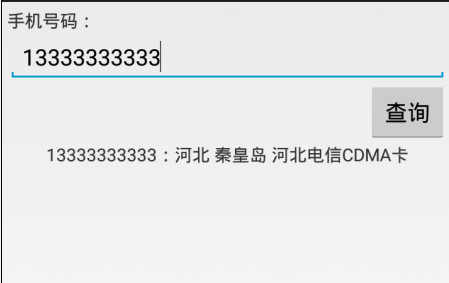 Android使用http請求手機號碼歸屬地查詢代碼分享
歸屬地數據源http://webservice.webxml.com.cn/WebServices/MobileCodeWS.asmxwebxml網站還支持其他請求方式
 Android基於IIS的APK下載(一)自定義更新控件
Android越來越普及,那已經安裝的應用要如何更新呢?在應用市場中常會有顯示某某應用已經更新之類的信息,那我們是否也可以實現類似的功能呢?如果要實現又要做
 nodejs+ionic+cordova+intellijIdea搭建webApp環境分析
第一次使用nodejs+ionic+cordova+intellijIdea搭建webApp開發環境,由於nodejs、ionic、cordova、andriod都是第一