編輯:關於Android編程
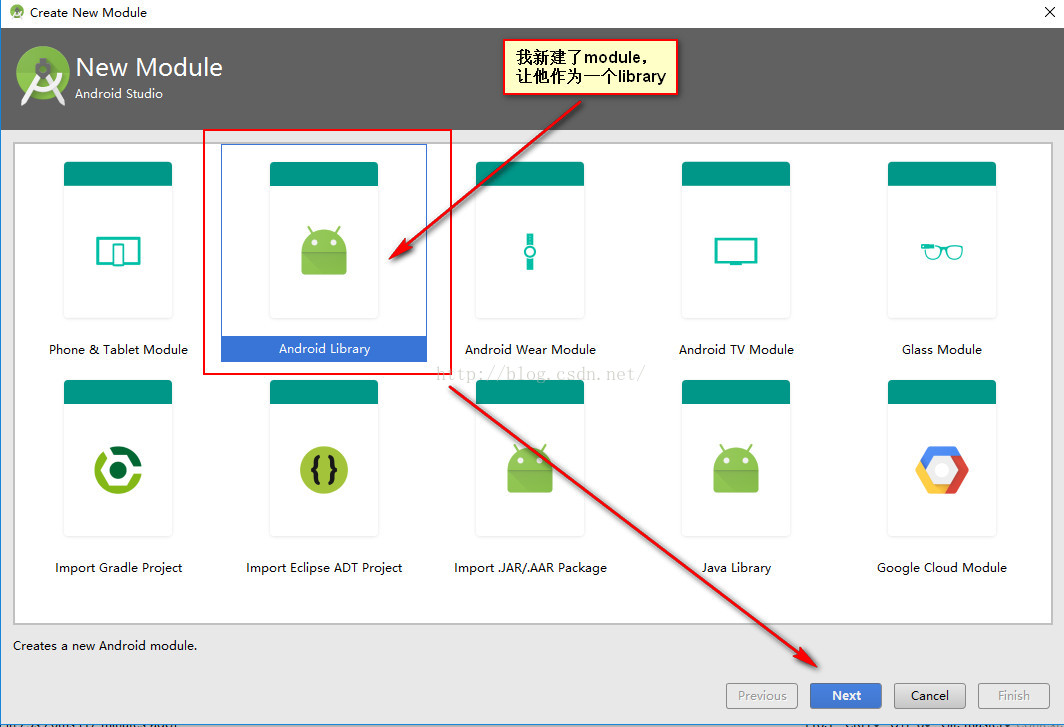
今天我就給大家交給大家studio如何生成帶混淆的jar包,其實和上一篇文章差不多,只不過是多了一些混淆文件。首先我們先新建一個module(我把它新建成了一個library)。在用AndroidStudio生成混淆jar的時候也百度過很多文章,但是大多都沒有用。
為了一會給大家演示混淆後的效果,這裡創建了幾個文件MainActivity、UserBean、LogUtil詳細見demo
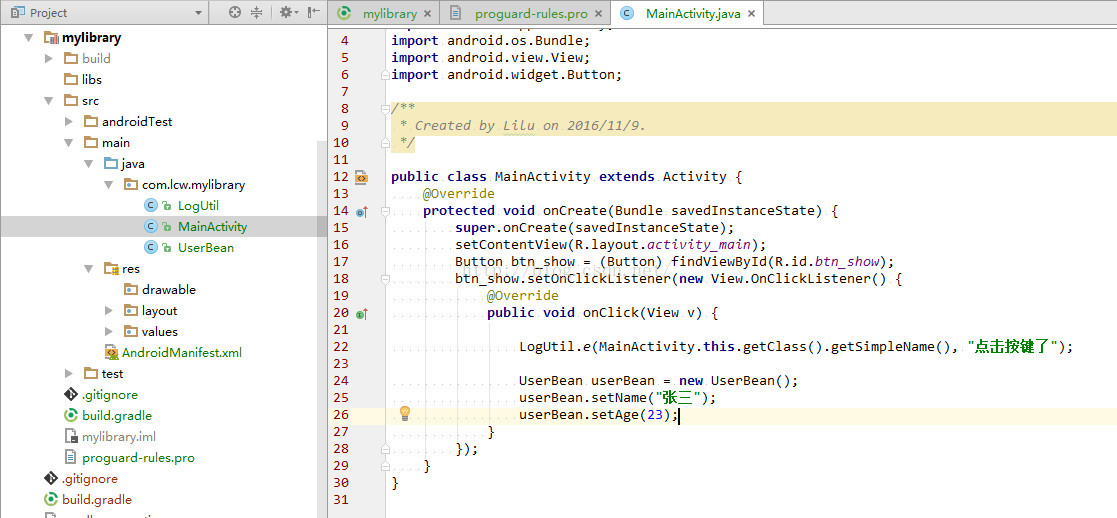
然後再在module的gradle中配置如下
def SDK_BASENAME = "mylibs";
def SDK_VERSION = "_v1.0";
def sdkDestinationPath = "build/outputs/jar/";
def zipFile = file('build/intermediates/bundles/release/classes.jar')

task deleteBuild(type: Delete) {
    delete sdkDestinationPath + SDK_BASENAME + SDK_VERSION + ".jar"
}

task makeJar(type: Jar) {
    from zipTree(zipFile)
    from fileTree(dir: 'src/main', includes: ['assets/**']) // 打包assets目錄下的所有文件
    baseName = SDK_BASENAME + SDK_VERSION
    destinationDir = file(sdkDestinationPath)
}

makeJar.dependsOn(deleteBuild, build)
上面的配置具體我就不講解他們是什麼意思了。
因為我們是自己手動混淆了,所以要指定混淆規則,然後打開module的proguard-rules.pro文件,將AndroidStudio默認的混淆文件復制、粘貼到proguard-rules.pro中。
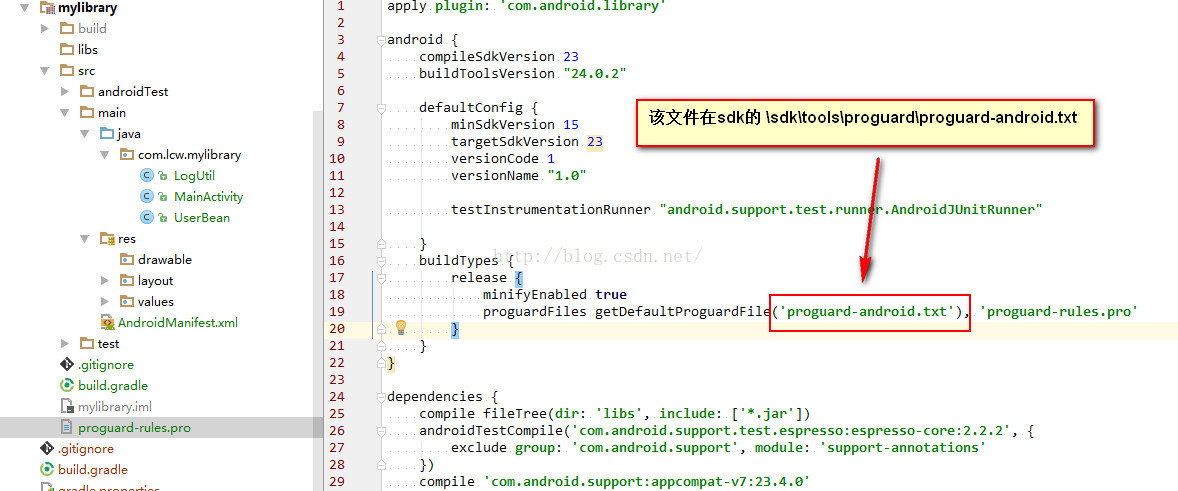
我的proguard-rules.pro文件
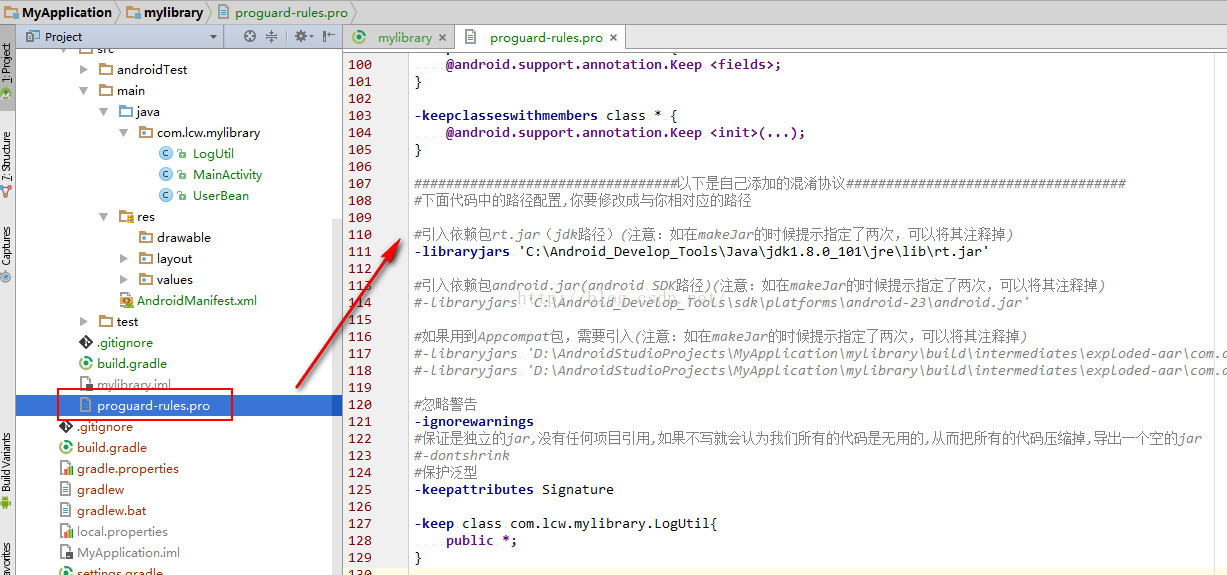
全部proguard-rules.pro配置如下
###########################以下是AndroidStudio自帶的混淆配置協議###############################

# 表示混淆時不使用大小寫混合類名
-dontusemixedcaseclassnames

# 表示不跳過library中的非public的類
-dontskipnonpubliclibraryclasses

# 打印混淆的詳細信息
-verbose

# Optimization is turned off by default. Dex does not like code run
# through the ProGuard optimize and preverify steps (and performs some
# of these optimizations on its own).
-dontoptimize

# 表示不進行校驗,這個校驗作用 在java平台上的
-dontpreverify
# Note that if you want to enable optimization, you cannot just
# include optimization flags in your own project configuration file;
# instead you will need to point to the
# "proguard-android-optimize.txt" file instead of this one from your
# project.properties file.
#使用注解需要添加
-keepattributes *Annotation*
-keep public class com.google.vending.licensing.ILicensingService
-keep public class com.android.vending.licensing.ILicensingService

# For native methods, see http://proguard.sourceforge.net/manual/examples.html#native
#指定不混淆所有的JNI方法
-keepclasseswithmembernames class * {
    native ;
}

# keep setters in Views so that animations can still work.
# see http://proguard.sourceforge.net/manual/examples.html#beans
#所有View的子類及其子類的get、set方法都不進行混淆
-keepclassmembers public class * extends android.view.View {
   void set*(***);
   *** get*();
}

# We want to keep methods in Activity that could be used in the XML attribute onClick
# 不混淆Activity中參數類型為View的所有方法
-keepclassmembers class * extends android.app.Activity {
   public void *(android.view.View);
}

# For enumeration classes, see http://proguard.sourceforge.net/manual/examples.html#enumerations
# 不混淆Enum類型的指定方法
-keepclassmembers enum * {
    public static **[] values();
    public static ** valueOf(java.lang.String);
}

# 不混淆Parcelable和它的子類,還有Creator成員變量
-keepclassmembers class * implements android.os.Parcelable {
  public static final android.os.Parcelable$Creator CREATOR;
}

# 不混淆R類裡及其所有內部static類中的所有static變量字段
-keepclassmembers class **.R$* {
    public static ;
}

# The support library contains references to newer platform versions.
# Don't warn about those in case this app is linking against an older
# platform version.  We know about them, and they are safe.
# 不提示兼容庫的錯誤警告
-dontwarn android.support.**

# Understand the @Keep support annotation.
-keep class android.support.annotation.Keep

-keep @android.support.annotation.Keep class * {*;}

-keepclasseswithmembers class * {
    @android.support.annotation.Keep ;
}

-keepclasseswithmembers class * {
    @android.support.annotation.Keep ;
}

-keepclasseswithmembers class * {
    @android.support.annotation.Keep (...);
}

#################################以下是自己添加的混淆協議###################################
#下面代碼中的路徑配置,你要修改成與你相對應的路徑

#引入依賴包rt.jar(jdk路徑)(注意:如在makeJar的時候提示指定了兩次,可以將其注釋掉)
-libraryjars 'C:\Android_Develop_Tools\Java\jdk1.8.0_101\jre\lib\rt.jar'

#引入依賴包android.jar(android SDK路徑)(注意:如在makeJar的時候提示指定了兩次,可以將其注釋掉)
#-libraryjars 'C:\Android_Develop_Tools\sdk\platforms\android-23\android.jar'

#如果用到Appcompat包,需要引入(注意:如在makeJar的時候提示指定了兩次,可以將其注釋掉)
#-libraryjars 'D:\AndroidStudioProjects\MyApplication\mylibrary\build\intermediates\exploded-aar\com.android.support\appcompat-v7\23.4.0\jars\classes.jar'
#-libraryjars 'D:\AndroidStudioProjects\MyApplication\mylibrary\build\intermediates\exploded-aar\com.android.support\support-v4\23.4.0\jars\classes.jar'

#忽略警告
-ignorewarnings
#保證是獨立的jar,沒有任何項目引用,如果不寫就會認為我們所有的代碼是無用的,從而把所有的代碼壓縮掉,導出一個空的jar
#-dontshrink
#保護泛型
-keepattributes Signature

-keep class com.lcw.mylibrary.LogUtil{
    public *;
}
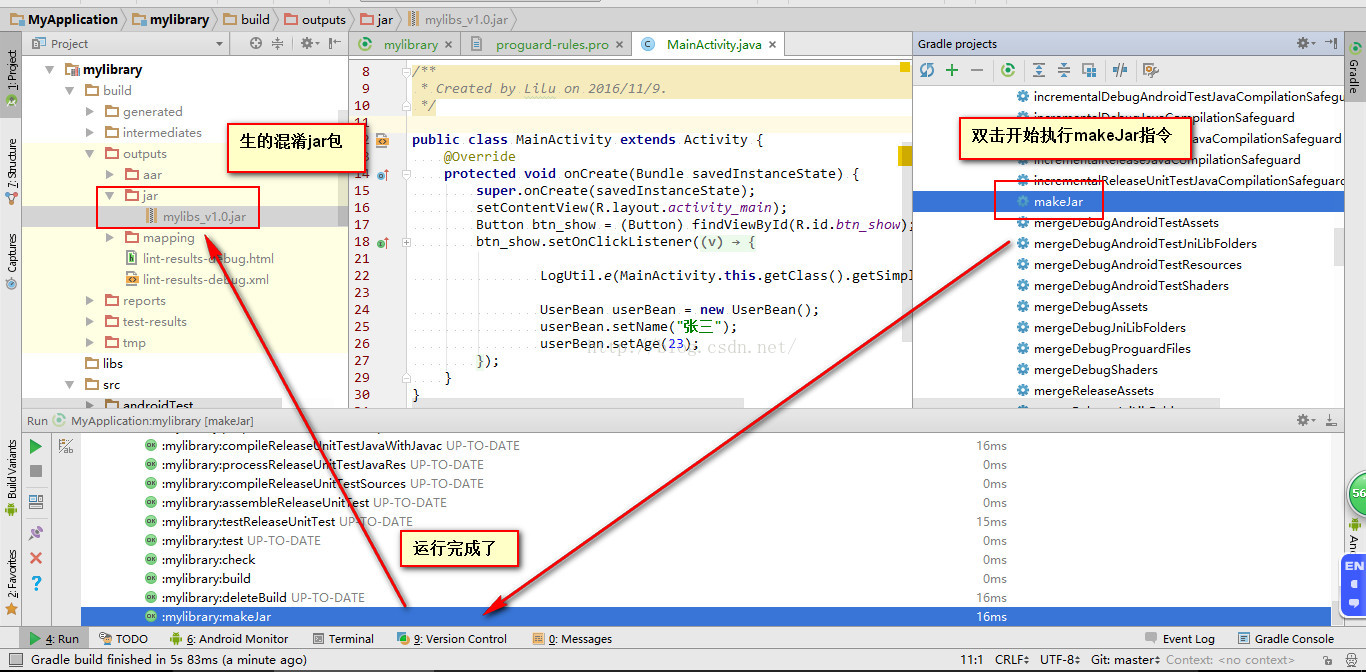
然後你就在Terminal中輸入
gradlew makeJar
或者是雙擊 makeJar
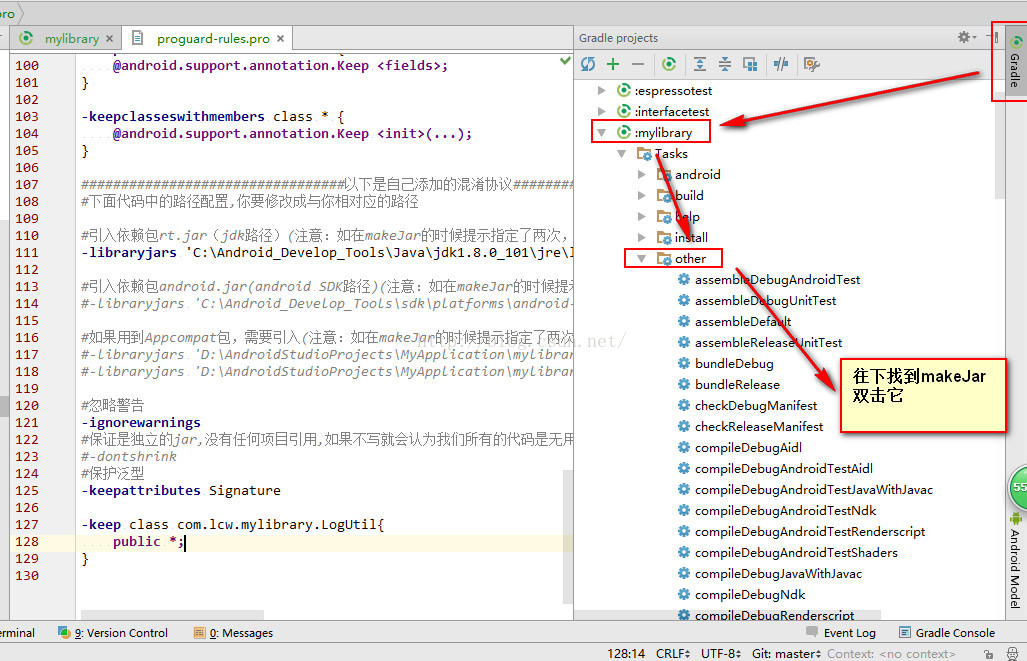
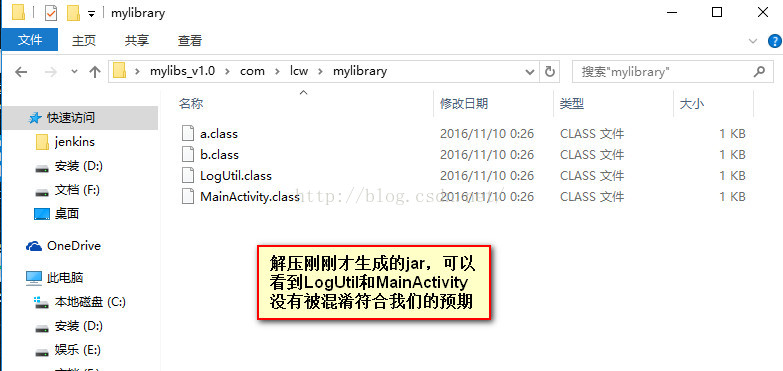
我們將生成的jar包解壓可以看到MainActivity和LogUtil沒有被混淆,這就說明成功了。
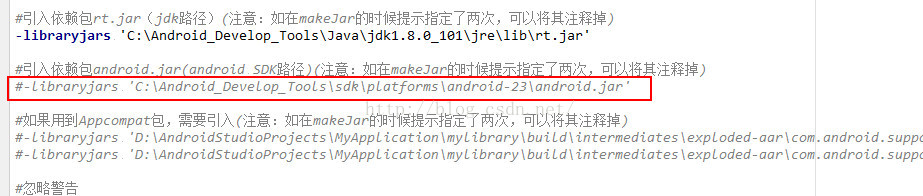
注意:有可能你在執行命令的時候遇到下面類似的錯誤提示classes.jar is specified twice,說我們的classes.jar 指定了兩次

解決方式:在proguard-rules.pro中將其注釋掉即可
 Android -SQLite數據庫存儲
android 系統集成了一個輕量級的數據庫,SQLite只是一個嵌入式的數據庫引擎;android提供SQLiteDatabase代表一個數據庫,一旦應用程序獲得了SQ
 Android Studio開發基礎之AutoCompleteTextView控件的使用
在輸入框中輸入我們想要輸入的信息就會出現其他與其相關的提示信息,這種效果在Android中是用AutoCompleteTextView實現的。AutoCompleteTe
 android 三種定位方式
android 三種定位方式 最近在看android關於定位的方式,查了很多資料,也做了相關實驗,在手機上做了測試,下面總結: 一共有三種定位方式,一種是GPS,一種
 Android群英傳筆記——第十二章:Android5.X 新特性詳解,Material Design UI的新體驗
這一章很多,但是很有趣,也是這書的最後一章知識點了,我現在還在考慮要不要寫這個拼圖和2048的案例,在此之前,我們先來玩玩Android5.X的新特性吧!Android