編輯:關於Android編程
在Android的開發中,我們經常遇見倒計時的操作,通常使用Timer和Handler共同操作來完成。當然也可以使用Android系統控件CountDownTimer,這裡我們封裝成一個控件,也方便大家的使用。
首先上一張效果圖吧:

說一下造成卡頓的原因,由於滑動的時候,adapter的getView頻繁的創建和銷毀,就會出現卡頓和數據錯位問題,那麼我們每一個item的倒計時就需要單獨維護,這裡我用的Handler與timer及TimerTask結合的方法,我們知道TimerTask運行在自己子線程,然後通過Timer的schedule()方法實現倒計時功能,最後通過Hander實現View的刷新,其核心代碼如下:
public class CountDownView extends LinearLayout {

    @BindView(R.id.tv_day)
    TextView tvDay;
    @BindView(R.id.tv_hour)
    TextView tvHour;
    @BindView(R.id.tv_minute)
    TextView tvMinute;
    @BindView(R.id.tv_second)
    TextView tvSecond;

    @BindView(R.id.day)
    TextView day;
    @BindView(R.id.hour)
    TextView hour;
    @BindView(R.id.minute)
    TextView minute;

    private Context context;

    private int viewBg;//倒計時的背景
    private int cellBg;//每個倒計時的背景
    private int cellTextColor;//文字顏色
    private int textColor;//外部:等顏色
    private int textSize = 14;//外部文字大小
    private int cellTextSize = 12;//cell文字大小

    private TimerTask timerTask = null;
    private Timer timer = new Timer();
    private Handler handler = new Handler() {

        public void handleMessage(Message msg) {
            countDown();
        }
    };

    public CountDownView(Context context, AttributeSet attrs) {
        this(context, attrs, 0);
        this.context = context;
    }

    public CountDownView(Context context, AttributeSet attrs, int defStyleAttr) {
        super(context, attrs, defStyleAttr);
        this.context = context;
        initAttrs(attrs, defStyleAttr);
        initView(context);
    }

    private void initAttrs(AttributeSet attrs, int defStyle) {
        TypedArray typedArray = getContext().obtainStyledAttributes(attrs, R.styleable.CountDownView, defStyle,0);
        viewBg = typedArray.getColor(R.styleable.CountDownView_viewBg, Color.parseColor("#FFFFFF"));
        cellBg = typedArray.getColor(R.styleable.CountDownView_cellBg, Color.parseColor("#F4F4F4"));
        cellTextColor = typedArray.getColor(R.styleable.CountDownView_cellTextColor, Color.parseColor("#646464"));
        textColor = typedArray.getColor(R.styleable.CountDownView_TextColor, Color.parseColor("#B3B3B3"));
        textSize = (int) typedArray.getDimension(R.styleable.CountDownView_TextSize, UIUtils.dp2px(getContext(), 14));
        cellTextSize = (int) typedArray.getDimension(R.styleable.CountDownView_cellTextSize, UIUtils.dp2px(getContext(), 12));
        typedArray.recycle();

    }

    private void initView(Context context) {
        LayoutInflater inflater = (LayoutInflater) context
                .getSystemService(Context.LAYOUT_INFLATER_SERVICE);
        View view = inflater.inflate(R.layout.layout_countdown_layout, this);
        ButterKnife.bind(view);

        initProperty();
    }

    private void initProperty() {
        tvDay.setBackgroundColor(cellBg);
        tvHour.setBackgroundColor(cellBg);
        tvMinute.setBackgroundColor(cellBg);
        tvSecond.setBackgroundColor(cellBg);

        tvDay.setTextColor(cellTextColor);
        tvHour.setTextColor(cellTextColor);
        tvMinute.setTextColor(cellTextColor);
        tvSecond.setTextColor(cellTextColor);

        day.setTextColor(textColor);
        hour.setTextColor(textColor);
        minute.setTextColor(textColor);
    }


    public void setLeftTime(long leftTime) {
        if (leftTime <= 0) return;
        long time = leftTime / 1000;
        long day = time / (3600 * 24);
        long hours = (time - day * 3600 * 24) / 3600;
        long minutes = (time - day * 3600 * 24 - hours * 3600) / 60;
        long seconds = time - day * 3600 * 24 - hours * 3600 - minutes * 60;

        setTextTime(time);
    }


    public void start() {
        if (timerTask == null) {
            timerTask = new TimerTask() {
                @Override
                public void run() {
                    handler.sendEmptyMessage(0);
                }

            };
            timer.schedule(timerTask, 1000, 1000);
//            timer.schedule(new TimerTask() {
//                @Override
//                public void run() {
//                    handler.sendEmptyMessage(0);
//                }
//            }, 0, 1000);
        }
    }

    public void stop() {
        if (timer != null) {
            timer.cancel();
            timer = null;
        }
    }

    //保證天,時,分,秒都兩位顯示,不足的補0
    private void setTextTime(long time) {
        String[] s = TimeUtils.formatTimer(time);
        tvDay.setText(s[0]);
        tvHour.setText(s[1]);
        tvMinute.setText(s[2]);
        tvSecond.setText(s[3]);
    }

    private void countDown() {
        if (isCarry4Unit(tvSecond)) {
            if (isCarry4Unit(tvMinute)) {
                if (isCarry4Unit(tvHour)) {
                    if (isCarry4Unit(tvDay)) {
                        stop();
                    }
                }
            }
        }
    }

    private boolean isCarry4Unit(TextView tv) {
        int time = Integer.valueOf(tv.getText().toString());
        time = time - 1;
        if (time < 0) {
            time = 59;
            tv.setText(time + "");
            return true;
        } else if (time < 10) {
            tv.setText("0" + time);
            return false;
        } else {
            tv.setText(time + "");
            return false;
        }
    }
}
 匯總Android視頻錄制中常見問題
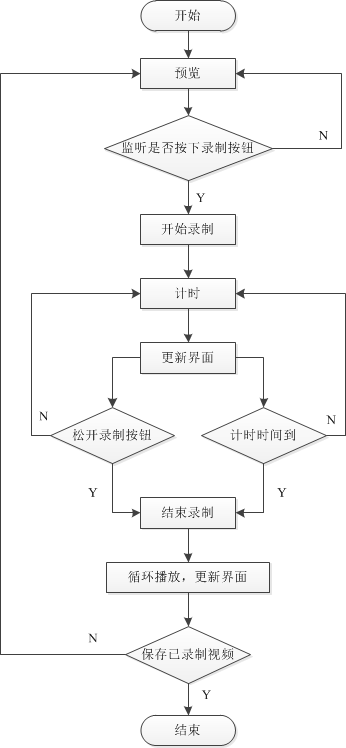
本文分享自己在視頻錄制播放過程中遇到的一些問題,主要包括: 視頻錄制流程 視頻預覽及SurfaceHolder 視頻清晰度及文件大小 視頻文件旋轉 一、視頻錄制
 Android事件分發傳遞回傳機制詳解
如果想參與實際開發項目,若不理解事件分發回傳機制的話,幾乎等於“”摸黑抓鳅”,因為幾乎每個項目都會出現滑動沖突問題;而要想解決滑動沖突
 Android設計模式之工廠模式 Factory
一.概述平時做項目跟使用第三方類庫的時候經常會用到工廠模式.什麼是工廠模式,簡單來說就是他的字面意思.給外部批量提供相同或者不同的產品,而外部不需要關心工廠是如何創建一個
 Android WebView遠程代碼執行漏洞簡析
0x00本文參考Android WebView 遠程代碼執行漏洞簡析。代碼地址為,https://github.com/jltxgcy/AppVulnerability/