編輯:關於Android編程
AlphaAnimation:透明度(alpha)漸變效果,對應< alpha/>”標簽。
TranslateAnimation:位移漸變,需要指定移動點的開始和結束坐標,對應標簽。
ScaleAnimation:縮放漸變,可以指定縮放的參考點,對應
標簽。 RotateAnimation:旋轉漸變,可以指定旋轉的參考點,對應
標簽。 AnimationSet:組合漸變,支持組合多種漸變效果,對應
標簽。

放在res\anim中
如:
anim_alpha.xml
anim_translation.xml
anim_rotate.xml
anim_scale.xml
anim_set.xml
Animation animation = AnimationUtils.loadAnimation(this, R.anim.anim_alpha);
mImage.startAnimation(animation);
TweenAnimXMLActivity
public class TweenAnimXMLActivity extends AppCompatActivity {
    private ImageView mImage;

    @Override
    protected void onCreate(Bundle savedInstanceState) {
        super.onCreate(savedInstanceState);
        setContentView(R.layout.activity_tween_anim_xml);
        mImage = (ImageView) findViewById(R.id.image);
    }

    public void onClick(View view) {
        Animation animation = null;
        switch (view.getId()) {
            case R.id.btn_alpha:
                animation = AnimationUtils.loadAnimation(this, R.anim.anim_alpha);
                break;
            case R.id.btn_translation:
                animation = AnimationUtils.loadAnimation(this, R.anim.anim_translation);
                break;
            case R.id.btn_rotate:
                animation = AnimationUtils.loadAnimation(this, R.anim.anim_rotate);
                break;
            case R.id.btn_scale:
                animation = AnimationUtils.loadAnimation(this, R.anim.anim_scale);
                break;
            case R.id.btn_set:
                animation = AnimationUtils.loadAnimation(this, R.anim.anim_set);
                break;
            default:
                break;
        }
        mImage.startAnimation(animation);
    }
}

TweenAnimCodeActivity
public class TweenAnimCodeActivity extends AppCompatActivity {
    private static final String TAG = "TweenAnimCodeActivity";
    private ImageView mImage;

    @Override
    protected void onCreate(Bundle savedInstanceState) {
        super.onCreate(savedInstanceState);
        setContentView(R.layout.activity_tween_anim_code);
        mImage = (ImageView) findViewById(R.id.image);
    }

    public void onClick(View view) {
        Animation animation;
        switch (view.getId()) {
            case R.id.btn_alpha:
                animation = new AlphaAnimation(1.0f, 0.2f);
                break;
            case R.id.btn_translation:
//                animation = new TranslateAnimation(0, 200, 0, 200);
//                參考坐標系
//                Animation.ABSOLUTE  默認
//                Animation.RELATIVE_TO_SELF  相對自己  左上角 (0, 0)
//                Animation.RELATIVE_TO_PARENT  相對父View
                animation = new TranslateAnimation(Animation.ABSOLUTE, 0, Animation.ABSOLUTE, 200,
                        Animation.ABSOLUTE, 0, Animation.ABSOLUTE, 200);
                break;
            case R.id.btn_rotate:
//                animation = new RotateAnimation(0, 720, 0.5f, 0.5f);
                // pivotX、pivotY  縮放, 旋轉中心
                animation = new RotateAnimation(0, 720, Animation.RELATIVE_TO_SELF, 0.5f, Animation
                        .RELATIVE_TO_SELF, 0.5f);
//                        設置插值器
//                        LinearInterpolator(勻速)
//                        AccelerateInterpolator(先慢後快)
//                        AccelerateDecelerateInterpolator(先慢中快後慢)
//                        DecelerateInterpolator(先快後慢)
//                        CycleInterpolator(循環播放,速度為正弦曲線)
//                        AnticipateInterpolator(先回撤,再勻速向前)
//                        OvershootInterpolator(超過,拉回)
//                        BounceInterpolator(回彈)
                animation.setInterpolator(new AccelerateDecelerateInterpolator());
                // 相對父View
                // 父View width(100dp) height(200dp)
                //旋轉中心位於 相對控件(0, 0) X50, Y100的地方
//                animation = new RotateAnimation(0, 720, Animation.RELATIVE_TO_PARENT, 0.5f,
//                        Animation.RELATIVE_TO_PARENT, 0.5f);
                break;
            case R.id.btn_scale:
//                animation = new ScaleAnimation(0.2f, 2, 0.2f, 2, 0.5f, 0.5f);
                animation = new ScaleAnimation(0.2f, 2, 0.2f, 2, Animation.RELATIVE_TO_SELF, 0.5f, Animation
                        .RELATIVE_TO_SELF, 0.5f);
                break;
            case R.id.btn_set:
                ScaleAnimation scaleAnimation = new ScaleAnimation(1, 2, 1, 2, Animation
                        .RELATIVE_TO_SELF, 0.5f, Animation
                        .RELATIVE_TO_SELF, 0.5f);
                scaleAnimation.setDuration(1000);
                scaleAnimation.setRepeatCount(Animation.INFINITE);
                scaleAnimation.setRepeatMode(Animation.REVERSE);
                AlphaAnimation alphaAnimation = new AlphaAnimation(1.0f, 0.2f);
                alphaAnimation.setDuration(1000);
                alphaAnimation.setRepeatCount(Animation.INFINITE);
                alphaAnimation.setRepeatMode(Animation.REVERSE);
                //是否公用插值器
                AnimationSet animationSet = new AnimationSet(false);
                animationSet.addAnimation(scaleAnimation);
                animationSet.addAnimation(alphaAnimation);
                //設置動畫延時時間(多久後開始)
//                animationSet.setStartOffset(2000);
                //設置動畫結束之後是否保持動畫的目標狀態
//                animationSet.setFillAfter(true);
                //設置動畫結束之後是否保持動畫開始時的狀態
//                animationSet.setFillBefore(false);
                mImage.startAnimation(animationSet);
                //取消動畫
//                animationSet.cancel();
                //釋放資源
//                animationSet.reset();
                return;
            default:
                return;
        }
        animation.setDuration(1000);//間隔
        animation.setFillAfter(true);//結束後應用
        animation.setRepeatCount(3);//重復次數
        animation.setRepeatMode(Animation.REVERSE);//重復模式
        animation.setAnimationListener(new Animation.AnimationListener() {
            @Override
            public void onAnimationStart(Animation animation) {
                Log.d(TAG, "onAnimationStart() called with: animation = [" + animation + "]");
            }

            @Override
            public void onAnimationEnd(Animation animation) {
                Log.d(TAG, "onAnimationEnd() called with: animation = [" + animation + "]");
            }

            @Override
            public void onAnimationRepeat(Animation animation) {
                Log.d(TAG, "onAnimationRepeat() called with: animation = [" + animation + "]");
            }
        });
        mImage.startAnimation(animation);
    }
}
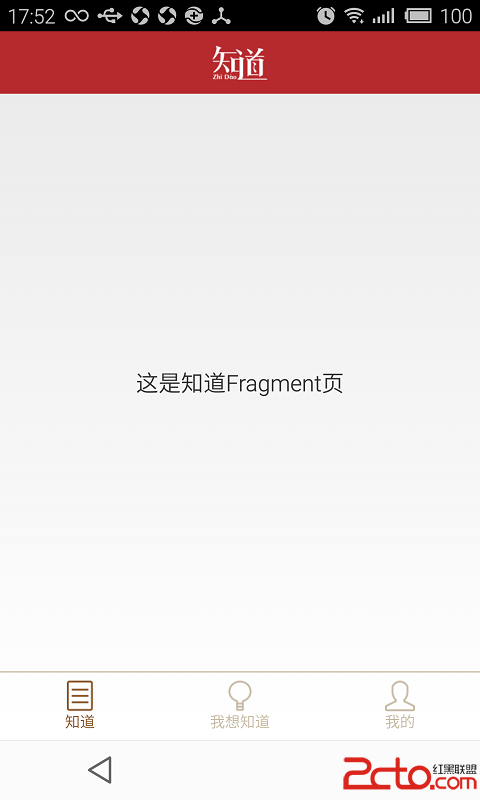 Android UI-實現底部切換標簽(fragment)
Android UI-實現底部切換標簽(fragment) 前言 本篇博客要分享的一個UI效果——實現底部切換標簽,想必大家在一些應
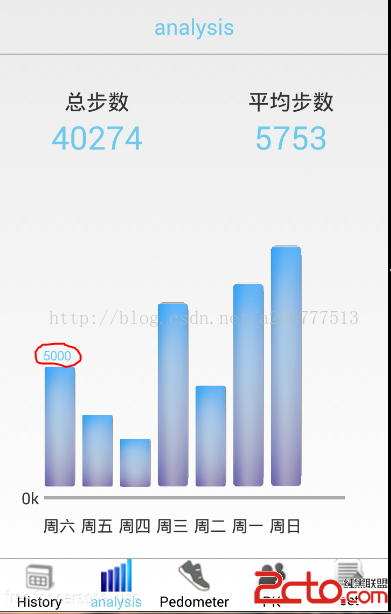 基於Android的計步器(Pedometer)的講解(二)——柱狀圖分析
寫正文之前,小小的吐槽一下,還有一個月就放假了,作業、考試、還有實習(研一,下半學期課不多,也不想在實驗室)的考慮,最近基於hadoop的數據分析馬上也要驗收了,真的忙的
 Android數據庫框架GreenDao封裝使用,易理解、易擴展
一、概述在之前一個項目中,因為涉及到數據庫,所以就接觸到了ORM框架的GreenDao。後面就去網上大量的搜索下載學習,發現很多都是官網的翻譯或者是官網DEMO的簡單入門
 安卓更新軟件功能的實現 (不使用webview)
首先明確流程 既然實現自動更新,我們首先必須讓我們的應用知道是否存在新版本的軟件,因此我們可以在自己的網站上放置配置文件,存放軟件的版本信息: 2