編輯:關於Android編程
話不多說,直接開撸!
剛開始進入Splash界面:
1.SplashActivity.java(兩秒後進入開始界面,Splash界面的布局只有一個圖片,在博客後,會展示給大家看)
public class SplashActivity extends Activity {

    @Override
    protected void onCreate(Bundle savedInstanceState) {
        super.onCreate(savedInstanceState);
        setContentView(R.layout.activity_splash);

        new Thread(new Runnable() {
            @Override
            public void run() {
                try {
                    Thread.sleep(2000);
                    Intent intent=new Intent(SplashActivity.this, LoginActivity.class);
                    startActivity(intent);
                } catch (InterruptedException e) {
                    // TODO Auto-generated catch block
                    e.printStackTrace();
                }
                finish();
            }
        }).start();
    }
}
2.LoginActivity(登陸界面)
   private Button btn1,btn2;
   private EditText etAcount,etPassword;
    @Override
    protected void onCreate(Bundle savedInstanceState) {
        super.onCreate(savedInstanceState);
        setContentView(R.layout.activity_login);
        initView();
    }
    private void initView() {
        btn1=(Button) findViewById(R.id.btn_login);
        btn2=(Button) findViewById(R.id.btn_register);

        etAcount=(EditText) findViewById(R.id.et_account);
        etPassword=(EditText) findViewById(R.id.et_pwd);
        btn1.setOnClickListener(new OnClickListener() {
            //登錄按鈕的監聽
            @Override
            public void onClick(View v) {
                SharedPreferences sharedPreferences=getSharedPreferences("user", MODE_PRIVATE);
                String number=sharedPreferences.getString("number", "");
                int a,b;
                if (number=="") {
                    a=0;//記錄用戶個數
                }else {
                    a=Integer.parseInt(number);
                }
                String account;
                String password;
                for (b=0;b
LoginActivity的布局如下:
3.MainActivity.java(主頁面)
public class MainActivity extends Activity {
    private TextView tvScore;
    private Animation animation;
    private static MainActivity mainActivity = null;
    private int score = 0;
    private ImageView imageView;
    private GameView gameView;
    public static MainActivity getMainActivity() {
        return mainActivity;
    }

    public MainActivity() {
        mainActivity = this;
    }

    @Override
    protected void onCreate(Bundle savedInstanceState) {
        super.onCreate(savedInstanceState);
        setContentView(R.layout.activity_main);
        tvScore = (TextView) findViewById(R.id.tvScore);
        imageView=(ImageView) findViewById(R.id.img_monkey);
    }

    public void onClick(View view) {
        switch (view.getId()) {
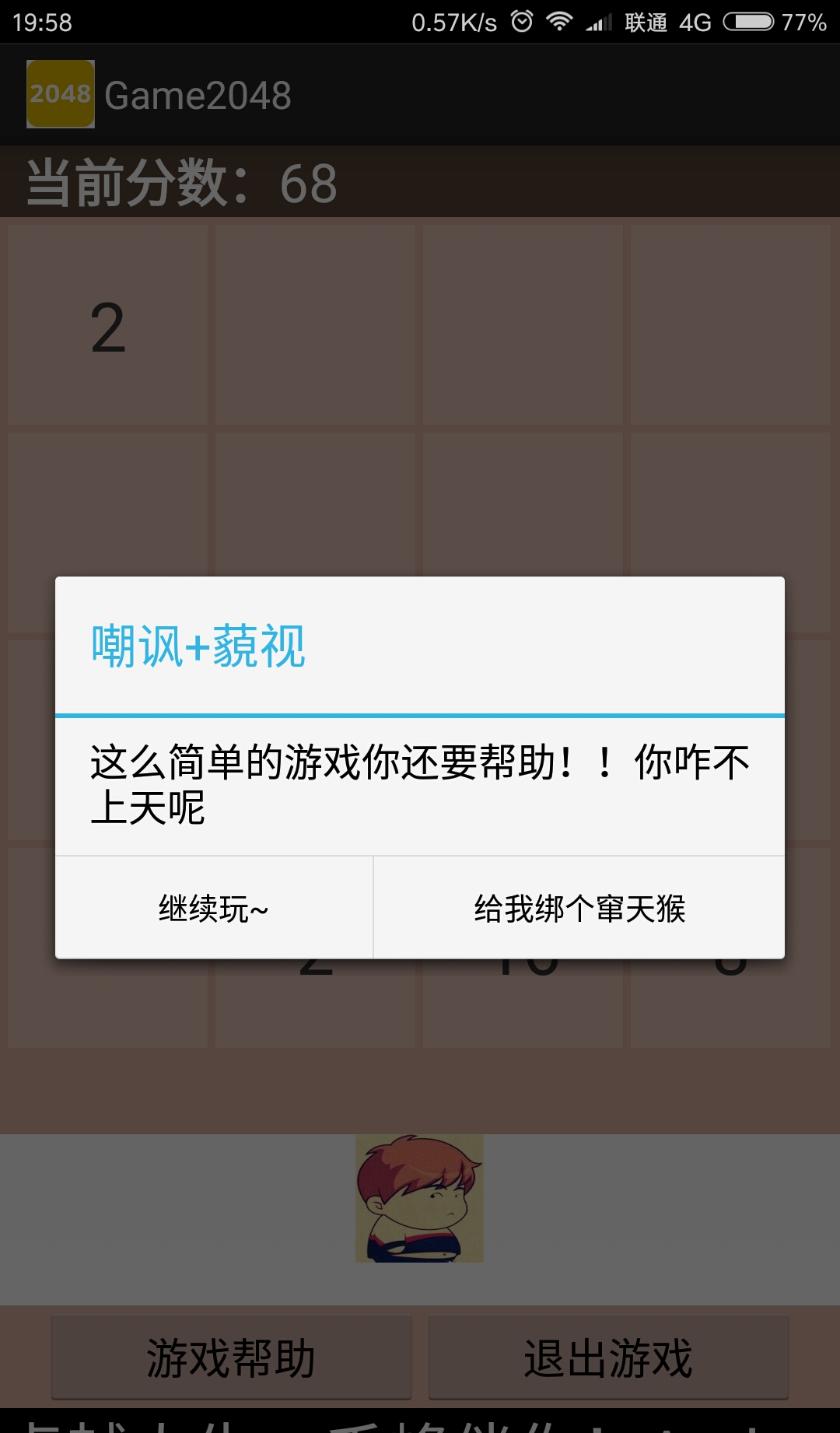
        case R.id.btn_help://幫助按鈕,彈出對話框
            animation=AnimationUtils.loadAnimation(this,R.anim.anim_monkey);
            AlertDialog.Builder dialog2=new AlertDialog.Builder(this);
            dialog2.setTitle("嘲諷+藐視");
            dialog2.setMessage("這麼簡單的游戲你還要幫助!!你咋不上天呢");
            dialog2.setPositiveButton("給我綁個竄天猴", new OnClickListener() {

                @Override
                public void onClick(DialogInterface dialog, int which) {
                     imageView.startAnimation(animation);//為ImageView設置動畫
                }
            });
            dialog2.setNegativeButton("繼續玩~", new OnClickListener() {

                @Override
                public void onClick(DialogInterface dialog, int which) {

                }
            });
            dialog2.show();
            break;
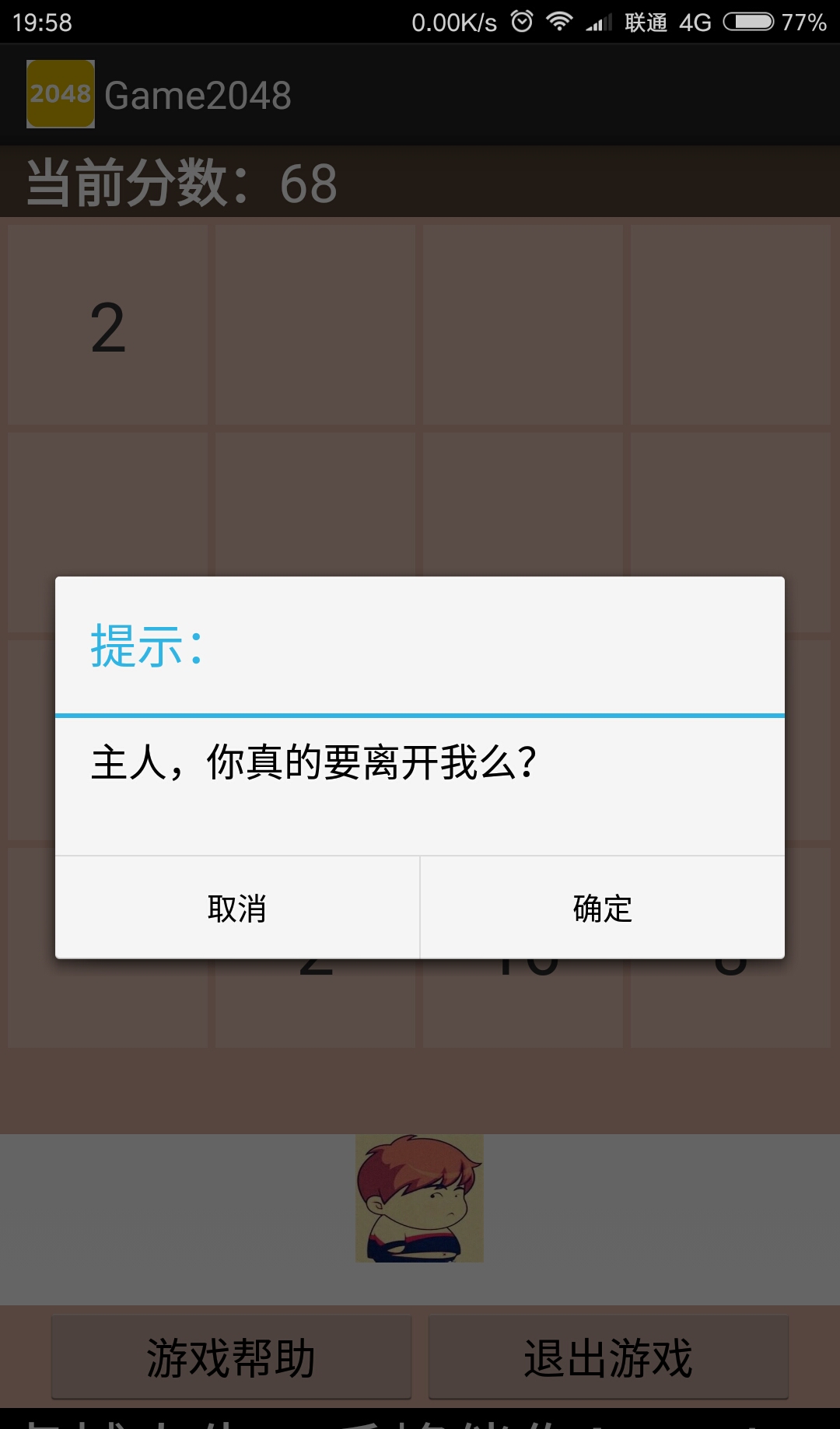
        case R.id.btn_quit://退出按鈕的點擊事件
            AlertDialog.Builder dialog = new AlertDialog.Builder(this);
            dialog.setTitle("提示:");
            dialog.setMessage("主人,你真的要離開我麼?");
            dialog.setPositiveButton("確定", new OnClickListener() {

                @Override
                public void onClick(DialogInterface dialog, int which) {
                    System.exit(0);
                }
            });
            dialog.setNegativeButton("取消", new OnClickListener() {

                @Override
                public void onClick(DialogInterface dialog, int which) {

                }
            });
            dialog.show();
            break;

        default:

            break;
        }
    }
    public void clearScore() {//清除分數
        score = 0;
        showScore();
    }
    public void showScore() {//展示分數
        tvScore.setText(score + "");
    }
    public void addScore(int s) {//添加分數
        score += s;
        showScore();
    }
}
MainActivity的布局文件
4.Card.java(卡片類)
public class Card extends FrameLayout {
    private int num=0;
    private TextView label;
    public Card(Context context) {
        super(context);
        label=new TextView(getContext());
        label.setTextSize(32);
        label.setGravity(Gravity.CENTER);

        label.setBackgroundColor(0x33ffffff);//設置每個卡片的顏色

        LayoutParams lp=new LayoutParams(-1,-1);//該類用來初始化layout控件textView裡的寬高屬性
        lp.setMargins(10, 10, 0, 0);//設置間隔
        addView(label,lp);
        setNum(0);
    }

    public int getNum() {
        return num;
    }
    public void setNum(int num) {
        this.num=num;
        if (num<=0) {
            label.setText("");
        }else {
            label.setText(num+"");
        }
    }
    //重寫equals方法,判斷卡片綁定的數字是否相等
    public boolean equals(Card o) {
        return getNum()==o.getNum();
    }
}
5.GameView.java(主要邏輯)
public class GameView extends GridLayout {
    private Card[][] cardsMap = new Card[4][4];
    //用來存放cardsMap下標用的Point類的集合
    private List emptyPoints = new ArrayList();

    public GameView(Context context, AttributeSet attrs, int defStyle) {
        super(context, attrs, defStyle);
        initGameView();
    }

    public GameView(Context context) {
        super(context);
        initGameView();
    }

    public GameView(Context context, AttributeSet attrs) {
        super(context, attrs);
        initGameView();
    }

    private void initGameView() {
        setColumnCount(4);
        setBackgroundColor(0xffddada0);

        setOnTouchListener(new OnTouchListener() {
            // 添加觸摸事件 開始
            private float startX, startY, offsetX, offsetY;

            @Override
            public boolean onTouch(View v, MotionEvent event) {
                switch (event.getAction()) {
                case MotionEvent.ACTION_DOWN:
                    startX = event.getX();
                    startY = event.getY();
                    break;
                case MotionEvent.ACTION_UP:
                    offsetX = event.getX() - startX;// 大於0則代表向右滑
                    offsetY = event.getY() - startY;// 小於0代表向上滑

                    if (Math.abs(offsetX) > Math.abs(offsetY)) {
                        if (offsetX > 5) {
                            swipeRight();
                        } else if (offsetX < -5) {
                            swipeLeft();
                        }
                    } else {
                        if (offsetY > 5) {
                            swipeDown();
                        } else if (offsetY < -5) {
                            swipeUp();
                        }
                    }
                    break;
                }
                return true;
            }
        });
    }
    //根據卡片寬和高
    @Override
    protected void onSizeChanged(int w, int h, int oldw, int oldh) {
        //該方法就是寬高發生改變的時候我們可以得到當前的寬高是多少
        //該方法也是在游戲一被創建的時候就調用,也就是用來初始寬高的方法
        super.onSizeChanged(w, h, oldw, oldh);

        //獲取手機較窄的長度,-10是用來間隔每個卡片的距離,用手機的寬除以4就是每個卡片的長度了
        int cardWidth = (Math.min(w, h) - 10) / 4;
        addCards(cardWidth, cardWidth);

        startGame();
    }

    //增加卡片,形成4*4的矩陣
    private void addCards(int cardWidth, int cardHeight) {
        Card c;
        for (int y = 0; y < 4; y++) {
            for (int x = 0; x < 4; x++) {
                c = new Card(getContext());
                c.setNum(2);
                addView(
                        c, cardWidth, cardHeight);
               //順便把初始化時新建的卡片存放在新建的二維數組中
                cardsMap[x][y] = c;
            }
        }
    }
    //開始游戲,初始化16個card
    public void startGame() {
        MainActivity.getMainActivity().clearScore();
        for (int y = 0; y < 4; y++) {
            for (int x = 0; x < 4; x++) {
                cardsMap[x][y].setNum(0);
            }
        }
        addRondomNum();
        addRondomNum();
    }
    //判斷游戲結束
    private void endGame(){
        boolean isfull=true;//判斷卡片是否鋪滿的標志變量
        for (int x = 0; x < 4; x++) {
            for (int y = 0; y < 4; y++) {
                if (cardsMap[x][y].getNum()==0
                        ||(x>0&&cardsMap[x][y].equals(cardsMap[x-1][y]))
                        ||(x<3&&cardsMap[x][y].equals(cardsMap[x+1][y]))
                        ||(y>0&&cardsMap[x][y].equals(cardsMap[x][y-1]))
                        ||(y<3&&cardsMap[x][y].equals(cardsMap[x][y+1]))) {
                    isfull=false;
                    break;
                }
            }
        }
        if (isfull) {
            AlertDialog.Builder dialog=new AlertDialog.Builder(getContext());
            dialog.setTitle("Game Over!");
            dialog.setMessage("你太菜了!想要再玩一次麼?");
            dialog.setCancelable(false);

            dialog.setPositiveButton("重新開始",new DialogInterface.OnClickListener() {

                public void onClick(DialogInterface dialog, int which) {
                    startGame();
                }
            });
            dialog.setNegativeButton("取消", new DialogInterface.OnClickListener() {

                @Override
                public void onClick(DialogInterface dialog, int which) {
                    // TODO Auto-generated method stub

                }
            });
            dialog.show();
        }
    }
    private void addRondomNum() {
       //把這個point清空,每次調用添加隨機數時就清空之前的emptyPoints
        emptyPoints.clear();
       //對所有的位置進行遍歷:即為每個卡片加上了可以控制的Point
        for (int y = 0; y < 4; y++) {
            for (int x = 0; x < 4; x++) {
                if (cardsMap[x][y].getNum() <= 0) {
                    emptyPoints.add(new Point(x, y));
                }
            }
        }
        //通過隨機的從存放了的Point的List集合裡去獲取Card的位置,並給這個card設置文本屬性,並且只能存2或
        //通過point對象來充當下標的角色來控制存放card的二維數組cardsMap,然後隨機給定位到的card對象賦值
        Point p = emptyPoints.remove((int) (Math.random() * emptyPoints.size()));
        cardsMap[p.x][p.y].setNum(Math.random() > 0.1 ? 2 : 4);
    }
     //左移
    private void swipeLeft() {
        boolean add=false;
        for (int y = 0; y < 4; y++) {
            for (int x = 0; x < 4; x++) {
                for (int x1 = x + 1; x1 < 4; x1++) {
                    if (cardsMap[x1][y].getNum() > 0) {//除了第一列以外的數,如果存在一個數大於0
                        if (cardsMap[x][y].getNum() <= 0) {//如果左邊沒有數
                            cardsMap[x][y].setNum(cardsMap[x1][y].getNum());//將右邊的數移到左邊
                            cardsMap[x1][y].setNum(0);//右邊數清零
                            x--;
                            add=true;
                            break;
                        } else if (cardsMap[x][y].equals(cardsMap[x1][y])) {
                            cardsMap[x][y].setNum(cardsMap[x][y].getNum() * 2);
                            cardsMap[x1][y].setNum(0);

                            MainActivity.getMainActivity().addScore(
                                    cardsMap[x][y].getNum());

                            add=true;
                        }
                        break;
                    }
                }
            }
        }
        if (add) {
            addRondomNum();
            endGame();//判斷是否結束
        }
    }
    //右移
    private void swipeRight() {
        boolean add=false;
        for (int y = 0; y < 4; y++) {
            for (int x = 3; x >= 0; x--) {
                for (int x1 = x - 1; x1 >= 0; x1--) {
                    if (cardsMap[x1][y].getNum() > 0) {
                        if (cardsMap[x][y].getNum() <= 0) {
                            cardsMap[x][y].setNum(cardsMap[x1][y].getNum());
                            cardsMap[x1][y].setNum(0);
                            x++;
                            add=true;
                            break;
                        } else if (cardsMap[x][y].equals(cardsMap[x1][y])) {
                            cardsMap[x][y].setNum(cardsMap[x][y].getNum() * 2);
                            cardsMap[x1][y].setNum(0);
                            MainActivity.getMainActivity().addScore(
                                    cardsMap[x][y].getNum());
                            add=true;
                        }
                        break;
                    }
                }
            }
        }
        if (add) {
            addRondomNum();
            endGame();
        }
    }

    private void swipeUp() {
        boolean add=false;
        for (int x = 0; x < 4; x++) {
            for (int y = 0; y < 4; y++) {
                for (int y1 = y + 1; y1 < 4; y1++) {
                    if (cardsMap[x][y1].getNum() > 0) {
                        if (cardsMap[x][y].getNum() <= 0) {
                            cardsMap[x][y].setNum(cardsMap[x][y1].getNum());
                            cardsMap[x][y1].setNum(0);
                            y--;
                            add=true;
                            break;
                        } else if (cardsMap[x][y].equals(cardsMap[x][y1])) {
                            cardsMap[x][y].setNum(cardsMap[x][y].getNum() * 2);
                            cardsMap[x][y1].setNum(0);
                            MainActivity.getMainActivity().addScore(
                                    cardsMap[x][y].getNum());
                            add=true;

                        }
                        break;
                    }
                }
            }
        }
        if (add) {
            addRondomNum();
            endGame();
        }
    }

    private void swipeDown() {
        boolean add=false;
        for (int x = 0; x < 4; x++) {
            for (int y = 3; y >= 0; y--) {
                for (int y1 = y - 1; y1 >= 0; y1--) {
                    if (cardsMap[x][y1].getNum() > 0) {
                        if (cardsMap[x][y].getNum() <= 0) {
                            cardsMap[x][y].setNum(cardsMap[x][y1].getNum());
                            cardsMap[x][y1].setNum(0);
                            y++;
                            add=true;
                            break;
                        } else if (cardsMap[x][y].equals(cardsMap[x][y1])) {
                            cardsMap[x][y].setNum(cardsMap[x][y].getNum() * 2);
                            cardsMap[x][y1].setNum(0);
                            MainActivity.getMainActivity().addScore(
                                    cardsMap[x][y].getNum());
                            add=true;
                        }
                        break;
                    }
                }
            }
        }
        if (add) {
            addRondomNum();
            endGame();
        }
    }
}
6.最後不要忘記在清單配置文件中配置信息
7.其中的竄天猴的動畫效果實現如下:
在res文件下新建一個anim文件夾在anim文件夾下新建一個anim_monky.xml的布局文件
anim_monky.xml
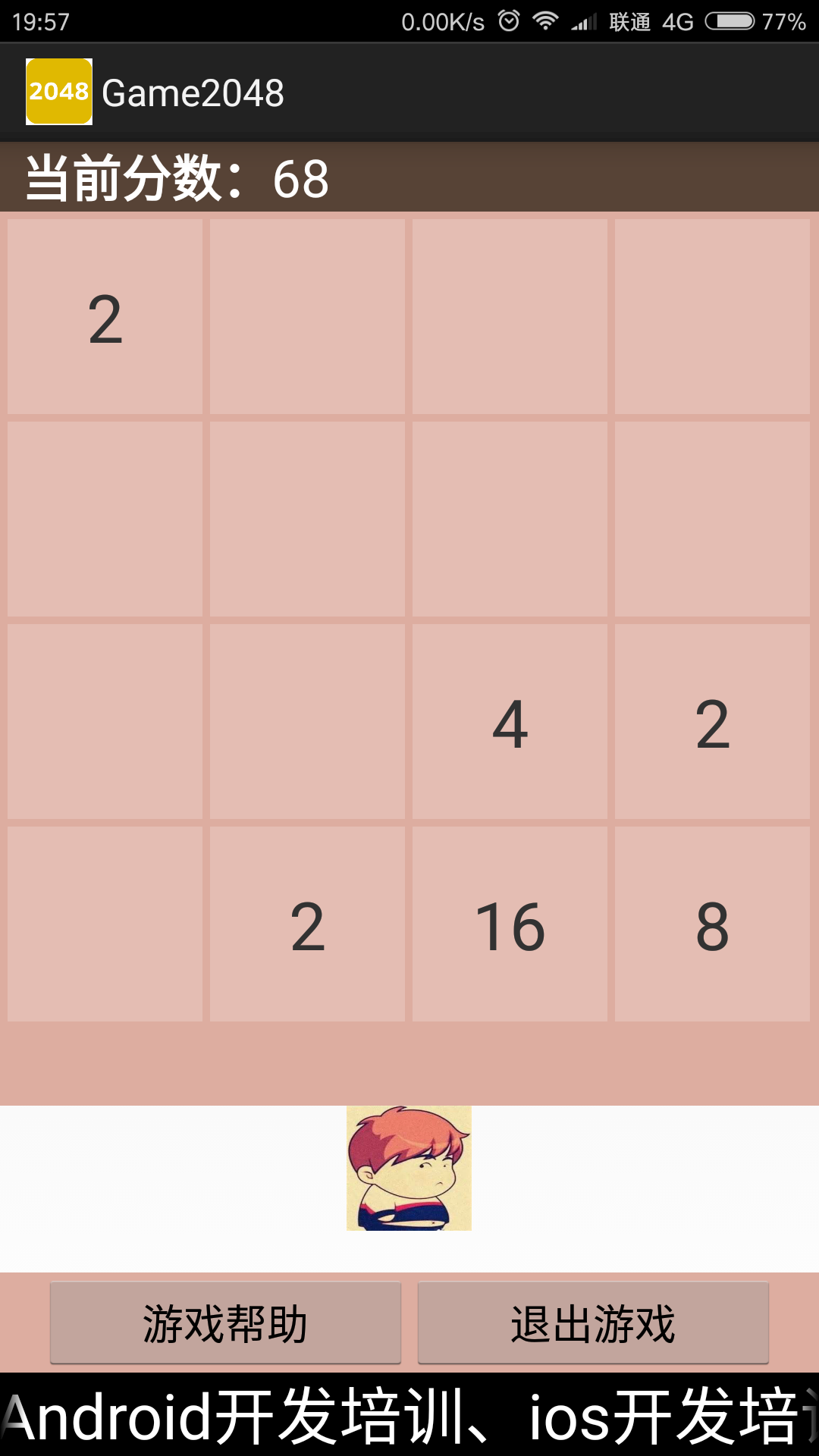
效果圖如下: 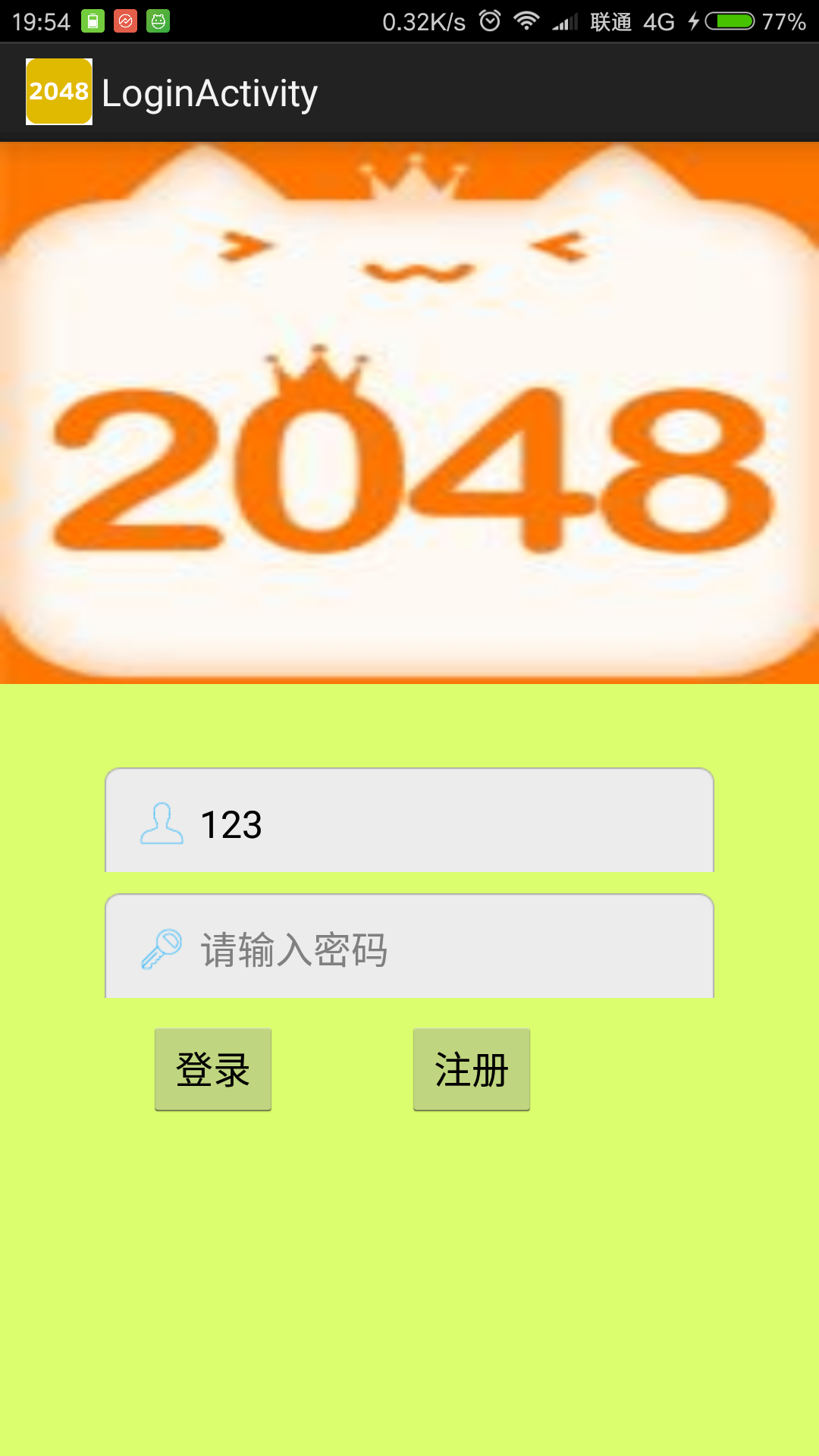
 通信組件之Intent的基本使用
(一)概述本節引言:在上一節結束後意味著Android的四大組件我們都已經學習完畢了~,而本節我們要學習的是四大組件間的 樞紐——Intent(意
 Android Notification通知解析
Notification是顯示在手機狀態欄的通知,Notification通知是具有全局性的通知,一般通過NotificationManager來進行管理.一般運用Not
 Android開發筆記之:AsyncTask的應用詳解
AsyncTask的介紹及基本使用方法關於AsyncTask的介紹和基本使用方法可以參考官方文檔和《Android開發筆記之:深入理解多線程AsyncTask》這裡就不重
 Android Email不支持Exchange的解決方法
Android自帶的Email從6.3開始不支持exchange了,用了那麼久,突然不支持了還真是不習慣。市場上也沒有比較好的替代軟件,心想從網上搜一下能不