編輯:關於Android編程
Fr'agment和Activity之間的通信
1.在Fragment中聲明一個接口。
2.在Activity中實現在Fargment中聲明的接口。
3.在Fragment中聲明一個接口對象。
4.在Frangment的生命周期Onattach方法中判斷當前Activity是否實現了此Fragment中聲明的接口。如果已實現,就把當前Activity轉換成接口對象。
5.調用Activity中實現的方法=>(接口對象.方法名)
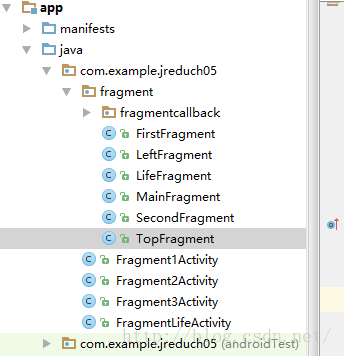
package com.example.jreduch05;

import android.os.Bundle;
import android.support.v4.app.Fragment;
import android.support.v7.app.AppCompatActivity;

import com.example.jreduch05.fragment.FirstFragment;
import com.example.jreduch05.fragment.LeftFragment;
import com.example.jreduch05.fragment.SecondFragment;

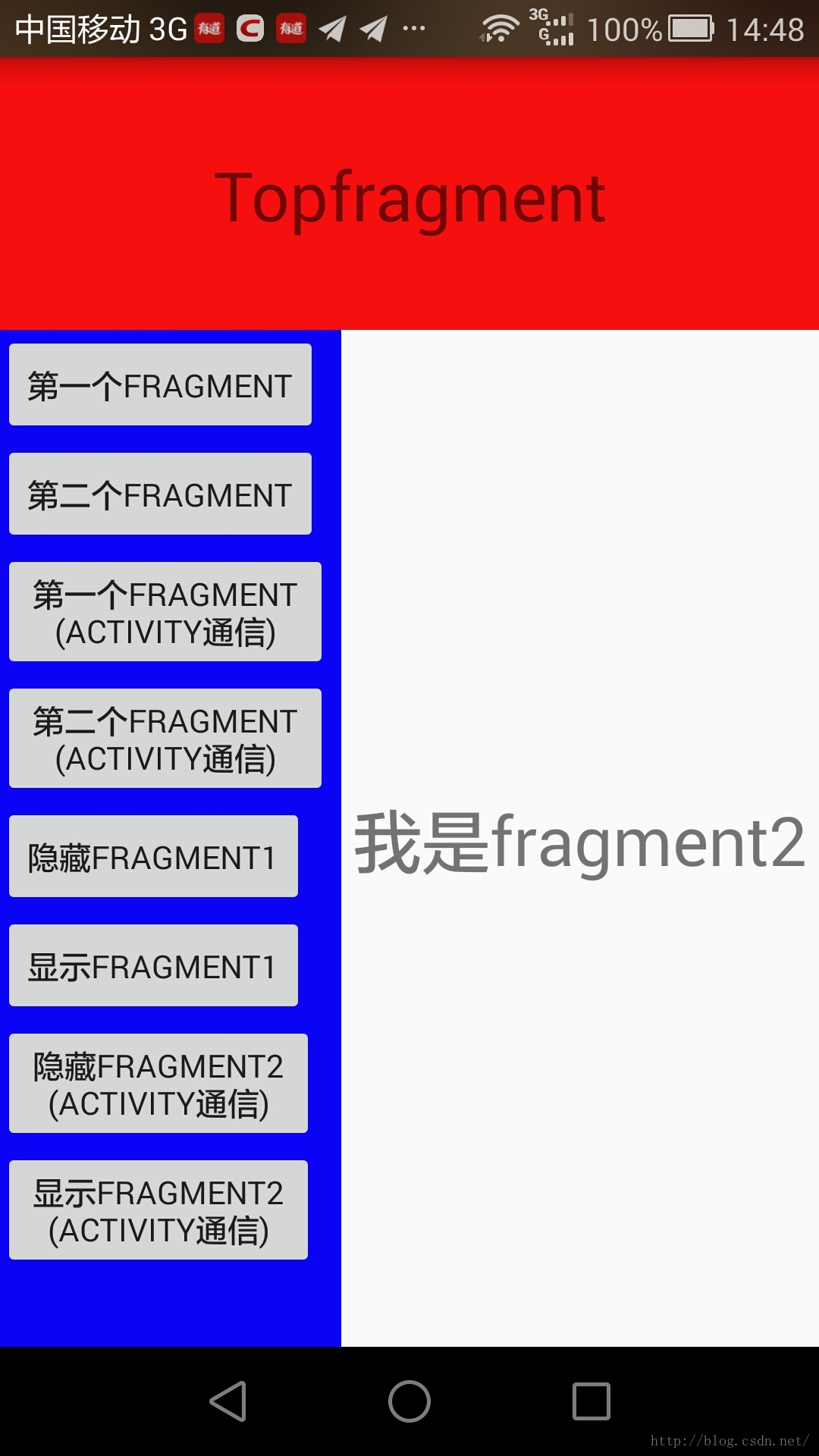
public class Fragment1Activity extends AppCompatActivity implements LeftFragment.OnFragmentInteractionListener{
    private Fragment fragment1;
    private Fragment fragment2;

    @Override
    protected void onCreate(Bundle savedInstanceState) {
        super.onCreate(savedInstanceState);
        setContentView(R.layout.activity_fragment1);
        getSupportActionBar().hide();
    }

    @Override
    public void changeFragment(int which) {
        if (which==1){
            fragment1=new FirstFragment();
            getSupportFragmentManager()
                    .beginTransaction()
                    .replace(R.id.fl,fragment1)
                    .commit();
        }else  if (which==2){
            fragment2=new SecondFragment();
            getSupportFragmentManager()
                    .beginTransaction()
                    .replace(R.id.fl,fragment2)
                    .commit();
        }
        else  if (which==3){
            if(fragment2!=null && !fragment2.isHidden()){
                getSupportFragmentManager().beginTransaction()
                        .hide(fragment2).commit();
            }

        }
        else  if (which==4){
            if(fragment2!=null && fragment2.isHidden()){
                getSupportFragmentManager().beginTransaction()
                        .show(fragment2).commit();
            }
        }
    }
}
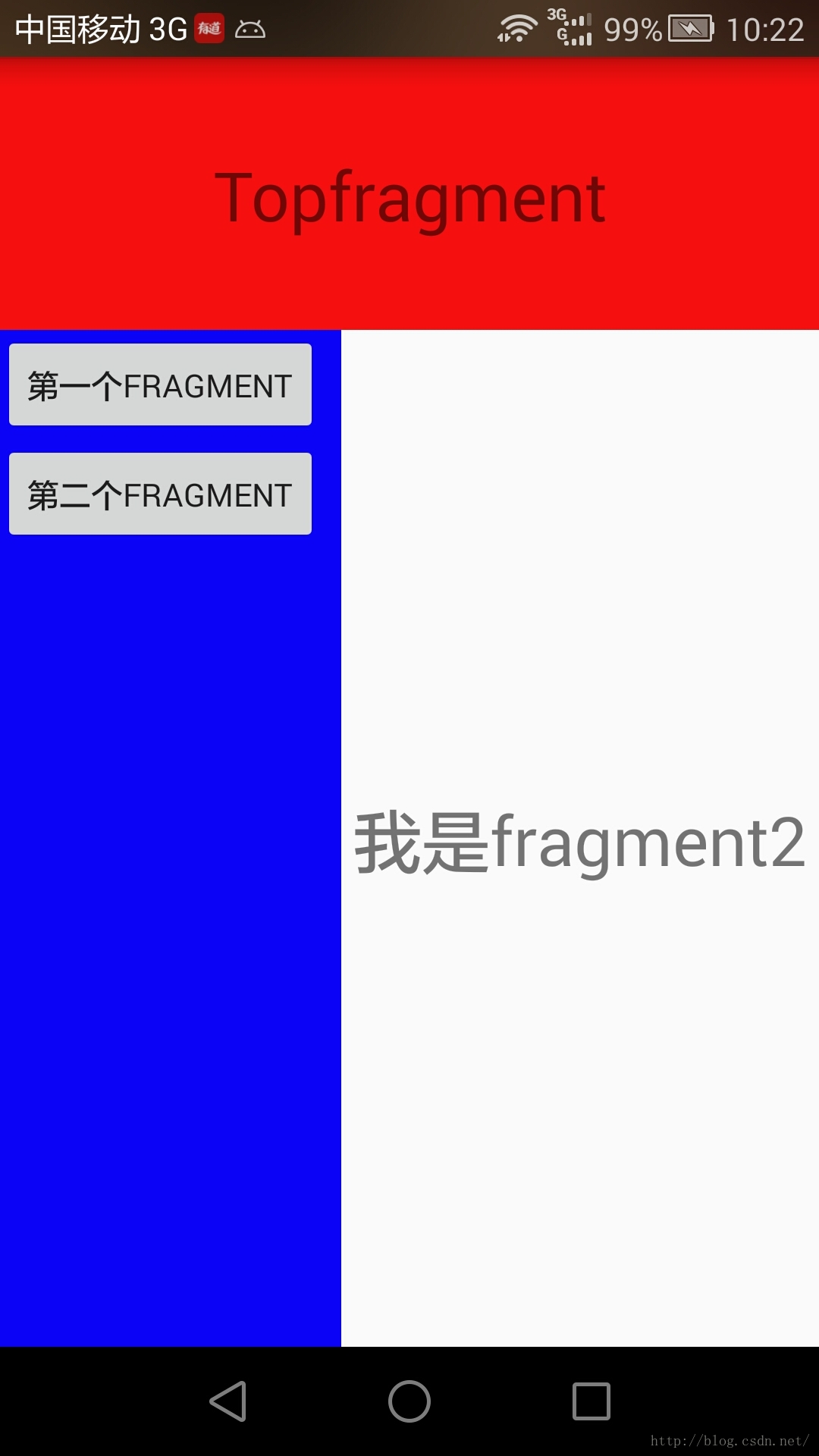
LeftFragment<framelayout android:id="@+id/fl" android:layout_below="@+id/top" android:layout_height="match_parent" android:layout_toendof="@+id/left" android:layout_width="match_parent"> </framelayout>
package com.example.jreduch05.fragment;


import android.content.Context;
import android.os.Bundle;
import android.support.v4.app.Fragment;
import android.support.v4.app.FragmentManager;
import android.support.v4.app.FragmentTransaction;
import android.view.LayoutInflater;
import android.view.View;
import android.view.ViewGroup;
import android.widget.Button;

import com.example.jreduch05.R;

/**
 * A simple {@link Fragment} subclass.
 */
public class LeftFragment extends Fragment {
private Fragment fragment1;
    private Fragment fragment2;
    private OnFragmentInteractionListener mListener;
    public LeftFragment() {
        // Required empty public constructor
    }


    @Override
    public View onCreateView(LayoutInflater inflater, ViewGroup container,
                             Bundle savedInstanceState) {
        // Inflate the layout for this fragment
      View view= inflater.inflate(R.layout.fragment_left2, container, false);
        Button bt1=(Button)view.findViewById(R.id.bt1);
        Button bt2=(Button)view.findViewById(R.id.bt2);
        Button bt3=(Button)view.findViewById(R.id.bt3);
        Button bt4=(Button)view.findViewById(R.id.bt4);
        Button bt5=(Button)view.findViewById(R.id.bt5);
        Button bt6=(Button)view.findViewById(R.id.bt6);
        Button bt7=(Button)view.findViewById(R.id.bt7);
        Button bt8=(Button)view.findViewById(R.id.bt8);
        bt1.setOnClickListener(new View.OnClickListener() {
            @Override
            public void onClick(View view) {
                //Toast.makeText(getContext(),"點擊按鈕1",Toast.LENGTH_SHORT).show();
                fragment1=new FirstFragment();
                FragmentManager fm=getFragmentManager();
                FragmentTransaction fr=fm.beginTransaction();   //開始

                fr.replace(R.id.fl,fragment1);  //替換
                fr.commit();//提交一個事物
            }
        });
        bt2.setOnClickListener(new View.OnClickListener() {
            @Override
            public void onClick(View view) {
                //Toast.makeText(getContext(),"點擊按鈕1",Toast.LENGTH_SHORT).show();
               fragment2=new SecondFragment();
                FragmentManager fm=getFragmentManager();
                FragmentTransaction fr=fm.beginTransaction();   //開始

                fr.replace(R.id.fl,fragment2);  //替換
                fr.commit();//提交一個事物
            }
        });
        bt3.setOnClickListener(new View.OnClickListener() {
            @Override
            public void onClick(View view) {
                mListener.changeFragment(1);
            }
        });
        bt4.setOnClickListener(new View.OnClickListener() {
            @Override
            public void onClick(View view) {
                mListener.changeFragment(2);
            }
        });
        bt5.setOnClickListener(new View.OnClickListener() {
            @Override
            public void onClick(View v) {
                if(fragment1!=null && !fragment1.isHidden()){
                    getFragmentManager().beginTransaction()
                            .hide(fragment1).commit();
                }
            }
        });
        bt6.setOnClickListener(new View.OnClickListener() {
            @Override
            public void onClick(View v) {
                if(fragment1!=null && fragment1.isHidden()){
                    getFragmentManager().beginTransaction()
                            .show(fragment1).commit();
                }
            }
        });
        bt7.setOnClickListener(new View.OnClickListener() {
            @Override
            public void onClick(View v) {
                mListener.changeFragment(3);

            }
        });
        bt8.setOnClickListener(new View.OnClickListener() {
            @Override
            public void onClick(View v) {
                mListener.changeFragment(4);
            }
        });

        return  view;
    }
    public interface OnFragmentInteractionListener {
        // TODO: Update argument type and name
        void changeFragment(int which);
    }
    @Override
    public void onAttach(Context context) {
        super.onAttach(context);
        if (context instanceof OnFragmentInteractionListener) {
            mListener = (OnFragmentInteractionListener) context;
        } else {
            throw new RuntimeException(context.toString()
                    + " must implement OnFragmentInteractionListener");
        }
    }
}
<framelayout android:background="#0c04f7" android:layout_height="match_parent" android:layout_width="match_parent" tools:context="com.example.jreduch05.fragment.LeftFragment" xmlns:android="http://schemas.android.com/apk/res/android" xmlns:tools="http://schemas.android.com/tools">
FirstFragment
package com.example.jreduch05.fragment;


import android.os.Bundle;
import android.support.annotation.Nullable;
import android.support.v4.app.Fragment;
import android.view.LayoutInflater;
import android.view.View;
import android.view.ViewGroup;
import android.widget.TextView;

import com.example.jreduch05.R;

/**
 * A simple {@link Fragment} subclass.
 */
public class FirstFragment extends Fragment {


    public FirstFragment() {
        // Required empty public constructor
    }


    @Override
    public View onCreateView(LayoutInflater inflater, ViewGroup container,
                             Bundle savedInstanceState) {
        // Inflate the layout for this fragment
        return inflater.inflate(R.layout.fragment_first, container, false);
    }

    @Override
    public void onActivityCreated(@Nullable Bundle savedInstanceState) {
        super.onActivityCreated(savedInstanceState);
        Bundle bundle=getArguments();
        if(bundle!=null){
          int ch= bundle.getInt("channel") ;
            TextView tv= (TextView) getView().findViewById(R.id.tv);
            tv.setText(ch+"");
        }
    }
}
<framelayout android:layout_height="match_parent" android:layout_width="match_parent" tools:context="com.example.jreduch05.fragment.FirstFragment" xmlns:android="http://schemas.android.com/apk/res/android" xmlns:tools="http://schemas.android.com/tools">


</framelayout>
SecondFragment
package com.example.jreduch05.fragment;


import android.os.Bundle;
import android.support.v4.app.Fragment;
import android.view.LayoutInflater;
import android.view.View;
import android.view.ViewGroup;

import com.example.jreduch05.R;

/**
 * A simple {@link Fragment} subclass.
 */
public class SecondFragment extends Fragment {


    public SecondFragment() {
        // Required empty public constructor
    }


    @Override
    public View onCreateView(LayoutInflater inflater, ViewGroup container,
                             Bundle savedInstanceState) {
        // Inflate the layout for this fragment
        return inflater.inflate(R.layout.fragment_second, container, false);
    }

}
<framelayout android:layout_height="match_parent" android:layout_width="match_parent" tools:context="com.example.jreduch05.fragment.SecondFragment" xmlns:android="http://schemas.android.com/apk/res/android" xmlns:tools="http://schemas.android.com/tools">


</framelayout>
MainFragment
package com.example.jreduch05.fragment;


import android.os.Bundle;
import android.support.v4.app.Fragment;
import android.view.LayoutInflater;
import android.view.View;
import android.view.ViewGroup;

import com.example.jreduch05.R;

/**
 * A simple {@link Fragment} subclass.
 */
public class MainFragment extends Fragment {


    public MainFragment() {
        // Required empty public constructor
    }


    @Override
    public View onCreateView(LayoutInflater inflater, ViewGroup container,
                             Bundle savedInstanceState) {
        // Inflate the layout for this fragment
        return inflater.inflate(R.layout.fragment_main, container, false);
    }

}
<framelayout android:layout_height="match_parent" android:layout_width="match_parent" tools:context="com.example.jreduch05.fragment.MainFragment" xmlns:android="http://schemas.android.com/apk/res/android" xmlns:tools="http://schemas.android.com/tools">


</framelayout>
TopFargment
package com.example.jreduch05.fragment;


import android.os.Bundle;
import android.support.v4.app.Fragment;
import android.view.LayoutInflater;
import android.view.View;
import android.view.ViewGroup;

import com.example.jreduch05.R;

/**
 * A simple {@link Fragment} subclass.
 */
public class TopFragment extends Fragment {


    public TopFragment() {
        // Required empty public constructor
    }


    @Override
    public View onCreateView(LayoutInflater inflater, ViewGroup container,
                             Bundle savedInstanceState) {
        // Inflate the layout for this fragment
        return inflater.inflate(R.layout.fragment_top, container, false);
    }

}
<framelayout android:layout_height="match_parent" android:layout_width="match_parent" tools:context="com.example.jreduch05.fragment.TopFragment" xmlns:android="http://schemas.android.com/apk/res/android" xmlns:tools="http://schemas.android.com/tools">


</framelayout>
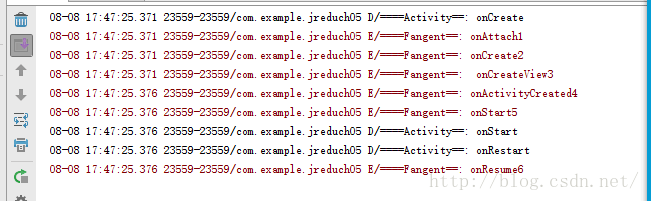
Frangment生命周期

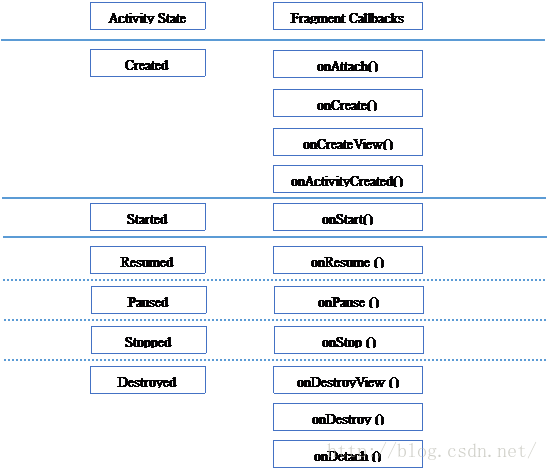
方法名 說明
onAttach() Fragment被附加到Activity的時,調用此函數,在這個方法中可以獲得宿主Activity。
onCreate() Fragment被創建的時,調用此函數。
onCreateView() Fragment的布局加載時,調用此函數。
onActivityCreated() 當宿主Activity啟動完畢後,調用此函數。
onStart() 啟動Fragment時,調用此函數。
onResume() Fragment恢復時,調用此函數。
onPause() Fragment暫停時,調用此函數。
onStop() Fragment停止時,調用此函數。
onDestroyView() 銷毀Fragment中的View控件時,調用此函數。
onDestroy() 銷毀Fragment時,調用此函數。
onDetach() Fragment從Activity脫離時,調用此函數
啟動
Remove
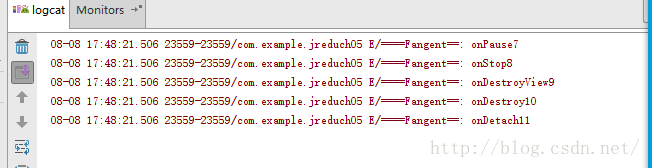
回退

3鍵
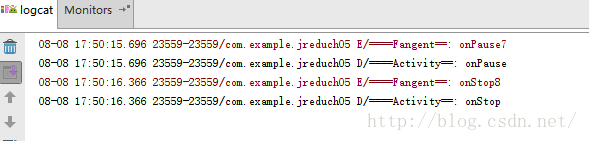
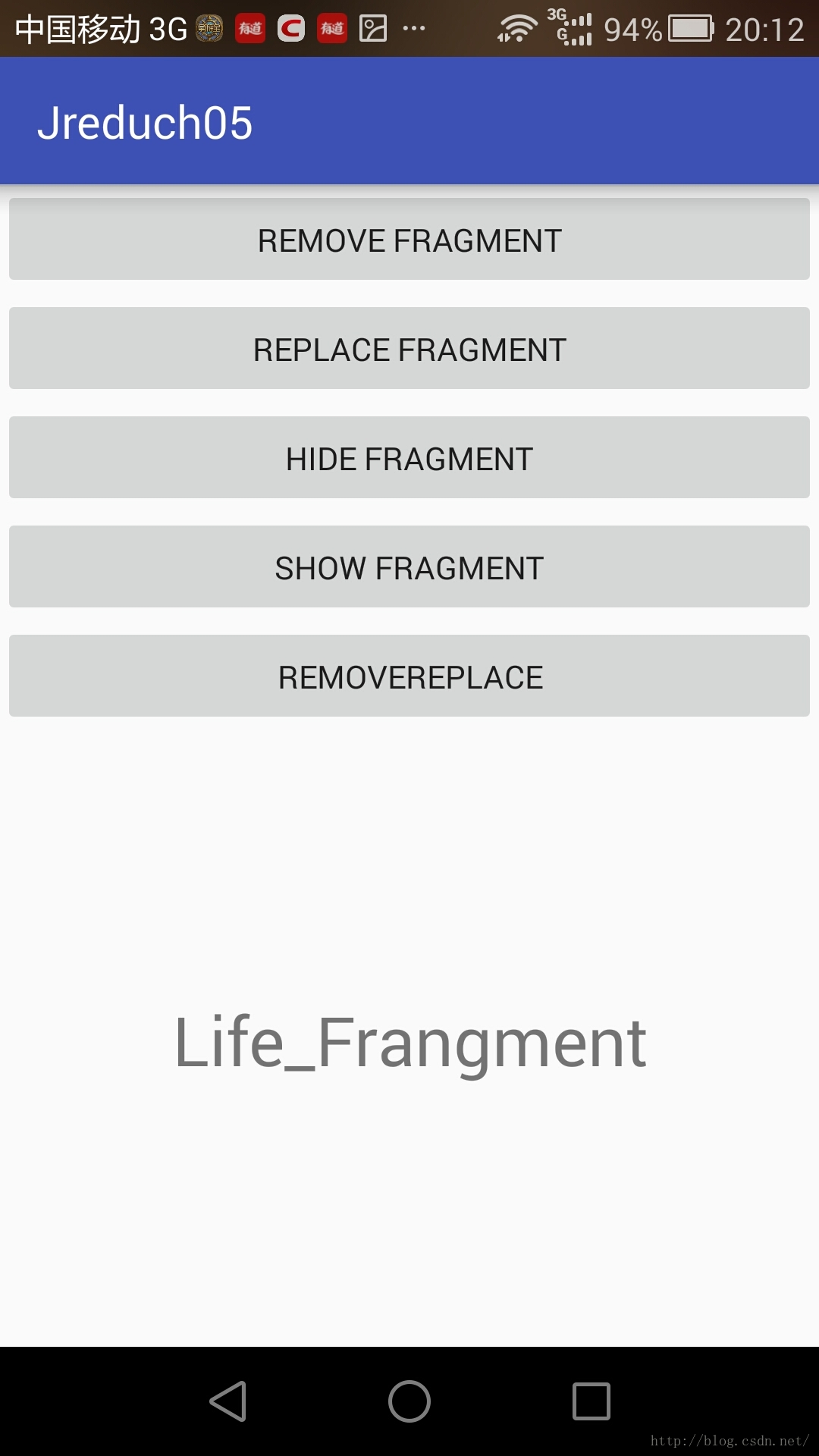
package com.example.jreduch05;

import android.os.Bundle;
import android.support.v4.app.Fragment;
import android.support.v7.app.AppCompatActivity;
import android.util.Log;
import android.view.View;
import android.widget.Button;

import com.example.jreduch05.fragment.FirstFragment;
import com.example.jreduch05.fragment.LifeFragment;

public class FragmentLifeActivity extends AppCompatActivity {

    //private Fragment fragment;
    private Fragment fragment2;

    @Override
    protected void onCreate(Bundle savedInstanceState) {
        super.onCreate(savedInstanceState);
        setContentView(R.layout.activity_fragment_life);
       final Fragment fragment=new LifeFragment();

        Button bt1=(Button)findViewById(R.id.bt_remove);
        Button bt2=(Button)findViewById(R.id.bt_replace);
        Button bt3=(Button)findViewById(R.id.bt_hide);
        Button bt4=(Button)findViewById(R.id.bt_show);
        Button bt5=(Button)findViewById(R.id.bt_remrep);
        bt1.setOnClickListener(new View.OnClickListener() {
            @Override
            public void onClick(View v) {
                if (fragment!=null){
                    getSupportFragmentManager().beginTransaction()
                            .remove(fragment).commit();
                }
            }
        });

        bt2.setOnClickListener(new View.OnClickListener() {
            @Override
            public void onClick(View v) {
                if (fragment!=null){
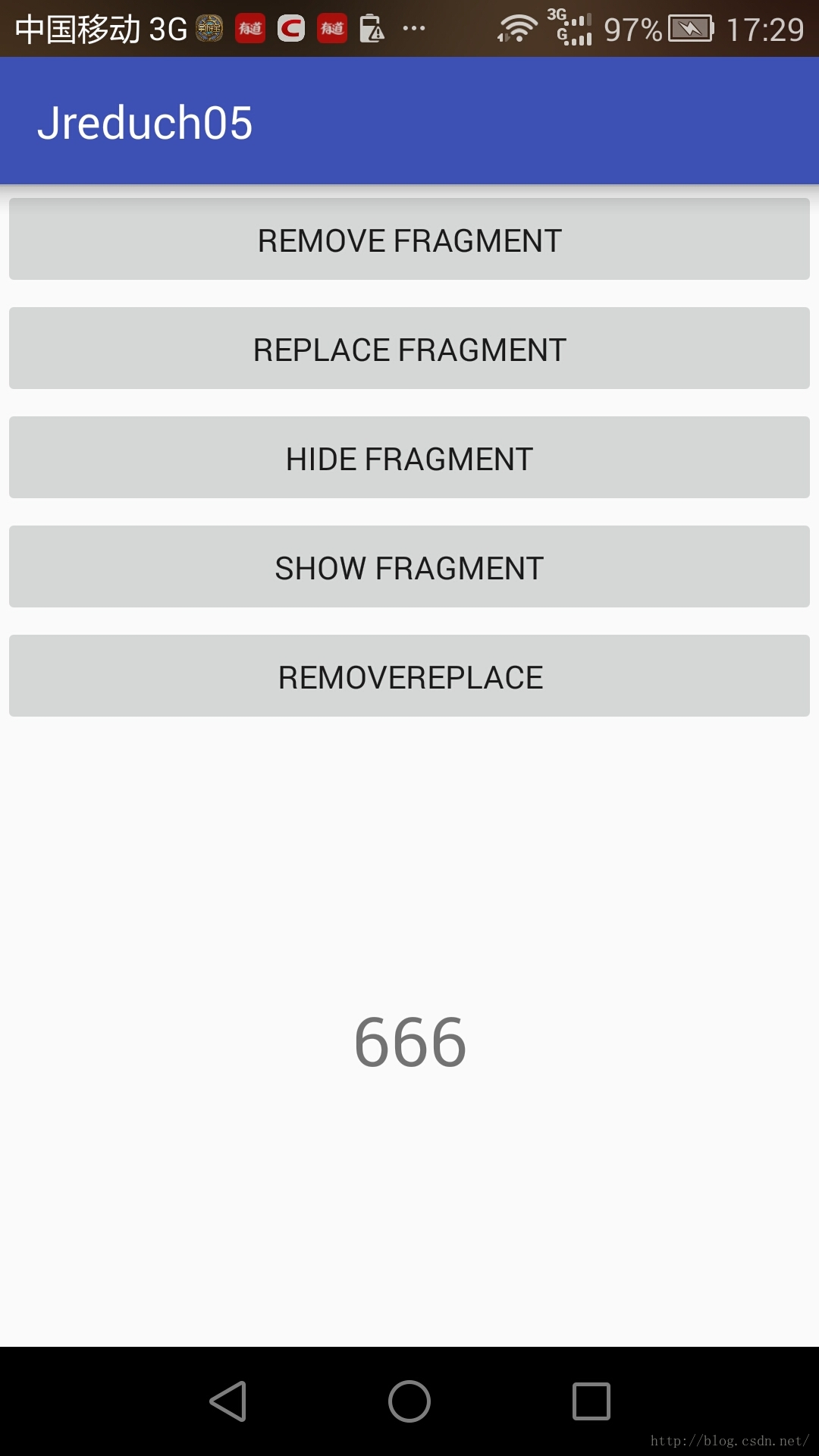
                    fragment2=new FirstFragment();


                    Bundle bundle=new Bundle();
                    bundle.putInt("channel",1261911);
                    fragment2.setArguments(bundle);


                    getSupportFragmentManager().beginTransaction()
                            .replace(R.id.life_frame, fragment2).commit();
                }
            }
        });
        bt3.setOnClickListener(new View.OnClickListener() {
            @Override
            public void onClick(View v) {
                if (fragment!=null&&!fragment.isHidden()){
                    getSupportFragmentManager().beginTransaction()
                            .hide(fragment).commit();
                }
            }
        });
        bt4.setOnClickListener(new View.OnClickListener() {
            @Override
            public void onClick(View v) {
                if (fragment!=null&&fragment.isHidden()){
                    getSupportFragmentManager().beginTransaction()
                            .show(fragment).commit();
                }
            }
        });
        bt5.setOnClickListener(new View.OnClickListener() {
            @Override
            public void onClick(View v) {
                if (fragment2!=null){
                    getSupportFragmentManager().beginTransaction()
                            .remove(fragment2).commit();
                }
            }
        });
        getSupportFragmentManager()
                .beginTransaction()
                .replace(R.id.life_frame, fragment)
                .commit();
        Log.d("====Activity==", "onCreate");

    }

    @Override
    protected void onStart() {
        super.onStart();
        Log.d("====Activity==", "onStart");
    }

    @Override
    protected void onRestart() {
        super.onRestart();
        Log.d("====Activity==", "onRestart");
    }

    @Override
    protected void onResume() {
        super.onResume();
        Log.d("====Activity==", "onRestart");
    }

    @Override
    protected void onPause() {
        super.onPause();
        Log.d("====Activity==", "onPause");
    }

    @Override
    protected void onStop() {
        super.onStop();
        Log.d("====Activity==", "onStop");
    }

    @Override
    protected void onDestroy() {
        super.onDestroy();
        Log.d("====Activity==", "onDestroy");
    }
}
 Android——數據存儲(四種方式之二)讀寫SD卡——練習
1保存到SDK ——字符串方式 package com.example.jreduch08.SDK;import android.con
 Android通過PHP服務器實現登錄功能
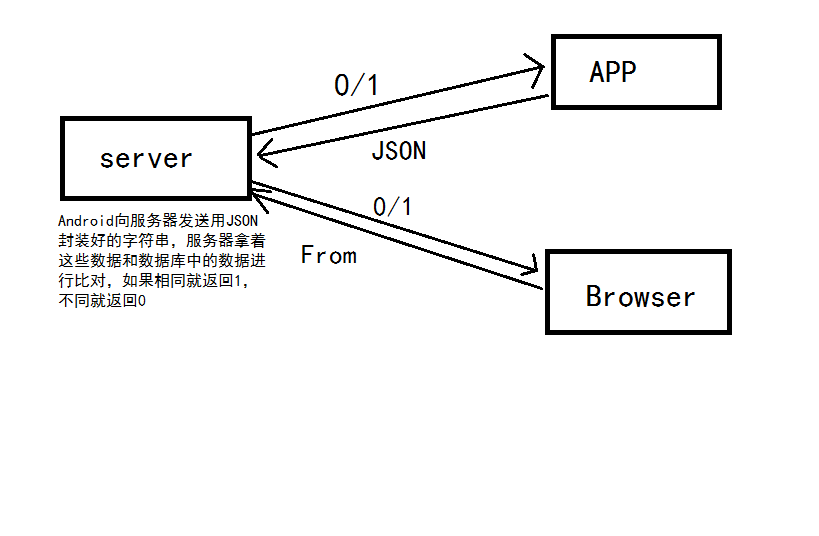
Android客戶端和PHP、MySQL搭建的服務器之間的簡單交互,實現登錄功能 。實現原理圖:Handler消息機制原理:Handler機制主要包括4個關鍵對象,分別是
 android之路之Handler的使用
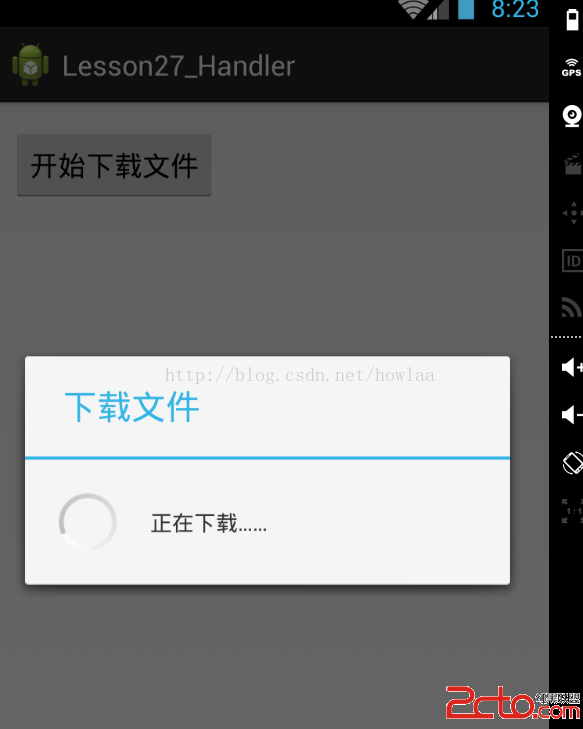
Handler的作用一般是子線程向主線程中傳遞消息,用來主線程處理和UI相關的東西。為什麼要在子線程中用呢,因為如果主線程處理了過多耗時的東西,可能會導致假死,所以一般都
 Android開發實現帶有反彈效果仿IOS反彈scrollview教程詳解
首先給大家看一下我們今天這個最終實現的效果圖: 這個是ios中的反彈效果。當然我們安卓中如果想要實現這種效果,感覺不會那麼生硬,滾動到底部或者頂部的時候。當然使