編輯:關於Android編程
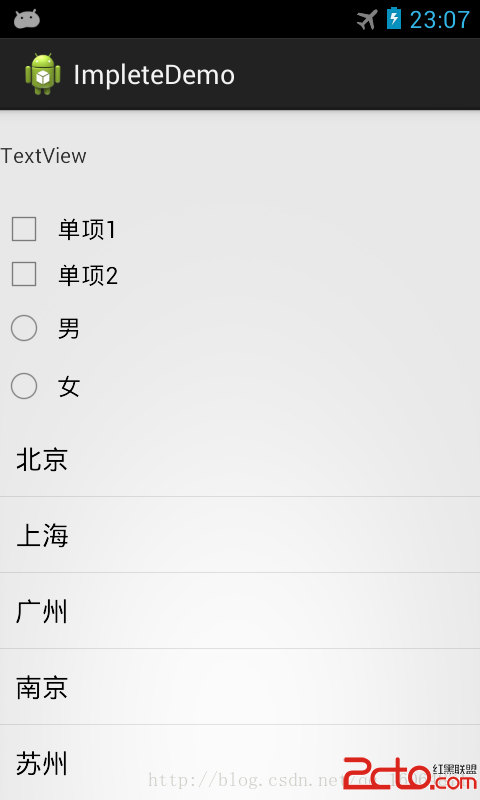
Android控件監聽方面,用接口實現監聽是最好的,在Android 本身就提供了各種控件監聽接口,我們只要按照這樣實現,看起來代碼會很整潔。實現的效果也是很好的,下面我列舉了常用控件的接口監聽,layout ,checkbox,RadioGroup,以及listview的單擊或者長按監聽。下面請看代碼,有注釋。
package com.example.impletedemo;

import java.util.ArrayList;
import java.util.HashMap;
import java.util.List;
import java.util.Map;
import android.os.Bundle;
import android.app.Activity;
import android.view.View;
import android.view.View.OnClickListener;
import android.widget.AdapterView;
import android.widget.AdapterView.OnItemClickListener;
import android.widget.AdapterView.OnItemLongClickListener;
import android.widget.CheckBox;
import android.widget.CompoundButton;
import android.widget.ListView;
import android.widget.RadioGroup;
import android.widget.SimpleAdapter;
import android.widget.TextView;
import android.widget.Toast;

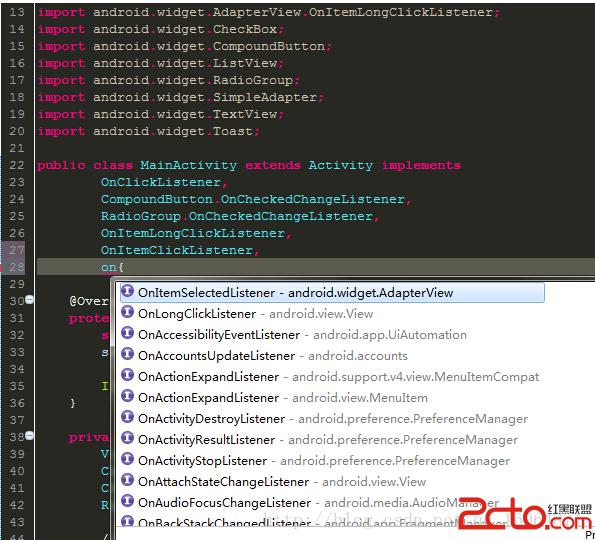
public class MainActivity extends Activity implements
        OnClickListener,
		CompoundButton.OnCheckedChangeListener,
		RadioGroup.OnCheckedChangeListener,
		OnItemLongClickListener,
		OnItemClickListener{

	@Override
	protected void onCreate(Bundle savedInstanceState) {
		super.onCreate(savedInstanceState);
		setContentView(R.layout.activity_main);

		InitUI();
	}

	private void InitUI() {
		View Layout1 = findViewById(R.id.Layout1);
		CheckBox checkBox1 = (CheckBox) findViewById(R.id.checkBox1);
		CheckBox checkBox2 = (CheckBox) findViewById(R.id.checkBox2);
		RadioGroup radioGroup1 = (RadioGroup) findViewById(R.id.radioGroup1);

		//接口實現監聽,都是需要進行設置監聽
		if (Layout1 != null)
			Layout1.setOnClickListener(this);
		if (checkBox1 != null)
			checkBox1.setOnCheckedChangeListener((CompoundButton.OnCheckedChangeListener)this);
		if (checkBox2 != null)
			checkBox2.setOnCheckedChangeListener((CompoundButton.OnCheckedChangeListener)this);
		if (radioGroup1 != null)
			radioGroup1.setOnCheckedChangeListener((RadioGroup.OnCheckedChangeListener)this);

		ListView myListView = (ListView) findViewById(R.id.listView1);
		myListView.setOnItemLongClickListener(this); // 設置ListView長按
		myListView.setOnItemClickListener(this);    // 設置ListView單擊

		SimpleAdapter simpleAdapter = new SimpleAdapter(this, getDataSource(),
				R.layout.layout_list_item, new String[]{title}, new int[]{R.id.textView1});
		myListView.setAdapter(simpleAdapter);
	}

	public List> getDataSource() {
		List> listems = new ArrayList>();
		Map map = new HashMap();
		map.put(title, 北京);
		listems.add(map);

		map = new HashMap();
		map.put(title, 上海);
		listems.add(map);

		map = new HashMap();
		map.put(title, 廣州);
		listems.add(map);

		map = new HashMap();
		map.put(title, 南京);
		listems.add(map);

		map = new HashMap();
		map.put(title, 蘇州);
		listems.add(map);

		return listems;
	}

	@Override
	//一般layout button監聽實現方法
	public void onClick(View arg0) {
		if (arg0.getId() == R.id.Layout1) {
			TextView textView = (TextView) findViewById(R.id.textView1);
			textView.setText(layout監聽);
			Toast.makeText(this, layout監聽, Toast.LENGTH_SHORT).show();
		}
	}

	@Override
	//checkbox監聽實現方法
	public void onCheckedChanged(CompoundButton arg0, boolean arg1) {
		if (arg0.getId() == R.id.checkBox1) {
			if (arg1) {
			Toast.makeText(this, 選中單項1, Toast.LENGTH_SHORT).show();
			} else {
			Toast.makeText(this, 取消單項1, Toast.LENGTH_SHORT).show();
			}
		} else if (arg0.getId() == R.id.checkBox2) {
			if (arg1) {
			Toast.makeText(this, 選中單項2, Toast.LENGTH_SHORT).show();
			} else {
			Toast.makeText(this, 取消單項2, Toast.LENGTH_SHORT).show();
			}
		}

	}

	@Override
	//RadioGroup監聽實現方法
	public void onCheckedChanged(RadioGroup arg0, int arg1) {
		if (arg0.getId() == R.id.radioGroup1) {
			if (arg1 == R.id.radio1) {
           Toast.makeText(this, 選中男, Toast.LENGTH_SHORT).show();
			}else if (arg1 == R.id.radio2) {
		   Toast.makeText(this, 選中女, Toast.LENGTH_SHORT).show();
			}

		}
	}

	@Override
	//listview長按監聽實現方法
	public boolean onItemLongClick(AdapterView arg0, View arg1, int arg2,
			long arg3) {
		Toast.makeText(this, listview 長按 + getDataSource().get(arg2), Toast.LENGTH_SHORT).show();
		//這裡返回一定是true , 不然會同時觸發單擊
		return true;
	}

	@Override
	//listview單擊監聽實現方法
	public void onItemClick(AdapterView arg0, View arg1, int arg2, long arg3) {
		Toast.makeText(this, listview 單擊 + getDataSource().get(arg2), Toast.LENGTH_SHORT).show();

	}
}
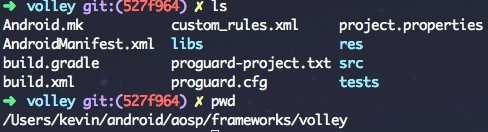 Android應用開發:網絡工具——Volley(一)
引言 網絡一直是我個人的盲點,前一陣子抽出時間學習了一下Volley網絡工具的使用方法,也透過源碼進行了進一步的學習,有一些心得想分享出來。在Android
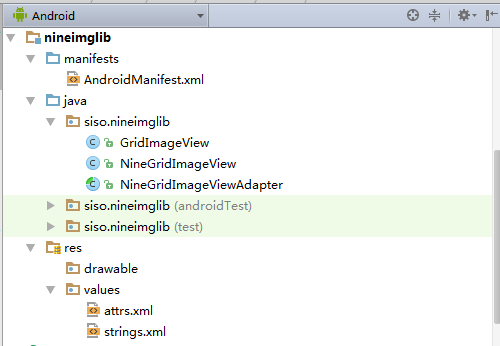 Android學習教程之九宮格圖片展示(13)
本文實例為大家分享了Android九宮格圖片展示的具體代碼,供大家參考,具體內容如下MainActivity.java代碼:package siso.ninegridim
 android動畫的實戰篇------樂動力旋轉動畫
一、前言 在現今App泛濫的市場上,各種App的功能都是你抄我的我抄你的時候,想做一個精品的App沒有自己的風格,沒有讓用戶眼
 Android巧用ActionBar實現下拉式導航
本文實例為大家分享了ActionBar下拉式導航的實現代碼,供大家參考,具體內容如下利用Actionbar同樣可以很輕松的實現下拉式的導航方式,若想實現這種效果:1)ac