編輯:關於Android編程
package com.haoxue.zixueplayer;

import android.app.Notification;
import android.app.NotificationManager;
import android.app.PendingIntent;
import android.app.Service;
import android.content.BroadcastReceiver;
import android.content.Context;
import android.content.Intent;
import android.content.IntentFilter;
import android.graphics.Bitmap;
import android.media.MediaPlayer;
import android.net.Uri;
import android.os.Binder;
import android.os.IBinder;
import android.support.v4.app.NotificationCompat;
import android.view.View;
import android.widget.RemoteViews;

import com.haoxue.zixueplayer.utils.BaseTools;
import com.haoxue.zixueplayer.utils.MediaUtils;
import com.haoxue.zixueplayer.vo.Mp3Info;


import java.io.IOException;
import java.util.ArrayList;
import java.util.Random;
import java.util.concurrent.ExecutorService;
import java.util.concurrent.Executors;

/**
 * 音樂播放的服務組件
 * 實現的功能:
 * 1、播放
 * 2、暫停
 * 3、上一首
 * 4、下一首
 * 5、獲取當前的播放進度
 */
public class PlayService extends Service implements MediaPlayer.OnCompletionListener, MediaPlayer.OnErrorListener {

    private MediaPlayer mPlayer;
    private int currentPosition;//當前正在播放額歌曲的位置
    ArrayList mp3Infos;

    private MusicUpdateListener musicUpdateListener;

    private ExecutorService es = Executors.newSingleThreadExecutor();

    private boolean isPause = false;


    //切換播放列表
    public static final  int MY_MUSIC_LIST=1;//我的音樂列表
    public static final  int LIKE_MUSIC_LIST=2;//我喜歡的列表
    public static final  int PLAY_RECORD_MUSIC_LIST=3;//最近播放列表
    private int changePlayList=MY_MUSIC_LIST;

    //播放模式
    public static final int ORDER_PLAY = 1, RANDOM_PLAY = 2, SINGLE_PLAY = 3;
    private int play_mode = ORDER_PLAY;

    /**
     * @param play_mode ORDER_PLAY=1
     *                  RANDOM_PLAY=2 隨機播放
     *                  SINGLE_PLAY=3 單曲循環
     */
    public void setPlay_mode(int play_mode) {
        this.play_mode = play_mode;
    }

    public int getPlay_mode() {
        return play_mode;
    }

    public boolean isPause() {
        return isPause;
    }

    public int getChangePlayList() {
        return changePlayList;
    }

    public void setChangePlayList(int changePlayList) {
        this.changePlayList = changePlayList;
    }

    public PlayService() {
    }

    public void setMp3Infos(ArrayList mp3Infos) {
        this.mp3Infos = mp3Infos;
    }

    public ArrayList getMp3Infos() {
        return mp3Infos;
    }

    public int getCurrentPosition() {
        return currentPosition;
    }

    private Random random = new Random();

    @Override
    public void onCompletion(MediaPlayer mp) {
        switch (play_mode) {
            case ORDER_PLAY:
                next();
                break;
            case RANDOM_PLAY:
                play(random.nextInt(mp3Infos.size()));
                break;
            case SINGLE_PLAY:
                play(currentPosition);
                break;
            default:
                break;
        }
    }

    @Override
    public boolean onError(MediaPlayer mp, int what, int extra) {
        mp.reset();
        return false;
    }

    class PlayBinder extends Binder {
        public PlayService getPlayService() {
            return PlayService.this;
        }
    }

    @Override
    public IBinder onBind(Intent intent) {
//        throw new UnsupportedOperationException("Not yet implemented");
        return new PlayBinder();
    }

    @Override
    public void onCreate() {
        super.onCreate();

        MuyuPlayerApp app = (MuyuPlayerApp) getApplication();
        currentPosition = app.sp.getInt("currentPosition", 0);
        play_mode = app.sp.getInt("play_mode", PlayService.ORDER_PLAY);

        mPlayer = new MediaPlayer();
        mPlayer.setOnCompletionListener(this);
        mPlayer.setOnErrorListener(this);
        mp3Infos = MediaUtils.getMp3Infos(this);
        es.execute(updateStatusRunnable);
        initButtonReceiver();
        initService();
        sendNotification();
    }


    @Override
    public void onDestroy() {
        super.onDestroy();
        if (es != null && !es.isShutdown()) {
            es.shutdown();
            es = null;
        }
        mNotificationManager.cancelAll();// 刪除你發的所有通知
        pause();
        mPlayer=null;
        mp3Infos=null;
        musicUpdateListener=null;
    }

    Runnable updateStatusRunnable = new Runnable() {
        @Override
        public void run() {
            while (true) {
                if (musicUpdateListener != null && mPlayer != null && mPlayer.isPlaying()) {
                    musicUpdateListener.onPublish(getcurrentProgress());
                }
                try {
                    Thread.sleep(500);
                } catch (InterruptedException e) {
                    e.printStackTrace();
                }
            }
        }
    };

    //播放
    public void play(int position) {
        Mp3Info mp3Info = null;
            if (position < 0 || position >= mp3Infos.size()) {
            position = 0;
        }
        if (mp3Infos == null){
            return;
        }
        mp3Info = mp3Infos.get(position);
        try {
            mPlayer.reset();
            mPlayer.setDataSource(this, Uri.parse(mp3Info.getUrl()));
            mPlayer.prepare();
            mPlayer.start();
            currentPosition = position;
            sendNotification();
        } catch (IOException e) {
            e.printStackTrace();
        }
        if (musicUpdateListener != null) {
            musicUpdateListener.onChange(currentPosition);
        }

    }

    //暫停
    public void pause() {
        if (mPlayer.isPlaying()) {
            mPlayer.pause();
            isPause = true;
        }
    }

    //下一首
    public void next() {
        if (currentPosition +1>= mp3Infos.size()) {
            currentPosition = 0;
        } else {
            currentPosition++;
        }
        play(currentPosition);
    }

    //上一首
    public void prev() {
        if (currentPosition - 1 < 0) {
            currentPosition = mp3Infos.size() - 1;
        } else {
            currentPosition--;
        }
        play(currentPosition);
    }

    //開始
    public void start() {
        if (mPlayer != null && !mPlayer.isPlaying()) {
            mPlayer.start();
            mPlayer.getDuration();
        }
    }

    public boolean isPlaying() {
        if (mPlayer != null) {
            return mPlayer.isPlaying();
        }
        return false;
    }

    public int getcurrentProgress() {
        if (mPlayer != null && mPlayer.isPlaying()) {
            return mPlayer.getCurrentPosition();
        }
        return 0;
    }

    public int getDuration() {
        return mPlayer.getDuration();
    }

    public void seekTo(int msec) {
        mPlayer.seekTo(msec);
    }

    //更新狀態的接口
    public interface MusicUpdateListener {
        public void onPublish(int progress);

        public void onChange(int position);
    }

    public void setMusicUpdateListener(MusicUpdateListener musicUpdateListener) {
        this.musicUpdateListener = musicUpdateListener;
    }


    /** 通知欄按鈕點擊事件對應的ACTION */
    public final static String ACTION_BUTTON = "com.notifications.intent.action.ButtonClick";
    /** 通知欄按鈕廣播 */
    public ButtonBroadcastReceiver bReceiver;
    /** Notification管理 */
    public NotificationManager mNotificationManager;
    //Notification ID
    private int NID_1=0x1;


    public void sendNotification(){
        Mp3Info mp3InfoSend = this.mp3Infos.get(currentPosition);
        final NotificationCompat.Builder builder=new NotificationCompat.Builder(this);
        //創建一個遠程的視圖
        RemoteViews views=new RemoteViews(getPackageName(),R.layout.custom_layout);
        Bitmap albumBitmap = MediaUtils.getArtwork(this, mp3InfoSend.getId(), mp3InfoSend.getAlbumId(), false, false);
        if (albumBitmap!=null){
            views.setImageViewBitmap(R.id.custom_song_icon, albumBitmap);
        }else {
            views.setImageViewResource(R.id.custom_song_icon,R.mipmap.app_logo3);
        }
        views.setTextViewText(R.id.tv_custom_song_name,mp3InfoSend.getTitle());
        views.setTextViewText(R.id.tv_custom_song_singer,mp3InfoSend.getArtist());
        //如果版本號低於(3。0),那麼不顯示按鈕
        if(BaseTools.getSystemVersion() <= 9){
            views.setViewVisibility(R.id.ll_custom_button, View.GONE);
        }else{
            views.setViewVisibility(R.id.ll_custom_button, View.VISIBLE);

            if(isPlaying()){
                views.setImageViewResource(R.id.btn_custom_play, R.mipmap.pause2);
            }else{
                views.setImageViewResource(R.id.btn_custom_play, R.mipmap.play2);
            }
        }
        Intent intent=new Intent(this,MainActivity.class);
        PendingIntent pi=PendingIntent.getActivity(this,0,intent,PendingIntent.FLAG_UPDATE_CURRENT);

        //點擊的事件處理
        Intent buttonIntent = new Intent(ACTION_BUTTON);
		/* 播放/暫停  按鈕 */
        buttonIntent.putExtra(INTENT_BUTTONID_TAG, BUTTON_PLAY_ID);
        PendingIntent intent_play = PendingIntent.getBroadcast(this, 1, buttonIntent, PendingIntent.FLAG_UPDATE_CURRENT);
        views.setOnClickPendingIntent(R.id.btn_custom_play, intent_play);
		/* 下一首 按鈕  */
        buttonIntent.putExtra(INTENT_BUTTONID_TAG, BUTTON_NEXT_ID);
        PendingIntent intent_next = PendingIntent.getBroadcast(this, 2, buttonIntent, PendingIntent.FLAG_UPDATE_CURRENT);
        views.setOnClickPendingIntent(R.id.btn_custom_next, intent_next);
		/* 退出按鈕 */
        buttonIntent.putExtra(INTENT_BUTTONID_TAG, BUTTON_EXIT_ID);
        PendingIntent intent_exit = PendingIntent.getBroadcast(this, 3, buttonIntent, PendingIntent.FLAG_UPDATE_CURRENT);
        views.setOnClickPendingIntent(R.id.btn_custom_exit, intent_exit);


        builder.setContent(views)
                .setContentIntent(pi)
                .setWhen(System.currentTimeMillis())// 通知產生的時間,會在通知信息裡顯示
                .setTicker("木雨音樂")
                .setPriority(Notification.PRIORITY_MAX)// 設置該通知優先級
                .setOngoing(true)
                .setSmallIcon(R.mipmap.app_logo3);


        NotificationManager nm= (NotificationManager) getSystemService(Context.NOTIFICATION_SERVICE);
        nm.notify(NID_1, builder.build());
    }


    /**
     * 初始化要用到的系統服務
     */
    private void initService() {
        mNotificationManager = (NotificationManager) getSystemService(NOTIFICATION_SERVICE);
    }
    /** 帶按鈕的通知欄點擊廣播接收 */
    public void initButtonReceiver(){
        bReceiver = new ButtonBroadcastReceiver();
        IntentFilter intentFilter = new IntentFilter();
        intentFilter.addAction(ACTION_BUTTON);
        registerReceiver(bReceiver, intentFilter);
    }

    public final static String INTENT_BUTTONID_TAG = "ButtonId";
    /** 播放/暫停 按鈕點擊 ID */
    public final static int BUTTON_PLAY_ID = 1;
    /** 下一首 按鈕點擊 ID */
    public final static int BUTTON_NEXT_ID = 2;
    /** 退出 按鈕點擊 ID */
    public final static int BUTTON_EXIT_ID = 3;
    /**
     *	 廣播監聽按鈕點擊時間
     */
    public class ButtonBroadcastReceiver extends BroadcastReceiver {

        @Override
        public void onReceive(Context context, Intent intent) {
            // TODO Auto-generated method stub
            String action = intent.getAction();
            if(action.equals(ACTION_BUTTON)){
                //通過傳遞過來的ID判斷按鈕點擊屬性或者通過getResultCode()獲得相應點擊事件
                int buttonId = intent.getIntExtra(INTENT_BUTTONID_TAG, 0);
                switch (buttonId) {

                    case BUTTON_PLAY_ID:
                        if (isPlaying()) {
                            pause();
                        } else {
                            if (isPause()) {
                                start();
                            } else {
                                play(getCurrentPosition());
                            }
                        }
                        sendNotification();
                        break;
                    case BUTTON_NEXT_ID:
                        next();
                        break;
                    case BUTTON_EXIT_ID:
                        mNotificationManager.cancelAll();// 刪除你發的所有通知
                        // 為Intent設置Action屬性
                        intent.setAction("com.muyu_Service");
                        stopService(intent);

                        int pid = android.os.Process.myPid();//獲取當前應用程序的PID
                        android.os.Process.killProcess(pid);//殺死當前進程
                        break;

                    default:
                        break;
                }
            }
        }
    }
}
/* 啟動服務 */
        Intent intent=new Intent(this,PlayService.class);
        startService(intent);
package com.haoxue.zixueplayer;

import android.app.Activity;
import android.content.ComponentName;
import android.content.Context;
import android.content.Intent;
import android.content.ServiceConnection;
import android.os.Bundle;
import android.os.IBinder;
import android.support.v4.app.FragmentActivity;

import java.util.ArrayList;

/**
 * Created by Administrator on 2016/7/28.
 */
public abstract class BaseActivity extends FragmentActivity {

    protected PlayService playService;

    public ArrayList list=new ArrayList<>();
    private boolean isBound=false;

    @Override
    protected void onCreate(Bundle savedInstanceState) {
        super.onCreate(savedInstanceState);
        list.add(this);

    }

    //退出功能
    public void  exit(){

        for (int i = 0; i
 Android實現從相冊截圖的功能
在這篇文章中,我將向大家展示如何從相冊截圖。先看看效果圖:上一篇文章中,我就拍照截圖這一需求進行了詳細的分析,試圖讓大家了解Android本身的限制,以及我們應當采取的實
 Android基礎入門教程——2.4.5 ListView之checkbox錯位問題解決
Android基礎入門教程——2.4.5 ListView之checkbox錯位問題解決標簽(空格分隔): Android基礎入門教程本節引言:
 android產品研發(二十一)--)UI優化
上一篇文章中我們講解了android產品研發過程中的代碼Review。通過代碼Review能夠提高產品質量,增強團隊成員之間的溝通,提高開發效率,所以良好的產品開發迭代過
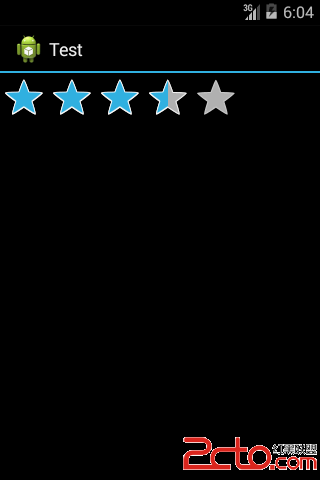 Android開發之RatingBar控件
RatingBar控件為用戶提供一個評分操作的模式。 控件的幾個常用方法:1.setMax()設置RatingBar星級滑塊的最大值.2.setNumStars