編輯:關於Android編程
 1  /**
 2      * Creates a thread pool that reuses a fixed number of threads
 3      * operating off a shared unbounded queue.  At any point, at most
 4      * {@code nThreads} threads will be active processing tasks.
 5      * If additional tasks are submitted when all threads are active,
 6      * they will wait in the queue until a thread is available.
 7      * If any thread terminates due to a failure during execution
 8      * prior to shutdown, a new one will take its place if needed to
 9      * execute subsequent tasks.  The threads in the pool will exist
10      * until it is explicitly {@link ExecutorService#shutdown shutdown}.
11      *
12      * @param nThreads the number of threads in the pool
13      * @return the newly created thread pool
14      * @throws IllegalArgumentException if {@code nThreads <= 0}
15      */
16     public static ExecutorService newFixedThreadPool(int nThreads) {
17         return new ThreadPoolExecutor(nThreads, nThreads,
18                                       0L, TimeUnit.MILLISECONDS,
19                                       new LinkedBlockingQueue<Runnable>());
20     }
這個線程池,就是有固定線程數的一個線程池,有共享的無界隊列來運行這些線程。
 1 /**
 2      * Creates a thread pool that creates new threads as needed, but
 3      * will reuse previously constructed threads when they are
 4      * available.  These pools will typically improve the performance
 5      * of programs that execute many short-lived asynchronous tasks.
 6      * Calls to {@code execute} will reuse previously constructed
 7      * threads if available. If no existing thread is available, a new
 8      * thread will be created and added to the pool. Threads that have
 9      * not been used for sixty seconds are terminated and removed from
10      * the cache. Thus, a pool that remains idle for long enough will
11      * not consume any resources. Note that pools with similar
12      * properties but different details (for example, timeout parameters)
13      * may be created using {@link ThreadPoolExecutor} constructors.
14      *
15      * @return the newly created thread pool
16      */
17     public static ExecutorService newCachedThreadPool() {
18         return new ThreadPoolExecutor(0, Integer.MAX_VALUE,
19                                       60L, TimeUnit.SECONDS,
20                                       new SynchronousQueue<Runnable>());
21     }
這個線程池,是根據需要來創建這些線程的,但是以前構造過的線程 必要時可以重用他們,所以這個在很多android的開源項目裡都有用到,很頻繁,對於執行很多短期的異步任務來說,這個線程池可以極大的提高程序的性能。
 1 /**
 2      * Creates an Executor that uses a single worker thread operating
 3      * off an unbounded queue. (Note however that if this single
 4      * thread terminates due to a failure during execution prior to
 5      * shutdown, a new one will take its place if needed to execute
 6      * subsequent tasks.)  Tasks are guaranteed to execute
 7      * sequentially, and no more than one task will be active at any
 8      * given time. Unlike the otherwise equivalent
 9      * {@code newFixedThreadPool(1)} the returned executor is
10      * guaranteed not to be reconfigurable to use additional threads.
11      *
12      * @return the newly created single-threaded Executor
13      */
14     public static ExecutorService newSingleThreadExecutor() {
15         return new FinalizableDelegatedExecutorService
16             (new ThreadPoolExecutor(1, 1,
17                                     0L, TimeUnit.MILLISECONDS,
18                                     new LinkedBlockingQueue<Runnable>()));
19     }
而這個線程池就比較特殊一點,他只有一個worker線程在工作。 來看第一個程序:
 1 public class Test1 {
 2
 3     public static void main(String[] args) {
 4         ExecutorService exectrorService = Executors.newFixedThreadPool(10);
 5         // execute異步的方法去執行這個runnable 但是這種方法無法取得運行之後的返回值
 6         exectrorService.execute(new Runnable() {
 7             @Override
 8             public void run() {
 9                 // TODO Auto-generated method stub
10                 int i = 0;
11                 while (true) {
12                     try {
13                         Thread.sleep(2000);
14                     } catch (InterruptedException e) {
15                         // TODO Auto-generated catch block
16                         e.printStackTrace();
17                     }
18                     System.out.println(i);
19                     i++;
20                 }
21             }
22
23         });
24
25         exectrorService.execute(new Runnable() {
26             @Override
27             public void run() {
28                 // TODO Auto-generated method stub
29                 int i = 100;
30                 while (true) {
31                     try {
32                         Thread.sleep(2000);
33                     } catch (InterruptedException e) {
34                         // TODO Auto-generated catch block
35                         e.printStackTrace();
36                     }
37                     System.out.println(i);
38                     i++;
39                 }
40             }
41
42         });
很簡單 沒有什麼好說的只是為了演示一下這個方法,繼續往下看:
 1 public class Test1 {
 2
 3     public static void main(String[] args) {
 4         ExecutorService exectrorService = Executors.newFixedThreadPool(10);
 5         Future future = exectrorService.submit(new Runnable() {
 6
 7             @Override
 8             public void run() {
 9                 System.out.println("thread start");
10                 // TODO Auto-generated method stub
11                 try {
12                     Thread.sleep(13000);
13                 } catch (InterruptedException e) {
14                     // TODO Auto-generated catch block
15                     e.printStackTrace();
16                 }
17                 System.out.println("task done");
18             }
19         });
20         System.out.println("ready to print status");
21         try {
22             // 執行完畢以後才會返回null,如果線程還沒有執行完畢 那這個地方會阻塞
23             System.out.println("future.get ==" + future.get());
24         } catch (InterruptedException e) {
25             // TODO Auto-generated catch block
26             e.printStackTrace();
27         } catch (ExecutionException e) {
28             // TODO Auto-generated catch block
29             e.printStackTrace();
30         }
31         System.out.println("finish ready");
 Android基礎——組件——TextView——帶滾動條
當內容超過了TextView的顯示范圍,這個時候就需要TextView裡面的內容滾動起來。 首先看下布局文件: 即便布局文件這樣設置了相關屬性,但是在
 Volley 解析
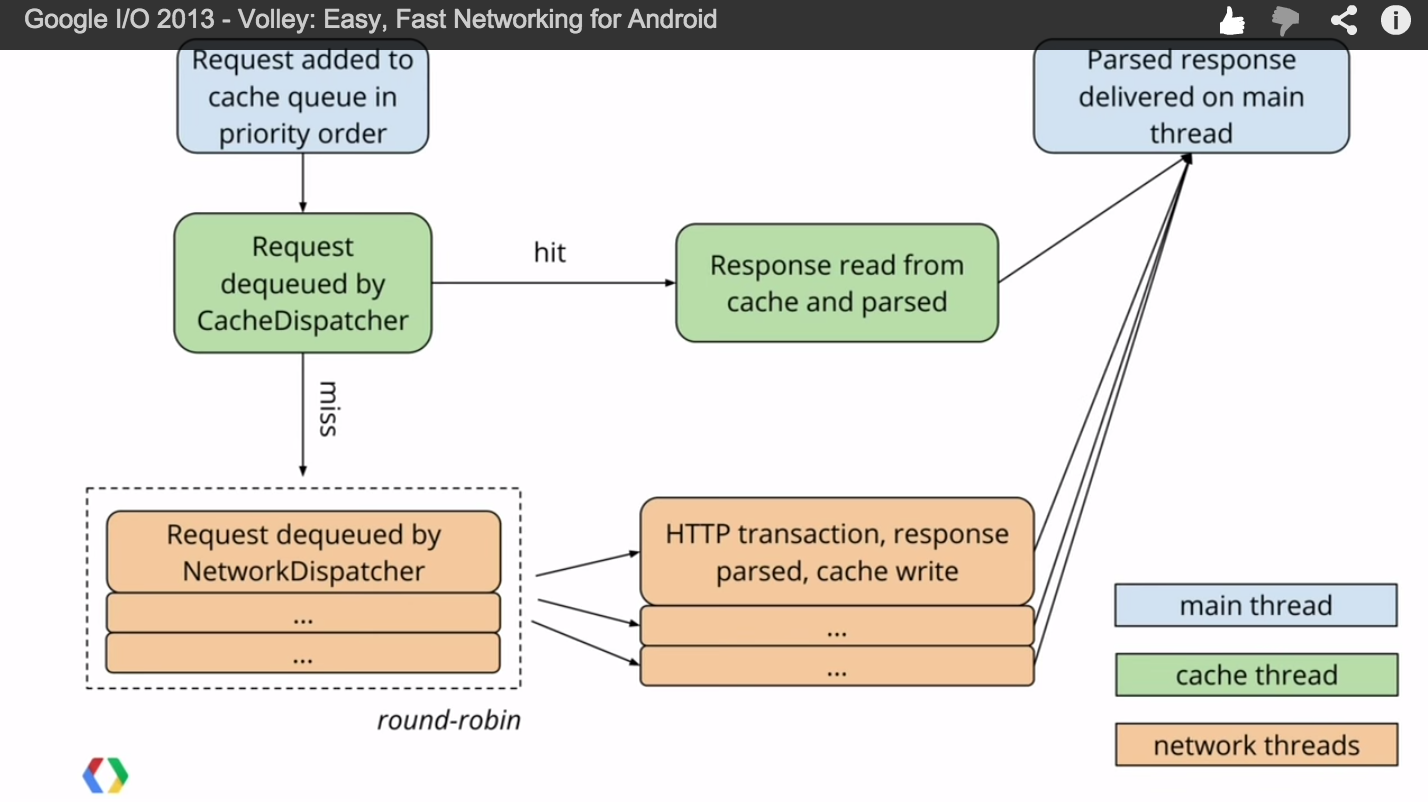
Request處理流程RequestQueue類中有三個主要的隊列。調用RequestQueue.add(request)加入的請求會先加入mCacheQueue(優先級
 【React Native開發】React Native For Android環境配置以及第一個實例
(一)前言FaceBook早期開源發布了React Native For IOS,終於在2015年9月15日也發布了ReactNative for Android,雖然A
 學習Android Studio開發工具之Activity2(&Fragment)
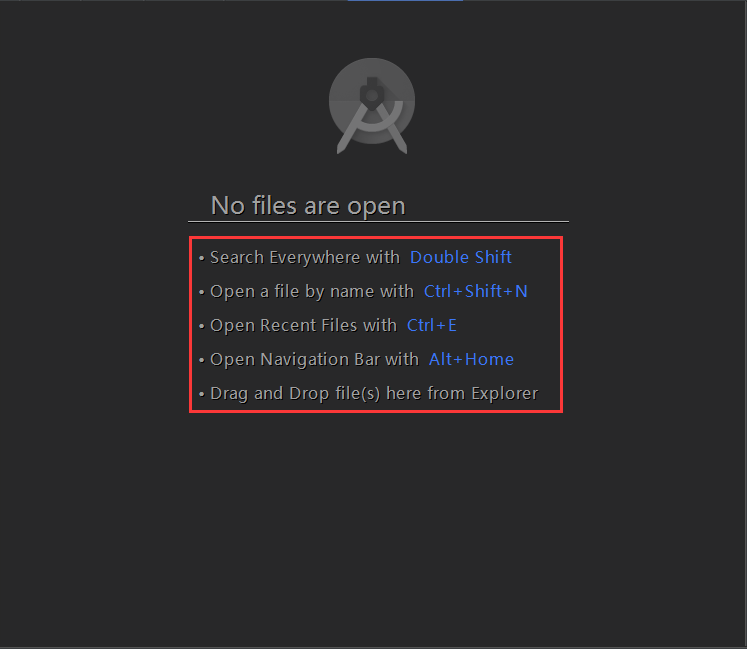
開篇先介紹幾個放在眼前卻經常忽視的快捷鍵如圖:展現出android Studio超強的搜索能力,提高大工程的開發維護效率。雙擊Shift按鍵效果Ctrl+Shift+N