編輯:關於Android編程
1  private synchronized void register(Object subscriber, boolean sticky, int priority) {
2         //這個list就是方法的集合
3         List<SubscriberMethod> subscriberMethods = subscriberMethodFinder.findSubscriberMethods(subscriber.getClass());
4         //這個循環的目的就是為了用  方法對象 來構造 Subscription對象
5         for (SubscriberMethod subscriberMethod : subscriberMethods) {
6             subscribe(subscriber, subscriberMethod, sticky, priority);
7         }
8     }
首先來看一下SubscriberMethod這個類,
 1 /*
 2  * Copyright (C) 2012 Markus Junginger, greenrobot (http://greenrobot.de)
 3  *
 4  * Licensed under the Apache License, Version 2.0 (the "License");
 5  * you may not use this file except in compliance with the License.
 6  * You may obtain a copy of the License at
 7  *
 8  *      http://www.apache.org/licenses/LICENSE-2.0
 9  *
10  * Unless required by applicable law or agreed to in writing, software
11  * distributed under the License is distributed on an "AS IS" BASIS,
12  * WITHOUT WARRANTIES OR CONDITIONS OF ANY KIND, either express or implied.
13  * See the License for the specific language governing permissions and
14  * limitations under the License.
15  */
16 package de.greenrobot.event;
17
18 import java.lang.reflect.Method;
19
20 import android.util.Log;
21
22 /**
23  * 這個類就是描述方法用的
24  */
25 final class SubscriberMethod {
26     final Method method;
27     final ThreadMode threadMode;
28     final Class<?> eventType;
29     /** Used for efficient comparison */
30     /**
31      * 這個methodString 實際上就是用來描述SubscriberMethod對象的,尤其是在重寫的equals方法裡 起到關鍵的作用
32      * 就類似於這種結構
33      * com.example.administrator.eventbustest.ItemDetailFragment#onEventMainThread(com.example.administrator.eventbustest.Item
34      *其實也很好理解就是 包名+類名#方法名(參數的類型
35      * 注意這裡參數的類型也是全路徑名 包名+類名
36      */
37     String methodString;
38
39     SubscriberMethod(Method method, ThreadMode threadMode, Class<?> eventType) {
40         this.method = method;
41         this.threadMode = threadMode;
42         this.eventType = eventType;
43     }
44
45     @Override
46     public boolean equals(Object other) {
47         if (other instanceof SubscriberMethod) {
48             checkMethodString();
49             SubscriberMethod otherSubscriberMethod = (SubscriberMethod) other;
50             otherSubscriberMethod.checkMethodString();
51             // Don't use method.equals because of http://code.google.com/p/android/issues/detail?id=7811#c6
52             return methodString.equals(otherSubscriberMethod.methodString);
53         } else {
54             return false;
55         }
56     }
57
58     private synchronized void checkMethodString() {
59         if (methodString == null) {
60             // Method.toString has more overhead, just take relevant parts of the method
61             StringBuilder builder = new StringBuilder(64);
62             builder.append(method.getDeclaringClass().getName());
63             builder.append('#').append(method.getName());
64             builder.append('(').append(eventType.getName());
65             methodString = builder.toString();
66         }
67     }
68
69     @Override
70     public int hashCode() {
71         return method.hashCode();
72     }
73 }
然後我們來看看這個SubscriberMethod對象組成的集合 是怎麼構造出來的。
 1 List<SubscriberMethod> findSubscriberMethods(Class<?> subscriberClass) {
 2         String key = subscriberClass.getName();
 3         List<SubscriberMethod> subscriberMethods;
 4         synchronized (methodCache) {
 5             subscriberMethods = methodCache.get(key);
 6         }
 7
 8         if (subscriberMethods != null) {
 9             return subscriberMethods;
10         }
11         subscriberMethods = new ArrayList<SubscriberMethod>();
12         Class<?> clazz = subscriberClass;
13         HashSet<String> eventTypesFound = new HashSet<String>();
14         StringBuilder methodKeyBuilder = new StringBuilder();
15         while (clazz != null) {
16             String name = clazz.getName();
17             //這個地方判斷如果是這些類,那麼就直接跳出這個while循環
18             //注意name的值 也是包名+類名,所以這裡就是過濾掉基礎的sdk的那些方法
19             //如果你有引用其他公共lib庫的話 你也可以過濾他們的包,
20             if (name.startsWith("java.") || name.startsWith("javax.") || name.startsWith("android.")) {
21                 // Skip system classes, this just degrades performance
22                 break;
23             }
24
25             // Starting with EventBus 2.2 we enforced methods to be public (might change with annotations again)
26             Method[] methods = clazz.getDeclaredMethods();
27             for (Method method : methods) {
28                 String methodName = method.getName();
29                 Log.e("burning", "methodName == " + methodName);
30                 //只有那些以onEvent開頭的方法才是我們需要的
31                 if (methodName.startsWith(ON_EVENT_METHOD_NAME)) {
32                     int modifiers = method.getModifiers();
33                     //注意這個地方判斷方法屬性的技巧 與 操作
34                     if ((modifiers & Modifier.PUBLIC) != 0 && (modifiers & MODIFIERS_IGNORE) == 0) {
35                         Class<?>[] parameterTypes = method.getParameterTypes();
36                         //如果參數只有一個
37                         if (parameterTypes.length == 1) {
38                             String modifierString = methodName.substring(ON_EVENT_METHOD_NAME.length());
39                             //取ThreadMode
40                             ThreadMode threadMode;
41                             if (modifierString.length() == 0) {
42                                 threadMode = ThreadMode.PostThread;
43                             } else if (modifierString.equals("MainThread")) {
44                                 threadMode = ThreadMode.MainThread;
45                             } else if (modifierString.equals("BackgroundThread")) {
46                                 threadMode = ThreadMode.BackgroundThread;
47                             } else if (modifierString.equals("Async")) {
48                                 threadMode = ThreadMode.Async;
49                             } else {
50                                 if (skipMethodVerificationForClasses.containsKey(clazz)) {
51                                     continue;
52                                 } else {
53                                     throw new EventBusException("Illegal onEvent method, check for typos: " + method);
54                                 }
55                             }
56                             Class<?> eventType = parameterTypes[0];
57                             methodKeyBuilder.setLength(0);
58                             methodKeyBuilder.append(methodName);
59                             methodKeyBuilder.append('>').append(eventType.getName());
60                             //onEventMainThread>java.lang.String
61                             //methodKey就是上面的形式,可以看出來是方法名>參數  的格式
62                             String methodKey = methodKeyBuilder.toString();
64                             //這個地方先去這個hashset裡面add這個key,當然了,如果你這個hashset裡面已經有這個key
65                             //那必然是add不成功的,只有add成功返回true以後括號內的代碼才會得到執行
66                             if (eventTypesFound.add(methodKey)) {
67                                 // Only add if not already found in a sub class
68                                 //這個地方就是構造SubscriberMethod對象放到list裡 准備返回
69                                 subscriberMethods.add(new SubscriberMethod(method, threadMode, eventType));
70                             }
71                         }
72                     } else if (!skipMethodVerificationForClasses.containsKey(clazz)) {
73                         Log.d(EventBus.TAG, "Skipping method (not public, static or abstract): " + clazz + "."
74                                 + methodName);
75                     }
76                 }
77             }
78             //這裡注意還在大的while循環內,所以你傳進去的類自己查完一遍方法以後 還會去找他的父類繼續查詢方法
79             //一直遍歷到父類為 那些java android開頭的基類為止!
80             clazz = clazz.getSuperclass();
81
82         }
83         if (subscriberMethods.isEmpty()) {
84             throw new EventBusException("Subscriber " + subscriberClass + " has no public methods called "
85                     + ON_EVENT_METHOD_NAME);
86         } else {
87             synchronized (methodCache) {
88                 methodCache.put(key, subscriberMethods);
89             }
90             return subscriberMethods;
91         }
92     }
然後我們來看看register函數裡面 5-6行 那個循環遍歷做了什麼 首先我們看看這個循環調用的方法:
 1 /**
 2      * @param subscriber       方法所述的類的 包名+類名
 3      * @param subscriberMethod
 4      * @param sticky
 5      * @param priority
 6      */
 7     private void subscribe(Object subscriber, SubscriberMethod subscriberMethod, boolean sticky, int priority) {
 8         //這個eventtype就是方法的參數的類名
 9         Class<?> eventType = subscriberMethod.eventType;
10
11         CopyOnWriteArrayList<Subscription> subscriptions = subscriptionsByEventType.get(eventType);
12         Subscription newSubscription = new Subscription(subscriber, subscriberMethod, priority);
13         if (subscriptions == null) {
14             subscriptions = new CopyOnWriteArrayList<Subscription>();
15             subscriptionsByEventType.put(eventType, subscriptions);
16         } else {
17             if (subscriptions.contains(newSubscription)) {
18                 throw new EventBusException("Subscriber " + subscriber.getClass() + " already registered to event "
19                         + eventType);
20             }
21         }
22
23         // Starting with EventBus 2.2 we enforced methods to be public (might change with annotations again)
24         // subscriberMethod.method.setAccessible(true);
25         //這個就是優先級高的位置在前面
26         int size = subscriptions.size();
27         for (int i = 0; i <= size; i++) {
28             if (i == size || newSubscription.priority > subscriptions.get(i).priority) {
29                 subscriptions.add(i, newSubscription);
30                 break;
31             }
32         }
33
34         List<Class<?>> subscribedEvents = typesBySubscriber.get(subscriber);
35         if (subscribedEvents == null) {
36             subscribedEvents = new ArrayList<Class<?>>();
37             typesBySubscriber.put(subscriber, subscribedEvents);
38         }
39         subscribedEvents.add(eventType);
40
41         if (sticky) {
42
43             if (eventInheritance) {
44                 // Existing sticky events of all subclasses of eventType have to be considered.
45                 // Note: Iterating over all events may be inefficient with lots of sticky events,
46                 // thus data structure should be changed to allow a more efficient lookup
47                 // (e.g. an additional map storing sub classes of super classes: Class -> List<Class>).
48                 Set<Map.Entry<Class<?>, Object>> entries = stickyEvents.entrySet();
49                 for (Map.Entry<Class<?>, Object> entry : entries) {
50                     Class<?> candidateEventType = entry.getKey();
51                     if (eventType.isAssignableFrom(candidateEventType)) {
52                         Object stickyEvent = entry.getValue();
53                         checkPostStickyEventToSubscription(newSubscription, stickyEvent);
54                     }
55                 }
56             } else {
57                 Object stickyEvent = stickyEvents.get(eventType);
58                 checkPostStickyEventToSubscription(newSubscription, stickyEvent);
59             }
60         }
61     }
10-13行 我們可以看出來 這個函數 主要是為了構造subscription這個list對象。 /** * 這個map 存儲方法的地方 key就是eventType,value就是copyOnWriteArrayList value就是方法的一切 */ private final Map<Class<?>, CopyOnWriteArrayList<Subscription>> subscriptionsByEventType; 我們可以看看這個類是什麼
 1 /**
 2  * 這個類裡面包含有SubscriberMethod類對象,
 3  * subscriber
 4  */
 5 final class Subscription {
 6     //這個實際上就是描述方法所屬的類的
 7     final Object subscriber;
 8     //描述方法的類
 9     final SubscriberMethod subscriberMethod;
10     //優先級
11     final int priority;
12     /**
13      * Becomes false as soon as {@link EventBus#unregister(Object)} is called, which is checked by queued event delivery
14      * {@link EventBus#invokeSubscriber(PendingPost)} to prevent race conditions.
15      */
16     volatile boolean active;
17
18     Subscription(Object subscriber, SubscriberMethod subscriberMethod, int priority) {
19         this.subscriber = subscriber;
20         this.subscriberMethod = subscriberMethod;
21         this.priority = priority;
22         active = true;
23     }
24
25     @Override
26     public boolean equals(Object other) {
27         if (other instanceof Subscription) {
28             Subscription otherSubscription = (Subscription) other;
29             return subscriber == otherSubscription.subscriber
30                     && subscriberMethod.equals(otherSubscription.subscriberMethod);
31         } else {
32             return false;
33         }
34     }
35
36     @Override
37     public int hashCode() {
38         return subscriber.hashCode() + subscriberMethod.methodString.hashCode();
39     }
40 }
所以總結起來,SubscriberMethod 就是對方法的描述,而我們的SubscriberMethod 實際上就是Subscription的子集,Subscription除了有描述方法的對象以外,還有這個方法所屬的類, 而我們的register方法總體來說 就是先通過findSubscriberMethods方法 取得我們注冊類(就是你register調用的時候傳的this)所需要的的那些方法(注意不是每個方法都需要 只選擇自己需要的) 然後把這些方法 做一個list,最後再通過便利這個list : 用每一個SubscriberMethod 對象和這個方法所需的類(包名+類名) 來構造出一個Subscription對象,然後把這個對象 存儲在SubscriptionsByEventType裡,注意這個map的key 實際上就是eventType,而value則代表方法的list,換句話說。 這個SubscriptionsByEventType 是一個鍵值對,它的key 實際上就是我們的類名,value則是這個類裡面我們需要存儲的方法的list! 這就是register的大致流程,我們再來看看post 流程即可。
 1  /**
 2      * Posts the given event to the event bus.
 3      */
 4     public void post(Object event) {
 5         PostingThreadState postingState = currentPostingThreadState.get();
 6         //這個地方可以看出來是每次有人調用post方法的時候 都會從postingState取出這個隊列,然後把這個事件放到這個隊列裡
 7         List<Object> eventQueue = postingState.eventQueue;
 8         eventQueue.add(event);
 9
10         //這個判斷isPosting 主要是為了保證同一時間只能有一個線程在處理括號體裡的內容
11         //currentPostingThreadState 是用threadlocal來構造的 所以保證了同步性
12         if (!postingState.isPosting) {
13             postingState.isMainThread = Looper.getMainLooper() == Looper.myLooper();
14             postingState.isPosting = true;
15             if (postingState.canceled) {
16                 throw new EventBusException("Internal error. Abort state was not reset");
17             }
18             try {
19                 while (!eventQueue.isEmpty()) {
20                     //隊列不為空就處理
21                     postSingleEvent(eventQueue.remove(0), postingState);
22                 }
23             } finally {
24                 postingState.isPosting = false;
25                 postingState.isMainThread = false;
26             }
27         }
28     }
先看看第5行的postingState是什麼
 1  /**
 2      * 靜態類,裡面除了有一個隊列以外,還有幾個標志位,以及一個Subscription
 3      */
 4     final static class PostingThreadState {
 5         final List<Object> eventQueue = new ArrayList<Object>();
 6         boolean isPosting;
 7         boolean isMainThread;
 8         Subscription subscription;
 9         Object event;
10         boolean canceled;
11     }
這個地方就能看出來,我們每次調用post 都是往eventQueue裡面添加一個事件,而12行開始則是從隊列裡面 取事件來處理,注意12行開始 一次性只能允許一個線程使用~同步的 然後繼續看是怎麼處理的。
 1  /**
 2      * @param event        方法的參數的類名
 3      * @param postingState
 4      * @throws Error
 5      */
 6     private void postSingleEvent(Object event, PostingThreadState postingState) throws Error {
 7
 8         Class<?> eventClass = event.getClass();
 9         boolean subscriptionFound = false;
10
11         if (eventInheritance) {
12             List<Class<?>> eventTypes = lookupAllEventTypes(eventClass);
13             int countTypes = eventTypes.size();
14             for (int h = 0; h < countTypes; h++) {
15                 Class<?> clazz = eventTypes.get(h);
16                 //這個地方就是取出Subscription對象的的所有信息!發消息也是在這個函數裡發送的
17                 subscriptionFound |= postSingleEventForEventType(event, postingState, clazz);
18             }
19         } else {
20             subscriptionFound = postSingleEventForEventType(event, postingState, eventClass);
21         }
22         if (!subscriptionFound) {
23             if (logNoSubscriberMessages) {
24                 Log.d(TAG, "No subscribers registered for event " + eventClass);
25             }
26             if (sendNoSubscriberEvent && eventClass != NoSubscriberEvent.class &&
27                     eventClass != SubscriberExceptionEvent.class) {
28                 post(new NoSubscriberEvent(this, event));
29             }
30         }
31     }
繼續跟進去
 1 private boolean postSingleEventForEventType(Object event, PostingThreadState postingState, Class<?> eventClass) {
 2         CopyOnWriteArrayList<Subscription> subscriptions;
 3         synchronized (this) {
 4             subscriptions = subscriptionsByEventType.get(eventClass);
 5         }
 6         if (subscriptions != null && !subscriptions.isEmpty()) {
 7             for (Subscription subscription : subscriptions) {
 8                 postingState.event = event;
 9                 postingState.subscription = subscription;
10                 boolean aborted = false;
11                 try {
12                     //這個地方就是真正發消息的地方了
13                     postToSubscription(subscription, event, postingState.isMainThread);
14                     aborted = postingState.canceled;
15                 } finally {
16                     postingState.event = null;
17                     postingState.subscription = null;
18                     postingState.canceled = false;
19                 }
20                 if (aborted) {
21                     break;
22                 }
23             }
24             return true;
25         }
26         return false;
27     }
可以看出來 2-6行 就是從我們register流程裡存儲的鍵值對裡 把我們存放的方法給取出來。, 取出來以後 就可以反射調用他們的方法了
 1   /**
 2      * 這個類就是反射執行方法 並且是最終執行回調方法的地方
 3      *
 4      * @param subscription
 5      * @param event
 6      * @param isMainThread
 7      */
 8     private void postToSubscription(Subscription subscription, Object event, boolean isMainThread) {
 9         switch (subscription.subscriberMethod.threadMode) {
10             case PostThread:
11                 invokeSubscriber(subscription, event);
12                 break;
13             case MainThread:
14                 if (isMainThread) {
15                     invokeSubscriber(subscription, event);
16                 } else {
17                     mainThreadPoster.enqueue(subscription, event);
18                 }
19                 break;
20             case BackgroundThread:
21                 if (isMainThread) {
22                     backgroundPoster.enqueue(subscription, event);
23                 } else {
24                     invokeSubscriber(subscription, event);
25                 }
26                 break;
27             case Async:
28                 asyncPoster.enqueue(subscription, event);
29                 break;
30             default:
31                 throw new IllegalStateException("Unknown thread mode: " + subscription.subscriberMethod.threadMode);
32         }
33     }
13-18行 這個case 如果是主線程,那麼就直接反射方法,如果不是的話 則要放到主線程handler裡執行。 1 private final HandlerPoster mainThreadPoster; 1 //這個就是主線程handler初始化 2 mainThreadPoster = new HandlerPoster(this, Looper.getMainLooper(), 10);
 1 /*
 2  * Copyright (C) 2012 Markus Junginger, greenrobot (http://greenrobot.de)
 3  *
 4  * Licensed under the Apache License, Version 2.0 (the "License");
 5  * you may not use this file except in compliance with the License.
 6  * You may obtain a copy of the License at
 7  *
 8  *      http://www.apache.org/licenses/LICENSE-2.0
 9  *
10  * Unless required by applicable law or agreed to in writing, software
11  * distributed under the License is distributed on an "AS IS" BASIS,
12  * WITHOUT WARRANTIES OR CONDITIONS OF ANY KIND, either express or implied.
13  * See the License for the specific language governing permissions and
14  * limitations under the License.
15  */
16 package de.greenrobot.event;
17
18 import android.os.Handler;
19 import android.os.Looper;
20 import android.os.Message;
21 import android.os.SystemClock;
22
23 final class HandlerPoster extends Handler {
24
25     private final PendingPostQueue queue;
26     private final int maxMillisInsideHandleMessage;
27     private final EventBus eventBus;
28     private boolean handlerActive;
29
30     HandlerPoster(EventBus eventBus, Looper looper, int maxMillisInsideHandleMessage) {
31         super(looper);
32         this.eventBus = eventBus;
33         this.maxMillisInsideHandleMessage = maxMillisInsideHandleMessage;
34         queue = new PendingPostQueue();
35     }
36
37     void enqueue(Subscription subscription, Object event) {
38         PendingPost pendingPost = PendingPost.obtainPendingPost(subscription, event);
39         synchronized (this) {
40             queue.enqueue(pendingPost);
41             if (!handlerActive) {
42                 handlerActive = true;
43                 if (!sendMessage(obtainMessage())) {
44                     throw new EventBusException("Could not send handler message");
45                 }
46             }
47         }
48     }
49
50     @Override
51     public void handleMessage(Message msg) {
52         boolean rescheduled = false;
53         try {
54             long started = SystemClock.uptimeMillis();
55             while (true) {
56                 PendingPost pendingPost = queue.poll();
57                 if (pendingPost == null) {
58                     synchronized (this) {
59                         // Check again, this time in synchronized
60                         pendingPost = queue.poll();
61                         if (pendingPost == null) {
62                             handlerActive = false;
63                             return;
64                         }
65                     }
66                 }
67                 eventBus.invokeSubscriber(pendingPost);
68                 long timeInMethod = SystemClock.uptimeMillis() - started;
69                 if (timeInMethod >= maxMillisInsideHandleMessage) {
70                     if (!sendMessage(obtainMessage())) {
71                         throw new EventBusException("Could not send handler message");
72                     }
73                     rescheduled = true;
74                     return;
75                 }
76             }
77         } finally {
78             handlerActive = rescheduled;
79         }
80     }
81 }
51-77行 就是我們實際最終調用的地方。 同樣的 我們在看看20-26行的這個background這個case
 1 final class BackgroundPoster implements Runnable {
 2
 3     private final PendingPostQueue queue;
 4     private final EventBus eventBus;
 5
 6     private volatile boolean executorRunning;
 7
 8     BackgroundPoster(EventBus eventBus) {
 9         this.eventBus = eventBus;
10         queue = new PendingPostQueue();
11     }
12
13     public void enqueue(Subscription subscription, Object event) {
14         PendingPost pendingPost = PendingPost.obtainPendingPost(subscription, event);
15         synchronized (this) {
16             queue.enqueue(pendingPost);
17             if (!executorRunning) {
18                 executorRunning = true;
19                 eventBus.getExecutorService().execute(this);
20             }
21         }
22     }
23
24     @Override
25     public void run() {
26         try {
27             try {
28                 while (true) {
29                     PendingPost pendingPost = queue.poll(1000);
30                     if (pendingPost == null) {
31                         synchronized (this) {
32                             // Check again, this time in synchronized
33                             pendingPost = queue.poll();
34                             if (pendingPost == null) {
35                                 executorRunning = false;
36                                 return;
37                             }
38                         }
39                     }
40                     eventBus.invokeSubscriber(pendingPost);
41                 }
42             } catch (InterruptedException e) {
43                 Log.w("Event", Thread.currentThread().getName() + " was interruppted", e);
44             }
45         } finally {
46             executorRunning = false;
47         }
48     }
一看就知道 他是runnable對象 必然是在後台 在子線程內執行,同時他也是一次性只能做一次操作,完成一個事件, 最後我們來看看Async這個case:
 2  * Copyright (C) 2012 Markus Junginger, greenrobot (http://greenrobot.de)
 3  *
 4  * Licensed under the Apache License, Version 2.0 (the "License");
 5  * you may not use this file except in compliance with the License.
 6  * You may obtain a copy of the License at
 7  *
 8  *      http://www.apache.org/licenses/LICENSE-2.0
 9  *
10  * Unless required by applicable law or agreed to in writing, software
11  * distributed under the License is distributed on an "AS IS" BASIS,
12  * WITHOUT WARRANTIES OR CONDITIONS OF ANY KIND, either express or implied.
13  * See the License for the specific language governing permissions and
14  * limitations under the License.
15  */
16 package de.greenrobot.event;
17
18
19 /**
20  * Posts events in background.
21  *
22  * @author Markus  並發執行任務,在線程池內執行
23  */
24 class AsyncPoster implements Runnable {
25
26     private final PendingPostQueue queue;
27     private final EventBus eventBus;
28
29     AsyncPoster(EventBus eventBus) {
30         this.eventBus = eventBus;
31         queue = new PendingPostQueue();
32     }
33
34     public void enqueue(Subscription subscription, Object event) {
35         PendingPost pendingPost = PendingPost.obtainPendingPost(subscription, event);
36         queue.enqueue(pendingPost);
37         eventBus.getExecutorService().execute(this);
38     }
39
40     @Override
41     public void run() {
42         PendingPost pendingPost = queue.poll();
43         if(pendingPost == null) {
44             throw new IllegalStateException("No pending post available");
45         }
46         eventBus.invokeSubscriber(pendingPost);
47     }
48
49 }
這個地方和background相同的就是也是在非主線程,在子線程內執行,但是這個地方是在線程池內執行,可以並發執行多個任務, 而我們的background 則一次性只能執行一個任務,這是2者之間的區別。
 Android自定義View之組合控件實現類似電商app頂部欄
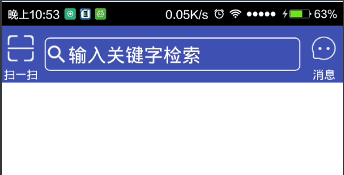
本文實例為大家分享了Android自定義View之組合控件,仿電商app頂部欄的相關代碼,供大家參考,具體內容如下效果圖:分析:左右兩邊可以是TextView和Butto
 Android屏幕旋轉 處理Activity與AsyncTask的最佳解決方案
一、概述運行時變更就是設備在運行時發生變化(例如屏幕旋轉、鍵盤可用性及語言)。發生這些變化,Android會重啟Activity,這時就需要保存activity的狀態及與
 解決Fedora14下eclipse進行android開發,ibus提示沒有輸入窗口的方法詳解
好不容易搭建好了開發環境,可是不管怎麼按Ctr + space,ibus就是不彈出來。用鼠標點吧,上面提示沒有輸入窗口。真是操蛋!google了一圈也沒有解決辦法,我是第
 Android 獲取當前網速質量調整網絡請求
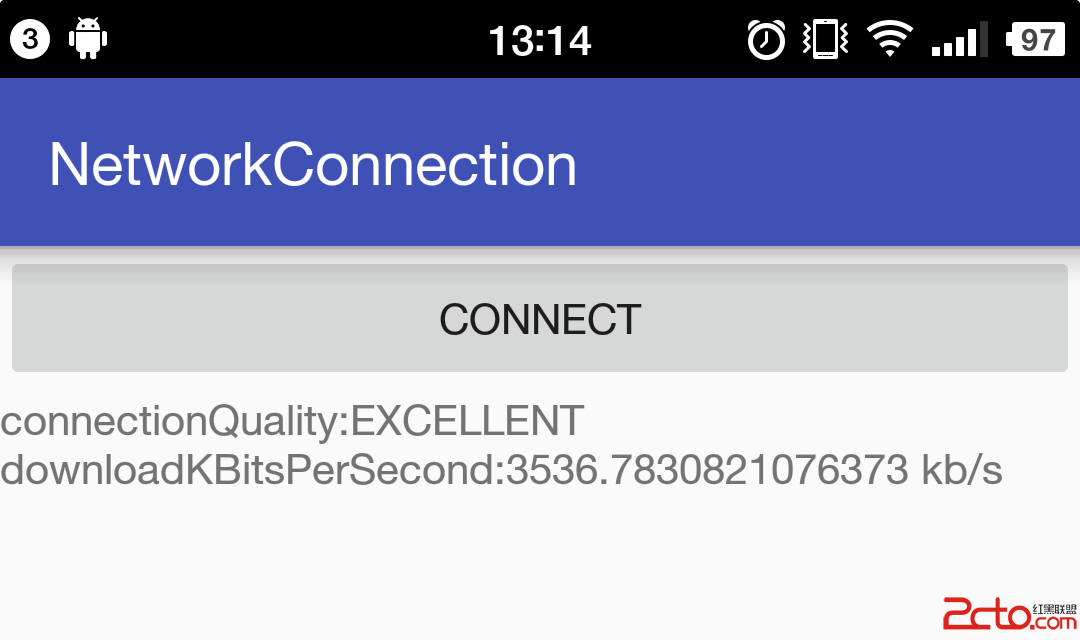
在開發中,有時候常常需要根據用戶當前的網速來做一些操作,比如圖片的加載,當網速非常好的時候,比如連接的是wifi,我們就會下載高分辨率的圖片,反之,當用戶使用的是2g網時