編輯:關於Android編程
在博客:Android大圖加載內存優化(如何防止OutOfMemmory)中講解了在加載圖片的時候內存不完全加載原圖或預估圖片的大小,加載合適的尺寸的圖片防止OOM。接下來講解圖片文件的本地緩存,網絡圖片必須經過本地緩存,才能提高資源的訪問速度,內存的緩存必須配合SDCard的緩存,才能發揮它的優勢。本文采用的是LRU本地緩存策略,由於本文側重的是文件的緩存,所以沒有引入內存的緩存,也沒有發揮出前一篇博客降到的圖片加載優勢,不過在後續的博客中我將不斷完善整個項目,帶領大家一起揭秘第三方圖片加載庫。
在圖片的加載中,還有一個重要的步驟,是網絡圖片的本地緩存,很多時候不知道緩存的圖片不知道何時刪除,這時候需要一個合理的本地圖片緩存策略,保證圖片文件不會無限制的占用存儲空間導致存儲空間不足,造成資源的浪費。在計算機操作系統裡邊對任務的調度引入了LRU算法 。通俗的講就是把就是把最長時間內未使用的資源優先級放到最低,優先保證使用頻率高的資源。
/**
 * Created by CJstar on 15/8/24.
 */
public final class FileCacheOptions {
    /**
     * the file cache root path
     */
    private String cacheRootPath;
    /**
     * file cache count
     */
    private int maxFileCount;
    /**
     * file cache max size: byte
     */
    private int maxCacheSize;
    /**
     * if it is false, will not cache files
     */
    private boolean isUseFileCache = true;

    public String getCacheRootPath() {
        return cacheRootPath;
    }

    public void setCacheRootPath(String cacheRootPath) {
        this.cacheRootPath = cacheRootPath;
    }

    public int getMaxFileCount() {
        return maxFileCount;
    }

    public void setMaxFileCount(int maxFileCount) {
        this.maxFileCount = maxFileCount;
    }

    /**
     * cache size in bytes
     * @return
     */
    public int getMaxCacheSize() {
        return maxCacheSize;
    }

    public void setMaxCacheSize(int maxCacheSize) {
        this.maxCacheSize = maxCacheSize;
    }

    public boolean isUseFileCache() {
        return isUseFileCache;
    }

    public void setIsUseFileCache(boolean isUseFileCache) {
        this.isUseFileCache = isUseFileCache;
    }

    private FileCacheOptions(Builder builder){
        setCacheRootPath(builder.getCacheRootPath());
        setIsUseFileCache(builder.isUseFileCache());
        setMaxCacheSize(builder.getMaxCacheSize());
        setMaxFileCount(builder.getMaxFileCount());
    }

    /**
     * This is the options set builder, we can create the options by this method
     */
    public static class Builder{
        private String cacheRootPath;
        private int maxFileCount;
        private int maxCacheSize;
        private boolean isUseFileCache;

        public Builder(){
        }

        public String getCacheRootPath() {
            return cacheRootPath;
        }

        public Builder setCacheRootPath(String cacheRootPath) {
            this.cacheRootPath = cacheRootPath;
            return this;
        }

        public int getMaxFileCount() {
            return maxFileCount;
        }

        public Builder setMaxFileCount(int maxFileCount) {
            this.maxFileCount = maxFileCount;
            return this;
        }

        public int getMaxCacheSize() {
            return maxCacheSize;
        }

        public Builder setMaxCacheSize(int maxCacheSize) {
            this.maxCacheSize = maxCacheSize;
            return this;
        }

        public boolean isUseFileCache() {
            return isUseFileCache;
        }

        public Builder setIsUseFileCache(boolean isUseFileCache) {
            this.isUseFileCache = isUseFileCache;
            return this;
        }

        public FileCacheOptions builder(){
            return new FileCacheOptions(this);
        }
    }
}
/**
 * Created by CJstar on 15/8/24.
 */
public class LRUFileCache implements FileCache {

    /**
     * cache config
     */
    private FileCacheOptions options;
    /**
     * cache file suffix
     */
    private static final String WHOLESALE_CONV = .cach;
    /**
     * mini free space on SDCard
     */
    private static final int FREE_SD_SPACE_NEEDED_TO_CACHE = 10*1024*1024;

    private static LRUFileCache mLRUFileCache;

    public static LRUFileCache getInstance(){
        if(mLRUFileCache==null){
            synchronized (LRUFileCache.class){
                if(mLRUFileCache==null){
                    mLRUFileCache = new LRUFileCache();
                }
            }
        }

        return mLRUFileCache;
    }

    public void setFileLoadOptions(FileCacheOptions options) {
        this.options = options;
    }

    /**
     * use default options
     */
    private LRUFileCache() {
        this.options = new FileCacheOptions.Builder()
                .setCacheRootPath(FileCache)
                .setIsUseFileCache(true)
                .setMaxCacheSize(10 * 1024 * 1024)//10MB
                .setMaxFileCount(100)
                .builder();
    }

    @Override
    public void addDiskFile(String key, InputStream inputStream) {
        if (TextUtils.isEmpty(key) || inputStream == null) {
            return;
        }

        String filename = convertUrlToFileName(key);
        String dir = options.getCacheRootPath();
        File dirFile = new File(dir);
        if (!dirFile.exists())
            dirFile.mkdirs();
        File file = new File(dir + / + filename);
        OutputStream outStream;
        try {
            if(file.exists()){
                file.delete();
            }

            file.createNewFile();
            outStream = new FileOutputStream(file);
            while (inputStream.available()!=0){
                outStream.write(inputStream.read());
            }
            outStream.flush();
            outStream.close();
            inputStream.close();
        } catch (Throwable e) {
            Log.w(LRUFileCache, e.getMessage());
        }

        // free the space at every time to add a new file
        freeSpaceIfNeeded();
    }

    @Override
    public File getDiskFile(String key) {
        File file = new File(getFilePathByKey(key));

        if(file!=null&&file.exists()){
            updateFileTime(file);

        }else{
            file = null;
        }

        return file;
    }

    @Override
    public boolean isExist(String key) {
        if (URLUtil.isNetworkUrl(key)) {
            return new File(options.getCacheRootPath() + / + convertUrlToFileName(key)).exists();

        } else if (URLUtil.isFileUrl(key)) {
            return new File(key).exists();

        } else {
            return false;
        }
    }

    @Override
    public void removeDiskFile(String key) {
        File file = getDiskFile(key);
        if (file != null &&file.exists()) {
            file.delete();
        }
    }

    @Override
    public void removeAllDiskFiles() {
        new File(options.getCacheRootPath()).delete();
    }

    /**
     * This method will free the files which had not been used at a long time
     */
    private void freeSpaceIfNeeded(){
        File dir = new File(options.getCacheRootPath());
        File[] files = dir.listFiles();
        if(files==null){
            return;
        }

        int dirSize = 0;
        for (int i = 0; i < files.length; i++) {
            if (files[i].getName().contains(WHOLESALE_CONV)) {
                dirSize += files[i].length();
            }
        }
        // if the dir size larger than max size or the free space on SDCard is less than 10MB
        //free 40% space for system
        if (dirSize > options.getMaxCacheSize()
                || FREE_SD_SPACE_NEEDED_TO_CACHE > freeSpaceOnSd()) {
            // delete 40% files by LRU
            int removeFactor = (int) ((0.4 * files.length) + 1);
            // sort the files by modify time
            Arrays.sort(files, new FileLastModifSort());
            // delete files
            for (int i = 0; i < removeFactor; i++) {
                if (files[i].getName().contains(WHOLESALE_CONV)) {
                    files[i].delete();
                }
            }
        }

        //if file count is larger than max count, delete the last
        if(files.length>options.getMaxFileCount()){
            Arrays.sort(files, new FileLastModifSort());
            // delete files
            for (int i = options.getMaxFileCount(); i < files.length; i++) {
                if (files[i].getName().contains(WHOLESALE_CONV)) {
                    files[i].delete();
                }
            }
        }
    }

    /**
     * Modify the file time
     *
     * @param file the file which need to update time
     */
    public void updateFileTime(File file) {
        if(file!=null&&file.exists()){
            long newModifiedTime = System.currentTimeMillis();
            file.setLastModified(newModifiedTime);
        }
    }

    /**
     * get the free space on SDCard
     *
     * @return free size in MB
     */
    private int freeSpaceOnSd() {
        StatFs stat = new StatFs(Environment.getExternalStorageDirectory()
                .getPath());
        double sdFreeMB = ((double) stat.getAvailableBlocks() * (double) stat
                .getBlockSize());
        return (int) sdFreeMB;
    }

    /**
     * Get the file name by file url
     *
     * @param url
     * @return file name
     */
    private String convertUrlToFileName(String url) {
        String[] strs = url.split(/);
        return strs[strs.length - 1] + WHOLESALE_CONV;
    }

    public String getFilePathByKey(String key){
        if(URLUtil.isFileUrl(key)){
            return key;

        }else if(URLUtil.isNetworkUrl(key)){
            return options.getCacheRootPath()+/+convertUrlToFileName(key);

        }else {
            return null;
        }
    }

    /**
     * The comparator for the file modify, sort the files by modify time.
     */
    private class FileLastModifSort implements Comparator {
        public int compare(File arg0, File arg1) {
            if (arg0.lastModified() > arg1.lastModified()) {
                return 1;
            } else if (arg0.lastModified() == arg1.lastModified()) {
                return 0;
            } else {
                return -1;
            }
        }
    }
}
 Android中如何為ListView設置靜態數據
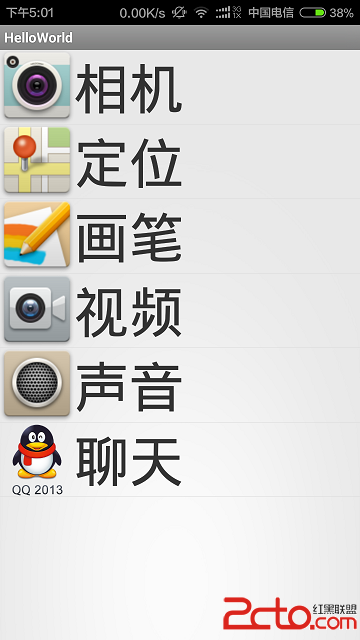
有的時候我們需要為一個listview設置固定的數據,下邊就是如何設置靜態的數據布局文件listview 的主頁面 然後的一個布局文件為每一個listview的item,
 Android多點觸控技術實戰 針對圖片自由縮放和移動
在上一篇文章中我帶著大家一起實現了Android瀑布流照片牆的效果,雖然這種效果很炫很酷,但其實還只能算是一個半成品,因為照片牆中所有的圖片都是只能看不能點的。因此本篇文
 Android 自定義通用的loadingview實現代碼
功能1、顯示加載視圖,加載失敗的時候顯示加載失敗視圖,數據為空時顯示數據為空視圖,支持為失敗視圖設置點擊事件重新加載數據。2、支持個性化設置,自定義設置 加載、失敗、空數
 android tv gridview焦點放大效果
在tv上開發gridview有焦點放大這個效果還是很普遍的做法,今天就講下這個實現方案,當然要實現這個效果有很多種,我這裡只是講其中的一種實現方案,也是比較簡單而且容易看