編輯:關於Android編程
方法一:
布局文件:
java文件:
BottomUtil buttom = new BottomUtil(this, 0); //初始化bottom_view.xml文件
View mMainContainerView = findViewById(R.id.content_frame_main);
View mListContainerView = findViewById(R.id.content_frame_list);
View mPersonalContainerView = findViewById(R.id.content_frame_personal);
點擊切換時調用setShowMode方法:
public void setShowMode(int index) {
mListContainerView.setVisibility(View.GONE);
mMainContainerView.setVisibility(View.GONE);
mPersonalContainerView.setVisibility(View.GONE);
switch (index) {
case BottomUtil.MAIN_FRAGMENT:
if (mMainFragment == null) {
mMainFragment = new MainFragment();
//FragmentTransaction t = this.getSupportFragmentManager().beginTransaction();
FragmentTransaction t = this.getSupportFragmentManager().beginTransaction();
t.replace(R.id.content_frame_main, mMainFragment);
t.commit();
} else {
mMainFragment = (MainFragment) this.getSupportFragmentManager()
.findFragmentById(R.id.content_frame_main);
}
mMainContainerView.setVisibility(View.VISIBLE);
getSupply();
break;
case BottomUtil.JOBLIST_FRAGMENT:
if (mListFragment == null) {
mListFragment = new ListFragment();
FragmentTransaction t = this.getSupportFragmentManager()
.beginTransaction();
t.replace(R.id.content_frame_list, mListFragment);
t.commit();
} else {
mListFragment = (ListFragment)this.getSupportFragmentManager()
.findFragmentById(R.id.content_frame_list);
}
mListContainerView.setVisibility(View.VISIBLE);
break;
case BottomUtil.PERSONAL_FRAGMENT:
if (mPersonalFragment == null) {
mPersonalFragment = new PersonalFragment();
FragmentTransaction t = this.getSupportFragmentManager()
.beginTransaction();
t.replace(R.id.content_frame_personal, mPersonalFragment);
t.commit();
} else {
mPersonalFragment = (PersonalFragment) this
.getSupportFragmentManager().findFragmentById(
R.id.content_frame_personal);
}
mPersonalContainerView.setVisibility(View.VISIBLE);
break;
}
}
BottomUtil .java文件(加載初始化底部切換按鈕):
public class BottomUtil implements OnClickListener {
public static final int MAIN_FRAGMENT = 1;
public static final int JOBLIST_FRAGMENT = 2;
public static final int PERSONAL_FRAGMENT = 3;
MainActivity mContext;
/**
* 當前頁面焦點,即顯示的頁面索引
*/
int mCurrentFocus = -1;
/**
* 底部菜單欄初始化所有控件類的一個實例
*/
BottomViewItem item;
public BottomUtil(MainActivity context, int index) {
mContext = context;
item = BottomViewItem.getInstance();
initTab(index);
}
/**
* 控件初始化
*/
private void initTab(int index) {
for (int i = 0; i < item.viewNum; i++) {
item.linears[i] = (LinearLayout) mContext
.findViewById(item.linears_id[i]);
item.linears[i].setOnClickListener(this);
item.images[i] = (ImageView) mContext
.findViewById(item.images_id[i]);
item.texts[i] = (TextView) mContext.findViewById(item.texts_id[i]);
}
setViewTab(index);
}
/**
* @param index
* 根據索引值切換背景
*/
private void setViewTab(int index) {
if (index == mCurrentFocus)
return;
mCurrentFocus = index;
for (int i = 0; i < item.viewNum; i++) {
item.images[i]
.setBackgroundResource(i == index ? item.images_selected[i]
: item.images_unselected[i]);
item.texts[i]
.setTextColor(i == index ? mContext.getResources().getColor(R.color.common_btn_main_pressed_color)
: mContext.getResources().getColor(R.color.common_textcolor_third));
}
}
@Override
public void onClick(View v) {
for (int i = 0; i < item.viewNum; i++) {
if (v.getId() == item.linears_id[i] && (i != mCurrentFocus)) {
/*if(i==2&&(!Preferences.isLogin())){
ToastUtil.make(mContext).show(您還沒有登錄);
return;
}*/
setViewTab(i);
// mContext.startActivity(new Intent(mContext,item.intents[i]));
mContext.setShowMode(i + 1);
}
}
}
}
方法二:
布局文件
    <framelayout android:id="@+id/fl_page" android:layout_height="0dp" android:layout_weight="1" android:layout_width="match_parent">

    </framelayout>
java文件:
public class MainActivity extends BaseActivity {
    private static final String FRAGMENT_TAG_SERVICE = service;
    private static final String FRAGMENT_TAG_BBS = bbs;
    private static final String FRAGMENT_TAG_NEWS = news;
    private static final String FRAGMENT_TAG_PROFILE = profile;

    private ServiceFragment mServiceFragment;
    private BbsFragment mBbsFragment;
    private NewsFragment mNewsFragment;
    private ProfileFragment mProfileFragment;
    private FragmentManager mFragmentManager;
    private View mCurTabItemView;
    private Fragment mFragment;//當前的Fragment


    @Override
    protected void onCreate(Bundle savedInstanceState) {
        super.onCreate(savedInstanceState);
        setContentView(R.layout.activity_main);
        mFragmentManager = getFragmentManager();
        if (savedInstanceState != null) {
            //復活Fragment
            mServiceFragment = (ServiceFragment) mFragmentManager.findFragmentByTag(FRAGMENT_TAG_SERVICE);
            mBbsFragment = (BbsFragment) mFragmentManager.findFragmentByTag(FRAGMENT_TAG_BBS);
            mNewsFragment = (NewsFragment) mFragmentManager.findFragmentByTag(FRAGMENT_TAG_NEWS);
            mProfileFragment = (ProfileFragment) mFragmentManager.findFragmentByTag(FRAGMENT_TAG_PROFILE);
            FragmentTransaction fg = mFragmentManager.beginTransaction();
            if (mProfileFragment != null) {
                if (mProfileFragment.isAdded()) {
                    fg.hide(mProfileFragment);
                }
            }
            if (mNewsFragment != null) {
                if (mNewsFragment.isAdded()) {
                    fg.hide(mNewsFragment);
                }
            }

            if (mBbsFragment != null) {
                if (mBbsFragment.isAdded()) {
                    fg.hide(mBbsFragment);
                }
            }

            if (mServiceFragment != null) {
                if (mServiceFragment.isAdded()) {
                    fg.hide(mServiceFragment);
                }
            }
            fg.commit();
            Log.d(main, fragment 被回收了,現在又復活了);
        }
        onTabItemClick(findViewById(R.id.ll_main_tabitem_service));
    }

    public void onTabItemClick(View v) {
        //TODO tab change
        if (mCurTabItemView == v) {
            return;
        }
        if (mCurTabItemView != null) {
            mCurTabItemView.setSelected(false);
        }
        mCurTabItemView = v;
        mCurTabItemView.setSelected(true);
        Fragment toFragment;//即將被顯示的Fragment
        String tag;
        switch (v.getId()) {
            case R.id.ll_main_tabitem_service:
                if (mServiceFragment == null) {
                    mServiceFragment = new ServiceFragment();
                }
                tag = FRAGMENT_TAG_SERVICE;
                toFragment = mServiceFragment;
                break;
            case R.id.ll_main_tabitem_bbs:
                if (mBbsFragment == null) {
                    mBbsFragment = new BbsFragment();
                }
                tag = FRAGMENT_TAG_BBS;
                toFragment = mBbsFragment;
                break;
            case R.id.ll_main_tabitem_news:
                if (mNewsFragment == null) {
                    mNewsFragment = new NewsFragment();
                }
                tag = FRAGMENT_TAG_NEWS;
                toFragment = mNewsFragment;
                break;
            case R.id.ll_main_tabitem_profile:
                if (mProfileFragment == null) {
                    mProfileFragment = new ProfileFragment();
                }
                tag = FRAGMENT_TAG_PROFILE;
                toFragment = mProfileFragment;
                break;
            default:
                return;
        }
        if (mFragment == toFragment) {
            return;
        }

        FragmentTransaction fg = mFragmentManager.beginTransaction();
        //交換Fragment
        if (toFragment.isAdded()) {
            //已經被添加了
            if (mFragment != null) {
                fg.hide(mFragment);
            }
            fg.show(toFragment);
        } else {
            //沒有被添加
            if (mFragment != null) {
                fg.hide(mFragment);
            }
            fg.add(R.id.fl_page, toFragment, tag);
        }
        fg.commit();
        mFragment = toFragment;
    }

}
 Android獲取所有存儲卡掛載路徑
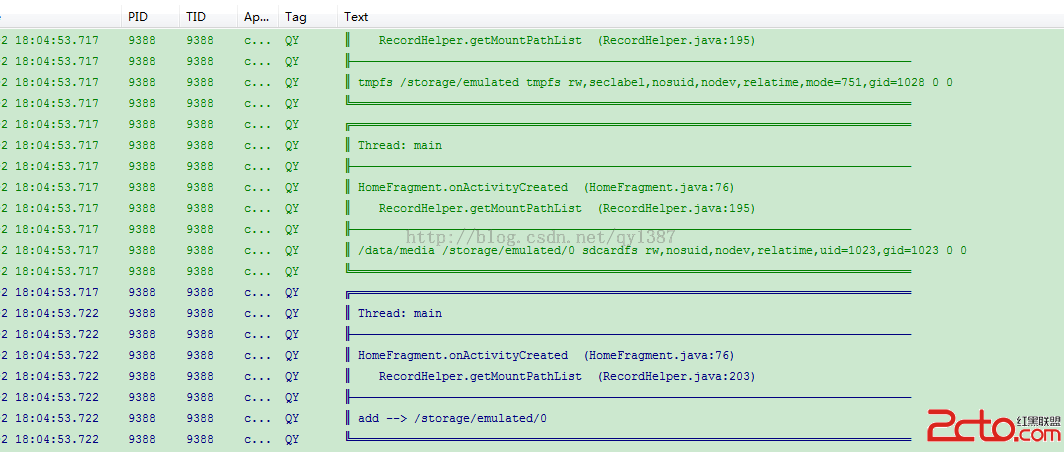
最近因項目需求,需要在存儲卡查找文件,經測試發現部分手機掛載路徑查找不到,這裡分享一個有效的方法。 /** * 獲取所有存儲卡掛載路徑 * @return
 Android canvas drawBitmap方法詳解及實例
Android canvas drawBitmap方法詳解及實例之前自己在自定義view,用到canvas.drawBitmap(Bitmap, SrcRec
 android之文件下載
android之文件下載android文件下載有三個要點不能在主線程中下載文件 在配置文件中給定權限 使用http協議的get方法連接網絡下載文件做好這三點就可以成功的下
 Android手機衛士之確認密碼對話框
本文接著實現“確認密碼”功能,也即是用戶以前設置過密碼,現在只需要輸入確認密碼布局文件和《Android 手機衛士--設置密碼對話框》中的布局基本類似,所有copy一下,