編輯:關於Android編程
查閱各大網站,最後結合自己的時間,總結出了兩種可行的方法
一.修改樣式文件:
1.增加values-v19文件夾,再其中的styles.xml中加上:
二.使用開源庫
1.android studio中加入依賴:
compile 'com.readystatesoftware.systembartint:systembartint:1.0.3'
2.在activity的onCreate()中調用下面方法:
   /**
     * Apply KitKat specific translucency.
     */
    private void applyKitKatTranslucency() {

        // KitKat translucent navigation/status bar.
        if (Build.VERSION.SDK_INT >= Build.VERSION_CODES.KITKAT) {
            setTranslucentStatus(true);
            SystemBarTintManager mTintManager = new SystemBarTintManager(this);
            mTintManager.setStatusBarTintEnabled(true);
            mTintManager.setNavigationBarTintEnabled(true);
            // mTintManager.setTintColor(0xF00099CC);
            mTintManager.setTintDrawable(UIElementsHelper
                    .getGeneralActionBarBackground(this));

        }

    }

    @TargetApi(19)
    private void setTranslucentStatus(boolean on) {
        Window win = getWindow();
        WindowManager.LayoutParams winParams = win.getAttributes();
        final int bits = WindowManager.LayoutParams.FLAG_TRANSLUCENT_STATUS;
        if (on) {
            winParams.flags |= bits;
        } else {
            winParams.flags &= ~bits;
        }
        win.setAttributes(winParams);
    }
android:fitsSystemWindows="true"
 Android Studio開發基礎之AutoCompleteTextView控件的使用
在輸入框中輸入我們想要輸入的信息就會出現其他與其相關的提示信息,這種效果在Android中是用AutoCompleteTextView實現的。AutoCompleteTe
 Adapter模式實戰-重構鴻洋的Android建行圓形菜單
對於很多開發人員來說,炫酷的UI效果是最吸引他們注意力的,很多人也因為這些炫酷的效果而去學習一些比較知名的UI庫。而做出炫酷效果的前提是你必須對自定義View有所理解,作
 Android 學習JNI,用JAVA調用C
首先必須知道JNI是什麼東東?JNI(Java Native Interface)是java本地語言接口,也就是提供一種方法可以用JAVA調用底層語言(C/C++)。一般
 利用IDA學習一個簡單的安卓脫殼
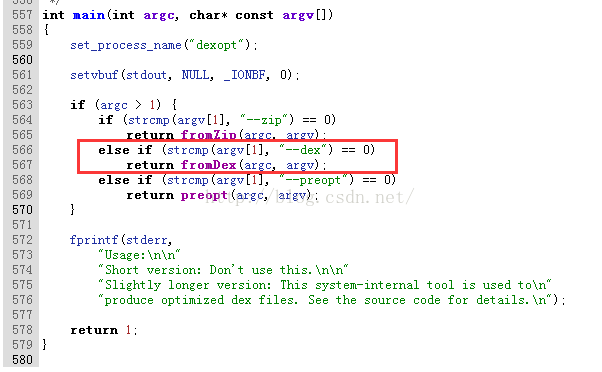
這是看別人的文章學習的,當然還有加點自己的思考,截圖用自己的,這樣的學習才有效果啊學習附件及文檔:(這是別人的)http://pan.baidu.com/s/1nuyxc