編輯:關於Android編程
這次可以和看了很不爽的sharedpreferences 說再見了。用法太惡心了。保存屁大點數據還用 commit 。
吐槽結束,上代碼
LocalStorage.java
import java.io.File;
import java.io.FileInputStream;
import java.io.FileNotFoundException;
import java.io.FileOutputStream;
import java.io.IOException;
import java.io.OutputStream;
import java.io.UnsupportedEncodingException;
import java.net.URLDecoder;
import java.net.URLEncoder;
import java.util.HashMap;
import java.util.Map;
import java.util.Properties;
import java.util.Set;

import android.content.Context;

/**
 * android本地存儲 ,主要用於存儲簡單key value鍵值對。提供增、刪、改、查方法。 可自定義路徑
 *
 * @author Administrator
 *
 */
public class LocalStorage {
	private static Properties properties = new Properties();
	private static String filepath;

	private LocalStorage() {
	}

	/**
	 *
	 * @param ctx
	 * @param fileName
	 *            文件名
	 * @return
	 */
	public static LocalStorage get(Context ctx, String fileName) {
		return get(ctx.getCacheDir() + "/" + fileName);
	}

	/**
	 *
	 * @param filePath
	 *            文件絕對路徑
	 * @return
	 */
	public static LocalStorage get(String filePath) {
		createFile(filePath);
		filepath = filePath;
		try {
			properties.load(new FileInputStream(filepath));
			return new LocalStorage();
		} catch (FileNotFoundException e) {
			e.printStackTrace();
		} catch (IOException e) {
			e.printStackTrace();
		}
		return null;
	}

	private static void createFile(String fileName) {
		File file = new File(fileName);
		if (!file.exists()) {
			String path = file.getAbsolutePath();
			String[] sourceStrArray = path.split("/");
			String dirPath = "";
			for (int i = 0; i < sourceStrArray.length - 1; i++) {
				if (!sourceStrArray[i].equals("")) {
					dirPath += "/" + sourceStrArray[i];
				}
			}
			new File(dirPath).mkdirs();
			try {
				file.createNewFile();
			} catch (IOException e) {
				e.printStackTrace();
			}
		}

	}

	public String getAsString(String key) {
		if (key == null) {
			return null;
		}
		Properties props = new Properties();
		try {
			props.load(new FileInputStream(filepath));
			String value = props.getProperty(key);
			value = URLDecoder.decode(value, "utf-8");
			return value;
		} catch (Exception e) {
			e.printStackTrace();
			return null;
		}
	}

	public int getAsInt(String key) {
		String str = getAsString(key);
		if (str == null)
			return -9999;
		return Integer.valueOf(str).intValue();
	}

	public boolean getAsBoolean(String key) {
		String str = getAsString(key);
		if (str == null)
			return false;
		if (str.equals("true"))
			return true;
		return false;
	}

	public long getAsLong(String key) {
		String str = getAsString(key);
		if (str == null)
			return -9999;
		return Long.valueOf(str).longValue();
	}

	public float getAsFloat(String key) {
		String str = getAsString(key);
		if (str == null)
			return -9999;
		return Float.valueOf(str).floatValue();
	}

	public double getAsDouble(String key) {
		String str = getAsString(key);
		if (str == null)
			return -9999;
		return Double.valueOf(str).doubleValue();
	}

	/**
	 * 添加
	 *
	 * @param keyname
	 * @param keyvalue
	 */
	public void put(String keyname, Object keyvalue) {
		// 處理中文亂碼
		String value = keyvalue.toString();
		try {
			value = URLEncoder.encode(value, "utf-8");
		} catch (UnsupportedEncodingException e1) {
			e1.printStackTrace();
		}
		try {
			OutputStream fos = new FileOutputStream(filepath);
			properties.setProperty(keyname, value);
			properties.store(fos, null);
		} catch (IOException e) {
		}
	}

	/**
	 * 更新
	 *
	 * @param keyname
	 * @param keyvalue
	 */
	public void update(String keyname, String keyvalue) {
		try {
			properties.load(new FileInputStream(filepath));
			OutputStream fos = new FileOutputStream(filepath);
			properties.setProperty(keyname, keyvalue);
			properties.store(fos, null);
		} catch (IOException e) {
		}
	}

	/**
	 * 根據key刪除
	 *
	 * @param key
	 */
	public void delete(String key) {
		try {
			FileInputStream fis = new FileInputStream(filepath);
			properties.load(fis);
			Map map = new HashMap();
			Set
使用方法
	// 這裡獲取LocalStorage對象。參數也可以為文件絕對路徑,當然也可以直接傳入Context和文件名。
		LocalStorage localStorage = LocalStorage.get("test.txt");
		// 增加
		localStorage.put("key", "哈哈");
		// 更新
		localStorage.update("key", "value");
		// 查找,這裡提供多個getAs 方法。取數據找到相應的數據類型
		localStorage.getAsString("key");

		// 刪除
		localStorage.delete("key");
 Android 使用模擬位置(支持Android 6.0)
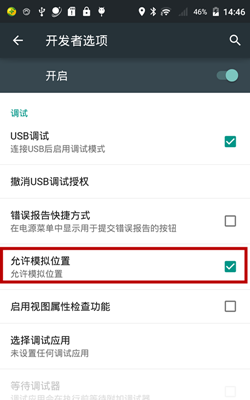
開啟系統設置中的模擬位置Android 6.0 以下:【開發者選項 -> 允許模擬位置】Android 6.0 及以上:【開發者選項 -> 選擇模擬位置信息應
 ObjectAnimator詳解(測試用,承接Android動畫操作中的測試)
廢話不多說直接看代碼需要注意的是ObjectAnimator.ofFloat(xiaoming, “age”, 0f,100f)傳入的是float
 Android 6.0 運行時權限 處理
盡管Android正在被不斷開發,但Android 6.0是完全不同的,對於Android 6.0的幾個主要的變化,查看查看官網的這篇文章:http://develope
 Android日志打印類LogUtils,能夠定位到類名,方法名以及出現錯誤的行數並保存日志文件
在開發中,我們常常用打印log的方式來調試我們的應用。在Java中我們常常使用方法System.out.println()來在控制台打印日志,以便我們