編輯:關於Android編程
main.xml代碼如下:
.java代碼如下:
package org.lxh.demo;

import android.app.Activity;
import android.app.Service;
import android.os.Bundle;
import android.os.Vibrator;
import android.view.View;
import android.view.View.OnClickListener;
import android.widget.Toast;
import android.widget.ToggleButton;

public class Hello extends Activity {
	private ToggleButton btn1 = null;
	private ToggleButton btn2 = null;
	private ToggleButton btn3 = null;
	private Vibrator myVibrator = null;

	public void onCreate(Bundle savedInstanceState) {
		super.onCreate(savedInstanceState); // 生命周期方法
		super.setContentView(R.layout.main); // 設置要使用的布局管理器
		this.myVibrator = (Vibrator) getApplication().getSystemService(
				Service.VIBRATOR_SERVICE);
		this.btn1 = (ToggleButton) super.findViewById(R.id.btn1);
		this.btn2 = (ToggleButton) super.findViewById(R.id.btn2);
		this.btn3 = (ToggleButton) super.findViewById(R.id.btn3);
		this.btn1.setOnClickListener(new Btn1());
		this.btn2.setOnClickListener(new Btn2());
		this.btn3.setOnClickListener(new Btn3());

	}

	private class Btn1 implements OnClickListener {

		public void onClick(View arg0) {
			if (btn1.isChecked()) {
				Hello.this.myVibrator.vibrate(
						new long[] { 100, 10, 100, 1000 }, -1);
				Toast.makeText(Hello.this, 短震動, Toast.LENGTH_SHORT).show();
			} else {
				Hello.this.myVibrator.cancel();
				Toast.makeText(Hello.this, 取消短震動, Toast.LENGTH_SHORT).show();
			}

		}

	}

	private class Btn2 implements OnClickListener {

		public void onClick(View arg0) {
			if (btn2.isChecked()) {
				Hello.this.myVibrator.vibrate(
						new long[] { 100, 100, 100, 1000 }, 0);
				Toast.makeText(Hello.this, 長震動, Toast.LENGTH_SHORT).show();
			} else {
				Hello.this.myVibrator.cancel();
				Toast.makeText(Hello.this, 取消長震動, Toast.LENGTH_SHORT).show();
			}

		}

	}

	private class Btn3 implements OnClickListener {

		public void onClick(View arg0) {
			if (btn3.isChecked()) {
				Hello.this.myVibrator.vibrate(
						new long[] { 1000, 50, 1000, 50 }, 0);
				Toast.makeText(Hello.this, 節奏震動, Toast.LENGTH_SHORT).show();
			} else {
				Hello.this.myVibrator.cancel();
				Toast.makeText(Hello.this, 取消節奏震動, Toast.LENGTH_SHORT).show();
			}

		}

	}
}
配置權限:
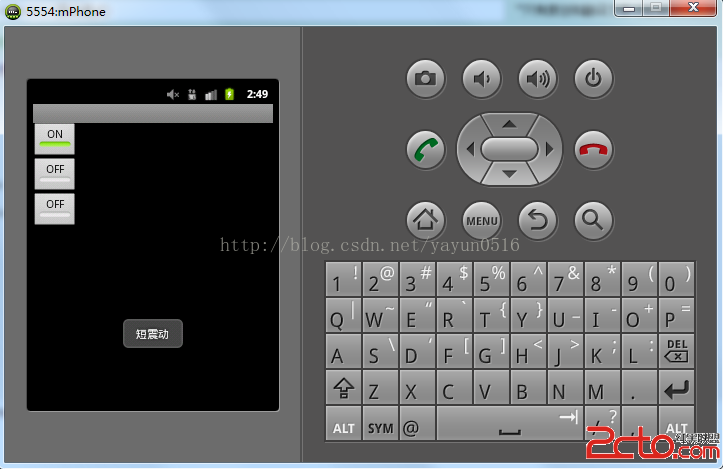
運行如下:
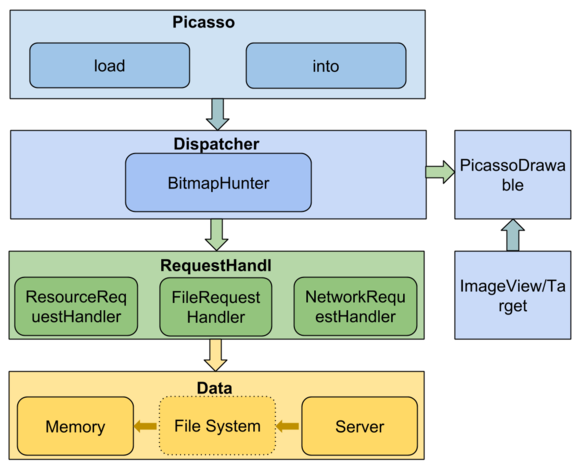 Picasso源碼分析
對於android的圖片加載庫,之前用過UIL、volley、Picasso、Glide、Fresco,都是很好的圖片加載庫,之前對於Picasso這個庫研究的比較多一點
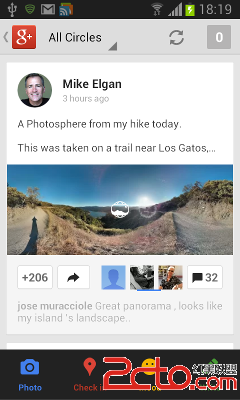 Android點贊動畫效果 ,點贊後加一,2種方法,①補間動畫②位移動畫
第一個動畫文件btn_anim.xml 2-在res文件夾 anim文件夾下面,建立第二個文件layout_anim.xml):
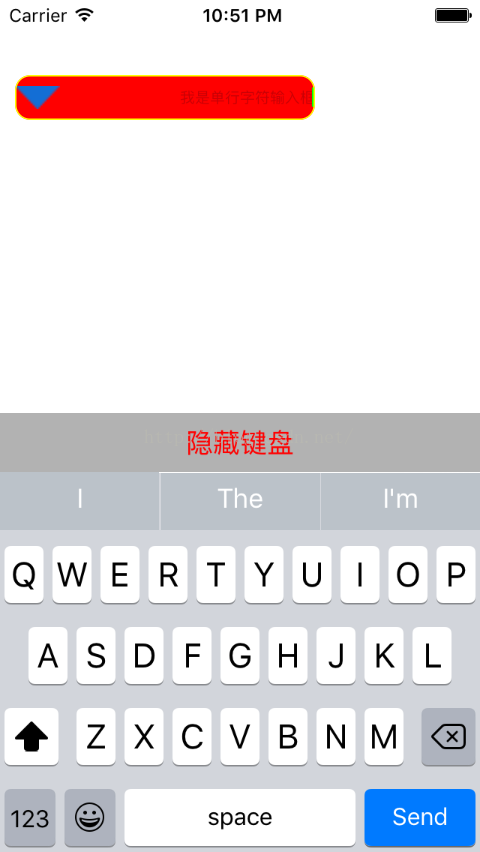 UITextField的使用
UITextField是輸入字符的視圖控件1是UIView的子類,具有與view一樣的屬性2字符輸入只能是單行輸入,不能換行,也不能多行輸入3與自己特有的屬性4 text
 Android中的腦殘設計總結
Trackball軌跡球 這有點類似於PC上面的鼠標,可以用於導航,為此便有了Focus,但是這實際操作意義並不大,因為整個屏幕都是觸控的,還用導航干什麼,先把Focus