編輯:關於Android編程
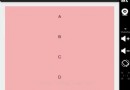
Android提供的ViewPager類太復雜,有時候沒有必要使用,所以重寫一個HorizontalScrollView來實現類似的效果,也可以當做Gallery來用
思路很簡單,就是重寫onTouchEvent事件,在手指抬起或者取消的時候,進行smoothScroll的操作,具體請看代碼:
布局文件:activity_test.xml
1 27 12 13 14
Activity類:TestActivity.java
 1 package com.example.testxinye;
 2
 3 import android.app.Activity;
 4 import android.graphics.Color;
 5 import android.os.Bundle;
 6 import android.util.DisplayMetrics;
 7 import android.widget.ImageView;
 8 import android.widget.ImageView.ScaleType;
 9 import android.widget.LinearLayout;
10 import android.widget.LinearLayout.LayoutParams;
11 /**
12  *
13  * @author xinye
14  *
15  */
16 public class TestActivity extends Activity {
17     private LinearLayout mContainer = null;
18     @Override
19     protected void onCreate(Bundle savedInstanceState) {
20         // TODO Auto-generated method stub
21         super.onCreate(savedInstanceState);
22         setContentView(R.layout.activity_test);
23
24         mContainer = (LinearLayout) findViewById(R.id.container);
25
26         LayoutParams params = new LayoutParams(getWinWidth(), getWinHeight());
27
28         ImageView imageView1 = new ImageView(this);
29         imageView1.setLayoutParams(params);
30         imageView1.setImageResource(R.drawable.call_show_medal5);
31         imageView1.setScaleType(ScaleType.CENTER);
32         mContainer.addView(imageView1);
33
34         ImageView imageView2 = new ImageView(this);
35         imageView2.setLayoutParams(params);
36         imageView2.setImageResource(R.drawable.call_show_medal1);
37         imageView2.setScaleType(ScaleType.CENTER);
38         imageView2.setBackgroundColor(Color.RED);
39         mContainer.addView(imageView2);
40
41         ImageView imageView3 = new ImageView(this);
42         imageView3.setLayoutParams(params);
43         imageView3.setImageResource(R.drawable.call_show_medal2);
44         imageView3.setScaleType(ScaleType.CENTER);
45         imageView3.setBackgroundColor(Color.GRAY);
46         mContainer.addView(imageView3);
47
48
49         ImageView imageView4 = new ImageView(this);
50         imageView4.setLayoutParams(params);
51         imageView4.setImageResource(R.drawable.call_show_medal3);
52         imageView4.setScaleType(ScaleType.CENTER);
53         imageView4.setBackgroundColor(Color.BLUE);
54         mContainer.addView(imageView4);
55
56
57         ImageView imageView5 = new ImageView(this);
58         imageView5.setLayoutParams(params);
59         imageView5.setImageResource(R.drawable.call_show_medal4);
60         imageView5.setScaleType(ScaleType.CENTER);
61         imageView5.setBackgroundColor(Color.GREEN);
62         mContainer.addView(imageView5);
63
64
65
66     }
67
68     @Override
69     protected void onResume() {
70 //        ((MyScrollView)mContainer.getParent()).init();
71         super.onResume();
72     }
73
74     private int getWinWidth(){
75         DisplayMetrics dm = new DisplayMetrics();
76         //獲取屏幕信息
77         getWindowManager().getDefaultDisplay().getMetrics(dm);
78         return dm.widthPixels;
79     }
80     private int getWinHeight(){
81         DisplayMetrics dm = new DisplayMetrics();
82         //獲取屏幕信息
83         getWindowManager().getDefaultDisplay().getMetrics(dm);
84         return dm.heightPixels;
85     }
86 }
重寫的HorizontalScrollView:MyScrollView.java
1 package com.example.testxinye;
  2
  3 import java.util.ArrayList;
  4
  5 import android.content.Context;
  6 import android.util.AttributeSet;
  7 import android.view.MotionEvent;
  8 import android.view.View;
  9 import android.view.ViewGroup;
 10 import android.widget.HorizontalScrollView;
 11 /**
 12  *
 13  * @author XINYE
 14  *
 15  */
 16 public class MyScrollView extends HorizontalScrollView {
 17     private int subChildCount = 0;
 18     private ViewGroup firstChild = null;
 19     private int downX = 0;
 20     private int currentPage = 0;
 21     private ArrayList pointList = new ArrayList();
 22
 23     public MyScrollView(Context context, AttributeSet attrs, int defStyle) {
 24         super(context, attrs, defStyle);
 25         init();
 26     }
 27
 28
 29     public MyScrollView(Context context, AttributeSet attrs) {
 30         super(context, attrs);
 31         init();
 32     }
 33
 34     public MyScrollView(Context context) {
 35         super(context);
 36         init();
 37     }
 38     private void init() {
 39         setHorizontalScrollBarEnabled(false);
 40     }
 41     @Override
 42     protected void onMeasure(int widthMeasureSpec, int heightMeasureSpec) {
 43         super.onMeasure(widthMeasureSpec, heightMeasureSpec);
 44         receiveChildInfo();
 45     }
 46     public void receiveChildInfo() {
 47
 48         firstChild = (ViewGroup) getChildAt(0);
 49         if(firstChild != null){
 50             subChildCount = firstChild.getChildCount();
 51             for(int i = 0;i < subChildCount;i++){
 52                 if(((View)firstChild.getChildAt(i)).getWidth() > 0){
 53                     pointList.add(((View)firstChild.getChildAt(i)).getLeft());
 54                 }
 55             }
 56         }
 57
 58     }
 59     @Override
 60     public boolean onTouchEvent(MotionEvent ev) {
 61         switch (ev.getAction()) {
 62         case MotionEvent.ACTION_DOWN:
 63             downX = (int) ev.getX();
 64             break;
 65         case MotionEvent.ACTION_MOVE:{
 66
 67         }break;
 68         case MotionEvent.ACTION_UP:
 69         case MotionEvent.ACTION_CANCEL:{
 70             if( Math.abs((ev.getX() - downX)) > getWidth() / 4){
 71                 if(ev.getX() - downX > 0){
 72                     smoothScrollToPrePage();
 73                 }else{
 74                     smoothScrollToNextPage();
 75                 }
 76             }else{
 77                 smoothScrollToCurrent();
 78             }
 79             return true;
 80         }
 81         }
 82         return super.onTouchEvent(ev);
 83     }
 84
 85     private void smoothScrollToCurrent() {
 86         smoothScrollTo(pointList.get(currentPage), 0);
 87     }
 88
 89     private void smoothScrollToNextPage() {
 90         if(currentPage < subChildCount - 1){
 91             currentPage++;
 92             smoothScrollTo(pointList.get(currentPage), 0);
 93         }
 94     }
 95
 96     private void smoothScrollToPrePage() {
 97         if(currentPage > 0){
 98             currentPage--;
 99             smoothScrollTo(pointList.get(currentPage), 0);
100         }
101     }
102     /**
103      * 下一頁
104      */
105     public void nextPage(){
106         smoothScrollToNextPage();
107     }
108     /**
109      * 上一頁
110      */
111     public void prePage(){
112         smoothScrollToPrePage();
113     }
114     /**
115      * 跳轉到指定的頁面
116      * @param page
117      * @return
118      */
119     public boolean gotoPage(int page){
120         if(page > 0 && page < subChildCount - 1){
121             smoothScrollTo(pointList.get(page), 0);
122             currentPage = page;
123             return true;
124         }
125         return false;
126     }
127 }
 幾個比較好用的Androidstudio插件
Android Studio是一個功能全面的開發環境,裝備了為各種設備——從智能手表到汽車——開發Android應用程序所
 Android之Activity生命周期的淺析(二)
??上一篇文章,我們主要分析了Activity的正常情況下生命周期及其方法,本篇主要涉及內容為Activity的異常情況下的生命周期。Activity異常生命周期??異常
 Android開發之自定義圓角矩形進度對話框
方式一:自定義對話框 public class ProgersssDialog extends Dialog { private ImageView img;
 UI碎片控件之Fragment——底部導航欄的實現(方法1)
(一)概述在上一節中我們對Fragment進行了一個初步的了解,學習了概念,生命周期,Fragment管理與 Fragment事務,以及動態與靜態加載Fragment。從