編輯:關於Android編程
一般我們都是使用android:xxx=...這樣的android的屬性。但有時我們需要使用自定義的屬性,尤其是自定義view的時候尤其需要。
一般需要以下幾個步驟:
1.在res/values 文件下定義一個attrs.xml 文件:
TypedArray 通常最後調用 .recycle() 方法,為了保持以後使用該屬性一致性!
package com.example.viewdemo;

import android.annotation.SuppressLint;
import android.content.Context;
import android.content.res.TypedArray;
import android.graphics.Canvas;
import android.graphics.Color;
import android.graphics.Paint;
import android.graphics.Paint.Style;
import android.graphics.Rect;
import android.util.AttributeSet;
import android.view.View;

public class MyView extends View{
	 private Paint mPaint;
	 private Context mContext;
	 private static final String mString = oh,God!;
	 public MyView(Context context) {
	        super(context);

	    }
	public MyView(Context context,AttributeSet attrs)
    {
        super(context,attrs);
        mPaint = new Paint();
        TypedArray a = context.obtainStyledAttributes(attrs,R.styleable.MyView);
        int textColor = a.getColor(R.styleable.MyView_textColor, 0xffffff);//注意加默認值
        float textSize = a.getDimension(R.styleable.MyView_textSize, 36);
        mPaint.setTextSize(textSize);
        mPaint.setColor(textColor);
        a.recycle();
    }

    @Override
    protected void onDraw(Canvas canvas) {
    	super.onDraw(canvas);
        //設置填充
        mPaint.setStyle(Style.FILL);
        //畫一個矩形,前倆個是矩形左上角坐標,後面倆個是右下角坐標
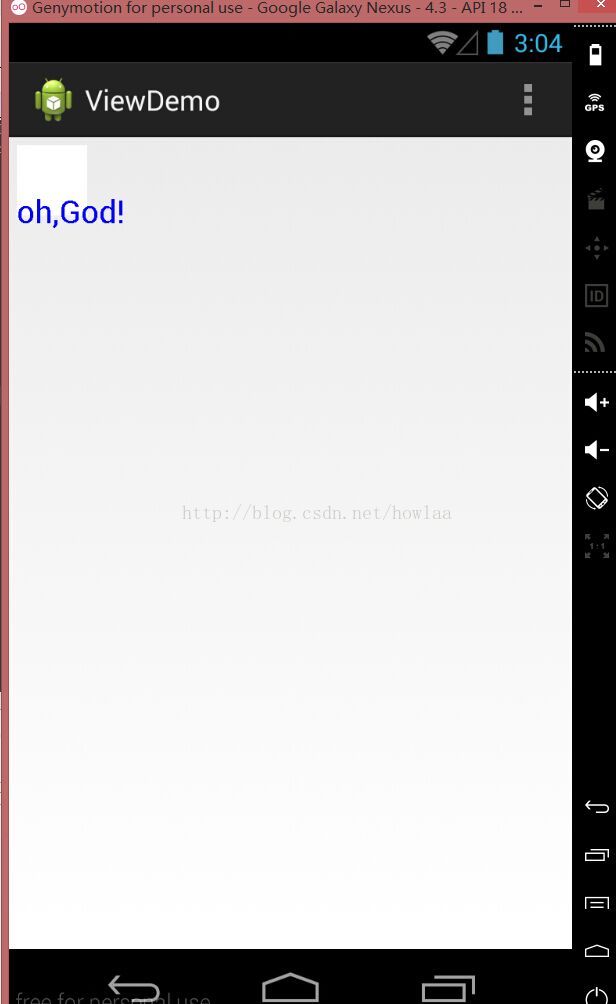
        canvas.drawRect(new Rect(10, 10, 100, 100), mPaint);
        mPaint.setColor(Color.BLUE);
        //繪制文字
        canvas.drawText(mString, 10, 110, mPaint);
    }
}
 Android 添加TextView刪除線(代碼簡單)
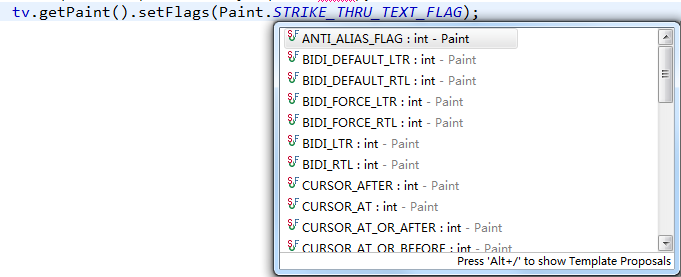
在做商城的項目中,有這麼個需求,就是一個產品下有兩個價格,一個是市場價,一個是銷售價,這時要把市場價添加個刪除線;剛開始遇到這個時,在網上找了半天的資料,看到最多的就是用
 Android ViewPager相冊橫向移動的實現方法
當我們第一次下載QQ並且打開的時候,會有一個新手引導,引導是幾張圖片,再加上一些文字說明,向右滑動,直到結束,今天一大早起來研究了一下關於此種效果的實現之ViewPage
 Andoird Crash的跟蹤方法,使用騰訊Bugly來捕捉一些疑難雜症,讓我們APP穩定上線
我們在開發中常常會注意到一些Crash,這正是很頭疼的,而且Crash會帶來很多意想不到的狀態,很惡心,所以今天,我們來著重研究一下Crash,同時,我們也將使用第三方
 Android集成百度地圖SDK
本Demo中所含功能1:定位,顯示當前位置2:地圖多覆蓋物(地圖描點,彈出該點的詳細信息)3:坐標地址互相換算4:POI興趣點檢索5:線路查詢(步行,駕車,公交)6:繪制