編輯:關於Android編程
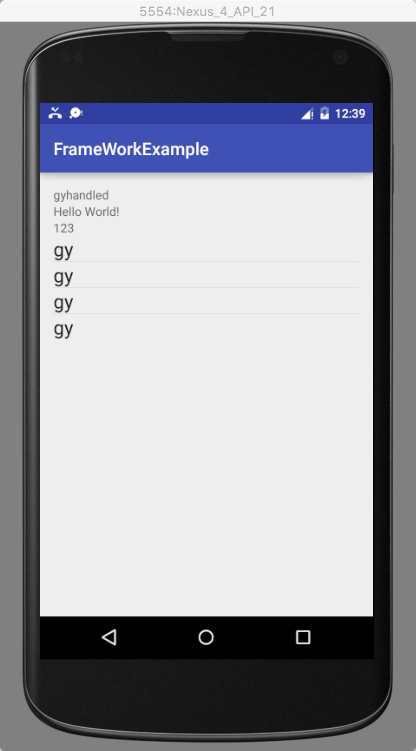
在android開發中,我們常常會遇到界面布局控件不確定的情況。由於某些功能的原因或者為了體現某些app的特色等這些原因會導致我們在實現界面布局時需要動態去加載一些控件,那麼下面就來介紹一下如何用動態加載控件來簡單實現QQ中好友印象的功能,其中也會提到如何來動態加載一個XML的配置文件。
那麼要實現好友印象的功能,我們需要通過以下這幾個步驟:
1.界面一開始需要加載一個EditText和Button控件,用於填寫好友印象和添加好友印象;
2.需要新建一個arrays.xml,在xml文件中添加上好友印象標簽的背景顏色;
3.在Activity中加載xml文件,獲取文件中的顏色,並且為Button控件添加事件監聽,實現點擊後能夠自動生成帶有背景顏色的好友印象標簽。
按照以上三個步驟,來看下面的代碼:
在該配置文件中只隨便定義了四種顏色
arrays.xml
- #ff78ff
- #abcd12
- #cdba34
- #345677
package com.example.sundyandroidtest;

import java.util.Random;

import android.app.Activity;
import android.graphics.Color;
import android.os.Bundle;
import android.view.View;
import android.view.View.OnClickListener;
import android.widget.Button;
import android.widget.EditText;
import android.widget.LinearLayout;
import android.widget.LinearLayout.LayoutParams;
import android.widget.TextView;

public class AutoColorShowActivity extends Activity{

	//保存XML文件中的顏色字符串
	String[] aColors;
	//聲明一個線性布局
	LinearLayout mLayout = null;
	//聲明線性布局的width和height
	LinearLayout.LayoutParams lpFF;
	//聲明控件的width和height
	LinearLayout.LayoutParams lpWW;
	//聲明好友印象標簽
	TextView colorTextView = null;
	//聲明添加按鈕
	Button butAdd = null;
	//聲明好友印象評價輸入框
	EditText editText = null;
	//聲明隨機數,用於隨機標簽顏色
	Random rand = null;

	@Override
	protected void onCreate(Bundle savedInstanceState) {
		super.onCreate(savedInstanceState);
		//獲取顏色字符串數組
		aColors = getResources().getStringArray(R.array.colorsArray);

		mLayout = new LinearLayout(this);
		//設置布局屬性
		mLayout.setOrientation(LinearLayout.VERTICAL);
		lpFF = new LinearLayout.LayoutParams(LayoutParams.MATCH_PARENT,LayoutParams.MATCH_PARENT);
		lpWW = new LinearLayout.LayoutParams(LayoutParams.MATCH_PARENT,LayoutParams.WRAP_CONTENT);
		mLayout.setLayoutParams(lpFF);

		//向布局中添加控件
		editText = new EditText(this);
		mLayout.addView(editText, lpWW);

		butAdd = new Button(this);
		butAdd.setText("添加");
		mLayout.addView(butAdd, lpWW);


		setContentView(mLayout);

		rand = new Random();

		butAdd.setOnClickListener(new OnClickListener() {

			@Override
			public void onClick(View v) {
				//生成一個0到數組長度之間的隨機數
				int tag = rand.nextInt(aColors.length-1);
				//獲取EditText中輸入的好友印象評價
				String info = editText.getText().toString();
				//動態生成一個文本標簽,並為標簽設置文本和顏色
				colorTextView = new TextView(AutoColorShowActivity.this);
				colorTextView.setText(info);
				colorTextView.setTextColor(Color.BLACK);
				colorTextView.setTextSize(30f);
				colorTextView.setBackgroundColor(Color.parseColor(aColors[tag]));
				mLayout.addView(colorTextView, lpWW);
				editText.setText("");
				//更新布局
				mLayout.refreshDrawableState();

			}
		});

	}

}
 Android游戲開發:實現手勢操作切換圖片的實例
對於Android 的手勢不光在軟件中會經常用到,比如浏覽器中的翻頁,滾動頁面等等;當然其實在我
 Android數據綁定,MVVM框架
最近研究怎麼讓自己的程序節省幾行代碼。仔細想一想,我們在做客戶端類的APP時,最基礎,大量重復的場景就是:1.從服務器請求數據2.解析得到的數據並處理加以封裝3.將封裝好
 Android自定義View之三種流行進度條的寫法
概述:利用自定義View的onDraw()方法,可以繪制很多種圖形,進度框只是其中之一。Demo這是一個模擬下載的demo。自中央逐漸充滿型圓形進度框demo1publi
 Android 初識 MVC、MVP框架
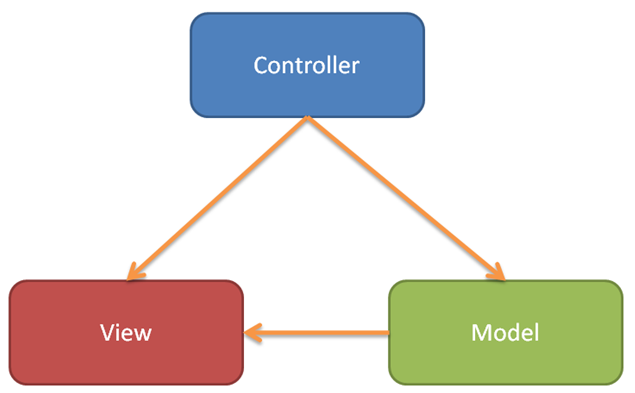
前言MVC、MVP、MVVP相信大家已經耳熟能詳了,作為Android最出名的三個框架,它們的應用是非常的廣泛。這篇博客就來簡單介紹下其中二種框架。也加強下自己對這方面的