編輯:關於Android編程
//listView.setAdapter(buildListAdapter());
//使用xml文件實現,需要在相應的layout控件中添加如下語句:
android:layoutAnimation="@anim/layout_anim_list"
}
動畫效果布局文件anim_list.xml:
android:duration="2000"
android:fromAlpha="0.0"
android:toAlpha="1.0" />
layout控件實現動畫效果的布局文件layout_anim_list.xml:
android:delay="0.5"
android:animationOrder="normal"
android:animation="@anim/anim_list">
main.xml:
android:layout_width="match_parent"
android:layout_height="match_parent"
android:paddingBottom="@dimen/activity_vertical_margin"
android:paddingLeft="@dimen/activity_horizontal_margin"
android:paddingRight="@dimen/activity_horizontal_margin"
android:paddingTop="@dimen/activity_vertical_margin"
tools:context=".MainActivity" >
android:layout_width="wrap_content"
android:layout_height="wrap_content"
android:text="@string/hello_world" />
android:layout_width="fill_parent"
android:layout_height="wrap_content"
android:layout_below="@id/myText"
//android:layoutAnimation="@anim/layout_anim_list"
/>
android:layout_width="fill_parent"
android:layout_height="wrap_content"
android:layout_below="@id/myList"
android:text="測試" />
listview條目的布局文件item.xml:
android:layout_height="match_parent"
android:orientation="horizontal" >
android:layout_width="fill_parent"
android:layout_height="wrap_content"
/>
android:layout_width="fill_parent"
android:layout_height="wrap_content"
/>
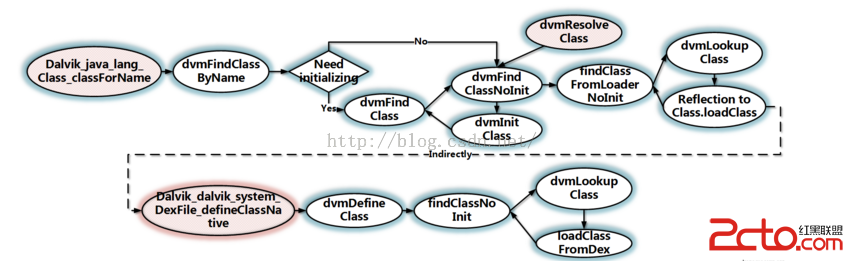 Android安全之旅系列博客導讀
總結下近一年的學習經歷,以中國的新年為節點。時間從2015年年後到今天,2015年年末。首先我必須要感謝前輩的書籍和高質量的博客。1、重新學習了一遍《Linux內核源代碼
 輕松實現RecycleView的下拉刷新、加載更多
那如同這個題目,這裡面涉及的東西其實還是比較多的,RecycleView SwipeRefreshLayout,下拉刷新(這個就是SwipeRefreshLayout的)
 Android組件創建DrawerLayout導航
概述本篇博客是對developer.android.com/上的Training課程的簡單翻譯,若是覺得翻譯出來的理解有困難,請點擊下方鏈接查看原文!關於DrawerLa
 Android編程仿Iphone拖動相片特效Gallery的簡單應用示例
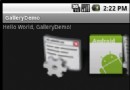
本文實例講述了Android編程仿Iphone拖動相片特效Gallery的簡單應用。分享給大家供大家參考,具體如下:Step 1:准備圖片素材.將icon2,icon3,