編輯:關於Android編程
public class AppStatusService extends Service {
    private static final String TAG = "AppStatusService";
    private ActivityManager activityManager;
    private String packageName;

    @Override
    public IBinder onBind(Intent intent) {
        return null;
    }

    @Override
    public int onStartCommand(Intent intent, int flags, int startId) {
        activityManager = (ActivityManager) this.getSystemService(Context.ACTIVITY_SERVICE);
        packageName = this.getPackageName();
        new Thread() {
            public void run() {
                try {
                    while (true) {
                        Thread.sleep(1000);
                        if (isAppOnForeground()) {
                            Log.i(TAG, "true");
                        } else {
                            Log.i(TAG, "false");
                        }
                    }
                } catch (Exception e) {
                    e.printStackTrace();
                }
            }
        }.start();
        return super.onStartCommand(intent, flags, startId);
    }

    private boolean isAppOnForeground() {
        // Returns a list of application processes that are running on the device
        List appProcesses = activityManager.getRunningAppProcesses();
        if (appProcesses == null) return false;
        for (RunningAppProcessInfo appProcess : appProcesses) {
            // importance:
            // The relative importance level that the system places
            // on this process.
            // May be one of IMPORTANCE_FOREGROUND, IMPORTANCE_VISIBLE,
            // IMPORTANCE_SERVICE, IMPORTANCE_BACKGROUND, or IMPORTANCE_EMPTY.
            // These constants are numbered so that "more important" values are
            // always smaller than "less important" values.
            // processName:
            // The name of the process that this object is associated with.
            if (appProcess.processName.equals(packageName)
                    && appProcess.importance == RunningAppProcessInfo.IMPORTANCE_FOREGROUND) {
                return true;
            }
        }
        return false;
    }
}  Java Socket 通信 (三)
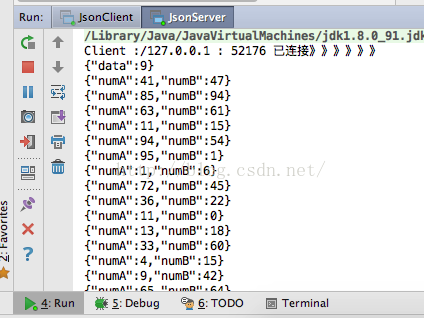
前言:經過昨天的學習,感覺對socket越來越熟悉了,但還是得多寫寫。業精於勤荒於嬉,行成於思毀於隨!今天我寫了一個與項目稍微接近的一個小程序。對socket越來越深入了
 android之ListView使用
android之ListViewListView是android中比較常見並較為復雜的控件之一,它既有默認的模式,又可以實現自定義,通過該控件,可以使UI交互更加多樣化,
 如何快速創建Android模擬器
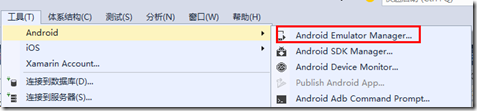
調試手機應用程序一般先用模擬器來實現,只是因為每次都發布到手機上調試太麻煩了。當應用程序在模擬器上調試沒錯後,再發布到手機運行驗證就行了。一、模擬器創建方式為了在模擬器中
 Android OpenGL ES 畫球體
最近因為興趣所向,開始學習OpenGL繪圖。本文以“畫球體”為點,小結一下最近所學。 初識OpenGL ES 接觸OpenGL是從Android開始的。眾所周知,A