編輯:關於Android編程
前言:
前面總結了程序間共享數據,可以使用ContentProvider也可以使用SharedPreference,那麼進程間怎麼共享內存呢?Android系統中的進程之間不能共享內存,因此,需要提供一些機制在不同進程之間進行數據通信。
為了使其他的應用程序也可以訪問本應用程序提供的服務,Android系統采用了遠程過程調用(Remote Procedure Call,RPC)方式來實現。與很多其他的基於RPC的解決方案一樣,Android使用一種接口定義語言(Interface Definition Language,IDL)來公開服務的接口。我們知道4個Android應用程序組件中的3個(Activity、BroadcastReceiver和ContentProvider)都可以進行跨進程訪問,另外一個Android應用程序組件Service同樣可以。因此,可以將這種可以跨進程訪問的服務稱為AIDL(Android Interface Definition Language)服務。
接下來實戰一下具體實現:
1.)首先新建一個aidl文件
interface ITestInterface {
   //獲取進程ID
  int getProcessId();
  //處理字符串
  String dealString( String srcString);
  //字符串追加
  String appendString( String srcString);

  void addPerson(in Person person);

  List<Person> getPersons();
}
aidl語法解說:
• 聲明函數基本和Java一致,可以傳參和返回值,參數和返回值
• 參數和返回值 Java編程語言的基本數據類型 (int, long, char, boolean等),String和CharSequence,集合接口類型List和Map、其他AIDL接口類型、實現Parcelable接口的自定義對象
• 方向指示 在使用aidl傳輸數據時,對於非基本數據類型,也不是String和CharSequence類型的,(即Parcelable類型)需要有方向指示,包括in、out和inout。
• AIDL只支持接口方法,不能公開static變量。
2.)服務端實現接口
  private final ITestInterface.Stub mBinder = new ITestInterface.Stub() {
    public int getProcessId(){
      Log.e("TestService","TestService Thread: " + Thread.currentThread().getName());
      Log.e("TestService","TestService getProcessId()");
      return android.os.Process.myPid();
    }
    //處理字符串
    public String dealString( String srcString)
    {
      return srcString+srcString;
    }

    //字符串追加
    public String appendString( String srcString)
    {
      return srcString+srcString;
    }
3.)客戶端獲取接口
  private ServiceConnection connection = new ServiceConnection() {

    @Override
    public void onServiceDisconnected(ComponentName name) {
      Log.e("TestService","TestService onServiceDisconnected()");
    }

    @Override
    public void onServiceConnected(ComponentName name, IBinder service) {
      iTestInterface =  ITestInterface.Stub.asInterface(service);
      try {
        Log.e("TestService","TestService onServiceConnected()");
        int remoteId=iTestInterface.getProcessId();
        Log.e("TestService","TestService remoteId---->"+remoteId);
        int currentPid = android.os.Process.myPid();
        Log.e("TestService","TestService currentPid---->"+currentPid);
        Log.e("TestService","TestService dealString---->"+iTestInterface.dealString("Remote Service"));
        Log.e("TestService","TestService appendString---->"+iTestInterface.appendString("Remote Service"));
      } catch (RemoteException e) {
        e.printStackTrace();
      }
    }
  };
4.)通過IPC調用/傳遞數據
        int remoteId=iTestInterface.getProcessId();
        Log.e("TestService","TestService remoteId---->"+remoteId);
        int currentPid = android.os.Process.myPid();
        Log.e("TestService","TestService currentPid---->"+currentPid);
        Log.e("TestService","TestService dealString---->"+iTestInterface.dealString("Remote Service"));
        Log.e("TestService","TestService appendString---->"+iTestInterface.appendString("Remote Service"));
5.)Service聲明以及綁定/解綁
聲明:
    <service
      android:name=".TestService"
      android:enabled="true"
      android:exported="true"
      android:label="remoteService"
      android:process=":remote">
      <intent-filter android:priority="1000">
        <category android:name="android.intent.category.DEFAULT" />
        <action android:name="com.whoislcj.testaidl.TestService" />
      </intent-filter>
    </service>
綁定:
 Intent intent = new Intent("com.whoislcj.testaidl.TestService");
 intent.setPackage(getPackageName());//這裡你需要設置你應用的包名
 bindService(intent, connection, Context.BIND_AUTO_CREATE);
解綁:unbindService(connection);
6.)訪問權限同Service一致
以上就是本文的全部內容,希望對大家的學習有所幫助,也希望大家多多支持本站。
 UI - UISearchController&UISearchDisplayController
簡介系統自帶的搜索頁面類 — UISearchDisplayController和UISearchController, 讓你更方便快捷的進行搜索功能開發.
 Android開發系列(二十三):實現帶圖片提示的Toast提示信息框
Android中的Toast是很常見的一個消息提示框,但是默認的消息提示框就是一行純文本,所以我們可以為它設置一些其他的諸如是帶上圖片的消息提示。 實現這個很簡單: 就是
 Android Multimedia框架總結(一)MediaPlayer介紹之狀態圖及生命周期
前言:從本篇開始,將進入Multimedia框架,包含MediaPlayer, Camera, Surface, MediaRecord, 接下來幾篇都是MediaPla
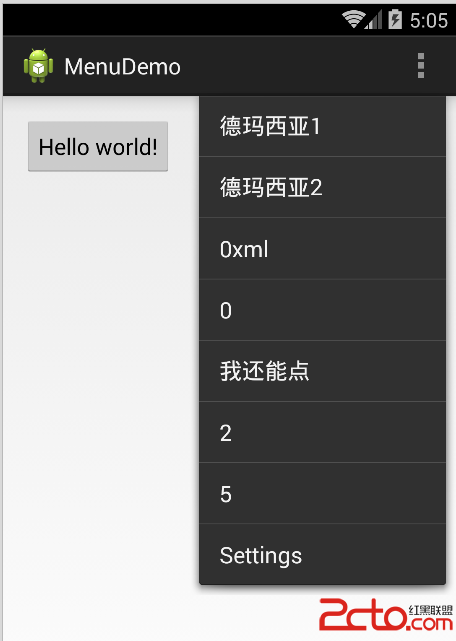 Android Menu
OptionsMenu(選項菜單)1.重寫Activity的onCreateOptionsMenu(Menu menu)方法,在該方法裡調用Menu對象的方法來添加菜單項