編輯:關於Android編程
需要注意的是SwipeRefreshLayout下面只可以有一個直接子節點。
布局文件如下。
<frameLayout xmlns:android="http://schemas.android.com/apk/res/android"
    xmlns:tools="http://schemas.android.com/tools"
    android:id="@+id/container"
    android:layout_width="match_parent"
    android:layout_height="match_parent"
    tools:ignore="MergeRootFrame" >


</frameLayout>package com.francis.swiperefreshlayouttest;
import android.app.Activity;
import android.content.Intent;
import android.os.Bundle;
import android.os.Handler;
import android.view.Menu;
import android.view.MenuItem;
import android.support.v4.widget.SwipeRefreshLayout;
import android.widget.ArrayAdapter;
import android.widget.ListView;
// 布局文件下, 只能有一個直接的子類
//
// 主要方法
// setOnRefreshListener(OnRefreshListener): 為布局添加一個Listener
// setRefreshing(boolean): 顯示或隱藏刷新進度條
// isRefreshing(): 檢查是否處於刷新狀態
// setColorSchemeResource(): 設置進度條的顏色主題,最多能設置四種
public class MyActivity extends Activity implements SwipeRefreshLayout.OnRefreshListener{
private SwipeRefreshLayout mSwipeLayout;
private ListView mListView;
private ArrayAdapter mArrayAdapter;
@Override
protected void onCreate(Bundle savedInstanceState) {
super.onCreate(savedInstanceState);
setContentView(R.layout.activity_my);
String[] strings = new String[] {"a","b","c","d"};
mArrayAdapter = new ArrayAdapter(this,android.R.layout.simple_list_item_1,strings);
mSwipeLayout = (SwipeRefreshLayout) findViewById(R.id.swipe_container);
mSwipeLayout.setOnRefreshListener(this);
//加載顏色是循環播放的,只要沒有完成刷新就會一直循環,color1>color2>color3>color4
mSwipeLayout.setColorSchemeResources(
android.R.color.holo_blue_bright,
android.R.color.holo_green_light,
android.R.color.holo_orange_light,
android.R.color.holo_red_light);
mListView = (ListView)findViewById(R.id.list);
mListView.setAdapter(mArrayAdapter);
}
@Override
public boolean onCreateOptionsMenu(Menu menu) {
// Inflate the menu; this adds items to the action bar if it is present.
getMenuInflater().inflate(R.menu.my, menu);
return true;
}
@Override
public boolean onOptionsItemSelected(MenuItem item) {
// Handle action bar item clicks here. The action bar will
// automatically handle clicks on the Home/Up button, so long
// as you specify a parent activity in AndroidManifest.xml.
int id = item.getItemId();
if (id == R.id.action_grid_view) {
startActivity(new Intent(MyActivity.this,GridViewTest.class));
}
return super.onOptionsItemSelected(item);
}
@Override
public void onRefresh() {
new Handler().postDelayed(new Runnable() {
@Override
public void run() {
// 停止刷新
mSwipeLayout.setRefreshing(false);
}
}, 3000);
}
}
 android自定義View之仿通訊錄側邊欄滑動,實現A-Z字母檢索
我們的手機通訊錄一般都有這樣的效果,如下圖:OK,這種效果大家都見得多了,基本上所有的android手機通訊錄都有這樣的效果。那我們今天就來看看這個效果該怎麼實現。一.概
 Android刮獎控件,需要的直接拿去用
直接上效果圖 功能特色: 1、可以設置刮開後顯示文字或圖片 2、可以統計已刮開區域所占百分比 下面是源碼:= MV) { // 二次貝塞爾,實現平滑曲線;cX,
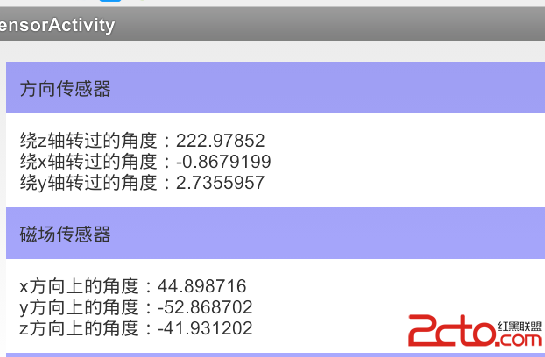 Android 傳感器 (詳解二)—— 常用傳感器
方向傳感器 Orientation (現在幾乎已經不用了,因為其實不存在真正的方向) 磁場傳感器 Magnetic Field 溫度傳感器 Temperatu
 Android實現QQ搶紅包插件
又想到快要過年了,到時候還不知道群裡要發好多紅包,所以我將之前在網上宕的一份微信搶紅包的代碼修改了一下,實現了QQ搶紅包!可以支持搶QQ拼手氣紅包,普通紅包,口令紅包,現