編輯:關於Android編程
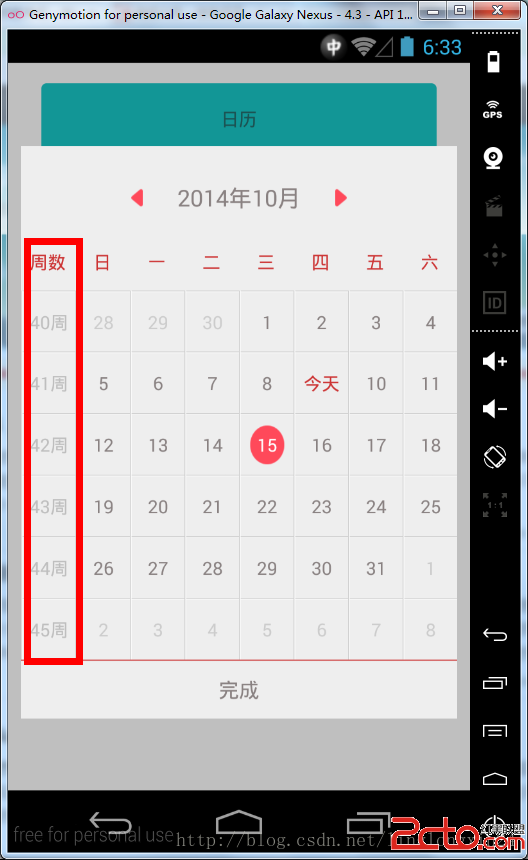
package com.fancyy.calendarweight;

import java.util.ArrayList;
import java.util.List;

import android.app.Activity;
import android.content.Context;
import android.graphics.drawable.BitmapDrawable;
import android.os.Bundle;
import android.view.Gravity;
import android.view.View;
import android.view.View.OnClickListener;
import android.view.ViewGroup.LayoutParams;
import android.view.animation.AnimationUtils;
import android.widget.Button;
import android.widget.LinearLayout;
import android.widget.PopupWindow;
import android.widget.RelativeLayout;
import android.widget.TextView;

import com.fancyy.calendarweight.KCalendar.OnCalendarClickListener;
import com.fancyy.calendarweight.KCalendar.OnCalendarDateChangedListener;

public class MainActivity extends Activity {

	String date = null;// 設置默認選中的日期  格式為 “2014-04-05” 標准DATE格式

	Button bt;

	protected void onCreate(Bundle savedInstanceState) {
		super.onCreate(savedInstanceState);

		setContentView(R.layout.activity_main);
		bt = (Button) findViewById(R.id.bt);
		bt.setOnClickListener(new OnClickListener() {
			public void onClick(View v) {
				new PopupWindows(MainActivity.this, bt);
			}
		});
	}

	public class PopupWindows extends PopupWindow {

		public PopupWindows(Context mContext, View parent) {

			View view = View.inflate(mContext, R.layout.popupwindow_calendar,
					null);
			view.startAnimation(AnimationUtils.loadAnimation(mContext,
					R.anim.fade_in));
			LinearLayout ll_popup = (LinearLayout) view
					.findViewById(R.id.ll_popup);
			ll_popup.startAnimation(AnimationUtils.loadAnimation(mContext,
					R.anim.push_bottom_in_1));

			setWidth(LayoutParams.FILL_PARENT);
			setHeight(LayoutParams.FILL_PARENT);
			setBackgroundDrawable(new BitmapDrawable());
			setFocusable(true);
			setOutsideTouchable(true);
			setContentView(view);
			showAtLocation(parent, Gravity.BOTTOM, 0, 0);
			update();

			final TextView popupwindow_calendar_month = (TextView) view
					.findViewById(R.id.popupwindow_calendar_month);
			final KCalendar calendar = (KCalendar) view
					.findViewById(R.id.popupwindow_calendar);
			Button popupwindow_calendar_bt_enter = (Button) view
					.findViewById(R.id.popupwindow_calendar_bt_enter);

			popupwindow_calendar_month.setText(calendar.getCalendarYear() + 年
					+ calendar.getCalendarMonth() + 月);

			if (null != date) {

				int years = Integer.parseInt(date.substring(0,
						date.indexOf(-)));
				int month = Integer.parseInt(date.substring(
						date.indexOf(-) + 1, date.lastIndexOf(-)));
				popupwindow_calendar_month.setText(years + 年 + month + 月);

				calendar.showCalendar(years, month);
				calendar.setCalendarDayBgColor(date,
						R.drawable.calendar_date_focused);
			}

			List list = new ArrayList(); //設置標記列表
			list.add(2014-04-01);
			list.add(2014-04-02);
			calendar.addMarks(list, 0);

			//監聽所選中的日期
			calendar.setOnCalendarClickListener(new OnCalendarClickListener() {

				public void onCalendarClick(int row, int col, String dateFormat) {
					int month = Integer.parseInt(dateFormat.substring(
							dateFormat.indexOf(-) + 1,
							dateFormat.lastIndexOf(-)));

					if (calendar.getCalendarMonth() - month == 1//跨年跳轉
							|| calendar.getCalendarMonth() - month == -11) {
						calendar.lastMonth();

					} else if (month - calendar.getCalendarMonth() == 1 //跨年跳轉
							|| month - calendar.getCalendarMonth() == -11) {
						calendar.nextMonth();

					} else {
						calendar.removeAllBgColor();
						calendar.setCalendarDayBgColor(dateFormat,
								R.drawable.calendar_date_focused);
						date = dateFormat;//最後返回給全局 date
					}
				}
			});

			//監聽當前月份
			calendar.setOnCalendarDateChangedListener(new OnCalendarDateChangedListener() {
				public void onCalendarDateChanged(int year, int month) {
					popupwindow_calendar_month
							.setText(year + 年 + month + 月);
				}
			});

			//上月監聽按鈕
			RelativeLayout popupwindow_calendar_last_month = (RelativeLayout) view
					.findViewById(R.id.popupwindow_calendar_last_month);
			popupwindow_calendar_last_month
					.setOnClickListener(new OnClickListener() {

						public void onClick(View v) {
							calendar.lastMonth();
						}

					});

			//下月監聽按鈕
			RelativeLayout popupwindow_calendar_next_month = (RelativeLayout) view
					.findViewById(R.id.popupwindow_calendar_next_month);
			popupwindow_calendar_next_month
					.setOnClickListener(new OnClickListener() {

						public void onClick(View v) {
							calendar.nextMonth();
						}
					});

			//關閉窗口
			popupwindow_calendar_bt_enter
					.setOnClickListener(new OnClickListener() {

						public void onClick(View v) {
							dismiss();
						}
					});
		}
	}

}
 直接應用項目中的Android圖片緩存技術
前不久搞的Android圖片緩存,剛開始引入開源的框架,用著還行,但是在開發中遇到問題,就比如universal-image-loader-1.9.5.jar這個框架吧,
 Android 存儲學習之保存系統短信到SD卡(使用XML序列化器)
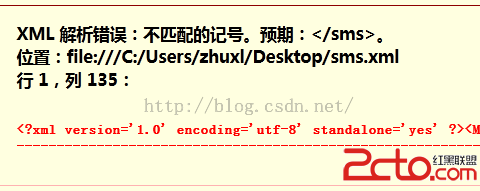
上節中我們是手動拼接xml文件,但是上節中那樣的做法會有一個問題,比如: //插入消息的內容sBuffer.append(); sBuffer.append(s
 徹底理解handler的實現原理
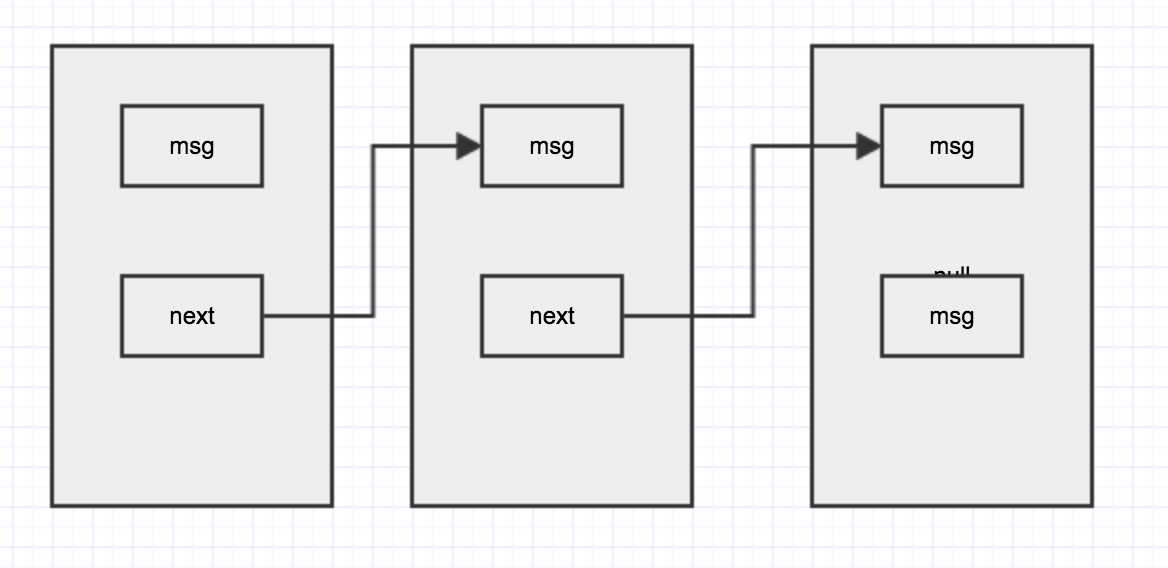
說到handler大家都很熟悉,自己也用了很久,再此總結一下 從handler的源碼角度看看handler是如何執行的。涉及到的內容:Loop Message Messa
 自己寫的貪吃蛇(1)
最近很多人在玩一個《貪吃蛇大作戰》的游戲,以前小時候也經常在文曲星上玩貪吃蛇這個小游戲,於是自己就試著寫一個傳統的貪吃蛇游戲來玩玩,先寫了一個簡單demo。我們知道小蛇是