編輯:關於Android編程
	/**
	 * 判斷桌面是否已經存在快捷方式
	 */
	private boolean isExit() {
		Uri uri = null;
		if (android.os.Build.VERSION.SDK_INT < 8) {
			uri = Uri.parse("content://com.android.launcher.settings/favorites");
		} else {
			uri = Uri.parse("content://com.android.launcher2.settings/favorites");
		}
		String selection = "title=?";
		String[] selectionArgs = new String[] { "快捷圖標名稱" };
		Cursor cursor = getContentResolver().query(uri, null, selection, selectionArgs, null);
		if (cursor.moveToNext()) {
			cursor.close();
			return true;
		} else {
			cursor.close();
			return false;
		}
	}

	public void createShortcut(View view) {
		if (isExit()) {
			Toast.makeText(getApplicationContext(), "快捷方式已經存在", 0).show();
			return;
		}
		Parcelable icon = Intent.ShortcutIconResource.fromContext(getApplicationContext(), R.drawable.logo);
		Intent intent = new Intent();
		intent.setAction("com.android.launcher.action.INSTALL_SHORTCUT");
		intent.putExtra(Intent.EXTRA_SHORTCUT_NAME, "快捷圖標名稱");
		intent.putExtra(Intent.EXTRA_SHORTCUT_ICON_RESOURCE, icon);

		Intent intent2 = new Intent();
		// 點擊圖標意圖
		intent2.setAction(Intent.ACTION_MAIN);
		intent2.addCategory(Intent.CATEGORY_LAUNCHER);
		intent2.setComponent(new ComponentName(this, MainActivity.class));

		intent.putExtra(Intent.EXTRA_SHORTCUT_INTENT, intent2);
		sendBroadcast(intent);
	}
public void delShortcut(View view) {
Parcelable icon = Intent.ShortcutIconResource.fromContext(getApplicationContext(), R.drawable.logo);
Intent intent = new Intent();
intent.setAction("com.android.launcher.action.UNINSTALL_SHORTCUT");
intent.putExtra(Intent.EXTRA_SHORTCUT_NAME, "快捷圖標名稱");
intent.putExtra(Intent.EXTRA_SHORTCUT_ICON_RESOURCE, icon);
Intent intent2 = new Intent();
intent2.setAction(Intent.ACTION_MAIN);
intent2.addCategory(Intent.CATEGORY_LAUNCHER);
intent2.setComponent(new ComponentName(this, MainActivity.class));
intent.putExtra(Intent.EXTRA_SHORTCUT_INTENT, intent2);
sendBroadcast(intent);
} Android Meterial Design-Defining Shadows and Clipping Views(定義陰影和裁剪視圖)-(四)
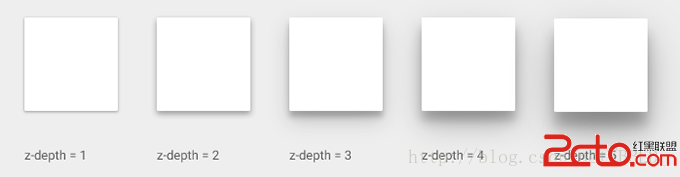
Material Design引入了深度的UI元素。深入幫助用戶了解每個元素的相對重要性,並把注意力集中到手頭上正在做的事情。 一個視圖(控件),由Z屬性表
 android 百度地圖系列之地圖初始化及定位
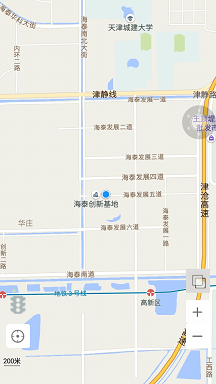
在Android應用中,很多時候需要地圖功能,回顧過去寫的項目和百度地圖api,開始總結一下Android百度地圖的實現。首先總結一下怎麼開始一個Android百度地圖功
 Android數據存儲SQLite數據庫存儲
SQLite是Android系統內置的數據庫,是一種輕量級的關系型數據庫,它運算速度快,占用資源少,非常適合在移動設備上使用。同時,它不僅支持標准的SQL語法,還遵循了數
 unity5.3+Easytouch4.3——EasyTouch及搖桿控件介紹
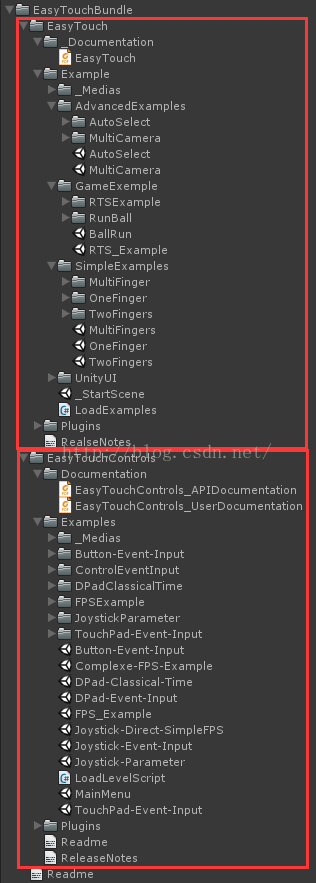
一、EasyTouch插件介紹本文總結時,目前網上可以很方便的下載到EasyTouch4.3版本(額……你懂什麼叫很方便的),由於某些版本和版