編輯:關於Android編程
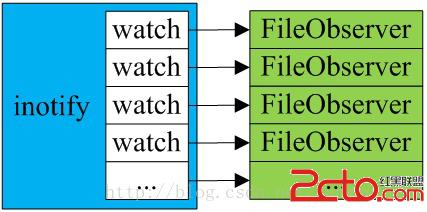
在前面的Linux文件系統Inotify機制 中介紹了Linux對文件變更監控過程。Android系統在此基礎上封裝了一個FileObserver類來方便使用Inotify機制。FileObserver是一個抽象類,需要定義子類實現該類的onEvent抽象方法,當被監控的文件或者目錄發生變更事件時,將回調FileObserver的onEvent()函數來處理文件或目錄的變更事件。
在FileObserver類中定義了一個靜態內部類ObserverThread,該線程類才是真正實現文件或目錄監控過程。各種類型的FileObserver都擁有一個ObserverThread實例:
frameworks\base\core\java\android\os\FileObserver.java
public abstract class FileObserver {
    //可監控的事件類型
	public static final int ALL_EVENTS = ACCESS | MODIFY | ATTRIB | CLOSE_WRITE
            | CLOSE_NOWRITE | OPEN | MOVED_FROM | MOVED_TO | DELETE | CREATE | DELETE_SELF | MOVE_SELF;
	//靜態創建並啟動一個文件監控線程
	private static ObserverThread s_observerThread;
    static {
        s_observerThread = new ObserverThread();
        s_observerThread.start();
    }
    // instance
    private String m_path;
    private Integer m_descriptor;
    private int m_mask;
}
FileObserver類通過靜態方式構造了一個ObserverThread對象:
public ObserverThread() {
	super("FileObserver");
	m_fd = init();//初始化一個inotify實例,Observer線程就是對該inotify實例進行監控
}
frameworks\base\core\jni\android_util_FileObserver.cpp
static jint android_os_fileobserver_init(JNIEnv* env, jobject object)
{
#ifdef HAVE_INOTIFY
    return (jint)inotify_init();//初始化一個inotify實例
#else // HAVE_INOTIFY
    return -1;
#endif // HAVE_INOTIFY
}
inotify_init()函數實現在Linux文件系統Inotify機制 有詳細介紹,然後啟動ObserverThread線程,ObserverThread線程運行體:
frameworks\base\core\java\android\os\FileObserve$ObserverThread
public void run() {
	observe(m_fd);//監控inotify實例句柄
}
frameworks\base\core\jni\android_util_FileObserver.cpp
static void android_os_fileobserver_observe(JNIEnv* env, jobject object, jint fd)
{
#ifdef HAVE_INOTIFY
    char event_buf[512];//定義事件數組
    struct inotify_event* event;
    while (1)
    {
        int event_pos = 0;
		//從inotify實例句柄中讀取事件
        int num_bytes = read(fd, event_buf, sizeof(event_buf));
        if (num_bytes < (int)sizeof(*event))
        {
            if (errno == EINTR)
                continue;
            ALOGE("***** ERROR! android_os_fileobserver_observe() got a short event!");
            return;
        }
	    //循環處理讀取到的事件
        while (num_bytes >= (int)sizeof(*event))
        {
            int event_size;
            event = (struct inotify_event *)(event_buf + event_pos);
            jstring path = NULL;
            if (event->len > 0)
            {
                path = env->NewStringUTF(event->name);
            }
			//調用ObserverThread的onEvent函數通知上層響應
            env->CallVoidMethod(object, method_onEvent, event->wd, event->mask, path);
            if (env->ExceptionCheck()) {
                env->ExceptionDescribe();
                env->ExceptionClear();
            }
            if (path != NULL)
            {
                env->DeleteLocalRef(path);
            }
            event_size = sizeof(*event) + event->len;
            num_bytes -= event_size;
            event_pos += event_size;
        }
    }
#endif // HAVE_INOTIFY
}
ObserverThread線程循環從inotify實例句柄中讀取事件,然後回調ObserverThread的onEvent函數來處理事件。
frameworks\base\core\java\android\os\FileObserve$ObserverThread
public void onEvent(int wfd, int mask, String path) {
	// look up our observer, fixing up the map if necessary...
	FileObserver observer = null;
	synchronized (m_observers) {
		//根據wfd句柄從m_observers表中查找出注冊的FileObserver對象
		WeakReference weak = m_observers.get(wfd);
		if (weak != null) {  // can happen with lots of events from a dead wfd
			observer = (FileObserver) weak.get();
			if (observer == null) {
				m_observers.remove(wfd);
			}
		}
	}
	// ...then call out to the observer without the sync lock held
	if (observer != null) {
		try {
			//調用對應的FileObserver對象的onEvent函數來處理事件
			observer.onEvent(mask, path);
		} catch (Throwable throwable) {
			Log.wtf(LOG_TAG, "Unhandled exception in FileObserver " + observer, throwable);
		}
	}
}
FileObserver類提供了startWatching()函數來啟動文件監控
frameworks\base\core\java\android\os\FileObserver.java
public void startWatching() {
	if (m_descriptor < 0) {
		m_descriptor = s_observerThread.startWatching(m_path, m_mask, this);
	}
}
由ObserverThread線程對象啟動監控
frameworks\base\core\java\android\os\FileObserver$ObserverThread
public int startWatching(String path, int mask, FileObserver observer) {
	//在Inotify實例中添加一個watch對象,並得到一個watch對象句柄
	int wfd = startWatching(m_fd, path, mask);
	Integer i = new Integer(wfd);
	if (wfd >= 0) {
		//將watch對象句柄和響應該watch事件的FileObserver以鍵值對的形式保存在m_observers成員變量中
		synchronized (m_observers) {
			m_observers.put(i, new WeakReference(observer));
		}
	}
	return i;
}
ObserverThread又調用native方法android_os_fileobserver_startWatching()來添加一個watch
frameworks\base\core\jni\android_util_FileObserver.cpp
static jint android_os_fileobserver_startWatching(JNIEnv* env, jobject object, jint fd, jstring pathString, jint mask)
{
    int res = -1;
#ifdef HAVE_INOTIFY
    if (fd >= 0)
    {
        const char* path = env->GetStringUTFChars(pathString, NULL);
		//在Inotify實例上添加一個watch對象
        res = inotify_add_watch(fd, path, mask);
        env->ReleaseStringUTFChars(pathString, path);
    }
#endif // HAVE_INOTIFY
    return res;
}
FileObserver類提供了使用stopWatching()函數來停止文件監控。
frameworks\base\core\java\android\os\FileObserver$ObserverThread
public void stopWatching() {
	if (m_descriptor >= 0) {
		s_observerThread.stopWatching(m_descriptor);
		m_descriptor = -1;
	}
}
frameworks\base\core\java\android\os\FileObserve$ObserverThread
public void stopWatching(int descriptor) {
	stopWatching(m_fd, descriptor);
}
frameworks\base\core\jni\android_util_FileObserver.cpp
static void android_os_fileobserver_stopWatching(JNIEnv* env, jobject object, jint fd, jint wfd)
{
#ifdef HAVE_INOTIFY
    inotify_rm_watch((int)fd, (uint32_t)wfd);
#endif // HAVE_INOTIFY
}
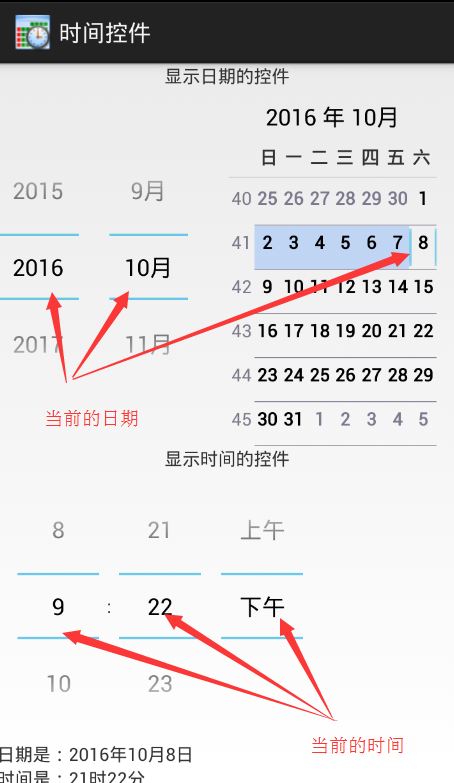 Android顯示時間和日期的控件的使用總結
相關類的認識Picker(DatePicker、TimerPicker、NumberPicker)其中DatePicker和TimerPicker都有窗口的形式顯示日期和
 Android學習筆記-EditText&TextView&Button&菜單欄
界面文件activity_main.xml 1 2 3 4 5 6 7 8 9 10 11 12 13 14 15 1
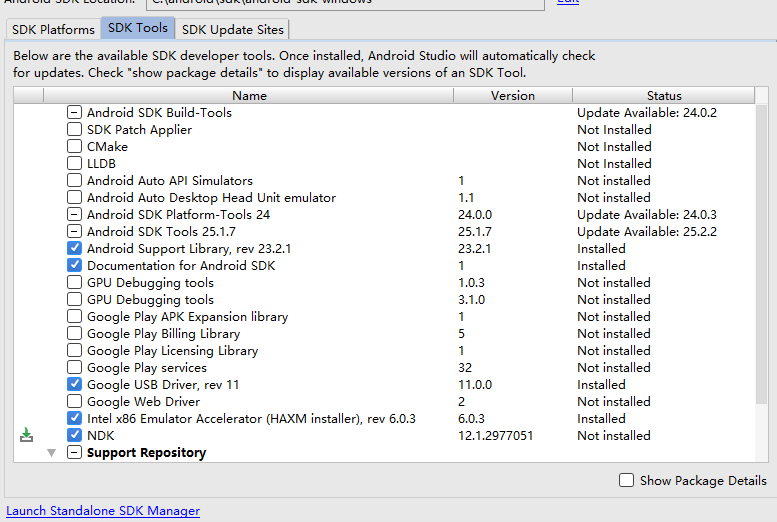 android studio 下如何配置JNI環境
版本:Android stuido 2.2 windows 10操作系統網上很多都是基於早期的eclipse環境配置的,studio的很少。以下是我親測可用的一個詳細過程
 android 自定義組合控件
自定義控件是一些android程序員感覺很難攻破的難點,起碼對我來說是這樣的,但是我們可以在網上找一些好的博客關於自定義控件好好拿過來學習研究下,多練,多寫點也能找到感覺