編輯:關於Android編程
一、android下創建文件夾
	File sd=Environment.getExternalStorageDirectory();
        String path=sd.getPath()+"/notes";
        File file=new File(path);
        if(!file.exists())
           file.mkdir();
HttpClient httpClient = new DefaultHttpClient();
						HttpGet httpGet= new HttpGet("http://img3.3lian.com/2006/016/09/031.jpg");
						HttpResponse httpResponse = httpClient.execute(httpGet);
						if(httpResponse.getStatusLine().getStatusCode() == 200){
							 total_length = httpResponse.getEntity().getContentLength();
							 is = httpResponse.getEntity().getContent() ;
					         File file = new File(Environment.getExternalStorageDirectory(), "aupdata.jpg");
					         fos = new FileOutputStream(file);
					         bis = new BufferedInputStream(is);
					         byte[] buffer = new byte[1024];
					         byte [] result_two = new byte [(int) total_length];
					         int len = 0;
					        int total=0;
					        while((len = bis.read(buffer)) > -1){
					        	System.arraycopy(buffer, 0, result_two, total, len);


					        	fos.write(buffer, 0, len);
					        	total = total + len ;


					    	    }
}FileOutputStream定義文件後,用.write方法寫入內容,就可以創建對應文件了。三、android安裝其他apk
                        Intent intent = new Intent();
			intent.setAction(Intent.ACTION_VIEW);
			File install_file = new File(Environment.getExternalStorageDirectory() , "MyWeb.apk");
			intent.setDataAndType(Uri.fromFile(install_file), "application/vnd.android.package-archive");
			startActivity(intent);
 Android中Socket通信之TCP與UDP傳輸原理
一、Socket通信簡介Android與服務器的通信方式主要有兩種,一是Http通信,一是Socket通信。兩者的最大差異在於,http連接使用的是“請求&m
 Android5.0新特性——SVG(可縮放矢量圖形)
什麼是SVG(Scalable Vector Graphics)SVG一種用於描述圖像的標記語言。類似HTML。SVG嚴格遵從XML語法,並用文本格式的描述性語言來描述圖
 【Android圖像處理】從相冊選擇一張圖片並分享
說到圖像處理,第一件事就是要從手機相冊選擇圖片,然後才是處理。其實,用代碼實現從手機相冊選擇一張圖片其實非常簡單:添加一個Button,id設為btnOpen;對該But
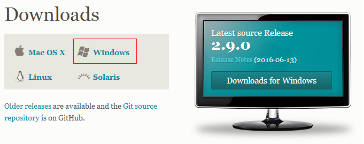 Android studio使用git教程
①下載Git工具,配置到Android studio中http://git-scm.com/downloads------------------------------