編輯:關於Android編程
此類提供日常開發中常用的正則驗證函數,比如:郵箱、手機號、電話號碼、身份證號碼、日期、數字、小數、URL、IP地址等。使用Pattern對象的matches方法進行整個字符匹配,調用該方法相當於:
Pattern p = Pattern.compile(regex);
Matcher m = p.matcher(input);
return m.matches();
每個正則可能還有待優化的地方,您如有更好的方式實現某一個功能的驗證,歡迎提出來大家一起討論。下面是工具類的完整代碼:
源碼地址:http://download.csdn.net/detail/u014608640/7316565
/**
 * 正則工具類
 * 提供驗證郵箱、手機號、電話號碼、身份證號碼、數字等方法
 */
public final class RegexUtils {

	/**
	 * 驗證Email
	 * @param email email地址,格式:zhangsan@sina.com,zhangsan@xxx.com.cn,xxx代表郵件服務商
	 * @return 驗證成功返回true,驗證失敗返回false
	 */
	public static boolean checkEmail(String email) {
		String regex = "\\w+@\\w+\\.[a-z]+(\\.[a-z]+)?";
		return Pattern.matches(regex, email);
	}

	/**
	 * 驗證身份證號碼
	 * @param idCard 居民身份證號碼15位或18位,最後一位可能是數字或字母
	 * @return 驗證成功返回true,驗證失敗返回false
	 */
	public static boolean checkIdCard(String idCard) {
		String regex = "[1-9]\\d{13,16}[a-zA-Z0-9]{1}";
		return Pattern.matches(regex,idCard);
	}

	/**
	 * 驗證手機號碼(支持國際格式,+86135xxxx...(中國內地),+00852137xxxx...(中國香港))
	 * @param mobile 移動、聯通、電信運營商的號碼段
	 *移動的號段:134(0-8)、135、136、137、138、139、147(預計用於TD上網卡)
	 *、150、151、152、157(TD專用)、158、159、187(未啟用)、188(TD專用)
	 *聯通的號段:130、131、132、155、156(世界風專用)、185(未啟用)、186(3g)
	 *電信的號段:133、153、180(未啟用)、189
	 * @return 驗證成功返回true,驗證失敗返回false
	 */
	public static boolean checkMobile(String mobile) {
		String regex = "(\\+\\d+)?1[3458]\\d{9}$";
		return Pattern.matches(regex,mobile);
	}

	/**
	 * 驗證固定電話號碼
	 * @param phone 電話號碼,格式:國家(地區)電話代碼 + 區號(城市代碼) + 電話號碼,如:+8602085588447
	 * 國家(地區) 代碼 :標識電話號碼的國家(地區)的標准國家(地區)代碼。它包含從 0 到 9 的一位或多位數字,
	 *  數字之後是空格分隔的國家(地區)代碼。
	 * 區號(城市代碼):這可能包含一個或多個從 0 到 9 的數字,地區或城市代碼放在圓括號——
	 * 對不使用地區或城市代碼的國家(地區),則省略該組件。
	 * 電話號碼:這包含從 0 到 9 的一個或多個數字
	 * @return 驗證成功返回true,驗證失敗返回false
	 */
	public static boolean checkPhone(String phone) {
		String regex = "(\\+\\d+)?(\\d{3,4}\\-?)?\\d{7,8}$";
		return Pattern.matches(regex, phone);
	}

	/**
	 * 驗證整數(正整數和負整數)
	 * @param digit 一位或多位0-9之間的整數
	 * @return 驗證成功返回true,驗證失敗返回false
	 */
	public static boolean checkDigit(String digit) {
		String regex = "\\-?[1-9]\\d+";
		return Pattern.matches(regex,digit);
	}

	/**
	 * 驗證整數和浮點數(正負整數和正負浮點數)
	 * @param decimals 一位或多位0-9之間的浮點數,如:1.23,233.30
	 * @return 驗證成功返回true,驗證失敗返回false
	 */
	public static boolean checkDecimals(String decimals) {
		String regex = "\\-?[1-9]\\d+(\\.\\d+)?";
		return Pattern.matches(regex,decimals);
	}

	/**
	 * 驗證空白字符
	 * @param blankSpace 空白字符,包括:空格、\t、\n、\r、\f、\x0B
	 * @return 驗證成功返回true,驗證失敗返回false
	 */
	public static boolean checkBlankSpace(String blankSpace) {
		String regex = "\\s+";
		return Pattern.matches(regex,blankSpace);
	}

	/**
	 * 驗證中文
	 * @param chinese 中文字符
	 * @return 驗證成功返回true,驗證失敗返回false
	 */
	public static boolean checkChinese(String chinese) {
		String regex = "^[\u4E00-\u9FA5]+$";
		return Pattern.matches(regex,chinese);
	}

	/**
	 * 驗證日期(年月日)
	 * @param birthday 日期,格式:1992-09-03,或1992.09.03
	 * @return 驗證成功返回true,驗證失敗返回false
	 */
	public static boolean checkBirthday(String birthday) {
		String regex = "[1-9]{4}([-./])\\d{1,2}\\1\\d{1,2}";
		return Pattern.matches(regex,birthday);
	}

	/**
	 * 驗證URL地址
	 * @param url 格式:http://blog.csdn.net:80/xyang81/article/details/7705960? 或 http://www.csdn.net:80
	 * @return 驗證成功返回true,驗證失敗返回false
	 */
	public static boolean checkURL(String url) {
		String regex = "(https?://(w{3}\\.)?)?\\w+\\.\\w+(\\.[a-zA-Z]+)*(:\\d{1,5})?(/\\w*)*(\\??(.+=.*)?(&.+=.*)?)?";
		return Pattern.matches(regex, url);
	}

	/**
	 * 匹配中國郵政編碼
	 * @param postcode 郵政編碼
	 * @return 驗證成功返回true,驗證失敗返回false
	 */
	public static boolean checkPostcode(String postcode) {
		String regex = "[1-9]\\d{5}";
		return Pattern.matches(regex, postcode);
	}

	/**
	 * 匹配IP地址(簡單匹配,格式,如:192.168.1.1,127.0.0.1,沒有匹配IP段的大小)
	 * @param ipAddress IPv4標准地址
	 * @return 驗證成功返回true,驗證失敗返回false
	 */
	public static boolean checkIpAddress(String ipAddress) {
		String regex = "[1-9](\\d{1,2})?\\.(0|([1-9](\\d{1,2})?))\\.(0|([1-9](\\d{1,2})?))\\.(0|([1-9](\\d{1,2})?))";
		return Pattern.matches(regex, ipAddress);
	}

}
 * 正則表達式工具類測試
 */
public class RegexUtilsTest {

	/**
	 * 驗證郵箱
	 */
	@Test
	public void testCheckEmail() {
		boolean result = RegexUtils.checkEmail("zha2_ngsan@sina.com.cn");
		Assert.assertTrue(result);
	}

	/**
	 * 驗證身份證號碼
	 */
	@Test
	public void testCheckIdCard() {
		boolean result = RegexUtils.checkIdCard("432403193902273273");
		Assert.assertTrue(result);
	}

	/**
	 * 驗證手機號碼
	 */
	@Test
	public void testCheckMobile() {
		boolean result = RegexUtils.checkMobile("+8613620285733");
		Assert.assertTrue(result);
	}

	/**
	 * 驗證電話號碼
	 */
	@Test
	public void testCheckPhone() {
		boolean result = RegexUtils.checkPhone("+860738-4630706");
		Assert.assertTrue(result);
	}

	/**
	 * 驗證整數(正整數和負整數)
	 */
	@Test
	public void testCheckDigit() {
		boolean result = RegexUtils.checkDigit("123132");
		Assert.assertTrue(result);
	}

	/**
	 * 驗證小數和整數(正負整數和正負小數)
	 */
	@Test
	public void testCheckDecimals() {
		boolean result = RegexUtils.checkDecimals("-33.2");
		Assert.assertTrue(result);
	}

	/**
	 * 驗證空白字符
	 */
	@Test
	public void testCheckBlankSpace() {
		boolean result = RegexUtils.checkBlankSpace("   		");
		Assert.assertTrue(result);
	}

	/**
	 * 匹配中文
	 */
	@Test
	public void testCheckChinese() {
		boolean result = RegexUtils.checkChinese("中文");
		Assert.assertTrue(result);
	}

	/**
	 * 驗證日期
	 */
	@Test
	public void testCheckBirthday() {
		boolean result = RegexUtils.checkBirthday("1992/09/03");
		Assert.assertTrue(result);
	}

	/**
	 * 驗證中國郵政編碼
	 */
	@Test
	public void testCheckPostcode() {
		boolean result = RegexUtils.checkPostcode("417100");
		Assert.assertTrue(result);
	}

	/**
	 * 驗證URL地址
	 */
	@Test
	public  void testCheckURL() {
		boolean result = RegexUtils.checkURL("http://blog.csdn.com:80/xyang81/article/details?name=&abc=中文");
		Assert.assertTrue(result);
	}

	/**
	 * 驗證IP地址
	 */
	@Test
	public void testCheckIpAddress() {
		boolean result = RegexUtils.checkIpAddress("192.1.22.255");
		Assert.assertTrue(result);
	}
}
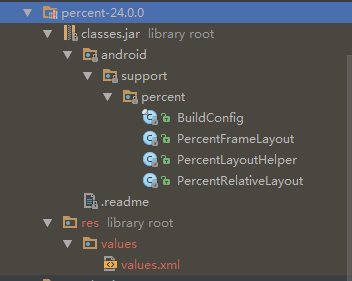 Android 百分比布局詳解及實例代碼
Android 百分比布局1.引入:compile com.android.support:percent:24.0.02.點開源碼可以看到,主要有兩個布局類Percen
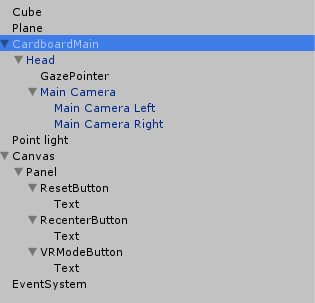 寫給VR手游開發小白的教程:(六)Cardboard如何實現沉浸式VR體驗之構造雙眼
沉浸體驗是VR的核心也是一直以來的技術難點,虛擬現實的發展一直專注於怎樣讓用戶獲得更好的沉浸式體驗,這涉及到多個領域的多項技術,上至渲染優化,性能優化,下至人眼的構造,肢
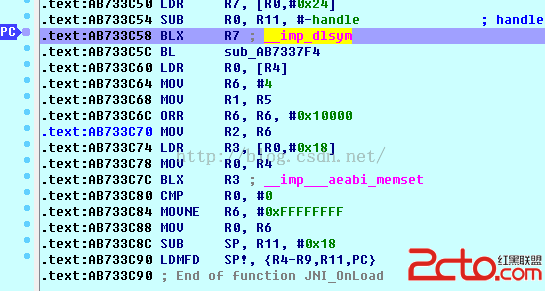 android中生成excel
都說程序員不爽產品經理,其實有的時候遇到一些奇葩的後台開發人員也會很不順心。最近項目有這樣一個要求,要生成一個excel然後發郵件給客戶。結果後台人員直接把這個功能扔給客
 Android實現果凍滑動效果的控件
前言在微信是的處理方法是讓用戶滑動,但最終還是回滾到最初的地方,這樣的效果很生動(畢竟成功還是取決於細節)。那麼在安卓我們要怎麼弄呢。下面為大家介紹一下JellyScro