編輯:關於Android編程
接收端:
  	protected static final int SendPort = 8600;
	  protected static final int ReceivePort = 8601;
  	private MulticastSocket socket;
	  private InetAddress address;
	  private DatagramPacket packet;

		socket = new MulticastSocket(ReceivePort);
	  address = InetAddress.getByName("224.0.0.1");
		socket.joinGroup(address);


		private Runnable mSendRunnable = new Runnable() {
        public void run() {
    		//發送數據包,尋找接收端
    		byte[] buf = "SMART IR".getBytes();
    		packet = new DatagramPacket(buf, buf.length, address, SendPort);
    		try {
    			socket.send(packet);
    		} catch (IOException e) {
    			// TODO Auto-generated catch block
    			e.printStackTrace();
    		}
        }
	};
public class IRReceiveSetupConnectSocket {
	protected static final String TAG = "MultiSocketA";
	protected static final int SendPort = 8601;
	protected static final int ReceivePort = 8600;

	private MulticastSocket socket;
	private InetAddress address;
	private boolean mReceiveMultiSocket = true;
	private int ipaddr;
	public  IRReceiveSetupConnectSocket(int ip) throws IOException{
		ipaddr = ip;
		socket = new MulticastSocket(ReceivePort);
		address = InetAddress.getByName("224.0.0.1");
		socket.joinGroup(address);

		new Thread(run).start();

	}

// 此thread會一直poll multisovket的信息,只要有接受到信息,就將自己ip地址廣播出去;發送端可以以此地址發送key(其它線程的socket)
	Runnable run = new Runnable() {
        @Override
        public void run() {
        	while(mReceiveMultiSocket)
        	{
        		byte[] rev = new byte[128];
        		DatagramPacket packet = new DatagramPacket(rev, rev.length);
        		try {
        			Log.d("yanxi", "MultiSocket Waitting.......");

        			//receive connect requst,and send ipaddr to request host
					socket.receive(packet);
					Log.d("yanxi", "MultiSocket received........"+ new String(packet.getData()).trim());

					//send ipaddr to request host
					byte[] buf = (""+ipaddr).getBytes();
					packet = new DatagramPacket(buf, buf.length, address, SendPort);
					socket.send(packet);
					Log.d("yanxi", "MultiSocket send........"+ ipaddr);
					//mReceiveMultiSocket = false;
					try {
						Thread.sleep(100);
					} catch (InterruptedException e) {
						// TODO Auto-generated catch block
						e.printStackTrace();
					}
				} catch (IOException e) {
					e.printStackTrace();
				}
        	}
        }
    };


}
 實現應用內用戶頭像更改
今天有點累,我就直接把代碼粘上了,不過我在裡面加了注釋,方便大家理解。Activity:public class IntentActivity extends AppCo
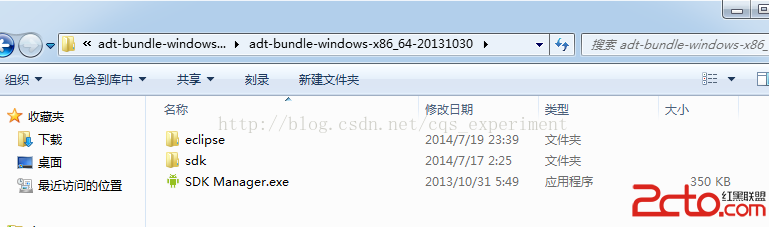 andriod 在windows上環境配置
andriod開發環境配置 個人信息:就讀於燕大本科軟件工程專業 目前大四; 本人博客:google搜索“cqs_2012”即可; 個人愛好:酷愛數據結構和算法,
 android柱狀圖和餅狀圖的的實現
還是先看看效果圖,免得浪費大家的時間 1.第三方框架有很多,這裡采用的是MPAndroidChart,github鏈接下
 百思不得姐之圖片處理(保存與下載)
一 功能圖二 講解思路1 回顧上一篇內容2 創建加載圖片類(同時創建xib)3 點擊圖片查看大圖4 點擊查看大圖(查看長圖)5 model出展示圖片的控制器6 保存圖片7