編輯:關於Android編程
如果不用USB線, pad 怎樣從PC接收文件 ? 我在家用無線路由器, pad 用WiFi 連網.
Windows PC 上先啟動服務程序 getfile.py -mode server
import sys, os, thread, time
from socket import *
def now(): return time.strftime('%Y-%m-%d %X',time.localtime())

bufsz = 1024
defaultHost = 'localhost'
defaultPort = 55555
path = '/python4android/'
helptext = """
Usage...
server=> getfile.py  -mode server            [-port nnn] [-host hhh|localhost]
client=> getfile.py [-mode client] -file fff [-port nnn] [-host hhh|localhost]
"""

def parsecommandline( ):
    dict = {}                        # put in dictionary for easy lookup
    args = sys.argv[1:]              # skip program name at front of args
    while len(args) >= 2:            # example: dict['-mode'] = 'server'
        dict[args[0]] = args[1]
        args = args[2:]
    return dict

def client(host, port, filename):
    sock = socket(AF_INET, SOCK_STREAM)
    sock.connect((host, port))
    sock.send(filename + '\n')                 # send remote name with dir
    file = open(filename, 'wb')                 # create local file in cwd
    while True:
        data = sock.recv(bufsz)                # get up to 1K at a time
        if not data: break                     # till closed on server side
        file.write(data)                       # store data in local file
    sock.close( )
    file.close( )
    print 'Client get', filename, 'at', now( )

def serverthread(clientsock):
    global path
    sockfile = clientsock.makefile('r')          # wrap socket in dup file obj
    filename = sockfile.readline( )[:-1]        # get filename up to end-line
    dropdir =  path + os.path.split(filename)[1]
    try:
        file = open(dropdir, 'rb')
        while True:
            bytes = file.read(bufsz)           # read/send 1K at a time
            if not bytes: break                # until file totally sent
            sent = clientsock.send(bytes)
            assert sent == len(bytes)
        print 'download file :', dropdir
    except:
        print 'Error download file on server:', filename
    clientsock.close( )

def server(host, port):
    serversock = socket(AF_INET, SOCK_STREAM)     # listen on TCP/IP socket
    serversock.bind((host, port))                 # serve clients in threads
    serversock.listen(5)
    while True:
        clientsock, clientaddr = serversock.accept( )
        print 'Server connected by', clientaddr, 'at', now( )
        thread.start_new_thread(serverthread, (clientsock,))

def main(args):
    host = args.get('-host', defaultHost)         # use args or defaults
    port = int(args.get('-port', defaultPort))    # is a string in argv
    if args.get('-mode') == 'server':             # None if no -mode: client
        if host == 'localhost':
            name = gethostname()
            host = gethostbyname(name)     # else fails remotely
        server(host, port)
    elif args.get('-file'):                       # client mode needs -file
        client(host, port, args['-file'])
    else:
        print helptext

if __name__ == '__main__':
    args = parsecommandline( )
    main(args)
cmd 用 ipconfig 看PC的IP地址.
android pad 運行 getfile.py
# -*- coding: utf8 -*-
import android
import sys, os, time
from socket import *
def now(): return time.strftime('%Y-%m-%d %X',time.localtime())

droid = android.Android()
filename = droid.dialogGetInput(u"從PC接收文件",u"請輸入文件名:").result
print filename

bufsz = 1024
host = '192.168.0.103'
port = 55555
path = '/mnt/sdcard/sl4a/scripts/'

sock = socket(AF_INET, SOCK_STREAM)
sock.connect((host, port))
sock.send(filename + '\n')                 # send remote name with dir
file = open(path+filename, 'wb')                 # create local file in cwd
while True:
    data = sock.recv(bufsz)                # get up to 1K at a time
    if not data: break                     # till closed on server side
    file.write(data)                       # store data in local file
sock.close( )
file.close( )
print 'Client get', filename, 'at', now( )
在android 4.1 pad 上測試通過.
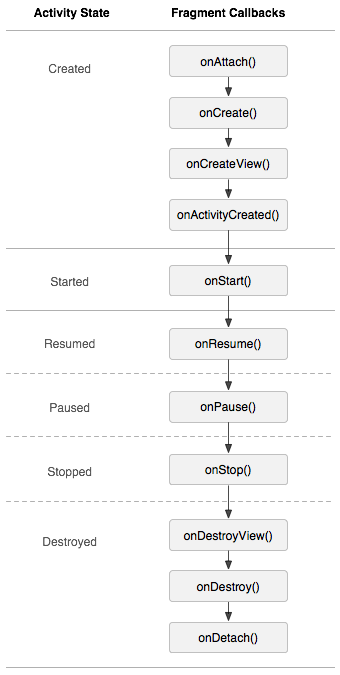 Fragment介紹及兩種使用方法
為何產生同時適配手機和平板、UI和邏輯的共享。介紹Fragment也會被加入回退棧中。Fragment擁有自己的生命周期和接受、處理用戶的事件可以動態的添加、替換和移除某
 Android自定義RatingBar(評分控件)
RatingBar簡單介紹RatingBar是基於SeekBar(拖動條)和ProgressBar(狀態條)的擴展,用星形來顯示等級評定,在使用默認RatingBar時,
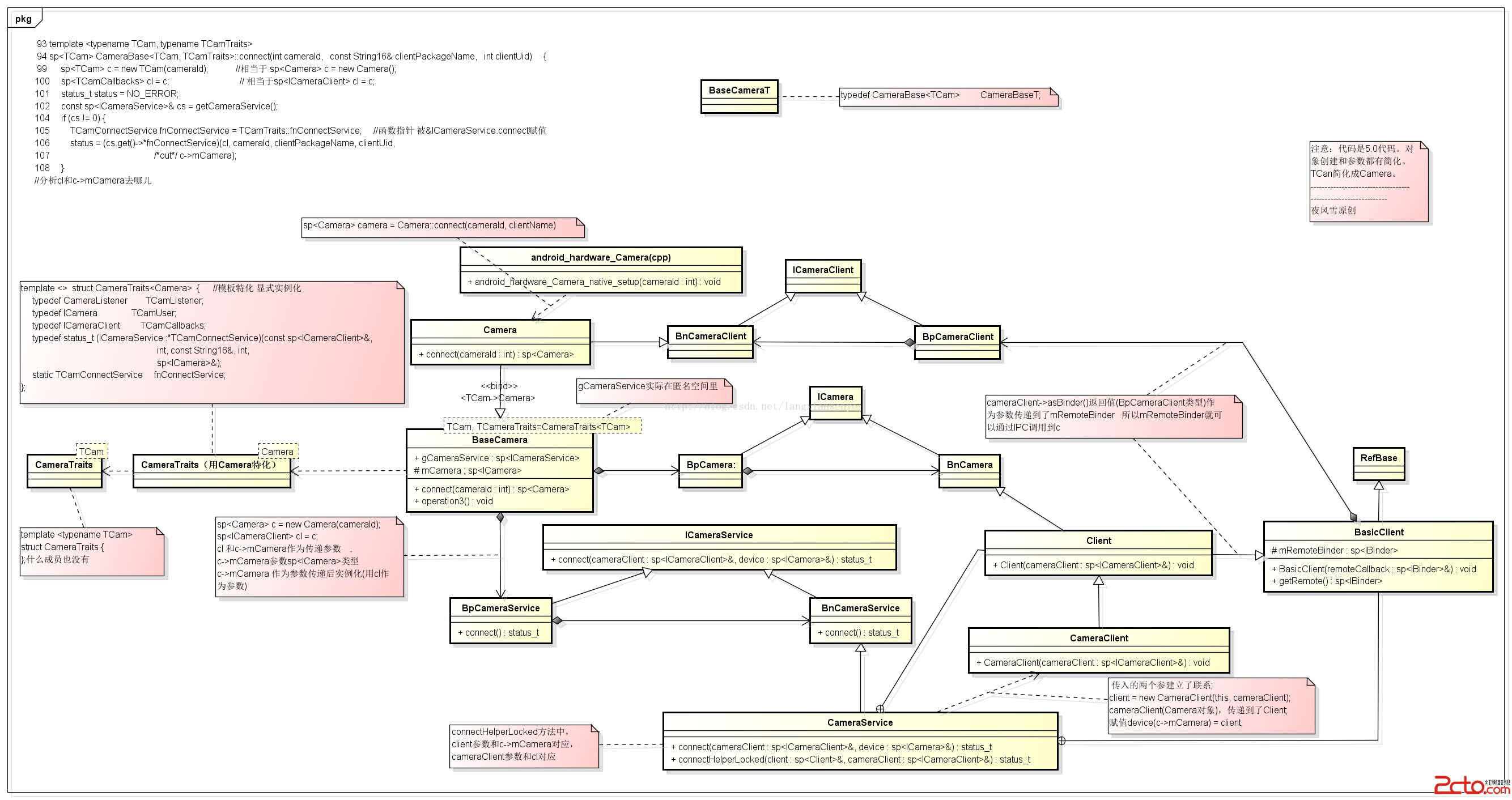 Android framework camera回顧-Camera ICameraClient ICamera CameraClient之間關系(2)完整圖
 Android計算器編寫代碼
其實這個安卓計算機,所有的後台思想與《C#計算器編寫代碼》是一模一樣的。Win窗體程序移植到安卓,從C#到Java其實很簡單的,因為兩者的基本語法都很相像,唯一的難點是安