編輯:關於Android編程
import android.content.Context;
import android.os.Handler;
import android.os.Looper;
import android.widget.Toast;

/**
 * Toast工具類
 * @author WikerYong   Email:<a href="#">yw_312@foxmail.com</a>
 * @version 2012-5-21 下午9:21:01
 */
public class ToastUtils {
    private static Handler handler = new Handler(Looper.getMainLooper());
    private static Toast toast = null;
    private static Object synObj = new Object();

    /**
     * Toast發送消息,默認Toast.LENGTH_SHORT
     * @author WikerYong   Email:<a href="#">yw_312@foxmail.com</a>
     * @version 2012-5-22 上午11:13:10
     * @param act
     * @param msg
     */
    public static void showMessage(final Context act, final String msg) {
        showMessage(act, msg, Toast.LENGTH_SHORT);
    }

    /**
     * Toast發送消息,默認Toast.LENGTH_LONG
     * @author WikerYong   Email:<a href="#">yw_312@foxmail.com</a>
     * @version 2012-5-22 上午11:13:10
     * @param act
     * @param msg
     */
    public static void showMessageLong(final Context act, final String msg) {
        showMessage(act, msg, Toast.LENGTH_LONG);
    }

    /**
     * Toast發送消息,默認Toast.LENGTH_SHORT
     * @author WikerYong   Email:<a href="#">yw_312@foxmail.com</a>
     * @version 2012-5-22 上午11:13:35
     * @param act
     * @param msg
     */
    public static void showMessage(final Context act, final int msg) {
        showMessage(act, msg, Toast.LENGTH_SHORT);
    }

    /**
     * Toast發送消息,默認Toast.LENGTH_LONG
     * @author WikerYong   Email:<a href="#">yw_312@foxmail.com</a>
     * @version 2012-5-22 上午11:13:35
     * @param act
     * @param msg
     */
    public static void showMessageLong(final Context act, final int msg) {
        showMessage(act, msg, Toast.LENGTH_LONG);
    }

    /**
     * Toast發送消息
     * @author WikerYong   Email:<a href="#">yw_312@foxmail.com</a>
     * @version 2012-5-22 上午11:14:09
     * @param act
     * @param msg
     * @param len
     */
    public static void showMessage(final Context act, final int msg,
            final int len) {
        new Thread(new Runnable() {
            public void run() {
                handler.post(new Runnable() {

                    @Override
                    public void run() {
                        synchronized (synObj) {
                            if (toast != null) {
                                toast.cancel();
                                toast.setText(msg);
                                toast.setDuration(len);
                            } else {
                                toast = Toast.makeText(act, msg, len);
                            }
                            toast.show();
                        }
                    }
                });
            }
        }).start();
    }

    /**
     * Toast發送消息
     * @author WikerYong   Email:<a href="#">yw_312@foxmail.com</a>
     * @version 2012-5-22 上午11:14:27
     * @param act
     * @param msg
     * @param len
     */
    public static void showMessage(final Context act, final String msg,
            final int len) {
        new Thread(new Runnable() {
            public void run() {
                handler.post(new Runnable() {

                    @Override
                    public void run() {
                        synchronized (synObj) {
                            if (toast != null) {
                                toast.cancel();
                                toast.setText(msg);
                                toast.setDuration(len);
                            } else {
                                toast = Toast.makeText(act, msg, len);
                            }
                            toast.show();
                        }
                    }
                });
            }
        }).start();
    }

    /**
     * 關閉當前Toast
     * @author WikerYong   Email:<a href="#">yw_312@foxmail.com</a>
     * @version 2012-5-22 上午11:14:45
     */
    public static void cancelCurrentToast() {
        if (toast != null) {
            toast.cancel();
        }
    }
}
 Android OpenGL ES 應用(二) 紋理
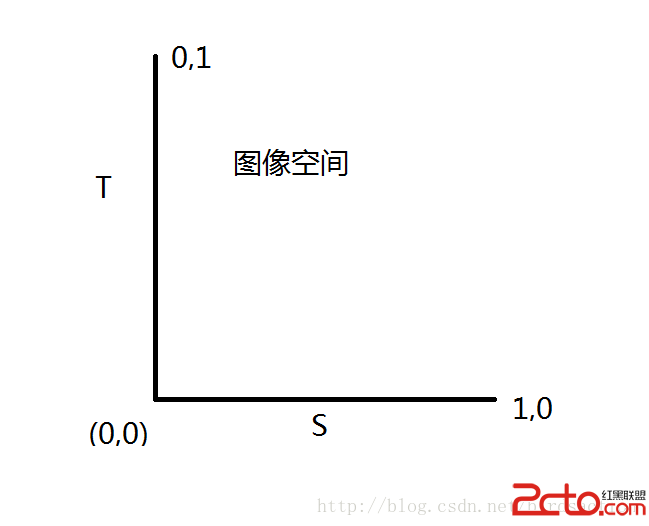
要是做復雜的OpenGL應用程序,一定會用到紋理技術。紋理說白了就是把圖片或者視頻圖像繪制到OpenGL空間中。因此紋理也有坐標系,稱ST坐標,或者UV&nb
 Android 自定義View 實現較美觀的loading進度條的繪制
1、首先繪制得底部的邊框:左右兩個半圓環,中間上下兩條平行線 //邊框背景 mPaint.setColor(mProgre
 Android listview與adapter詳解及實例代碼
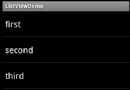
一個ListView通常有兩個職責。(1)將數據填充到布局。(2)處理用戶的選擇點擊等操作。第一點很好理解,ListView就是實現這個功能的。第二點也不難做到,在後面的
 Android多媒體之畫畫板開發案例分享
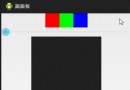
先看看效果:其實畫畫板的原理很簡單,就是首先記錄下按下屏幕的點,然後每移動一下就讓這兩次移動的點連線,周而復始,圖像就由很多條直線構成了。核心代碼 :public cla