編輯:關於Android編程
{"rank":
[
{"person":"\u66f9\u64cd","index":1,"score":35852},
{"person":"\u66f9\u64cd","index":2,"score":32563},
{"person":"\u5b59\u6743","index":3,"score":10000},
{"person":"\u5218\u5907","index":4,"score":9638},
{"person":"\u5218\u5907","index":5,"score":8888},
{"person":"\u5b59\u6743","index":6,"score":8886},
{"person":"\u5218\u5907","index":7,"score":7865},
{"person":"\u5218\u5907","index":8,"score":6950},
{"person":"\u5218\u5907","index":9,"score":6548},
{"person":"\u5218\u5907","index":10,"score":6540},
{"person":"\u66f9\u64cd","index":11,"score":5288}
],


"base":"(服務端地址)",

"head":
[
{"person":"\u66f9\u64cd","filename":"\/caocao\/20130718185726036.png", "size":12343},

{"person":"\u5b59\u6743","filename":"\/sunqun\/20130718185726046.png", "size":12343},

{"person":"\u5218\u5907","filename":"\/liubei\/20130718185726056.png", "size":12343}
]
}
rank的每個對象包括:人物名稱,排名,分數 head的每個對象包括:人物名稱,頭像圖片名稱 base為服務端地址 大致流程如下: 1.進入排行榜界面,將游戲玩家的數據發送到服務端 2.取得服務端返回的Json數據,解析出rank數組,head數組和base字符串 3.使用頭像圖片路徑下載頭像圖片到本地 4.新建一個ResultMessage類,屬性包括:排名,人物名稱,本地頭像圖片地址,分數 5.在解析rank數組時實例化ResultMessage,添加到List中並返回出去 主要有三個類:LoadImage.java,ResultMessage.java,Upload.java LoadImage.java用於下載頭像圖片,由於每次進入排行榜界面都會向 服務端發送請求,每次都會返回頭像圖片的下載地址,所以需要 做下判斷本地是否已經有此圖片存在,還有就是判斷圖片大小是否 正確,因為會有這樣一種情況,在下載圖片時突然網絡斷開,這時 頭像圖片沒有下載完整,下次進入排行榜界面的時候又向服務端 發送請求,又下載頭像圖片,此時程序判斷出本地已經有此圖片 存在,所以不會再下載圖片,但是圖片不完整,無法正常使用, 所以除了判斷本地是否有圖片之外,還需要判斷圖片的大小是不是 跟服務端發過來的大小一樣,只有圖片存在,並且大小一樣的時候 才不下載圖片 具體代碼如下:
package com.joye3g.http;

import java.io.File;
import java.io.FileOutputStream;
import java.io.IOException;
import java.io.InputStream;
import java.net.HttpURLConnection;
import java.net.URL;

import org.apache.http.HttpStatus;

public class LoadImage {

	private static final int SUCCES = 1;//下載成功
	private static final int ERRO = -1;//下載失敗
	private static final int EXIST = 0;//文件已存在
	private static int result = EXIST;//返回的下載結果
	private String localPath;//本地路徑

	public LoadImage(String localPath) {
		this.localPath = localPath;
	}

	/**
	 * @param urlPathPrefix       網址前綴
	 * @param filename            文件名
	 * @param size                文件大小
	 * @return
	 * @throws IOException
	 */
	public int download(String urlPathPrefix, String filename, long size) throws IOException{
		String filePath = localPath + File.separator + filename.substring(filename.lastIndexOf("/") + 1);
		//判斷filePath路徑下有沒有此圖片存在,大小是否相同,如果不存在,則發送Http請求下載圖片,存在則不下載
		if(isFileExist(filePath) && isSizeSame(filePath, size)){
			return result = EXIST;
		}else{
			//從URL中取得輸入流
			InputStream is = getHttpInputStream(urlPathPrefix + filename);
			//創建新文件
			File file = createFile(filePath);
			//下載圖片
			if(is != null) downLoadImage(file, is);
		}
		return result;
	}

	/**
	 * 下載圖片
	 * @param file  文件
	 * @param is	從URL取得的輸入流
	 */
	private void downLoadImage(File file, InputStream is){
		FileOutputStream fs = null;
		try {
			fs = new FileOutputStream(file);
			byte[] buffer = new byte[4 * 1024];
			int len = 0;
			while((len = is.read(buffer)) != -1){
				fs.write(buffer, 0, len);
			}
			fs.flush();
			result = SUCCES;
		} catch (Exception e) {
			result = ERRO;
			e.printStackTrace();
		}finally{
			try {
				if(fs != null){
					fs.close();
				}
				if(is != null){
					is.close();
				}
			} catch (IOException e) {
				e.printStackTrace();
			}
		}
	}

	/**
	 * 根據URL取得輸入流
	 * @param urlPath   網絡路徑
	 * @return
	 * @throws IOException
	 */
	private InputStream getHttpInputStream(String urlPath) throws IOException{
		URL url = new URL(urlPath);
		HttpURLConnection conn = (HttpURLConnection) url.openConnection();
		if(conn.getResponseCode() == HttpStatus.SC_OK) {
			return conn.getInputStream();
		}
		return null;
	}

	/**
	 * 判斷文件是否已經存在
	 * @param fileName     文件路徑
	 * @return
	 */
	private boolean isFileExist(String fileName){
		File file = new File(fileName);
		return file.exists();
	}

	/**
	 * 在指定路徑下創建新文件
	 * @param fileName      文件路徑
	 * @return
	 * @throws IOException
	 */
	private File createFile(String fileName) throws IOException{
		File file = new File(fileName);
		if(!file.createNewFile()){
			file.delete();
			file.createNewFile();
		}
		return file;
	}

	/**
	 * 若文件已存在,判斷文件大小是否正確
	 * @param filePath         圖片路徑
	 * @param size             文件大小
	 * @return
	 */
	private boolean isSizeSame(String filePath, long size){
		File file = new File(filePath);
		return file.length() == size;
	}
}
ResultMessage.java具體代碼如下:
package com.joye3g.http;

public class ResultMessage {

	private int index;
	private String name;
	private int score;
	private String imagePath;

	public ResultMessage(int index, String name, int score, String imagePath) {
		this.index = index;
		this.name = name;
		this.score = score;
		this.imagePath = imagePath;
	}

	public String getImagePath() {
		return imagePath;
	}

	public void setImagePath(String imagePath) {
		this.imagePath = imagePath;
	}

	public int getIndex() {
		return index;
	}

	public void setIndex(int index) {
		this.index = index;
	}

	public String getName() {
		return name;
	}

	public void setName(String name) {
		this.name = name;
	}

	public int getScore() {
		return score;
	}

	public void setScore(int score) {
		this.score = score;
	}
}
UpLoad.java用於向服務端發送請求並接受返回的數據, 對返回的數據進行包裝再返回出去,首先在構造函數中 傳入要上傳到服務端的人物名稱,分數和上下文對象, 上下文對象主要用於取得程序的安裝路徑和UUID, 使用方法很簡單: UpLoad upload = new UpLoad("曹操", 23456, getApplicationContext()); List<ResultMessage> messages = upload.post("服務端地址"); UpLoad.java具體代碼如下:
package com.joye3g.http;

import java.io.ByteArrayOutputStream;
import java.io.DataOutputStream;
import java.io.File;
import java.io.IOException;
import java.io.InputStream;
import java.io.UnsupportedEncodingException;
import java.net.HttpURLConnection;
import java.net.URL;
import java.util.ArrayList;
import java.util.HashMap;
import java.util.List;
import java.util.Map;
import java.util.UUID;
import java.util.zip.GZIPInputStream;
import org.apache.http.HttpStatus;
import org.json.JSONArray;
import org.json.JSONException;
import org.json.JSONObject;

import android.content.Context;
import android.telephony.TelephonyManager;

/**
 * @author ZLQ
 *
 */
public class Upload {

	private static final String GZIP = "gzip";
	private Context context;
	private JSONObject jsonData;

	/**
	 * 構造函數
	 * @param name
	 *            要上傳的人物名稱
	 * @param score
	 *            要上傳的分數
	 * @param context
	 *            上下文對象,用於取得UUID和本地路徑
	 */
	public Upload(String name, int score, Context context) {

		jsonData = new JSONObject();
		this.context = context;

		try {
			jsonData.put("person", name);
			jsonData.put("uploaduser", getUUID());
			jsonData.put("score", score);
		} catch (JSONException e) {
			e.printStackTrace();
		}
	}

	/**
	 * 發送post請求
	 * @param url
	 *            URL路徑
	 * @return 返回一個List<Message>鏈表
	 */
	public List<ResultMessage> post(String url) {
		List<ResultMessage> messages = null;
		try {
			messages = sendHttpResponse(url);
		} catch (Exception e) {
			e.printStackTrace();
		}
		return messages;
	}

	/**
	 * 發送請求,返回結果
	 * @param url
	 *            URL路徑
	 * @return 返回一個List<Message>鏈表
	 * @throws JSONException
	 * @throws Exception
	 */
	private List<ResultMessage> sendHttpResponse(String url)
			throws IOException, JSONException {
		URL uri = new URL(url);
		HttpURLConnection conn = (HttpURLConnection) uri.openConnection();
		conn.setRequestMethod("POST"); // Post方式
		conn.setDoOutput(true);// 允許輸出
		conn.setRequestProperty("connection", "keep-alive"); // 客戶端到服務器端的連接持續有效
		conn.setRequestProperty("Content-Type", "application/x-javascript; charset=UTF-8");
		conn.setRequestProperty("accept-encoding", "gzip,deflate");//設置 gzip的請求頭
		DataOutputStream outStream = new DataOutputStream(conn.getOutputStream());
		outStream.write(jsonData.toString().getBytes());//將數據內容寫入到流中
		outStream.flush();
		outStream.close();
		return getReturnMessage(conn);//返回服務端返回的結果
	}

	/**
	 * 取得服務端返回的結果
	 * @param conn
	 * @return
	 * @throws IOException
	 * @throws JSONException
	 */
	private List<ResultMessage> getReturnMessage(HttpURLConnection conn)
			throws IOException, JSONException {

		List<ResultMessage> messages = null;
		String content_encode = conn.getContentEncoding();
		String content = null;

		if (conn.getResponseCode() == HttpStatus.SC_OK) {
			if (null != content_encode && !"".equals(content_encode)
					&& content_encode.equals(GZIP)) {
				//對服務端返回的內容進行解壓
				content = unGzip(conn.getInputStream());
			}

			JSONObject objMain = new JSONObject(content);
			JSONArray ranks = objMain.getJSONArray("rank");//取得rank數組
			JSONArray heads = objMain.getJSONArray("head");//取得head數組
			String base = objMain.getString("base");//取得地址前綴

			LoadImage load = new LoadImage(getLocalPath());
			Map<String, String> map = new HashMap<String, String>();

			//取得heads數組中的對象
			for (int i = 0; i < heads.length(); i++) {
				JSONObject head = heads.getJSONObject(i);
				String person = head.getString("person");
				String filename = head.getString("filename");
				long size = head.getLong("size");
				map.put(person, filename);
				load.download(base, filename, size);//下載圖片
			}

			//取得除去最後一條的所有數據
			messages = new ArrayList<ResultMessage>();
			for (int i = 0; i < ranks.length() - 1; i++) {
				JSONObject rankObj = ranks.getJSONObject(i);
				messages.add(rank(rankObj, map));
			}

			//取得最後一個數據
			JSONObject rankObj = ranks.getJSONObject(ranks.length() - 1);
			messages.add(rank(rankObj, map));
		}
		conn.disconnect();
		return messages;
	}

	// 解析數據
	private ResultMessage rank(JSONObject rank, Map<String, String> map)
			throws JSONException {
		int num = rank.getInt("index");
		String person = rank.getString("person");
		String filename = map.get(person);
		//拼接本地圖片路徑
		String imagePath = getLocalPath() + File.separator
				+ filename.substring(filename.lastIndexOf("/") + 1);
		int score = rank.getInt("score");
		//實例化一個ResultMessage對象
		ResultMessage message = new ResultMessage(num, person, score, imagePath);
		return message;
	}

	/**
	 * 對服務器返回的內容進行解壓並返回解壓後的內容
	 * @param is
	 * @return
	 * @throws IOException
	 * @throws UnsupportedEncodingException
	 */
	private static String unGzip(InputStream is) throws IOException,
	UnsupportedEncodingException {
		GZIPInputStream in = new GZIPInputStream(is);
		ByteArrayOutputStream arrayOutputStream = new ByteArrayOutputStream();
		int len = -1;
		byte[] buffer = new byte[1024];
		while ((len = in.read(buffer)) != -1) {
			arrayOutputStream.write(buffer, 0, len);
		}
		in.close();
		arrayOutputStream.close();
		is.close();
		return new String(arrayOutputStream.toByteArray(), "utf-8");
	}

	/**
	 * 返回UUID
	 * @return
	 */
	private String getUUID() {
		final TelephonyManager tm = (TelephonyManager) context
				.getSystemService(Context.TELEPHONY_SERVICE);
		final String tmDevice, tmSerial, androidId;
		tmDevice = "" + tm.getDeviceId();
		tmSerial = "" + tm.getSimSerialNumber();
		androidId = ""
				+ android.provider.Settings.Secure.getString(
						context.getContentResolver(),
						android.provider.Settings.Secure.ANDROID_ID);

		UUID deviceUUID = new UUID(androidId.hashCode(),
				((long) tmDevice.hashCode() << 32 | tmSerial.hashCode()));
		return deviceUUID.toString();
	}

	/**
	 * 返回應用程序的安裝路徑
	 * @return
	 */
	private String getLocalPath() {
		return context.getApplicationContext().getFilesDir().getAbsolutePath();
	}
}
返回的messages中的每個對象的格式為: 排名,人物名稱,本地頭像圖片的路徑,分數
 Android開發之時間日期操作實例
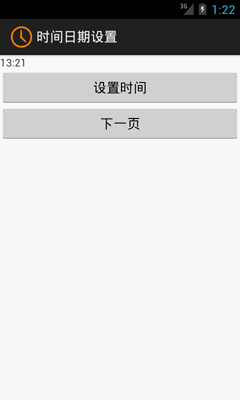
相信對於手機的時間日期設置大家一定都不陌生吧,今天舉一個關於時間日期設置的示例,其中有些許不完善之處,例如如何使設置的時間日期和手機系統同步等。感興趣的讀者可以根據自身經
 Android變形(Transform)之Matrix用法
引言最近在研究Android的變形,Android的2D變形(包括縮放,扭曲,平移,旋轉等)可以通過Matrix來實現,3D變形可以通過Camera來實現。接下來就將我這
 分析和優化應用電量
在Android項目中, 較難監控應用的電量消耗, 但是用戶卻非常關心手機的待機時間. 過度耗電的應用, 會遭到用戶無情的卸載, 不要存在僥幸心理, 給競品帶來機會. 因
 Android事件分發機制
一、View、ViewGroup的基本屬性1,View事件:public boolean dispatchTouchEvent(MotionEvent event)