

編輯:Android 技術基礎
下拉列表框 Spinner 是最常見的「多選一」控件,而它和程式之間的橋樑,就是 OnItemSelectedListener。本章用最簡單的單一 Spinner 例子,把這個事件的註冊與回呼流程走一遍。
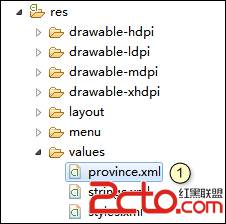
在 res/values 下建立 province.xml,定義省份陣列。
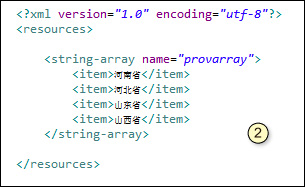
<?xml version="1.0" encoding="utf-8"?>
<resources>
    <string-array name="provarray">
        <item>河南省</item>
        <item>河北省</item>
        <item>山東省</item>
        <item>山西省</item>
    </string-array>
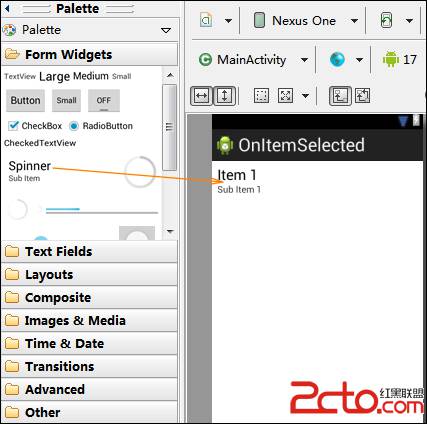
</resources>打開 res/layout/activity_main.xml,從 Form Widgets 拖出一個 Spinner,並用 android:entries 關聯剛剛寫好的陣列。
<RelativeLayout xmlns:android="https://schemas.android.com/apk/res/android"
    xmlns:tools="https://schemas.android.com/tools"
    android:layout_width="match_parent"
    android:layout_height="match_parent"
    tools:context=".MainActivity">

    <Spinner
        android:id="@+id/province"
        android:layout_width="wrap_content"
        android:layout_height="wrap_content"
        android:layout_alignParentLeft="true"
        android:layout_alignParentTop="true"
        android:entries="@array/provarray" />

</RelativeLayout>
打開 src/com.genwoxue.onitemselected/MainActivity.java,寫入下列程式:
package com.genwoxue.onitemselected;

import android.os.Bundle;
import android.app.Activity;
import android.view.View;
import android.widget.Spinner;
import android.widget.Toast;
import android.widget.AdapterView;
import android.widget.AdapterView.OnItemSelectedListener;

public class MainActivity extends Activity {

    private Spinner spinProvince = null;

    @Override
    protected void onCreate(Bundle savedInstanceState) {
        super.onCreate(savedInstanceState);
        setContentView(R.layout.activity_main);

        spinProvince = (Spinner) super.findViewById(R.id.province);
        // 註冊 OnItemSelected 事件
        spinProvince.setOnItemSelectedListener(new ProvOnItemSelectedListener());
    }

    private class ProvOnItemSelectedListener implements OnItemSelectedListener {
        @Override
        public void onItemSelected(AdapterView<?> adapter, View view, int position, long id) {
            // 取出被選中項目的文字
            String sInfo = adapter.getItemAtPosition(position).toString();
            Toast.makeText(getApplicationContext(), sInfo, Toast.LENGTH_LONG).show();
        }

        @Override
        public void onNothingSelected(AdapterView<?> arg0) {
            String sInfo = "什麼也沒選!";
            Toast.makeText(getApplicationContext(), sInfo, Toast.LENGTH_LONG).show();
        }
    }
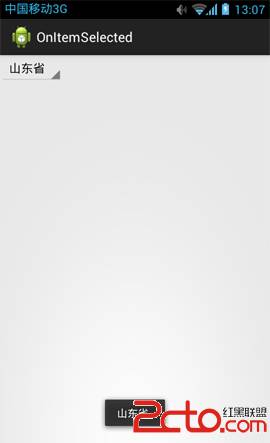
}onItemSelected() 在使用者挑選項目時觸發,position 就是所選項目的索引,搭配 getItemAtPosition() 就能拿到文字內容。
onNothingSelected() 則是在「完全沒有項目可選」時才被呼叫,例如資料來源被清空。日常開發中它多半是空實作,但介面必須實作,所以不能省略。
 2.5.6 ViewFlipper 翻轉視圖實作輪播
前言 本節介紹 ViewFlipper,它是 Android 自帶的多頁面管理元件,而且能自動播放。和 ViewPager 不同,ViewPager 是「一頁頁」地換,
 第63章、XML 檔案 — 以 SAX 解析讀取資料(從零開始學 Android)
SAX(Simple API for XML)是解析 XML 的另一種經典方案。相較於 DOM,SAX 的運作速度更快、效率更高,它以「逐行掃描、邊掃描邊解析」的方式處理
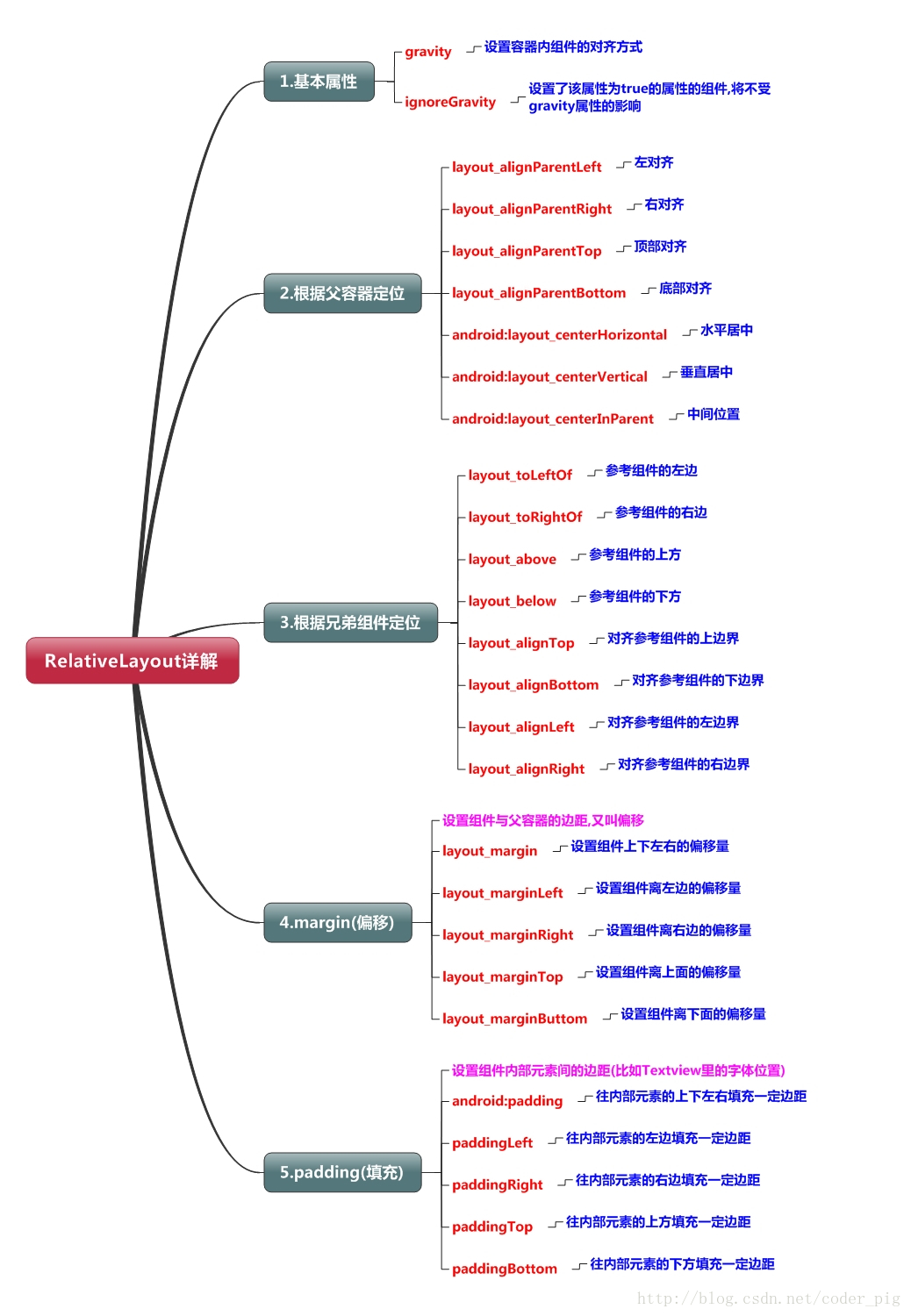 Android RelativeLayout 相對布局:父子定位、兄弟定位與 margin 技巧
為什麼選擇 RelativeLayoutLinearLayout 很常用,但畫面複雜時容易需要多層嵌套,造成效能下降。RelativeLayout 允許元件以父容器或兄弟
 第32章 Android 日期與時間對話框:DatePickerDialog 與 TimePickerDialog 實作
要讓使用者挑一個日期或時刻,最糟的做法是丟一個空白輸入框讓他手打「2026-08-26」。Android 內建的日期與時間對話框,會自動依系統地區給出對應的日曆與時鐘介面