

編輯:Android 程式設計入門
本文透過 Fragment 碎片實現「標題列表+內容」的分欄效果,並示範如何根據橫屏、豎屏顯示不同佈局,是學習碎片與螢幕方向處理的經典範例。
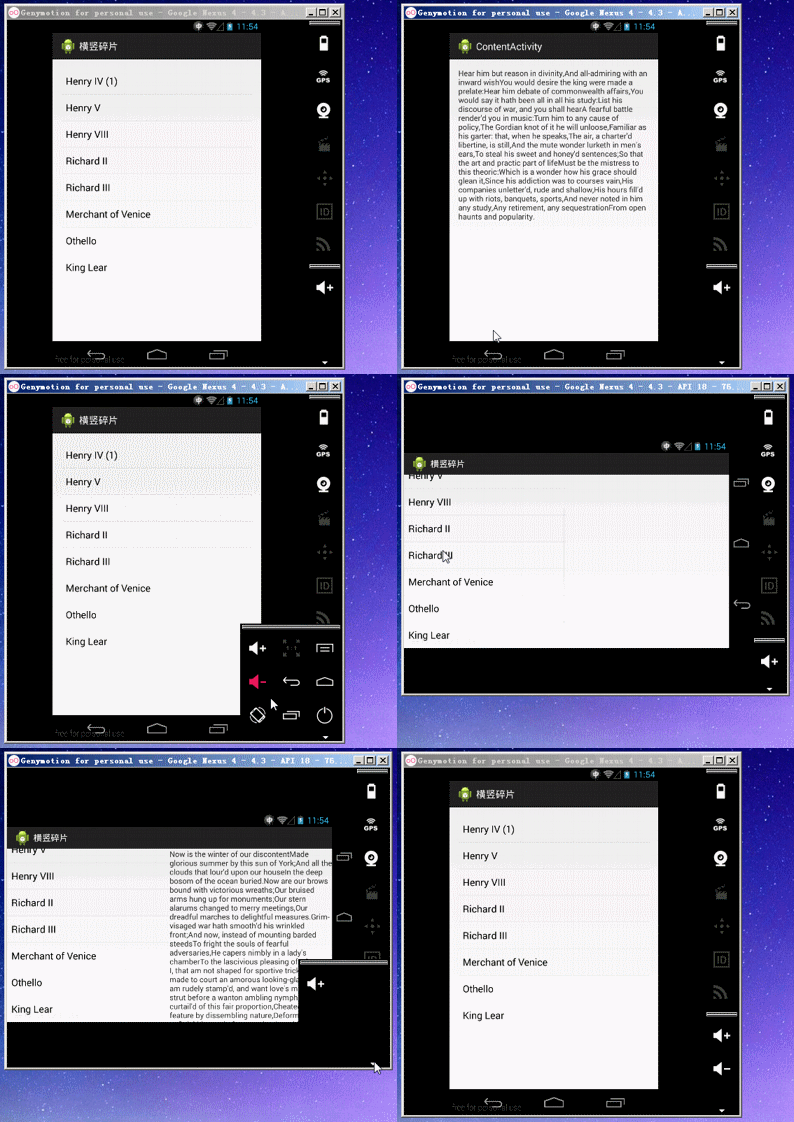
通過碎片的方式顯示標題列表和內容,其中也牽涉到橫豎屏的知識。
項目代碼下載:https://files.cnblogs.com/files/Laopengblog/%E7%A2%8E%E7%89%87and%E6%A8%AA%E7%AB%96%E5%B1%8F.rar
先創建一個用來放碎片的 fragment 包,並把 MainActivity 改為繼承 V4 包的 FragmentActivity。
1. 創建一個顯示標題的碎片(繼承 V4 包的 Fragment)。
2. 給碎片上添加控件,這裡只是顯示標題,用一個 ListView 即可。
3. 創建 onCreateView 初始化方法。
4. 創建一個適配器 ArrayAdapter<String>。
5. 初始化數據(數據較多,單獨寫出)。可創建一個 Model 包存放標題與主內容數據。
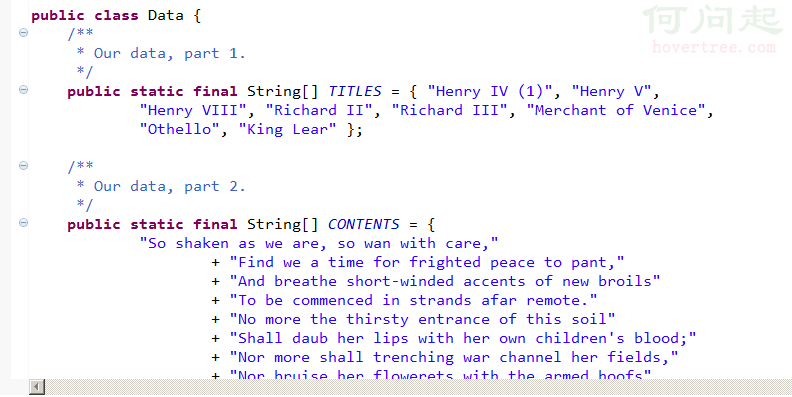
6. 把 Activity 單獨保存出來,後面的代碼會經常用到:
private FragmentActivity activitys;
7. 初始化適配器並設置數據;8. 將 ListView 與適配器綁定;9. 在主佈局中插入一個碎片:
<fragment android:id="@+id/fm_title" android:name="com.yuxuan.sphs.fragment.TitleFragment" android:layout_width="match_parent" android:layout_height="match_parent" />
這樣標題碎片就完成了,此時運行即可看到標題列表。以下是第一步的所有代碼:


package com.yuxuan.sphs.fragment; import com.yuxuan.sphs.R; import com.yuxuan.sphs.activity.ContentActivity; import com.yuxuan.sphs.model.Data; import android.content.Intent; import android.content.res.Configuration; import android.os.Bundle; import android.support.annotation.Nullable; import android.support.v4.app.Fragment; import android.support.v4.app.FragmentActivity; import android.view.LayoutInflater; import android.view.View; import android.view.ViewGroup; import android.widget.AdapterView; import android.widget.AdapterView.OnItemClickListener; import android.widget.ArrayAdapter; import android.widget.ListView; import android.widget.Toast; public class TitleFragment extends Fragment { private ListView lv; private FragmentActivity activitys; private ArrayAdapter<String> adapter; private String[] datas = Data.TITLES; @Override public View onCreateView(LayoutInflater inflater, @Nullable ViewGroup container, @Nullable Bundle savedInstanceState) { activitys = this.getActivity(); lv = new ListView(activitys); adapter = new ArrayAdapter(activitys, android.R.layout.simple_list_item_1, datas); lv.setAdapter(adapter); lv.setOnItemClickListener(new OnItemClickListener() { @Override public void onItemClick(AdapterView<?> parent, View view, int position, long id) { String content = Data.CONTENTS[position]; if (activitys.getResources().getConfiguration().orientation == Configuration.ORIENTATION_LANDSCAPE) { ContenFragment cf = (ContenFragment) activitys .getSupportFragmentManager().findFragmentById( R.id.fm_content); cf.setTvText(content); } else { Intent intent = new Intent(activitys, ContentActivity.class); intent.putExtra("content", content); activitys.startActivity(intent); } } }); return lv; } }
1. 在標題碎片中設置 ListView 的點擊事件。
2. 把點擊到的數據通過 Intent 傳遞給內容 Activity(代碼參考上方「創建顯示標題的碎片」)。
1. 創建內容 Activity(ContentActivity,繼承 V4 包的 FragmentActivity);2. 創建內容碎片 ContentFragment;3. 在內容佈局中加入一個指定為 ContentFragment 的碎片;4. 在內容碎片上創建 TextView 顯示內容;5. 在 ContentActivity 上取到標題碎片傳來的內容;6. 將內容設置給 TextView。
1. 在 res 文件夾下創建 layout-land 文件夾,將主佈局 Copy 一份進來,運行並切換為橫屏試試。
2. 可以看到橫屏時標題和內容同時顯示,此時在這裡定義兩個碎片即可,佈局代碼如下:
<LinearLayout xmlns:android="https://schemas.android.com/apk/res/android" xmlns:tools="https://schemas.android.com/tools" android:layout_width="match_parent" android:layout_height="match_parent" android:orientation="horizontal" tools:context="com.huarui.my12android2801.activity.MainActivity" > <fragment android:id="@+id/fm_title" android:name="com.yuxuan.sphs.fragment.TitleFragment" android:layout_width="0dp" android:layout_height="match_parent" android:layout_weight="1" /> <fragment android:id="@+id/fm_content" android:name="com.yuxuan.sphs.fragment.ContenFragment" android:layout_width="0dp" android:layout_height="match_parent" android:layout_weight="1" /> </LinearLayout>
3. 判斷橫豎屏:在點擊事件時判斷即可(代碼參考上方「創建顯示標題的碎片」)。
總結:本篇主要演示了碎片的用法與橫豎屏的處理方式。碎片的用法會另外寫一篇詳細文章介紹。
 安卓學習之路:用JAVA多線程實現斷點續傳下載
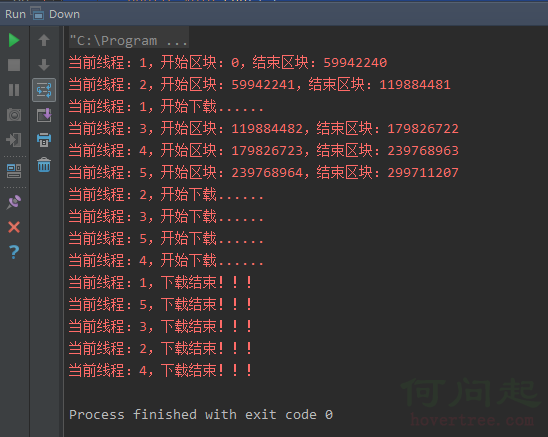
本文示範如何用 JAVA 多線程實現檔案下載(代碼尚未優化,先實現功能)。核心思路是:先取得檔案總長度並建立同大小的佔位檔案,再將檔案切分成若干區塊,每個線程透過 HTT
 動手實現 Android 圖片輪播控件
1. 輪播控件的組成部分 我們以知乎日報 Android 客戶端的輪播控件為例,拆解一下它的主要組成。 首先,我們需要一個用來顯示圖片的 View 對象。觀察上圖底部中
 Android ListView 實作(一):ArrayAdapter 純文字列表
ArrayAdapter 是最簡單的 Adapter,適合只需要顯示一串文字的場景,例如設定選項、簡易選單。它也是理解 ListView「資料 + Adapter + 檢
 Android AsyncTask 異步任務詳解與實戰
由於 Android 的 UI 線程並非線程安全,若在 UI 線程中執行耗時任務,很容易導致程序崩潰;而且目前網絡任務也不允許在 UI 線程中執行。除了直接寫線程之外,A