

編輯:Android 開發實例
本文分享在 Android 中讓圖片等比例(保持原始寬高比)顯示的方法,供大家參考。
在 Android 中,由於屏幕密度(dpi)的影響,直接獲取圖片的寬高並不可靠。原因很簡單:如果你把圖片放在 drawable-mdpi 目錄裡,而設備屬於 hdpi,系統就會自動放大這張圖,此時取到的寬高未必是原圖的真實尺寸。
那麼如何讓顯示出來的圖片保持原始比例呢?首先可以在 res 目錄下創建一個 drawable-nodpi 目錄,這個目錄下的圖片不會根據 dpi 進行拉伸或縮放。然後,我們只要拿到屏幕寬度和圖片的原始寬高,就能算出圖片在屏幕上應該顯示的高度——因為寬度固定為屏幕寬,所以只需按比例反推高度即可。
private void getWidth_Height() { Display display = getWindowManager().getDefaultDisplay(); int width = display.getWidth(); // deprecated int height = display.getHeight(); // deprecated Bitmap mBitmap = createImageWithResouce(R.drawable.history4); image.setLayoutParams(new LayoutParams(width, width / getBitmapWidth(mBitmap) * getBitmapHeight(mBitmap))); image.setImageBitmap(createImageWithResouce(R.drawable.history4)); } private Bitmap createImageWithResouce(int resourceID) { Bitmap bit = BitmapFactory.decodeResource(getResources(), R.drawable.history4); return bit; } private int getBitmapWidth(Bitmap bitmap){ return bitmap.getWidth(); } private int getBitmapHeight(Bitmap bitmap){ return bitmap.getHeight(); } // 釋放 bitmap private void releaseBitmap(Bitmap bitmap){ if (bitmap!=null && !bitmap.isRecycled()) { bitmap.recycle(); bitmap = null; } }
更推薦使用下面這種封裝,它引入了 LruCache 來管理內存緩存,能有效避免頻繁加載導致的 OOM:
public class ImageUtil { private LruCache<String, Bitmap> mMemoryCache; private final Context mContext; private static ImageUtil imageUtil; private static Object obj = new Object(); private int memClass; private int cacheSize; private ImageUtil(Context mContext) { this.mContext = mContext; createLruCache(mContext); } private void createLruCache(Context mContext) { memClass = ((ActivityManager) mContext.getSystemService(Context.ACTIVITY_SERVICE)).getMemoryClass(); cacheSize = 1024 * 1024 * memClass / 8; mMemoryCache = new LruCache<String, Bitmap>(cacheSize) { @Override protected int sizeOf(String key, Bitmap value) { return value.getRowBytes(); } }; } public static ImageUtil getInstance(Context mContext) { if (imageUtil == null) { synchronized (obj) { if (imageUtil == null) { imageUtil = new ImageUtil(mContext); } } } return imageUtil; } public void adjustImageSize(ImageView imageView, int imageResourceId) { Bitmap mBitmap = null; Display display = ((MainActivity) mContext).getWindowManager().getDefaultDisplay(); int width = display.getWidth(); // deprecated int height = display.getHeight(); // deprecated Bitmap bitmapCache = mMemoryCache.get(imageResourceId + ""); if (bitmapCache != null) { mBitmap = bitmapCache; } else { mBitmap = createImageWithResouce(mContext, imageResourceId); mMemoryCache.put(imageResourceId + "", mBitmap); } RelativeLayout.LayoutParams layoutParams = new RelativeLayout.LayoutParams(width, width / getBitmapWidth(mBitmap) * getBitmapHeight(mBitmap)); layoutParams.addRule(RelativeLayout.ALIGN_PARENT_BOTTOM); imageView.setLayoutParams(layoutParams); imageView.setBackgroundDrawable(new BitmapDrawable(mBitmap)); } private static Bitmap createImageWithResouce(Context context, int resourceID) { Bitmap bit = BitmapFactory.decodeResource(context.getResources(), R.drawable.ic_launcher); return bit; } private int getBitmapWidth(Bitmap bitmap) { return bitmap.getWidth(); } private int getBitmapHeight(Bitmap bitmap) { return bitmap.getHeight(); } }
等比例顯示的核心公式就是 width / 原圖寬 * 原圖高,再配合 drawable-nodpi 避免密度縮放,就能確保圖片不被拉伸變形。若圖片較多,強烈建議配合 LruCache 做緩存管理。
希望本文所述對大家的 Android 程序設計有所幫助。
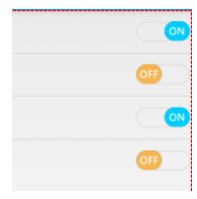 Android 自定義開關按鈕:打造更精美的 ToggleButton
項目裡經常需要用到「開/關」狀態的切換控制項。雖然 Android 自帶的 Switch 控制項能用,但外觀往往差強人意。與其將就,不如自己動手做一個更順眼的開關按鈕。本
 Android MediaPlayer 完整指南:從 create() 到快轉快退與資源釋放
要在 App 裡播放音樂,Android 給的第一個答案就是 MediaPlayer。它位於系統媒體播放服務之上,把容器格式解析、音訊解碼、輸出路由這些麻煩事都封裝起來,
 Android 手勢(Gesture)處理:從單擊、滑動到多點縮放
觸控螢幕上的操作千變萬化,Android 把幾種常見的動作抽象成「手勢」:點擊、長按、滑動、快速滑動(Fling)、雙指捏合縮放等。應用程式只要攔截這些手勢,就能提供更自
 Android JSON 解析入門:從天氣資料提取所需欄位
JSON(JavaScript Object Notation)是一種輕量、易讀的資料交換格式。在 Android 開發中,許多網路 API 會回傳 JSON,因此學會解