

編輯:Android 開發實例
如果你曾用過 android:editable 屬性,編譯時應該會看到這兩段警告:
android:editable is deprecated: Use an <EditText> to make it editable
android:editable is deprecated: Use inputType instead
這個屬性在早期 SDK 可用,如今已被標記為不建議使用。
這裡要解決的是「唯讀」情境:使用者無法透過 UI 修改 EditText 中的內容,但仍然可以選取部分文字進行複製。這種需求在顯示關鍵資訊(例如訂單編號、驗證碼)時相當常見。
et.setKeyListener(null);
注意是 setKeyListener,不是 setOnKeyListener。這是 TextView 的成員方法,效果完全符合預期,而且取得焦點後不會彈出輸入法。
Sets the key listener to be used with this TextView. This can be null to disallow user input. Note that this method has significant and subtle interactions with soft keyboards and other input method: see KeyListener.getContentType() for important details. Calling this method will replace the current content type of the text view with the content type returned by the key listener.
Be warned that if you want a TextView with a key listener or movement method not to be focusable, or if you want a TextView without a key listener or movement method to be focusable, you must call setFocusable again after calling this to get the focusability back the way you want it.
文件中特別提醒:傳入 null 就是為了禁止使用者輸入;而如果你希望調整焦點行為,記得在呼叫之後再明確設定一次 setFocusable()。
 Android 通用流行開源框架大全整理
好的框架能讓開發事半功倍。本文按功能分類,整理了 Android 開發中最值得關注的一批流行開源框架,涵蓋緩存、圖片、網路、資料庫、依賴注入等各個領域,是一份值得收藏的速
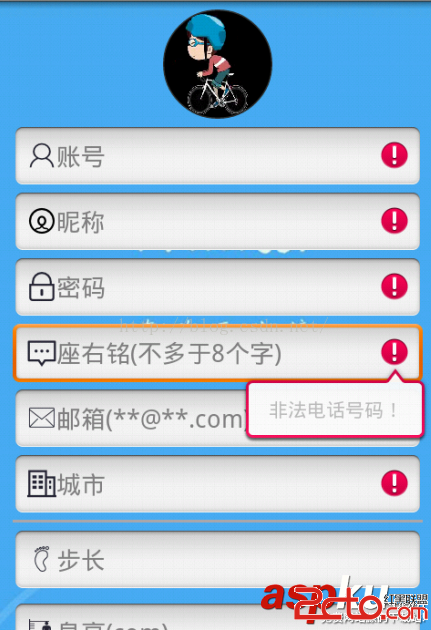 Android 表單欄位驗證實作:用 Android-Validator 打造註冊頁面
註冊頁面的欄位一多,驗證邏輯就會散落在各個 Button 的點擊事件裡,越寫越難維護。Android-Validator 這個開源庫把「欄位 → 驗證規則」的關係抽成物件
 Android SurfaceView 學習示例:為什麼遊戲和相機預覽都用它
做遊戲渲染、相機預覽或者高頻重繪的動畫時,普通 View 往往力不從心,這時候就輪到 SurfaceView 上場了。本文從它的特性講起,並附一個可以直接跑起來的示例。
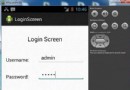 Android 登入畫面實作:介面、驗證與失敗次數鎖定
幾乎每一款需要使用者帳號的應用——社群軟體、雲端服務、內部系統——都得面對同一個問題:怎麼設計一個既好用又安全的登入畫面。本章從版面配置一路做到「三次錯誤就鎖住登入鈕」的