

編輯:Android 開發實例
最近在寫 Android 自訂控件,需要定義 XML 屬性。整體並不難,但寫到 attrs.xml 時發現屬性重複宣告得很厲害,於是開始找有沒有類似「屬性繼承」或 include 的做法。本文記錄 declare-styleable 中屬性重用的可行方案。
<?xml version="1.0" encoding="utf-8"?>
<resources>

    <declare-styleable name="ExTextView">
        <attr name="enableOnPad" format="boolean" />
        <attr name="supportDeviceType" format="reference"/>
    </declare-styleable>

    <declare-styleable name="ExEditText">
        <attr name="enableOnPad" format="boolean" />
        <attr name="supportDeviceType" format="reference"/>
    </declare-styleable>
</resources>
兩個 styleable 中的屬性宣告一模一樣。程式能跑,但看起來就是不夠專業,於是繼續找優化方式。
<?xml version="1.0" encoding="utf-8"?>
<resources>

    <declare-styleable name="ExTextView">
        <attr name="enableOnPad" format="boolean" />
        <attr name="supportDeviceType" format="reference"/>
    </declare-styleable>

    <declare-styleable name="ExEditText" parent="ExTextView">

    </declare-styleable>
</resources>
attrs.xml 確實沒報語法錯誤,但使用 R.styleable.ExEditText_supportDeviceType 時,R 檔案裡根本沒有生成這個常數,重新清理專案也一樣。這應該是 ADT 插件的問題,其他人也遇過相同狀況。結論是:這個方法目前行不通。
正確做法是在 declare-styleable 之前先把共用屬性宣告一次,之後在各 styleable 內部只需引用名稱,不必重複寫 format。
<?xml version="1.0" encoding="utf-8"?>
<resources>
  <attr name="enableOnPad" format="boolean" />
  <attr name="supportDeviceType" format="reference"/>

    <declare-styleable name="ExTextView">
        <attr name="enableOnPad"/>
        <attr name="supportDeviceType"/>
    </declare-styleable>

    <declare-styleable name="ExEditText">
        <attr name="enableOnPad"/>
        <attr name="supportDeviceType"/>
    </declare-styleable>
</resources>
每次引用 attr 之後,建議清理一次專案,確保 R 檔案重新生成。
這套寫法的好處不只是少打字:屬性的 format 只有一份來源,日後要從 boolean 改成 enum 時不必逐處修改,也不容易漏改造成型別不一致。另外若多個 styleable 共用大量屬性,也可以考慮用 attr 搭配自訂 View 的構造函式讀取 ObtainStyledAttributes() 時一次帶入多組,讓程式碼側的解析邏輯跟著收斂。
延伸閱讀:https://stackoverflow.com/questions/18827875/how-to-declare-several-stylable-attributes-with-the-same-name-for-different-tags
 Android 圖像繪製:在畫布上縮放時的位置補償問題
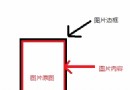
在 Android 中對畫布上的圖像做縮放時,圖像本身的邊框尺寸並不會跟著改變。 原圖如下: 放大後:原本圖片的邊框沒有變,位置也還在原地。 這是矩陣變換的特性:Ma
 Android Spinner 載入動畫實作指南
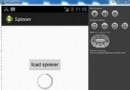
當 App 執行網路請求或讀取資料時,使用者需要知道系統正在忙碌。Android 的 ProgressBar 可分為進度條與 Spinner;若任務總長度未知,Spinn
 Android 應用本地化指南:從 strings.xml 到多語系資源
一支上架到 Google Play 的 App,可能同時服務幾十個語系的使用者。要讓每個人都覺得「這 App 是為我做的」,就得把介面文字、數字格式與其他資源交給 And
 Android MediaPlayer 實作指南:從播放控制到進度條同步
要在 Android 上播放音訊或影片,MediaPlayer 是最不需要額外套件就能上手的方式。它被封裝在內建的媒體播放服務之上,音訊、影片與串流格式都能處理。 取得實