

編輯:Android 開發實例
做設置頁面時經常會遇到這樣的需求:ListView 的每個 item 裡都有一個 EditText。問題也隨之而來——點擊最後幾項的輸入框時,第一次軟鍵盤還能正常把界面頂上去,第二次卻會把輸入框整個擋住,用戶根本看不見自己在輸入什麼。
解法其實不複雜:讓軟鍵盤在消失的時候,順手把當前 item 中 EditText 的焦點清掉(clearFocus())。這樣下次點擊時系統會重新計算布局,鍵盤也就願意正常彈出了。
關鍵點在於「監聽返回事件」。這個事件不能依賴 Activity 的 onKeyDown 或者 onBackPressed,而必須在自定義的 Layout 裡攔截 IME 之前的分發,也就是重寫 dispatchKeyEventPreIme。用錯了地方,效果就不會出現。
注意根節點換成了自定義的 MyLayout:
<cn.test.systemSetting.MyLayout xmlns:android="https://schemas.android.com/apk/res/android"
    android:id="@+id/keyboardlayout"
    android:layout_width="fill_parent"
    android:layout_height="fill_parent"
    android:background="@drawable/main_bg"
    android:orientation="vertical" >

    <ListView
        android:id="@+id/lv_data"
        android:layout_width="fill_parent"
        android:layout_height="fill_parent"
        android:layout_weight="1"
        android:cacheColorHint="#00000000"
        android:transcriptMode="normal" >
    </ListView>
</cn.test.systemSetting.MyLayout>
package cn.test.systemSetting;

import android.content.Context;
import android.util.AttributeSet;
import android.view.KeyEvent;
import android.view.LayoutInflater;
import android.view.View;
import android.view.inputmethod.InputMethodManager;
import android.widget.LinearLayout;

/**
 * 針對設備返回鍵盤事件的處理
 */
public class MyLayout extends LinearLayout {

    private Context context;

    public MyLayout(Context context) {
        super(context);
        this.context = context;
        // 這裡加載的布局就是上面的 xml
        LayoutInflater.from(context).inflate(R.layout.device_manager, this);
    }

    public MyLayout(Context context, AttributeSet attrs, int defStyle) {
        super(context, attrs, defStyle);
    }

    public MyLayout(Context context, AttributeSet attrs) {
        super(context, attrs);
    }

    @Override
    public boolean dispatchKeyEventPreIme(KeyEvent event) {
        if (context != null) {
            InputMethodManager imm = (InputMethodManager)
                    context.getSystemService(Context.INPUT_METHOD_SERVICE);

            // 軟鍵盤正在顯示 且 用戶按了返回鍵
            if (imm.isActive() && event.getKeyCode() == KeyEvent.KEYCODE_BACK) {
                View view = DeviceManagerActivity.lv_data.getFocusedChild();
                if (view != null) {
                    view.clearFocus();
                }
            }
        }
        return super.dispatchKeyEventPreIme(event);
    }
}
因為布局已經在 MyLayout 的構造函數裡 inflate 了,Activity 這裡直接 new 一個對象傳給 setContentView 即可:
public class DeviceManagerActivity extends Activity implements OnClickListener {

    public static ListView lv_data;
    static DevMgrAdapter adapter;

    protected void onCreate(Bundle savedInstanceState) {
        super.onCreate(savedInstanceState);

        // 全屏、無標題
        requestWindowFeature(Window.FEATURE_NO_TITLE);
        getWindow().setFlags(WindowManager.LayoutParams.FLAG_FULLSCREEN,
                WindowManager.LayoutParams.FLAG_FULLSCREEN);

        this.setContentView(new MyLayout(this));
        init();
    }
}
軟鍵盤彈出時,窗口會重新做一次測量和布局。如果 EditText 一直持有焦點,系統會認為焦點未變而沿用舊的布局結果,於是鍵盤照原樣蓋上來。在 dispatchKeyEventPreIme 中提前 clearFocus,相當於告訴系統「焦點狀態變了」,下一次點擊就會觸發完整的重新布局,鍵盤位置隨之調整。
一是在清單文件中給 Activity 加上 android:windowSoftInputMode="adjustResize",讓窗口在鍵盤彈出時主動縮放;二是給 ListView 設置 android:trans退criptMode="normal" 並確保 item 布局可滾動。兩者和上面的焦點方案互不衝突,一起使用效果更穩。注意 adjustResize 與全屏主題搭配時在某些版本上會失效,這也是很多人卡住的緣故。
 第三方 App 接入微信平台實研究(二):通訊時序與回調機制
微信開放平台推出後,大量第三方應用希望接入其中,原因不難理解:能直接借用微信既有的社交關係鏈來傳播自己的內容,省下自建社交體系的大量成本。我在實習期間研究了這套接入流程,
 Android 取得並管理正在執行的應用程式
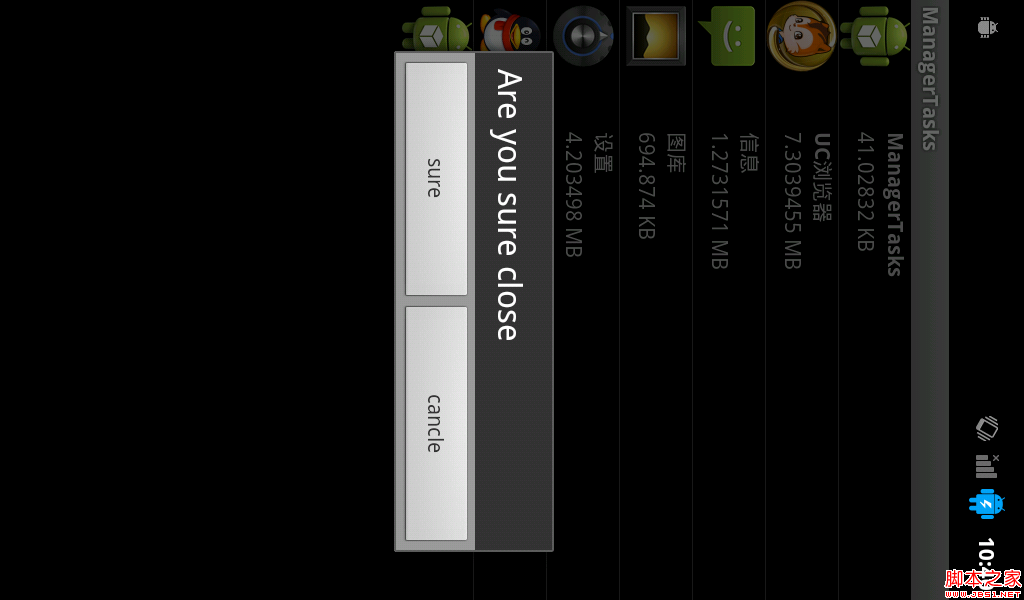
因為需要在 framework 層加入類似「工作管理員」的功能,我先寫了一個小 App 來驗證可行性:列出目前執行中的應用,點擊可切換回去,長按則可以結束該程式。 這個
 Android 實作:讓圖片同時支援平移、縮放與旋轉
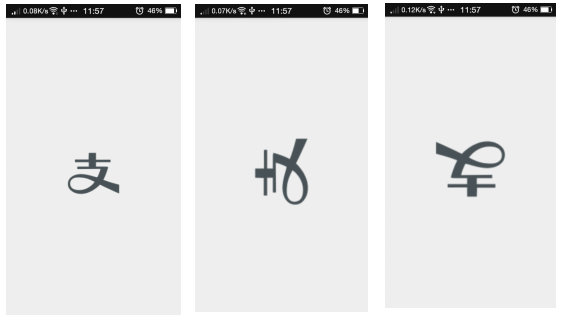
前言先前因為專案需求,用到了圖片的點擊顯示/取消、平移與縮放功能。後來突然想再加上旋轉,上網看了不少相關範例,卻始終找不到能同時滿足我所有需求的實作,於是乾脆自己動手做了
 WindowManagerService 服務如何以堆疊形式組織視窗
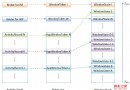
我們知道,在 Android 系統中,Activity 是以堆疊的形式組織在 ActivityManagerService 服務裡的。與 Activity 類似,系統中的