

編輯:Android 開發實例
在手機有限的螢幕空間裡,當我們需要安排較多內容而無法全部容納時,除了使用版面捲動功能(但這樣做往往不夠美觀),更好的方式是使用面板 Tab 控件。特別是當我們需要把不同功能集合的控件各自歸類到獨立面板時,Tab 控件就顯得格外好用。
面板控件的好處在於:能在同一個界面上呈現不同的面板內容,並透過面板標籤方便地切換。以下直接從範例介紹 Tab 控件的兩種顯示方法。
以下以 TextView 為例,定義兩個 Tab 各自要顯示的內容:
<?xml version="1.0" encoding="utf-8"?>
<FrameLayout xmlns:android="https://schemas.android.com/apk/res/android"
    android:layout_width="fill_parent" android:layout_height="fill_parent">
    <!-- Tab 1 中顯示的內容 -->
    <TextView android:id="@+id/content1" android:layout_width="fill_parent"
        android:layout_height="fill_parent"
        android:text="tab1 content" />
    <!-- Tab 2 中顯示的內容 -->
    <TextView android:id="@+id/content2" android:layout_width="fill_parent"
        android:layout_height="fill_parent"
        android:text="tab2 content" />
</FrameLayout>
public class _Tab extends TabActivity {
    @Override
    protected void onCreate(Bundle savedInstanceState) {
        super.onCreate(savedInstanceState);
        TabHost tabHost = getTabHost();
        LayoutInflater.from(this).inflate(R.layout.tab, tabHost.getTabContentView(), true);
        // Tab 1 的內容
        tabHost.addTab(tabHost.newTabSpec("tab1")
            .setIndicator("tab1", getResources().getDrawable(R.drawable.p1))
            .setContent(R.id.view1));
        // Tab 2 的內容
        tabHost.addTab(tabHost.newTabSpec("tab2")
            .setIndicator("tab2", getResources().getDrawable(R.drawable.p1))
            .setContent(R.id.view2));
        // Tab 3 的內容(用指定的 Activity 來設定 Tab 的內容)
        tabHost.addTab(tabHost.newTabSpec("tab3")
            .setIndicator("tab3", getResources().getDrawable(R.drawable.p1))
            .setContent(new Intent(this, _TextView.class)));
    }
}
由以上範例可見,Tab 的使用主要環繞三個方法:
值得一提的是,除了使用版面檔來定義 Tab 中顯示的內容,我們還可以直接把另一個 Activity 作為 Tab 的內容來顯示(如上例的 tab3),如此一來每個 Tab 面板的內容便能各自獨立,讓複雜的介面也能保持清晰的結構。
 Android MediaPlayer 音訊播放實作
Android 提供 MediaPlayer 類別,可播放音訊與影片。最簡單的方式是使用靜態 create() 方法載入 res/raw 中的媒體檔。 MediaPlay
 Android SurfaceView 學習示例:為什麼遊戲和相機預覽都用它
做遊戲渲染、相機預覽或者高頻重繪的動畫時,普通 View 往往力不從心,這時候就輪到 SurfaceView 上場了。本文從它的特性講起,並附一個可以直接跑起來的示例。
 Android 載入轉圈動畫(Spinner)怎麼做
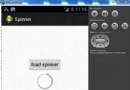
使用者按下按鈕後,如果背後要跑一段時間的作業,畫面若完全沒有反應,往往會被誤以為當機。這時候進度提示就派上用場了。 Android 的 ProgressBar 有兩種常
 Android 建立選單與取得螢幕解析度
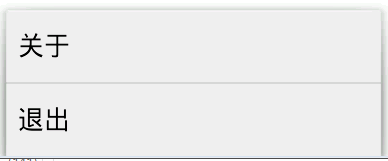
建立選單可覆寫 onCreateOptionsMenu,用 menu.add 加入項目;點擊時在 onOptionsItemSelected 中依 itemId 處理。若