

編輯:Android 開發實例
本節的主題是:如何定義一個 Runnable,並讓它的 run() 方法在獨立線程上執行。執行的 Runnable 對象通常被稱為「任務」。
Thread 和 Runnable 都是最底層的類,單靠它們能做的事有限。因此 Android 提供了更強大的封装,例如 HandlerThread、AsyncTask、IntentService。而 Thread 與 Runnable 同時也是 ThreadPoolExecutor 的基礎——後者能自動管理線程與任務隊列,甚至支持多線程並行。
public class PhotoDecodeRunnable implements Runnable {
    ...
    @Override
    public void run() {
        /*
         * Code you want to run on the thread goes here
         */
        ...
    }
    ...
}
run() 方法體就是你希望異步執行的全部代碼,內容可以是任何邏輯。但有一條紅線必須記住:Runnable 不運行在 UI 線程,因此不能直接改動 UI 對象的屬性,否則會引發 CalledFromWrongThreadException。與界面通訊的正確姿勢,是把結果交給運行在 UI 線程的 Handler 處理。
此外,在 run() 方法開頭最好主動降低線程優先級:
android.os.Process.setThreadPriority(android.os.Process.THREAD_PRIORITY_BACKGROUND);
THREAD_PRIORITY_BACKGROUND 低於默認值,這樣系統會把資源優先分配給 UI 線程,避免後台任務拖慢界面響應。
同時,建議用 Thread.currentThread() 把線程對象的引用保存下來,後續需要中斷任務時會用到。
class PhotoDecodeRunnable implements Runnable {
...
    /*
     * Defines the code to run for this task.
     */
    @Override
    public void run() {
        // Moves the current Thread into the background
        android.os.Process.setThreadPriority(android.os.Process.THREAD_PRIORITY_BACKGROUND);
        ...
        /*
         * Stores the current Thread in the PhotoTask instance,
         * so that the instance
         * can interrupt the Thread.
         */
        mPhotoTask.setImageDecodeThread(Thread.currentThread());
        ...
    }
...
}
把「降低優先級」與「保存線程引用」這兩件事做進 run() 的開頭,幾乎可以作為後續所有異步任務的標準起手式。
 Android 進階:藍牙隱藏 API 探秘
前文講解了 Android 藍牙的基本用法,本文則更深入一步,探討藍牙方面的隱藏 API。用過 Android 系統設置的人都知道,藍牙搜索之後可以建立配對或解除配對,但
 cocos2d-x 環境建置踩雷筆記:從 NDK 設定到 Eclipse 導入
我用的是 cocos2d-2.0-x-2.0.3。之前折騰了一整天都沒成功,今天換上最新的 NDK8、更新了 SDK,又重頭跑一次,居然就過了——不知道是工具版本的關係,
 Android 應用在地化:字串資源與語言代碼對照
一支上架的 App,使用者可能來自任何語言環境。要讓各地使用者都讀得懂畫面上的字,就得把文字從程式碼中抽出來,按語言分別準備。Android 對這件事有完整的資源機制支援
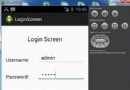 Android 登入範例:帳號密碼與重試次數
登入畫面的設計重點一個基本的登入畫面通常包含使用者名稱、密碼與登入按鈕。密碼欄位應使用密碼輸入型態,讓輸入內容以遮罩方式顯示。帳號密碼驗證按下登入鈕後,程式會取得輸入框中