

編輯:Android 開發實例
LatinIME 的「輸入語言設定」清單,是由系統地區設定與輸入法自身的語言設定合併(merge)而來。也就是說,某個語言必須在系統地區與輸入法語言兩邊都被支援,才會出現在可勾選的清單中。
而 languageList 是從儲存拉丁輸入法設定的 latin_preferences.xml 讀出來的,記錄的是上一次選擇的輸入語言。因此,若要在使用者從未操作過的情況下預設勾選某些語言(例如緬甸語、英語、法語),最簡單的切入點就是在首次開機時寫入這份偏好檔。
將檔案放在 packages/inputmethods/LatinIME/java/src/com/android/inputmethod/latin 底下:
package com.android.inputmethod.latin;

import android.content.BroadcastReceiver;
import android.content.Context;
import android.content.Intent;
import android.content.SharedPreferences;
import android.content.SharedPreferences.Editor;
import android.util.Log;

public class LatinImeReceiver extends BroadcastReceiver {
    private static final String TAG = LatinImeReceiver.class.getSimpleName();

    @Override
    public void onReceive(Context context, Intent intent) {
        Log.d("LatinImeReceiver", "step1");
        SharedPreferences sp = context.getSharedPreferences(
                "com.android.inputmethod.latin_preferences", Context.MODE_PRIVATE);
        boolean hasSet = sp.getBoolean("has_set", false);

        if (!hasSet) {
            Log.d("LatinImeReceiver", "step2");
            Editor editor = sp.edit();
            // 預設勾選英語、緬甸語、法語
            // 可用語言代碼請參考 InputLanguageSelection.java 中的 WHITELIST_LANGUAGES
            editor.putString(LatinIME.PREF_SELECTED_LANGUAGES, "en_US,my,fr");
            editor.putBoolean("has_set", true);
            SharedPreferencesCompat.apply(editor);
            Log.d("LatinImeReceiver", "step5");
        }
    }
}
這裡用 has_set 這個旗標做保護,確保只有在第一次開機後才寫入預設值,之後使用者自行調整的語言選擇不會被覆蓋回來。
在 packages/inputmethods/LatinIME/java/androidManifest.xml 的最後加入:
<receiver android:name="LatinImeReceiver" android:enabled="true">
    <intent-filter>
        <action android:name="android.intent.action.BOOT_COMPLETED" />
    </intent-filter>
</receiver>
同時別忘了補上開機完成所需的權限:
<uses-permission android:name="android.permission.RECEIVE_BOOT_COMPLETED" />
· 語言代碼採用「語言_地區」格式,緬甸語為 my,寫入前請確認該語言在 LatinIME 的語言清單中確實存在,否則不會生效。
· 偏好檔名稱必須與 LatinIME 實際使用的名稱一致,這裡是 com.android.inputmethod.latin_preferences。
· 使用 SharedPreferencesCompat.apply() 而非 commit(),可讓寫入在背景執行,避免阻塞開機流程。
· 由於涉及系統輸入法原始碼,需自行編譯 LatinIME 模組並刷入設備,一般第三方應用無法修改此設定。
 Android MediaPlayer:打造自己的音樂播放器
Android 在音訊與影片播放上提供了相當完整的支援,而其中最常被直接使用的一條路徑,就是 MediaPlayer 這個類別。它被封裝在 android.media 套
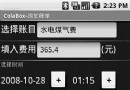 Android 理財 App 實作(四):新增帳單頁面的版面配置與 Spinner 資料綁定
這一節要把新增帳單的介面整理出來。動手前覺得應該不難,實際做下去才發現:排版面比寫程式還費工。上網找資料也收穫有限,官方範例裡用得最多的還是 ListView,但這個頁面
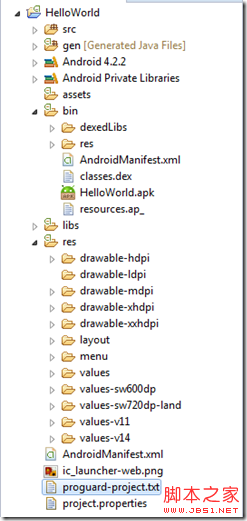 Android 入門:把 HelloWorld 專案的每個細節看明白
每一本 Android 書的第一章幾乎都是 HelloWorld。但多數人跑完就跳過了,其實這個看似空蕩蕩的專案裡,藏著整個 Android 開發架構的縮影。把目錄結構與
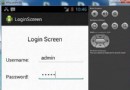 Android 登入畫面實作教學
登入畫面是許多應用程式的入口,通常需要收集使用者名稱與密碼,並在輸入錯誤時提供有限次數的重試機制。本文以一個簡單範例說明如何在 Android 中建立登入介面、比對帳號密