

編輯:Android 開發實例
當你想自訂列表顯示時,Adapter 是不可或缺的好幫手,其中又以 SimpleAdapter 最為常用。它的建構子如下:
public SimpleAdapter (Context context, List<Map<String, ?>> data, int resource, String[] from, int[] to)
各參數的意義如下:
context:上下文,即 SimpleAdapter 關聯的視圖,一般就是目前的 Activity,可直接傳入 this。data:泛型的 List,例如 ArrayList,內容多為 Map 或 HashMap。resource:資源檔,一個 R.layout,也就是要顯示的版面配置。from:一個陣列,對應 Map 中的鍵值。to:對應 layout XML 中元件 id 所形成的 int 識別碼。
在 ListActivity 中先定義一個 List 並塞入資料:
List<Map<String, String>> people= new ArrayList<Map<String, String>>();
Map m=new HashMap();
m.put("name","tom");
m.put("age","20");
people.add(m);
...
SimpleAdapter adapter = new SimpleAdapter(this, (List<Map<String, String>>) people, R.layout.main,
new String[] { "name","age" }, new int[] {R.id.name,R.id.age });
setListAdapter(adapter);
其中 R.id.name 與 R.id.age 是在 XML 版面配置中定義的兩個 TextView,分別用來顯示 name 與 age,而版面中還需包含一個 ListView(也可以在程式中動態建立)。
小提醒:在 ListActivity 中不需要呼叫 setContentView,系統會自動載入預設版面。
 Android 進度指示:用 Loading Spinner 告訴使用者「正在忙」
當 App 要跑一段時間的任務(例如讀取網路資料、解壓縮檔案)時,如果畫面完全沒有反應,使用者往往會以為程式當掉了。這時候就需要一個進度條來回饋狀態。 Android
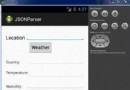 從零打造 Android 天氣 App:網路連線、背景執行緒與 JSON 解析全流程
幾乎所有真實的 App 都要跟網路打交道,而「按下按鈕 → 發請求 → 拿 JSON → 解析 → 更新畫面」就是最典型的一條鏈路。本章用一個天氣查詢 App 把這條鏈路
 攔截 TextView 裡的超連結點擊
一段文字裡如果有網址,我們通常希望它被視為可點擊的連結;但有時候需求相反——你可能想攔下這個點擊,改由自己的邏輯處理,例如導向自家 App 的內部頁面,或先跳確認對話框。
 Android 多語系支援:用 values 資源資料夾實作 App 在地化
一支上架 Google Play 的 App,面對的是全世界的使用者。要讓它在不同地區都讀起來順暢,就必須把介面文字、數字格式與其他資源依語言環境做調整。Android