

編輯:Android 開發實例
做過「我的手機」「設備檢測」類功能的開發者都繞不開一件事:把系統信息讀出來。Android 借鑑了 Linux 的 /proc 虛擬文件系統,很多硬件狀態都以文本形式掛在那裡,讀文件即可;另一部分則要走系統 API 或廣播。下面按類別梳理。
/proc/cpuinfo 記錄 CPU 型號、架構等靜態信息;/proc/stat 保存所有 CPU 的活動時間片,用前後兩次採樣的差值可以算出使用率。而頻率相關的信息在 /sys/devices/system/cpu/cpu0/cpufreq/ 下,文件名一目了然:cpuinfo_max_freq、cpuinfo_min_freq、scaling_cur_freq。
package com.orange.cpu;

import java.io.BufferedReader;
import java.io.FileReader;
import java.io.IOException;
import java.io.InputStream;

public class CpuManager {

    // 獲取 CPU 最大頻率(單位 KHZ)
    // "/system/bin/cat" 命令行
    // "/sys/devices/system/cpu/cpu0/cpufreq/cpuinfo_max_freq" 存儲最大頻率的文件的路徑
    public static String getMaxCpuFreq() {
        String result = "";
        ProcessBuilder cmd;
        try {
            String[] args = {
                "/system/bin/cat",
                "/sys/devices/system/cpu/cpu0/cpufreq/cpuinfo_max_freq"
            };
            cmd = new ProcessBuilder(args);
            Process process = cmd.start();
            InputStream in = process.getInputStream();
            byte[] re = new byte[24];
            while (in.read(re) != -1) {
                result = result + new String(re);
            }
            in.close();
        } catch (IOException ex) {
            ex.printStackTrace();
            result = "N/A";
        }
        return result.trim();
    }

    // 獲取 CPU 最小頻率(單位 KHZ)
    public static String getMinCpuFreq() {
        String result = "";
        ProcessBuilder cmd;
        try {
            String[] args = {
                "/system/bin/cat",
                "/sys/devices/system/cpu/cpu0/cpufreq/cpuinfo_min_freq"
            };
            cmd = new ProcessBuilder(args);
            Process process = cmd.start();
            InputStream in = process.getInputStream();
            byte[] re = new byte[24];
            while (in.read(re) != -1) {
                result = result + new String(re);
            }
            in.close();
        } catch (IOException ex) {
            ex.printStackTrace();
            result = "N/A";
        }
        return result.trim();
    }

    // 實時獲取 CPU 當前頻率(單位 KHZ)
    public static String getCurCpuFreq() {
        String result = "N/A";
        try {
            FileReader fr = new FileReader(
                "/sys/devices/system/cpu/cpu0/cpufreq/scaling_cur_freq");
            BufferedReader br = new BufferedReader(fr);
            String text = br.readLine();
            result = text.trim();
        } catch (Exception e) {
            e.printStackTrace();
        }
        return result;
    }

    // 獲取 CPU 名字
    public static String getCpuName() {
        try {
            FileReader fr = new FileReader("/proc/cpuinfo");
            BufferedReader br = new BufferedReader(fr);
            String text = br.readLine();
            String[] array = text.split(":\\s+", 2);
            return array[1];
        } catch (Exception e) {
            e.printStackTrace();
        }
        return null;
    }
}
用 ProcessBuilder 調 cat 是老做法,其實直接用 FileReader 讀同一個路徑也可以,還能少一次進程創建。另外要注意:不少廠商的內核並沒有開放 cpufreq 節點,或者根本不支持電量不敏感的頻率查詢,讀不到時必須有兜底值;部分機型還會對 /proc 下的內容做限制。示例裡的 while 循環每次覆蓋同一個 byte 數組,多塊拼接時可能出現重複內容,改成逐行讀取更穩妥。
public void getTotalMemory() {
    String str1 = "/proc/meminfo";
    String str2 = "";
    try {
        FileReader fr = new FileReader(str1);
        BufferedReader localBufferedReader = new BufferedReader(fr, 8192);
        while ((str2 = localBufferedReader.readLine()) != null) {
            Log.i(TAG, "---" + str2);
        }
    } catch (IOException e) {
    }
}
這個文件裡有 MemTotal、MemFree、MemAvailable、Cached 等字段,注意單位是 kB。想拿「可用內存」,Android 更推薦用 ActivityManager.getMemoryInfo() 得到 ActivityManager.MemoryInfo.availMem,跨版本更可靠。
public long[] getRomMemroy() {
    long[] romInfo = new long[2];
    // Total rom memory
    romInfo[0] = getTotalInternalMemorySize();

    // Available rom memory
    File path = Environment.getDataDirectory();
    StatFs stat = new StatFs(path.getPath());
    long blockSize = stat.getBlockSize();
    long availableBlocks = stat.getAvailableBlocks();
    romInfo[1] = blockSize * availableBlocks;

    getVersion();
    return romInfo;
}

public long getTotalInternalMemorySize() {
    File path = Environment.getDataDirectory();
    StatFs stat = new StatFs(path.getPath());
    long blockSize = stat.getBlockSize();
    long totalBlocks = stat.getBlockCount();
    return totalBlocks * blockSize;
}

public long[] getSDCardMemory() {
    long[] sdCardInfo = new long[2];
    String state = Environment.getExternalStorageState();
    if (Environment.MEDIA_MOUNTED.equals(state)) {
        File sdcardDir = Environment.getExternalStorageDirectory();
        StatFs sf = new StatFs(sdcardDir.getPath());
        long bSize = sf.getBlockSize();
        long bCount = sf.getBlockCount();
        long availBlocks = sf.getAvailableBlocks();

        sdCardInfo[0] = bSize * bCount;       // 總大小
        sdCardInfo[1] = bSize * availBlocks;  // 可用大小
    }
    return sdCardInfo;
}
API 18 之後 StatFs 提供了 getAvailableBytes() 和 getTotalBytes(),直接返回字節數,不必自己相乘,也不容易在超大容量存儲上溢出。
private BroadcastReceiver batteryReceiver = new BroadcastReceiver() {
    @Override
    public void onReceive(Context context, Intent intent) {
        int level = intent.getIntExtra("level", 0);
        // level 加 % 就是當前電量了
    }
};
registerReceiver(batteryReceiver, new IntentFilter(Intent.ACTION_BATTERY_CHANGED));
ACTION_BATTERY_CHANGED 是有粘性(sticky)的廣播,註冊後會立刻收到一次當前狀態,因此不用等變化就能拿到電量。intent 裡還有 status、voltage、temperature、health 等字段。如果只需要一次性取值,用 BatteryManager.getIntProperty(BatteryManager.BATTERY_PROPERTY_CAPACITY) 更省事。
public String[] getVersion() {
    String[] version = {"null", "null", "null", "null"};
    String str1 = "/proc/version";
    String str2;
    String[] arrayOfString;
    try {
        FileReader localFileReader = new FileReader(str1);
        BufferedReader localBufferedReader = new BufferedReader(localFileReader, 8192);
        str2 = localBufferedReader.readLine();
        arrayOfString = str2.split("\\s+");
        version[0] = arrayOfString[2]; // KernelVersion
        localBufferedReader.close();
    } catch (IOException e) {
    }
    version[1] = Build.VERSION.RELEASE; // firmware version
    version[2] = Build.MODEL;           // model
    version[3] = Build.DISPLAY;         // system version
    return version;
}
大部分版本信息其實不需要讀文件,android.os.Build 裡應有盡有:Build.VERSION.SDK_INT 判斷系統等級、Build.MODEL 拿機型、Build.MANUFACTURER 拿廠商、Build.DISPLAY 拿系統版本號。只有內核版本需要從 /proc/version 或 System.getProperty("os.version") 取。
public String[] getOtherInfo() {
    String[] other = {"null", "null"};
    WifiManager wifiManager = (WifiManager) mContext.getSystemService(Context.WIFI_SERVICE);
    WifiInfo wifiInfo = wifiManager.getConnectionInfo();
    if (wifiInfo.getMacAddress() != null) {
        other[0] = wifiInfo.getMacAddress();
    } else {
        other[0] = "Fail";
    }
    other[1] = getTimes();
    return other;
}

private String getTimes() {
    long ut = SystemClock.elapsedRealtime() / 1000;
    if (ut == 0) {
        ut = 1;
    }
    int m = (int) ((ut / 60) % 60);
    int h = (int) ((ut / 3600));
    return h + " " + mContext.getString(R.string.info_times_hour)
            + m + " " + mContext.getString(R.string.info_times_minute);
}
從 Android 6.0 起,WifiInfo.getMacAddress() 對普通應用一律返回 02:00:00:00:00:00 這個常量值,用它做設備唯一標識已經行不通;/analytics 類需求應改用其他可重置的標識方案。開機時長則推薦 SystemClock.elapsedRealtime(),它從開機起計時、包含休眠時間,不受用戶改系統時間影響,比 System.currentTimeMillis() 做差更可靠。
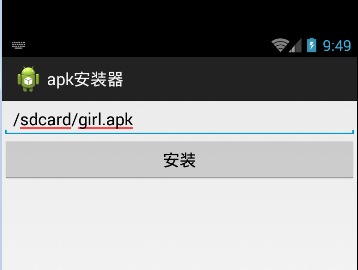 Android APK 的安裝實作完整解析
本文帶大家完整走一遍在 Android 中實現 apk 安裝的流程。首先來看看系統安裝器 PackageInstaller 的清單檔(位於 packages\apps\P
 Android 加載 Spinner 教學:用進度轉盤提示未知等待
在 Android 中,若任務完成時間未知,可使用不確定模式的進度條,也就是常見的加載 Spinner。它通常會持續旋轉,用來告知使用者系統仍在處理中。 在版面配置中加入
 Android Service 完全解析:生命週期與 start/bind 的差別
前面談過 Activity 與 Intent,這次來看 Service。一句話概括:如果把 Activity 比喻成前台程式,Service 就是背景程式,整個生命週期都
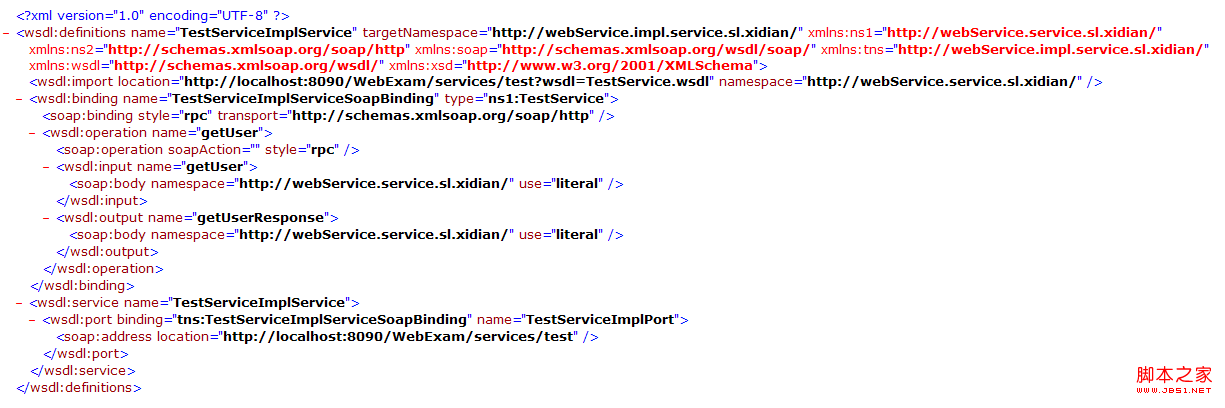 Android 呼叫 Web Service(CXF)實戰詳解:ksoap2 用戶端
Google 為 Android 平台開發 Web Service 提供了支援,提供了 Ksoap2-android 相關套件。 一、下載 ksoap2-android