

編輯:Android 開發實例
在 AndroidManifest.xml 或版面中透過 android:theme 屬性,就能快速套用系統內建的樣式。以下把常用主題整理成對照表:
android:theme="@android:style/Theme.Dialog":Activity 以對話框模式顯示android:theme="@android:style/Theme.NoTitleBar":不顯示應用程式標題欄android:theme="@android:style/Theme.NoTitleBar.Fullscreen":不顯示標題欄並全螢幕android:theme="Theme.Light":白色背景android:theme="Theme.Light.NoTitleBar":白色背景且無標題欄android:theme="Theme.Light.NoTitleBar.Fullscreen":白色背景、無標題欄、全螢幕android:theme="Theme.Black":黑色背景android:theme="Theme.Black.NoTitleBar":黑色背景且無標題欄android:theme="Theme.Black.NoTitleBar.Fullscreen":黑色背景、無標題欄、全螢幕android:theme="Theme.Wallpaper":以系統桌面作為應用程式背景android:theme="Theme.Wallpaper.NoTitleBar":桌面背景且無標題欄android:theme="Theme.Wallpaper.NoTitleBar.Fullscreen":桌面背景、無標題欄、全螢幕android:theme="Theme.Translucent":透明背景android:theme="Theme.Translucent.NoTitleBar":透明背景且無標題android:theme="Theme.Translucent.NoTitleBar.Fullscreen":透明背景、無標題、全螢幕android:theme="Theme.Panel":面板風格顯示android:theme="Theme.Light.Panel":淺色面板風格顯示 從 trace 檔案追兇:一次死鎖導致 ANR 的完整分析過程
對 Android 開發者而言,ANR(Application Not Responding)幾乎是必經之路。好消息是系統會留下線索:一旦發生 ANR,/data/anr
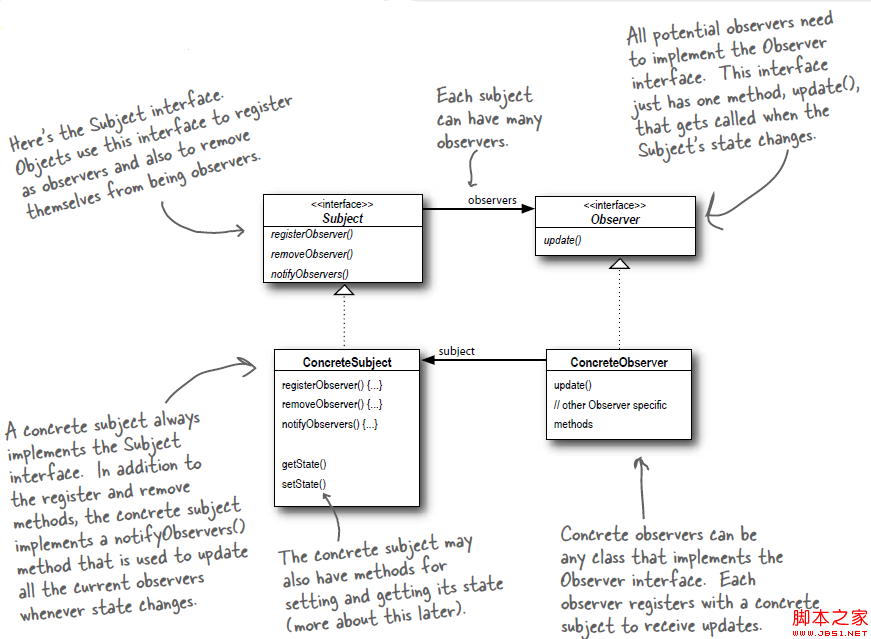 Android 源碼中的觀察者模式:事件監聽模型解析
定義 Define a one-to-many dependency between objects so that when one object changes st
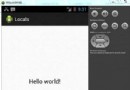 Android 應用本地化:多語系字串資源設定
Android App 可能在不同語言與地區運行。本地化可讓文字、數字、日期等更符合當地使用者的習慣。 建立語言資源資料夾 在 res 下建立 values-it、val
 動手做「開發者頭條」App(三):首頁整體實現
一、前言 本文是系列第三篇,來把開發者頭條的首頁搭起來。先看效果: 從動圖可以拆出兩層結構:外層是「精選、訂閱、發現」三個可左右滑動的 Tab;進入精選頁後,頂部是一塊